
HMI Design in Industrial Automation: Best Practices for Machine Operators
Industrial Automation

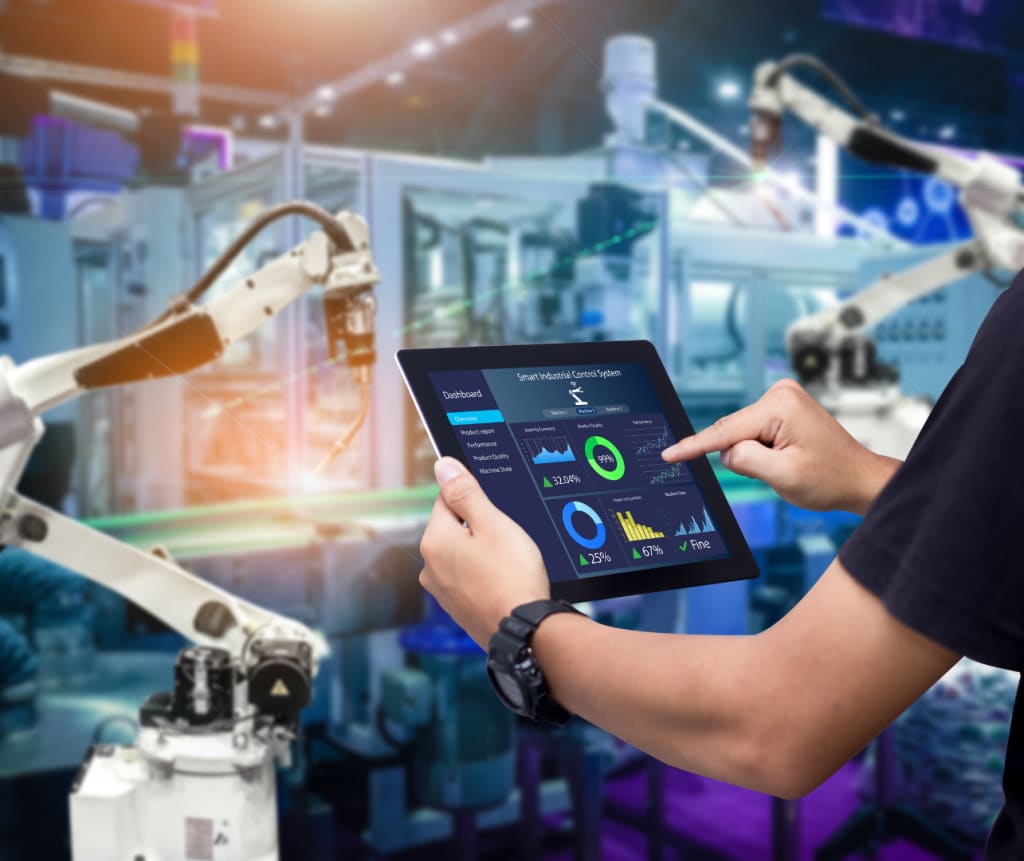
In the world of industrial automation, Human-Machine Interfaces (HMIs) play a crucial role in ensuring smooth operations. HMIs act as the bridge between machine operators and industrial systems, allowing them to monitor processes, control equipment, and troubleshoot issues efficiently.
An intuitive and well-designed HMI improves productivity, reduces human error, and enhances workplace safety. However, designing an effective HMI is not just about aesthetics, it must prioritize usability, clarity, and efficiency to support machine operators in high-stakes environments.
This blog explores the role of HMI design in industrial automation and the best practices tailored for machine operators, helping them streamline workflows, improve usability, and enhance overall system efficiency.
Understanding HMI in Industrial Automation
What is an HMI?
A Human-Machine Interface (HMI) is a digital or physical interface that enables operators to interact with machinery, control processes, and visualize data. It typically consists of touch screens, physical buttons, indicators, and graphical displays integrated into industrial control systems.
HMIs are used across various industries, including:
- Manufacturing – Automation of process control, robotics integration, and efficient assembly line operations
- Energy & Utilities – Real-time monitoring of power plants and optimization of renewable energy systems
- Pharmaceutical & Medical – Ensuring precision and regulatory compliance in medical production lines
- Automotive – Advanced HMI-driven smart factory automation and vehicle production enhancements
- Food & Beverage – Maintaining strict quality control and process optimization in production environments
Why HMI Design Matters for Machine Operators?
A well-optimized HMI improves the working experience for machine operators by:
- Providing real-time data visualization to aid quick decision-making
- Reducing operational errors through intuitive controls and navigation
- Enhancing safety by ensuring immediate alerts and warnings are visible
- Improving efficiency by minimizing the time spent on navigating menus or troubleshooting issues
With the right HMI design, machine operators can perform their duties more effectively, ensuring smooth industrial automation processes.
Best Practices for Machine Operators
1. Keep the Interface Simple and Easy to Use
Machine operators work in fast-paced environments where complex interfaces can lead to inefficiencies and errors. A well-designed HMI with the right interface components should display only essential information in a clean, structured layout, enhancing efficiency and usability.
Best practices:
- Show only essential data to avoid screen clutter.
- Use an intuitive layout with clearly labeled functions.
- Prioritize frequently used controls in easily accessible locations.
Common mistakes to avoid:
- Overloading screens with excessive data or unnecessary animations
- Creating deep, confusing menu structures that increase navigation time
2. Design for Quick Navigation and Operator Efficiency
Machine operators need to quickly access controls and receive immediate system feedback to maintain efficiency.
Best practices:
- Maintain a consistent menu structure for easy navigation
- Use logical button placement based on workflow priorities
- Implement search and shortcut options to reduce the time spent finding controls
Common mistakes to avoid:
- Hiding essential controls under multiple menus
- Using inconsistent icons or terminology that confuses operators
3. Optimize Data Visualization for Machine Operators
Machine operators rely on clear and easy-to-read data displays to monitor system performance. Poorly designed HMIs can lead to delays or misinterpretation of critical data.
Best practices:
- Replace raw numerical data with charts, graphs, and visual indicators
- Use color coding to differentiate normal, warning, and critical conditions
- Choose large, readable fonts to improve visibility, especially in industrial environments
Common mistakes to avoid:
- Using small text or overcrowded displays that are hard to read
- Failing to emphasize alarms or system warnings
4. Use Standardized Colors and Symbols for Immediate Recognition
Operators should instantly recognize system statuses based on color and symbol standardization.
Best practices:
- Green for normal operation
- Yellow for warnings or maintenance alerts
- Red for critical errors that need immediate attention
- Blue for informational system updates
Common mistakes to avoid:
- Overusing colors without meaning leads to confusion
- Using non-standard symbols that operators may misinterpret
5. Adapt the Interface for Different Experience Levels
Not all machine operators have the same level of technical expertise. Customizing HMIs for different user levels improves usability and efficiency.
Best practices:
- Basic interface views for entry-level operators
- Advanced settings for experienced users and maintenance teams
- Role-based access levels to prevent accidental system changes
Common mistakes to avoid:
- Overloading beginner operators with complex settings
- Failing to protect critical controls from unauthorized modifications
6. Prioritize Alarm Management for Faster Responses
Operators need clear, well-organized alarm systems to respond quickly to potential issues.
Best practices:
- Categorize alarms into critical, warning, and informational alerts
- Use both audio and visual alerts to capture attention
- Maintain a log of past alarms for troubleshooting
Common mistakes to avoid:
- Displaying too many alarms at once, causing information overload
- Not providing clear resolution steps for active alarms
7. Ensure Touchscreen Responsiveness and Accessibility
Many HMIs now feature touch screen controls, but poor design can make them frustrating to use.
Best practices:
- Use large, well-spaced buttons to avoid accidental inputs
- Optimize touch screen sensitivity for use with gloves
- Provide alternative input methods for accessibility
Common mistakes to avoid:
- Designing small, hard-to-press buttons
- Ignoring operator feedback on touch responsiveness
8. Implement Data Logging for Performance Analysis
Data logging allows machine operators to track performance trends and detect potential issues.
Best practices:
- Store historical machine data for performance tracking
- Enable trend analysis for predictive maintenance
- Provide export options for detailed reports
Common mistakes to avoid:
- Not recording operational data, limiting troubleshooting ability
- Lack of data access for operators and supervisors
9. Strengthen Security with Role-Based Access Controls
Security is critical in industrial automation, preventing unauthorized changes to machine settings.
Best practices:
- Require user authentication for system modifications
- Assign role-based access levels to limit permissions
- Regularly update HMI software for cybersecurity protection
Common mistakes to avoid:
- Using weak passwords or shared logins
- Allowing remote access without security controls
10. Continuously Improve Through Operator Feedback
HMI systems should evolve based on real-world operator feedback to maximize usability.
Best practices:
- Conduct regular user testing with machine operators
- Gather feedback to refine interface design
- Update the HMI based on workflow improvements
Common mistakes to avoid:
- Ignoring operator suggestions for usability improvements
- Not adapting the interface as automation processes evolve
Advancing HMI Design for Machine Operators
Creating an efficient HMI design for machine operators in industrial automation requires careful planning, operator-focused usability, and continuous refinement. By implementing best practices such as intuitive navigation, clear data visualization, standardized alarm management, and role-based security, industrial operations can become safer and more efficient.
If your business is looking to optimize HMI design for machine operators, Butler Technologies, Inc. offers custom solutions tailored for industrial automation. Contact us today to enhance your machine interface for maximum efficiency and safety.
About the Creator
Jason Sky
Hey, I am Jason Sky, and I'm an electrical engineer with over a decade of experience in the field. I'm proud to say that I've played a key role in many significant projects over the years.



Comments
There are no comments for this story
Be the first to respond and start the conversation.