
Do WordPress Plugins Contain Viruses?
Are Plugins Safe?
WordPress is a versatile and widely-used platform that powers millions of websites worldwide. Its functionality and appeal are enhanced by plugins, which extend the core features of WordPress. However, a common concern among users is whether WordPress plugins can contain viruses or malicious code.
In my article, we’ll address these concerns, help you identify safe plugins, and offer recommendations for ensuring the security of your WordPress website.
Can WordPress Plugins Contain Viruses?
The short answer is yes, but it’s not common if you use plugins from trusted sources. Malicious plugins can enter your site if they are:
- Downloaded from unverified or suspicious sources.
- Outdated and abandoned by their developers.
- Created by attackers disguising malware as legitimate tools.
These infected plugins can compromise your website by exposing sensitive data, redirecting users to malicious sites, or even taking complete control of your site.
How to Identify Safe WordPress Plugins
Here are a few tips to avoid plugins that might harm your website:
Use Plugins from Trusted Sources
Always download plugins from the WordPress Plugin Repository or reputable third-party marketplaces. Developers like CozyThemes maintain high-quality and secure solutions, such as CozyBlocks, an essential WordPress plugin designed to enhance your website without compromising its security.
Check User Reviews and Ratings
Before installing a plugin, review its ratings and feedback. A plugin with consistent positive reviews is generally more reliable.
Regular Updates and Support
A well-maintained plugin with regular updates and responsive support is a good sign of trustworthiness. For example, if you're working with themes like FotaWP or BeautyStore, ensure the plugins you use are updated to work seamlessly with these themes.
Scan Plugins for Malware
Use tools like Wordfence or Sucuri to scan plugins for vulnerabilities. These tools can help detect any suspicious code or activity.
Avoid Null or Pirated Plugins
Many users are tempted to use premium plugins from unofficial sources. These can be modified to include malware, posing significant risks to your website.
How to Keep Your WordPress Site Secure
- Update Regularly: Keep your WordPress core, themes, and plugins updated to their latest versions.
- Backup Your Website: Regular backups ensure you can restore your website if something goes wrong.
- Use Security Plugins: Install security plugins that monitor, block, and alert you about potential threats.
- Host on Reliable Servers: A good hosting provider often includes built-in security measures to keep your site safe.
My Final Thoughts
While WordPress plugins can pose security risks, the likelihood of encountering malicious ones is significantly reduced when you follow best practices. Plugins are the cornerstone of WordPress’s versatility, allowing users to create feature-rich and dynamic websites. However, their advantages come with the responsibility of careful selection and maintenance.
From my experience, the key to ensuring plugin security lies in education and proactive management. By understanding the risks, you can take deliberate steps to avoid potential threats. Always prioritize plugins from trusted developers and sources. Developers like CozyThemes, for example, are committed to delivering reliable solutions, such as CozyBlocks, designed with security as a top priority.
Equally important is keeping your plugins, themes, and WordPress core updated. Regular updates not only bring new features but also patch vulnerabilities that attackers might exploit. Pair this with reliable tools like Wordfence or Sucuri, and you’ve created a robust security framework for your website.
Finally, always remember that cheap shortcuts, such as null or pirated plugins, are not worth the risks they introduce. By staying vigilant, scanning for vulnerabilities, and adhering to best practices, you can confidently leverage the power of WordPress plugins to build secure and functional websites, ensuring peace of mind for yourself and your users.
About the Creator
Keep reading
More stories from Rejin Kayastha and writers in Journal and other communities.
My Take on WordPress 6.7 : New Themes, New Era?
As we WordPress Geeks know WordPress 6.7 was released on November 12, 2024 and it brings a host of exciting features and improvements that empower users to create more dynamic and engaging websites. This update focuses on enhancing design flexibility, user experience, and performance, with particular emphasis on themes and social media integration. Let's explore on "Does these new features elevate your WordPress site?".
By Rejin Kayasthaabout a year ago in Wander
Author’s Advice
If you would’ve asked me 20 years ago did I know I’d become a writer and an author, I would’ve said “nope, ain’t happening”. As fate would have it I did become an author and I can honestly say I’m loving it so far. It really does feel good to be a writer. I’ve learned a lot on this journey and I feel like with even me being as new to this world as I am, there’s some wisdom I need to share with every other aspiring author.
By Joe Patterson2 days ago in Journal
Gulf states lose $15bn in energy revenues since start of war
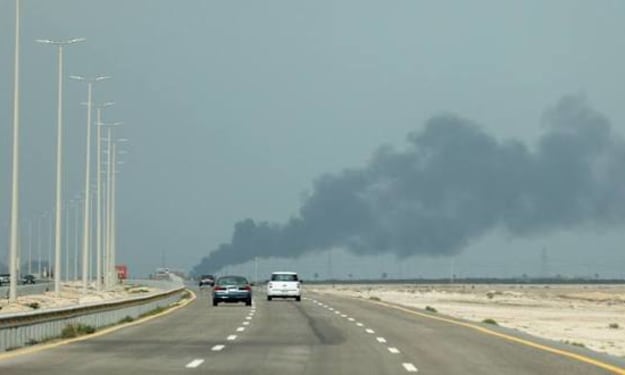
Gulf states have lost an estimated $15 billion in energy revenues since the start of the ongoing war in the region, according to analysts tracking the impact on the global oil and gas markets. The losses have been driven by a combination of disrupted production, damaged infrastructure, and reduced demand from international buyers, highlighting the economic vulnerability of nations heavily reliant on hydrocarbon exports. The conflict, which erupted earlier this year, has affected key energy-producing countries in the Gulf, including Saudi Arabia, United Arab Emirates, and Kuwait. Analysts report that output reductions, combined with logistical challenges in transporting oil and gas, have led to significant shortfalls in state revenues that fund public services, infrastructure projects, and social programs. “Energy exports are the lifeblood of the Gulf economies,” said an energy market expert. “Any prolonged disruption, particularly in the context of war, has immediate and severe consequences for government budgets and the broader economy.” In Saudi Arabia, one of the world’s largest oil producers, some key export facilities were temporarily suspended due to security threats near shipping routes in the Gulf. While production has gradually resumed, analysts estimate that the country has lost several billion dollars in expected revenues. Similar challenges have affected the UAE and Kuwait, where ports and pipelines have faced intermittent closures and heightened security alerts. The war has also affected global energy markets, contributing to volatility in oil and gas prices. While higher prices could offset some revenue losses for producers, the ongoing instability has discouraged long-term contracts and international investment, reducing the financial resilience of Gulf states. Shipping insurance premiums have surged, and some international buyers have delayed purchases due to fears of supply disruption. For nations heavily dependent on oil revenues, the losses are particularly concerning. Gulf states allocate a significant portion of their budgets to public welfare, infrastructure, and economic diversification initiatives. The sudden drop in income has forced governments to reassess spending priorities and consider measures such as tapping sovereign wealth funds, issuing bonds, or delaying capital projects. Some analysts warn that prolonged conflict could deepen economic strain. If the war continues for several months or expands geographically, the losses in energy revenue could rise sharply, potentially exceeding $20 billion. “The longer the conflict persists, the greater the economic damage will be,” said one regional economist. “Even minor disruptions to production or export routes can cascade into substantial fiscal shortfalls.” The economic impact is compounded by other global pressures, including fluctuating demand from major energy consumers and competition from alternative suppliers. European and Asian buyers have been seeking diversified sources of oil and gas, and sanctions or logistical hurdles have sometimes forced Gulf exporters to redirect shipments or renegotiate contracts at lower prices. In response, Gulf governments have ramped up security measures around energy infrastructure, including pipelines, refineries, and shipping lanes. Military patrols and aerial surveillance have been increased to safeguard exports, but analysts note that these measures add to operational costs and do not eliminate the risk of further revenue losses. Some states have also accelerated efforts to diversify their economies to reduce dependence on hydrocarbons. Projects in renewable energy, technology, tourism, and finance are being prioritized to create alternative sources of revenue. However, analysts caution that such diversification efforts are long-term solutions and cannot immediately offset the financial losses caused by the war. The International Energy Agency (IEA) has highlighted the broader implications of the Gulf revenue losses, noting that disruptions in the region can ripple through global markets. Reduced supply from major Gulf producers can drive up prices elsewhere, affect energy security for dependent nations, and influence inflationary pressures worldwide. While Gulf states continue to manage immediate fiscal challenges, officials are closely monitoring the situation. Contingency plans for energy exports, emergency budget measures, and diplomatic efforts to contain the conflict are all being considered. Experts emphasize that a resolution to the war, or at least a stabilization of key export routes, will be critical to restoring financial stability and ensuring the long-term viability of government programs. The $15 billion revenue loss is a stark reminder of the fragility of oil-dependent economies in the face of geopolitical conflict. As the Gulf navigates this challenging period, governments must balance short-term fiscal needs with longer-term strategic planning, ensuring that both immediate and future economic stability are safeguarded. The coming months will be pivotal, with analysts predicting that energy revenues, market confidence, and regional stability are all tightly intertwined, and the trajectory of the war will determine the scale of financial losses for Gulf states in 2026 and beyond.
By Fiaz Ahmed about 19 hours ago in Journal


Comments (1)
Hello, just wanna let you know that we have to choose the "AI-Generated" tag before publishing when we publish AI-Generated content 😊