
8 Best Node js Project Examples
Explore top Node js projects you can actually build. Learn by doing with real examples, features, and skills you'll actually use.
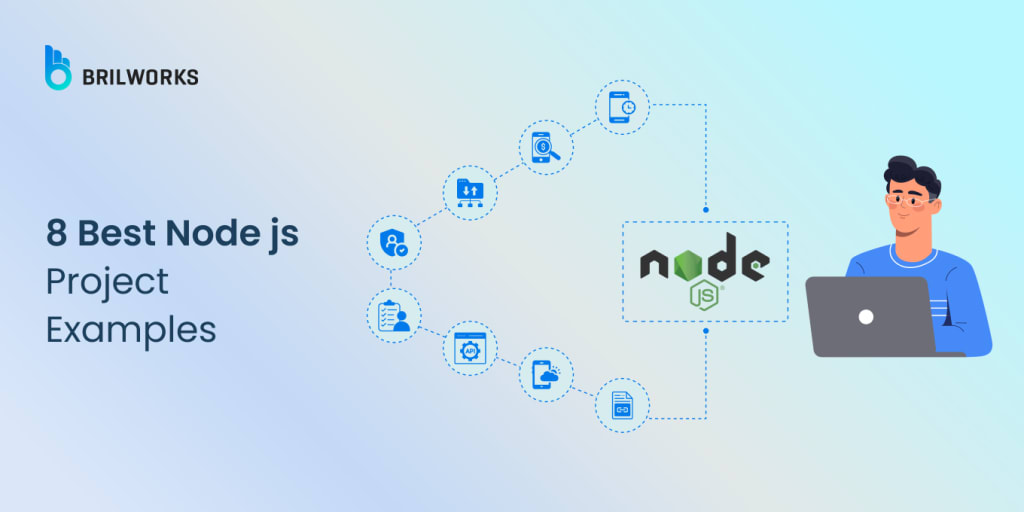
If you have explored backend development, then you have almost certainly come across Node.js. It's one of the most widely used JavaScript frameworks for building fast, scalable server-side applications, and it's been a favorite among developers for years.
What makes Node.js so popular isn't just its performance. It's the simplicity of using JavaScript on both the frontend and backend, the massive npm ecosystem, and the flexibility to build anything from small utilities to enterprise-level apps.
But let's be honest. Reading about Node.js is one thing, building something with it is where the real learning happens. Whether you're crafting a simple API or experimenting with real-time data, working on an actual sample project in Node.js gives you the kind of experience you just can't get from theory alone.
In this blog, we're diving into some of the most useful and inspiring Node.js project ideas out there. From beginner-friendly starters to more complex builds, each Node.js project example is designed to help you grow your skills and maybe even land a spot in your next portfolio.
What is Node.js?
You'll see why Node js is such a popular option if you've ever needed to create a quick, lightweight backend without learning a completely new programming language. Fundamentally, Node.js is a runtime that enables server-side JavaScript execution outside of the browser. Numerous opportunities arise from that small change.
Node.js is built upon Google's V8 engine, which powers Chrome, giving it lightning-fast performance. Its selling point isn't just speed, though. The I/O model used by Node.js is event-driven and non-blocking. To put it another way, it can manage several tasks at once without becoming slowed down. For creating scalable, data-intensive applications like chat apps, streaming platforms, and APIs, this is why it's a fantastic option.
Additionally, it's very beginner-friendly. Rather than starting from scratch, learning Node.js feels more like an extension of your existing knowledge of JavaScript. Our Essential Guide to Node js Development covers everything from environment setup to best practices, whether you're new to the field or want to learn the basics in-depth.
Moreover, there is a module for almost everything, from managing authentication to integrating with cloud services, thanks to its extensive package manager, npm.
Advantages of Node js
It's simple to understand why so many developers rely on Node.js once you begin building with it. It's not just about performance; it's also about how it streamlines your process, grows with your project, and provides you with access to a vast ecosystem.
The following are some significant benefits that are evident from practical application:
1. JavaScript on the backend
A major benefit is being able to use JavaScript throughout the stack, particularly if you are already familiar with it from frontend work. It lowers the learning curve, streamlines project organisation, and even permits client-server code reuse, such as sharing utility functions or validation logic.
2. Non-blocking I/O and asynchronous processing
Node can manage several tasks at once without waiting for one to finish before going on to the next because of its non-blocking architecture. Because of this, it's ideal for applications that need to handle a lot of I/O operations, like managing thousands of concurrent API calls or working with real-time data.
3. Fast performance with V8 engine
Because JavaScript is compiled into native machine code by the V8 engine, Node.js is incredibly fast. When you combine that with its lightweight design, you have a backend that can process large amounts of data and handle heavy traffic without feeling slow.
4. Massive npm ecosystem
Npm has grown to be one of the biggest open-source ecosystems, with more than a million packages available. It's likely that you'll find what you need, whether it's a highly customisable library or a fast plug-and-play solution, and you'll save hours of development time.
5. Scalability for growing apps
Node is naturally scalable due to its event-driven model. Node can easily manage growing numbers of users and data, whether you're developing a streaming service, a real-time chat app, or a multi-user platform. Growth is also facilitated by horizontal scaling using tools like clustering or PM2.
6. Strong framework support
Depending on the requirements of your project, frameworks like Express.js, NestJS, and Fastify offer structure, speed, and flexibility. There is a Node.js framework to fit your needs, whether you're creating a simple prototype or an intricate enterprise-level application. This list of the best Node.js frameworks for 2025 is a good place to start if you're unsure where to begin.
7. Huge community and active support
Node has a vast community. You can quickly search for solutions to your problems in this sizable and vibrant community. When you run into difficulties, there is no lack of support, from tutorials and forum discussions to open-source contributors. Furthermore, it is still being actively maintained and enhanced by the Node.js core team.
8. Cross-platform development support
Node.js is more than just server-side web applications. You can create cross-platform desktop apps using tools like Electron and your existing knowledge of JavaScript. It's a clever method to make your product available on Linux, macOS, and Windows without having to completely redo it in a new language.
How to Create a Node js Project?
It's actually quite easy to get started with a Node.js project. The fundamental setup procedures are the same whether you're creating a simple CLI tool, a small API, or something more intricate. I usually start things off like this:
1. Set up your project folder
Start by creating a new directory for your project and initializing it with npm:
mkdir my-node-project
cd my-node-project
npm init -y
This will generate a package.json file, which is where all your dependencies and scripts will live.
2. Install essential dependencies
At the very least, you'll want to install Express for building APIs or handling routes:
npm install express
You can install other packages as needed, like dotenv for environment variables or cors for handling cross-origin requests.
3. Create your entry point
Most Node.js apps start with a server.js or index.js file. Here's a basic example using Express:
const express = require('express');
const app = express();
const PORT = 3000;
app.get('/', (req, res) => {
res.send('Hello, Node.js!');
});
app.listen(PORT, () => {
console.log(`Server running on http://localhost:${PORT}`);
});
4. Add a start script
In your package.json, update the scripts section so you can start your server with npm start:
"scripts": {
"start": "node server.js"
}
5. Organize your project structure
You should maintain modularity as your project develops. To keep things tidy and manageable, divide your routes, controllers, and utilities into distinct folders.
6. Set up testing early on
Even in small projects, writing a few tests from the start can save you headaches later. Libraries like Jest, Mocha, and Supertest are commonly used in Node.js testing. If you're looking to level up your testing setup, this guide on best practices for Node.js app testing covers what tools to use and how to structure your tests for long-term maintainability.
Read the full article here.
About the Creator
Vikas Singh
Vikas is the Chief Technology Officer (CTO) at Brilworks, leads the company's tech innovations with extensive experience in software development. He drives the team to deliver impactful digital solutions globally.
Keep reading
More stories from Vikas Singh and writers in Journal and other communities.
Does React Work for iOS, and How Does it Perform?
If you’re building a mobile app and wondering whether React can handle iOS development, you’re not alone. Many teams choose React Native for its cross-platform capabilities, but how well does it really perform on Apple devices? The short answer is yes, but with some nuances.
By Vikas Singh9 months ago in Journal
Daily Liturgy: January 20, 2026 – Tuesday of the Second Week in Ordinary Time
Today’s readings invite us to reflect on God’s extraordinary insight into human hearts and the gentle ways He calls us to serve Him. In the first reading from 1 Samuel, the prophet Samuel is sent to anoint the future king of Israel. When he sees Jesse’s sons, he is impressed by their outward appearances, but the Lord reminds him, “The Lord looks at the heart.” Samuel anoints David, the youngest son, a humble shepherd, chosen not for what the world sees but for what God perceives within. This reading teaches that God often works through the seemingly ordinary, calling forth greatness in ways that defy human expectation. The psalm echoes this theme, celebrating the faithfulness and guidance God grants to His chosen servants, reminding us that God’s perspective is always higher, wiser, and deeper than our own.
By Sound and Spirit5 days ago in Journal


Comments
There are no comments for this story
Be the first to respond and start the conversation.