
5 Best AI Description Generators from Image: Your Ultimate Guide
Discover the top 5 AI description generators from images that simplify content creation.

Let’s be honest — writing descriptions for images can sometimes feel like trying to explain abstract art to a cat. You stare at the image, rack your brain, and end up with something either painfully bland or wildly off-topic. Luckily, AI description generators from images are here to save the day. These nifty tools automatically analyze your image and craft descriptions, making content creation faster and less headache-inducing.
If you’re someone who regularly works with images — be it marketers, content creators, or even casual social media buffs — you know the struggle of finding the right words. Today, I’m sharing my personal favorite AI description generators that help me skip the writer’s block and keep the creative flow. Plus, I’ll tell you how you can take your images up a notch with AVCLabs PhotoPro AI for top-notch editing and quality.
1. Microsoft Azure Computer Vision
Why I Like It: Microsoft’s Azure Computer Vision is like the Sherlock Holmes of image description — it’s detailed, reliable, and surprisingly good at understanding complex scenes.
Key Features:
- Generates rich, natural language captions for images.
- Detects objects, people, and even activities in the image.
- Offers integration with other Microsoft AI services for seamless workflows.
Pros:
- Highly accurate and detailed descriptions.
- Supports multiple languages.
- Strong enterprise support and scalability.
Cons:
- Can be a bit technical for beginners to set up.
- Requires Azure subscription (though a free tier exists).
My Take: If you’re a tech-savvy marketer or developer who wants precise image descriptions and you don’t mind a little setup, Azure is a powerhouse. It saved me countless hours crafting alt-text for product photos!
2. Google Cloud Vision API
Why It Rocks: Google’s Vision API is like the friendly neighborhood detective — fast, smart, and always ready to lend a hand.
Key Features:
- Auto-generates labels and descriptions from images.
- Detects landmarks, logos, and text within images.
- Supports Optical Character Recognition (OCR) for text extraction.
Pros:
- Fast and scalable for bulk image processing.
- Integrates smoothly with Google Cloud platform.
- Extensive documentation and community support.
Cons:
- Pricing can add up with large volumes.
- Sometimes descriptions can be generic.
My Take: For content creators who juggle tons of images daily, Google Cloud Vision is a dependable friend. It’s helped me quickly tag and describe thousands of photos with minimal effort.
3. Clarifai
Why It’s Cool: Clarifai has this fun vibe and a user-friendly interface, perfect for those who want powerful AI without getting tangled in code.
Key Features:
- Customizable models to tailor descriptions.
- Supports detailed image tagging and captioning.
- User-friendly dashboard with no-code options.
Pros:
- Easy to use even for beginners.
- Allows training custom AI models for niche needs.
- Good balance between accuracy and simplicity.
Cons:
- Free plan has limitations on API calls.
- Custom model training requires time and data.
My Take: If you’re dipping your toes into AI image descriptions without a tech team, Clarifai is the place to start. It gave me decent captions out-of-the-box and let me experiment with custom tags when needed.
4. Imagga
Why It’s Worth Trying: Imagga is the all-rounder — great for tagging, categorization, and generating descriptions that can boost SEO.
Key Features:
- AI-powered image tagging and categorization.
- Auto-caption generation that fits well for e-commerce and blogs
- Integrates with CMS and e-commerce platforms.
Pros:
- SEO-friendly descriptions to help content rank.
- Easy API integration.
- Supports bulk image processing.
Cons:
- Somewhat less accurate for complex images.
- Limited free usage.
My Take: For e-commerce folks and bloggers like me who want SEO-friendly captions with minimal fuss, Imagga delivers just what you need. It’s not perfect for artsy photos, but when it comes to product shots, it’s gold.
5. DeepAI Image Captioning
Why I Recommend It: DeepAI’s Image Captioning is like the no-nonsense, straightforward helper that gets the job done without frills.
Key Features:
- Simple API for quick image caption generation.
- Supports descriptive, natural language outputs.
- Easy integration and quick response time.
Pros:
- Free tier with generous limits.
- No complex setup required.
- Clear and concise captions.
Cons:
- Less customizable compared to others.
- Might lack context sensitivity in some cases.
My Take: If you want a quick, fuss-free tool to generate decent captions for social media or presentations, DeepAI’s Image Captioning is a trusty sidekick. It saved me from staring blankly at a photo too many times.
Want Better Image Quality? Try AVCLabs PhotoPro AI
Generating descriptions is one thing, but what about polishing your images to match the quality of those captions? If you need to enhance your images with AI-driven photo editing — like noise reduction, upscaling, and color correction — I highly recommend AVCLabs PhotoPro AI. It’s been my go-to for turning decent photos into crisp, professional-looking images that really catch the eye.
Conclusion
AI description generators from images have transformed the way we create content. Whether you’re a marketer, e-commerce professional, or content creator, these tools save time and reduce the headache of coming up with the perfect caption. My personal favorites — Microsoft Azure Computer Vision and Google Cloud Vision — deliver detailed, reliable descriptions, while Clarifai and Imagga offer excellent options for those seeking user-friendly interfaces and SEO-friendly outputs.
Don’t forget: while generating descriptions is important, ensuring your images look their best matters too. For that, AVCLabs PhotoPro AI is a fantastic companion, helping you polish and perfect your images effortlessly.
So go ahead, pick your favorite AI description generator and give your image content the upgrade it deserves!
About the Creator
EveWilliams
Youtuber
Keep reading
More stories from EveWilliams and writers in Journal and other communities.
Canva AI Headshot Generator Review: A Complete Guide
In the digital age, a professional headshot is an essential part of creating a strong online presence. Whether you're a designer, marketer, e-commerce professional, or content creator, having a high-quality headshot can significantly impact your credibility and brand image. Traditionally, getting a professional headshot involved hiring a photographer or using expensive software. However, thanks to AI-powered tools like Canva's AI Headshot Generator, anyone can create a polished, professional-looking headshot in just a few clicks.
By EveWilliams9 months ago in Journal
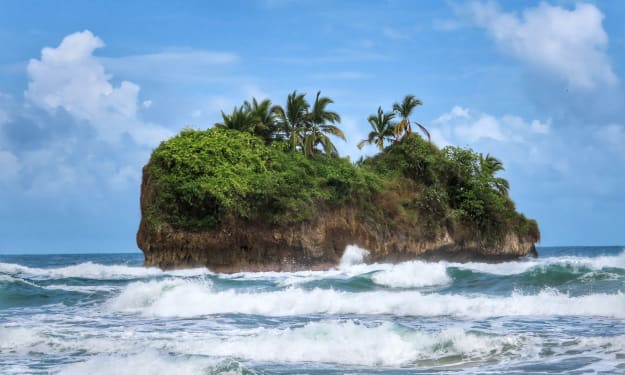
Worth the Wait: Puerto Viejo, Costa Rica
Beach bumming in a small Caribbean beach town sounded like a perfect way to end our 6-month trip through Mexico and Central America. Or so we thought. The foul, fishy stench of rotten seaweed hit our nostrils as we stepped from the cramped bus and looked out at a rather depressing, empty, and underwhelming black sand beach. It was pouring with rain, and we had to quickly fish out our ponchos. We thought, this couldn’t be it, could it?
By Sh*t Happens - Lost Girl Travel4 days ago in Wander


Comments
There are no comments for this story
Be the first to respond and start the conversation.