
10 Best Drawing Apps for Android in 2026
I have compiled a list of the 10 best drawing apps you can use on your Android devices in 2026. The best one will depend on your skill level, needs and preferences.
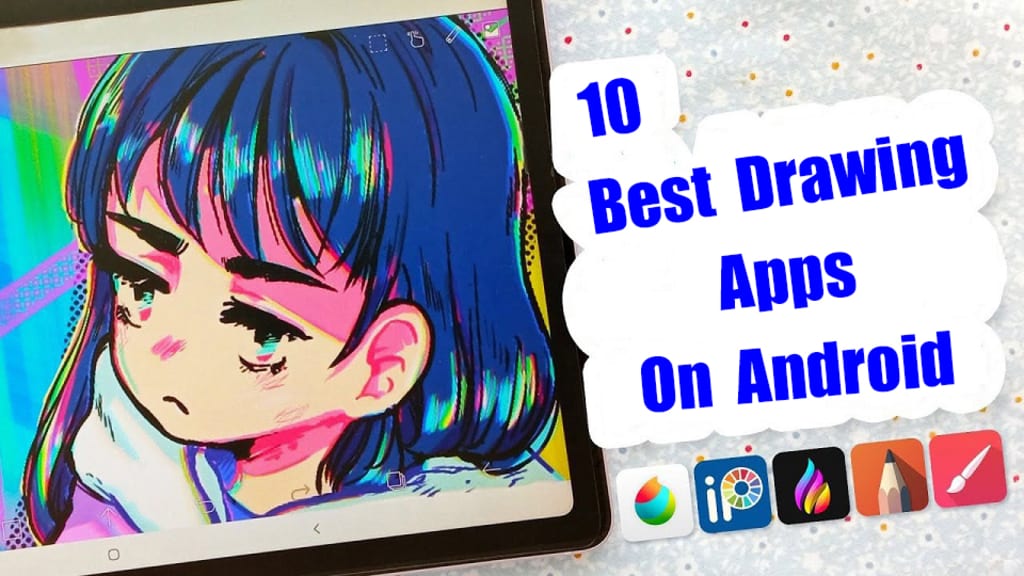
Digital Art allows artists to create any form of illustrations, sketches, and animations without using traditional materials.
Many artists now turn to the Android tablets and phones as their weapon of choice. These mobile drawing devices allows them to create digital art anytime, anywhere as inspiration hits.
Choosing the right software is crucial for inspiring artists' creativity. But with so many drawing apps available, how can one find the one that best suits their needs?
So, I have rounded up the 10 best or most popular drawing apps on Android, including both simple free and premium options, to help you choose the app that suits your style.
These apps provide various cool tools and advanced features, Whether you’re an experienced artist or a total novice, looking for a versatility, or a simple one, there is an option for you.
10 Best Drawing Apps for Android in 2026
Whether you’re a beginner or expert, the following 10 android drawing apps are not to miss, each one offers its own unique features and capabilities.
1. Infinite Painter

The Infinite Painter app is a great tool for artists of all levels and ages.
From doing simple tricks like making photos into paintings and illustrations, and regular illustration functions, to creating cityscapes and skylines in 3D, there's a lot this app can do.
The interface is minimal, intuitive and very pleasing to the eye while retaining functionality. You can set up your workspace as you please which helps reduce clutter on the screen for a clean, enjoyable drawing experience.
Using Infinite Painter feels like painting on an actual canvas as it comes with different canvas or paper textures to choose from.
You will get access to nearly 200 built-in brushes, including pencils, pens, markers, and airbrushes. The brushes have more than 100 customizable settings, which give you realistic brush-to-canvas interactions.
You get support for infinite layers here for efficient management. You can import and export PSD layers and export images as JPEG, PNG, PSD, or ZIP.
Apart from these, Infinite Painter also includes many other convenient features, including selection and clipping masks, line guides, perspective guides, paint and clone tools, transform tool, gradient tool, color blending, and more.
Infinite Painter supports pressure sensitivity and tilt support with styluses. so you can sketch or draw accurately with how much pressure you exert.
Lastly, it automatically records the project creation process, which you can export up to 4K quality and share with your friends.
Supported Platforms: Android and iPadOS.
Pricing: You can try it out on a 7-day free trial but will have to buy a $9.99 one-time purchase for the full capability.
You can still use it for free, but some layers, canvases, and tools are locked behind a paywall.
2. Concepts
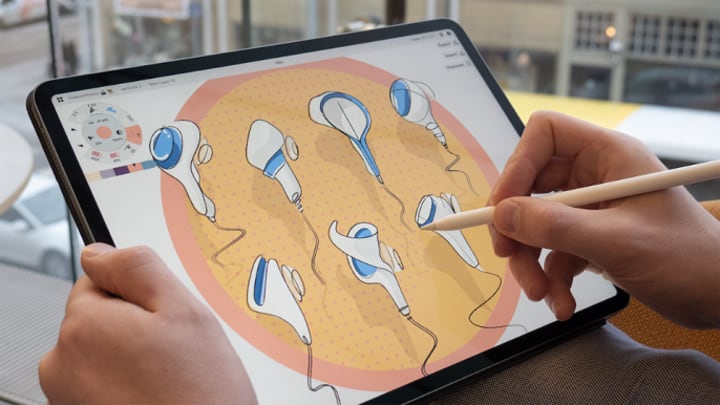
Concepts is drawing app based on vector, designed with touch interface in mind and is available on iPhone, iPads, Windows and Android devices.
I'm a big fan of the app and have been using it for several years. This app is easy to learn because it's a simple and straightforward app. This app is great for people who like sketching, visual journaling and vibrant colours.
Concepts features an infinite canvas, providing users with an expansive and limitless workspace that encourages free-flowing creativity and allows ideas to develop unhindered.
The app boasts a diverse range of brushes and customizable tools that allow users to refine their creative process and tailor their artwork to their specific vision.
Whether for concept design, architectural sketches, or digital painting, Concepts caters to a wide range of creative needs.
Moreover, the app’s gesture-based interface, advanced selection tools, pressure sensitivity support, Full Copic color palettes, and layer support elevate its appeal even more.
Using Concepts, you get to experience the sensation of natural drawing, giving you the ability to create detailed vector artwork.
Having said that, Concepts offers both free and paid versions with a few pricing plans to suit all levels.
Supported Platforms: iOS, IpadOS, Windows, Android.
Price: Free version available, but has Limited layers, no layer blending, and no customizable brushes.
$5 per month for access to the full feature set (or $15 one-off to get the Essentials Pack, which offers some, but not all, of the available features).
3. Ibis Paint X
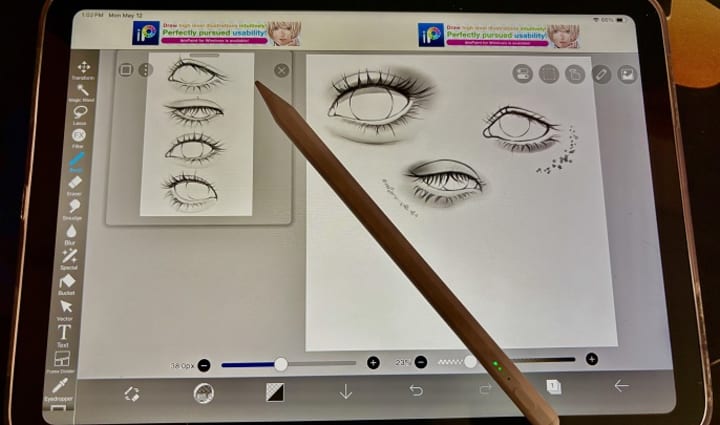
Ibis Paint X is a well-known drawing and painting app that offers a wide range of features and functionality.
The versatile app comes with more than 15,000 brushes, 40 screen tones, and 76,000 materials, 27 blending modes, 80 filters, and 1,000 fonts. It's a fully-fledged arsenal for digital artists to create easily.
It even features an ultra-smooth drawing experience at 60 fps, which is a treat to the eyes! The Quick sliders allow you to adjust brush thickness and opacity quickly.
It does have layer support, and you can use as many layers as your device can handle. Layer parameters include layer opacity, alpha blending, and multiplying layers.
It comes with many tools and templates you can use for specific types of drawing, such as manga and animation.
On top of the above features, Ibis Paint offers video recording feature, stroke stabilization feature, various ruler features such as Radial Line rulers or Symmetry rulers, and clipping mask features.
With a good-quality stylus from android drawing tablet or an apple pencil, you can better enjoy these features for more accurate strokes on a bigger screen.
Ibis Paint also has a great community of artists where you can exchange tips and share artwork.
Supported Platforms: Android and iPadOS.
Pricing: ibis Paint X has a free and paid version. The free version contains a few ads, But you can pay $9.99 one-time to remove the ads permanently for a better user experience.
If you want to access more features of ibis Paint X, then consider paying for a Prime membership. This is a monthly ($2.99 USD per month) or yearly ($27.99 USD per year) subscription plan.
4. Clip Studio Paint
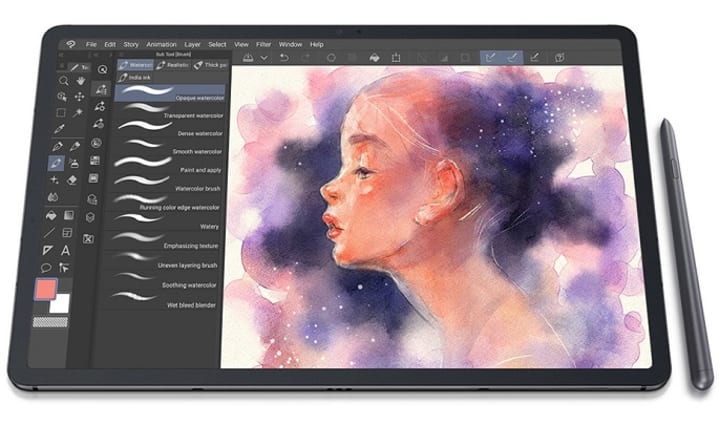
Clip Studio Paint is a full-featured mobile drawing app that has everything you'd find in the desktop version, without any compromises.
This app is trusted by over 25 million artists worldwide. If you are into manga, illustration, and animation, then you will surely love this app.
It offers you smooth lines, zero lag while drawing, and high-quality vector output. This is great for illustrators who specialize in the linework.
A powerful brush engine allows you to create perfect strokes. There are over 40,000 brushes to choose from, all of which can be customized. Plus, you can download and import any brush made by the CSP community.
You can open up to 10,000 layers with 28 different layer effects. Besides, This app supports other features such as vector, raster, and 3D formats.
There are many tools for creating manga/comic books like speech bubbles, fonts, frames, and templates. You can even create full animations with sound and camera movement.
You can import or export files in different formats including popular JPEG, PNG, PDF, and PSD. And you can be flexible thanks to the ability to synchronize your project across devices.
CSP integrates well with your device to recognize up to 8192 levels of pen pressure where a pen-touch input is used. So you can create unique and expressive brush strokes using the digital pen.
However, The UI is essentially a shrunk-down version of the desktop app. This means certain menus/tabs/work areas can be cumbersome to use. especially you have a small size tablet.
Supported Platforms: Android, iPadOS, Windows, and MacOS.
Pricing: You'll have to choose between monthly or annual subscription plans. Luckily, there's a three-month free trial available for all platforms.
5. SketchBook Pro
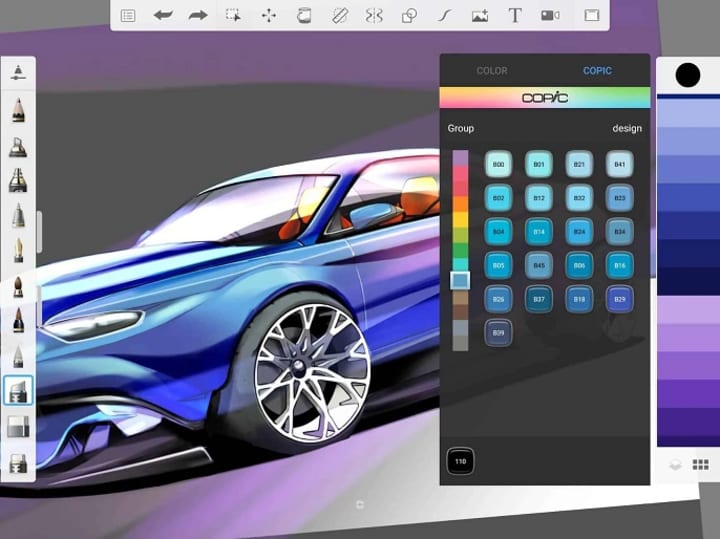
SketchBook Pro is a free yet powerful drawing app for both Android and iOS devices.
The app's great for sketching ideas or freeform drawing, due to its clean and user-friendly interface. Most menus and palettes can be tucked away so you have an unobstructed area to sketch on.
SketchBook Pro provides hundreds of customizable brushes and pens used to create artwork. It also features the exclusive Copic color library, which is a favorite among illustrators.
When you need to be very precise, you can use the app's grid tools, guides, stroke tools, and rulers to draw along.
It also supports symmetry and predictive stroke to help draw uniform, smoother strokes. This smoothens hand-drawn edges and makes your work look professional and neat.
Sketchbook supports layers and can blend them to create varied colors, and gradients or for organizing. It allows you to export your work as PSD, PDF, JPEG, PNG, TIFF, and BMP.
It also support for storing your works to Dropbox or iCloud. So you can doodle and thumbnail your drawings on your phone and work on them later on your computer.
Stylus support is great as well, both pressure and tilt sensitivity are well-represented on the canvas.
Supported Platforms: Android, iPadOS, Windows and MacOS.
Pricing: Sketchbook is free for iOS and Android devices, while it costs $19.99 one time payment for Windows and macOS.
6. ArtFlow
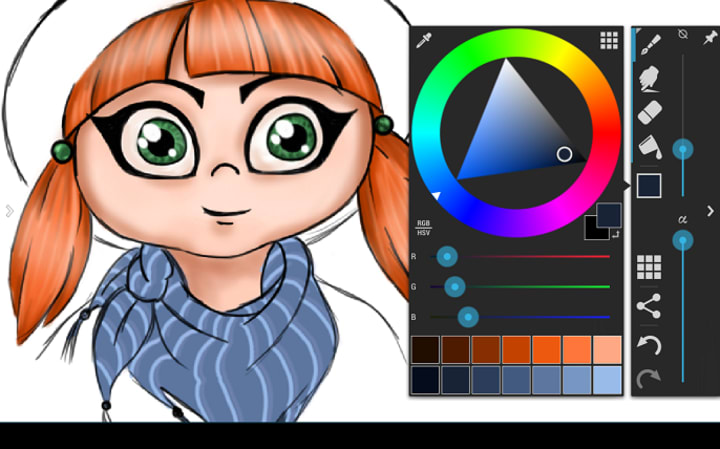
ArtFlow is an Android drawing app that lets you convert your device into a digital sketchbook.
Its UI is simpler and more straightforward than the likes of SketchBook, which is very beginner friendly.
This app is lightweight and does not consume a lot of space. On top of that, it also does not have any latency, even for a large canvas.
Artflow supports canvases up to 6144 x 6144 px, 10 layer filters and can use up to 50 layers on a single canvas or drawing.
Not only that, There's a nice selection of 100+ brushes and features both a smudge tool and gradient fill. Brushes are fully customizable so you can adjust them as needed.
You can export to files in multiple formats including JPEG, PNG, or even PSD so you can import it into Photoshop later.
If you have an Nvidia device, you'll have access to Nvidia's DirectStylus support.
It's also possible to record the creation of art on ArtFlow and play it back as a timelapse video, which is an interesting feature.
The app supports different types of pressure-sensitive styluses, giving you the real-life taste of drawing and painting on canvas. Thanks to the palm rejection feature, it prevents accidental panning and zooming when drawing.
Supported Platforms: Android only.
Pricing: The app is available for free download and use. However, you may need to activate the Pro version (one-time payment around $6) of the app to access all its features.
The free version only allows up to 3 layers, 20 basic tools, no PSD export/importing, and the Undo button is limited to 6 times.
7. HiPaint
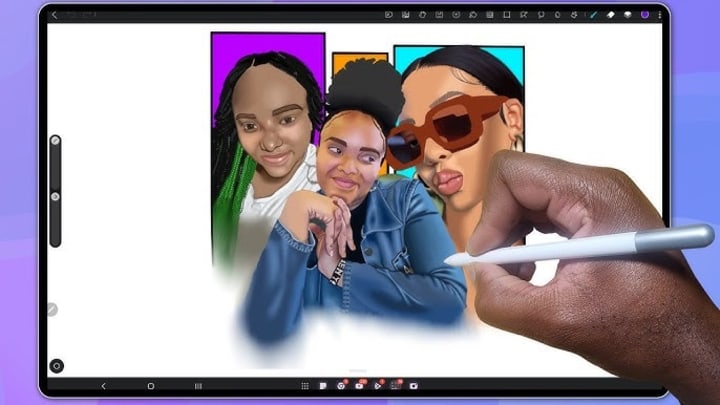
If you want a free, easy-to-use drawing app for Android that arrives with an intuitive interface and provides easy drawing controls, look no other than HiPaint.
Its clean layout should let artists who are used to Procreate feel instantly familiar. It has all the features of Procreate, including layers, brushes, and animation.
Currently, the app offers 90+ different types of brushes, 90 customizable brush parameters, dramatic finishing effects, and more at your disposal for creating impressive digital artwork.
It also offer features you can expect from a solid drawing app include layer management, pressure-sensitive brushes, blending tools, deformation tool, a stabilizer for jitter-free and professional line work, and more.
HiPaint support two-finger gestures that make navigation and actions like undoing feel quick and natural. It also has a pen mode, which enables finger and palm rejection to avoid accidental strokes.
You can animate your drawing in HiPaint. It’s a simple frame-based animation without the advanced features of Procreate.
Utilizing an ad-driven model, High Paint offers a free version with the option to remove ads through a small one-time fee. For artists seeking even more advanced features, a subscription option is available.
Supported Platforms: Android, and iOS.
Pricing: free with ads, $2-3 to remove advertising. $1 a month or $10 annual subscription that unlocks everything.
8. Krita
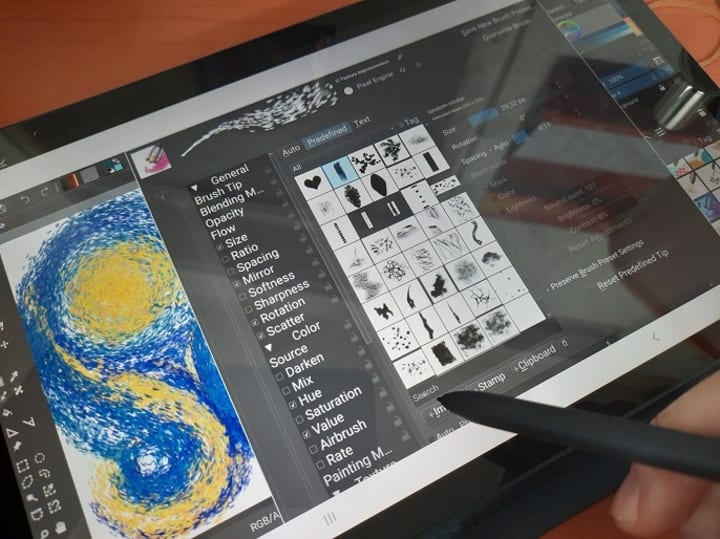
Krita is a free, open-source drawing application that is popular among hobbyists and professional artists alike.
Designed primarily for computers, it's been ported over to Android, as is, in its entirety for tablet users. It is not available for Android phones, because the user interface needs a large screen.
Additionally, It's better suited to working with a keyboard connected, allowing you to activate and switch between tools with keyboard shortcuts rather than touch gestures.
It works as you'd expect from the desktop version, all its tools and menus are placed at the same location.
The intuitive user interface is very customizable. You can move and customize the panels and dockers according to your workflow. Plus, you can make your own shortcut with tools that you mostly use.
There are more than 100 brush types that you can find here. With these brushes, artists can create different effects with ease. Apart from that, there is an option for customization for the brushes with the aid of 9 different brush engines.
You will also get access to coloring tools, selection tools, vector tools, filters, masks, layering, and color-managed workflows.
Moreover, you get plenty of features like HDR support, drawing assistants, etc., and options to download and share brushes and textures.
It is optimized for drawing tablets and offers pressure sensitivity, and tilt detection. In case you suffer from a shaky hand, the brush stabilizer will help you out.
The Krita drawing app also gets several comic-specific features like rulers, speech bubbles, perspective tools, onion skinning, and panels.
Supported Platforms: Android, Windows, Linux, and MacOS.
Pricing: completely free
9. MediBang Paint
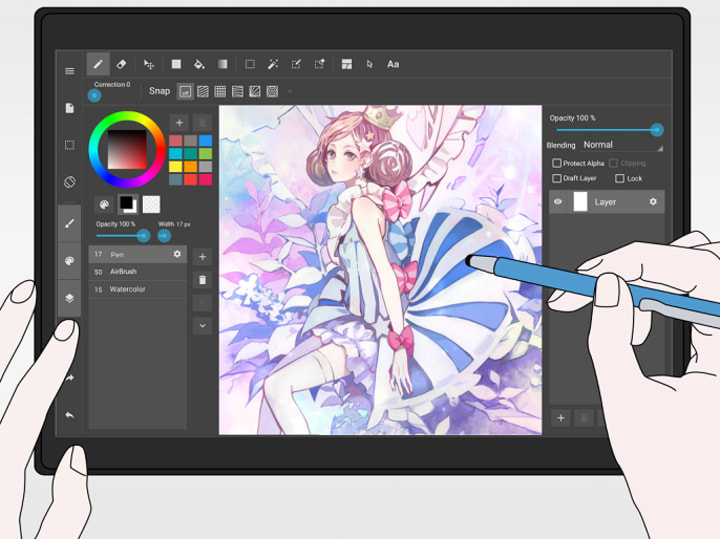
MediBang Paint is a free, lightweight cross-platform app that you can use for comic creation and digital painting.
It has a clean and simple interface, so even complete beginners won't have a hard time using this app.
There are hundreds of free brushes to choose from, which are also customizable. You can also download photoshop brushes and use them in MediBang Paint.
You can also work with layers, text tools, image editing capabilities, and over 850 preset tones, textures, word balloons, and backgrounds. Snap guides help you draw lines and curves perfectly.
This app is very comic-oriented, so you can not only create illustrations but your own comics as well.
Comic illustrators are presented with multiple solutions including a dedicated panel for easy comic creation and comic management options. You can also create and customize your own panels and have several comic fonts to choose from.
MediBang Paint has a speech-to-text feature to add dialog to your comics. There is a feature to record your drawing process, which you can share with other users.
The software allows users to save their artwork to the cloud, which allows them to access and edit their work from multiple devices.
Supported Platforms: Android, iPadOS, Windows, MacOS.
Pricing: Although it contains ads, the free version is very complete and totally worth your time.
And of course, if you like it enough, you also have a paid membership that will eliminate ads from your app as well as offer new features to your drawing experience.
Pricing: The app is available for free download and use. However, you may need to activate the Pro version (one-time payment around $6) of the app to access all its features.
10. PaperColor
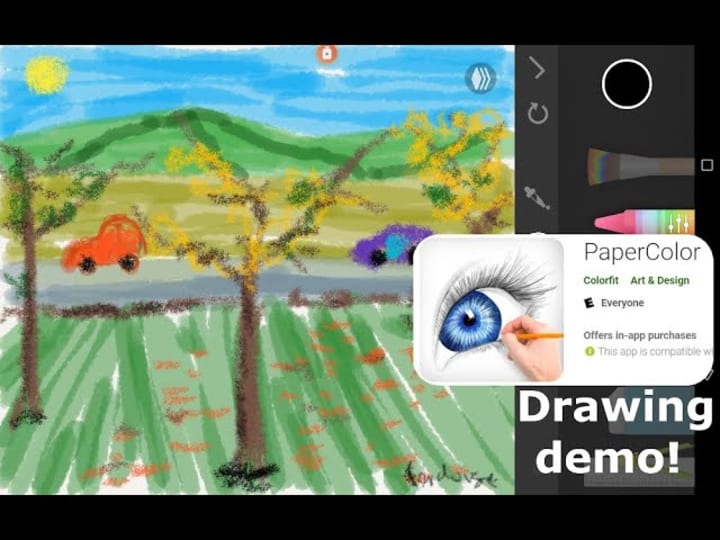
If you want to do digital art on your Android phone PaperColor gives you everything you need to get started. you can use this app to draw and doodle to your heart's liking.
PaperColor has minimalistic features and offers a clean user interface. The color library is also huge.
You can experiment with markers, watercolor paints, regular paints, a roller brush, a felt-tip pen, and so much more. Each utensil's weight and color can be customized to your needs.
By imitating the paintbrush, the app offers a realistic experience of drawing. Thus, you will feel like drawing on a piece of paper.
Then, you can also use the app's built-in ruler for precise lines or the eraser when you make mistakes.
What makes this app different from other applications is its, tracing feature. You can import any image/sketch and then make it translucent to trace. This is quite helpful when you want to start from a rough sketch on paper.
Moreover, other features include the ability to add text, custom cover, graphics tools, etc. Perfecting your art becomes easy with these features.
Once you're finished creating your artwork, you can handwrite your signature with the in-app pen. You can then download your creation and share it with friends or social media.
Supported Platforms: Android Only.
Pricing: The app is free with no ads and has some in-app purchases.
In Conclusion
If you want to paint digitally and hone your artistic skills on Android tablets or phones, these 10 best drawing apps are a great start to do so!
Each jam-packed with tools and features to help you get creative.
You can use them to creat beautiful artworks, or just for relaxing and passing the time by doodling whatever comes to your mind.
The best one for you will depend on your specific needs, preferences and budget.
It’s recommended to try few of these apps and find the one that suits you the best.
Hopefully you’ve found this article helpful in narrowing down your choices.
Happy drawing!
Related Post: 10 Best Android Tablets with Pen for Drawing and Note-Taking
About the Creator
baoluri
I am a blogger, graphic designer and digital artist
My Blog: https://drawtablets.com/


Comments
There are no comments for this story
Be the first to respond and start the conversation.