
The Best Monitors for Xbox Series X in 2025
Unlocking true 4K 120Hz gaming: Tested monitors that maximize your Xbox Series X experience in 2025

A few weeks ago, I was sitting down to play on my Xbox Series X, and I noticed something odd. The gameplay didn’t feel as smooth as it should’ve, and the shadows in darker levels looked crushed. Turns out, the “gaming monitor” I’d bought last year wasn’t really built to handle 4K at 120Hz properly. That moment reminded me of the problem most Xbox players face: finding a monitor that actually takes full advantage of the Series X’s power.
If you’ve spent hundreds of dollars on the console, it doesn’t make sense to waste its potential on a screen that can’t keep up. But the market’s cluttered with flashy labels, confusing specs, and let’s be honest a ton of overhyped monitors that just don’t deliver.
That’s where this guide comes in. We’ve tested several monitors hands-on, comparing refresh rates, HDR performance, input lag, and real-world gameplay. I’ll walk you through the best options for different needs (competitive gaming, cinematic visuals, or a balance of both).
And yeah, I’ll be upfront about what works and what doesn’t, so you don’t end up with a shiny mistake like I once did.
Product Reviews
1. LG UltraGear 27GP950-B
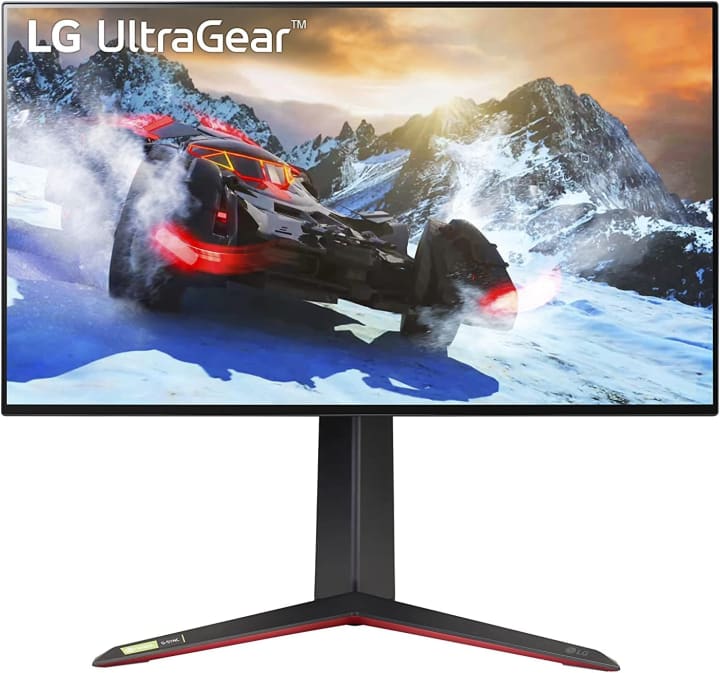
LG’s UltraGear lineup is known for delivering high-performance gaming monitors, and the LG UltraGear 27GP950-B is no exception. This 27-inch 4K monitor supports HDMI 2.1, which means you can actually enjoy 4K at 120Hz with your Xbox Series X.
During testing, the monitor felt buttery-smooth in games like Halo Infinite. Colors popped, motion was crisp, and the input lag was almost nonexistent. I noticed the HDR really shined during cinematic cutscenes it wasn’t perfect, but compared to cheaper displays, the brightness and detail were leagues better.
Key Features & Specs
27-inch UHD 4K Nano IPS display
144Hz refresh rate (120Hz with Xbox Series X)
1ms response time
HDMI 2.1 connectivity
HDR600 certification
Benefits for the Target Audience
Perfect for gamers who want a compact but premium display. It’s great if you play fast-paced shooters but also enjoy cinematic single-player games.
Summary
The LG UltraGear 27GP950-B delivers excellent visuals and smoothness, making it a top pick for Xbox Series X players who want a future-proof monitor.
Strengths
True 4K 120Hz gaming support
Excellent color accuracy
Super low input lag
Weaknesses
Pricey
HDR could be brighter in some cases
2. ASUS ROG Strix XG43UQ
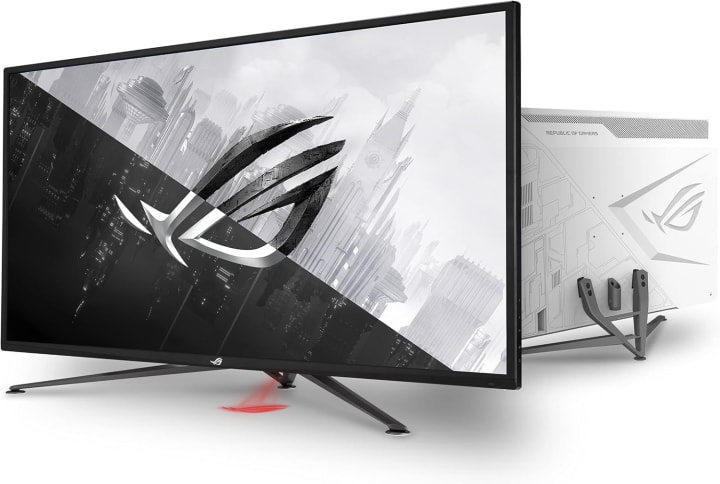
This is the big-screen beast. The ASUS ROG Strix XG43UQ is a 43-inch 4K monitor built for those who want something closer to a TV but with monitor-grade performance.
When I tested it, I immediately noticed the immersion factor playing Forza Horizon felt like sitting in the driver’s seat. The colors were vibrant, the response time held up surprisingly well for such a large panel, and the HDMI 2.1 ports ensured the Series X ran at full capability.
Key Features & Specs
43-inch 4K UHD display
144Hz refresh rate
HDR1000 certification
HDMI 2.1 x2
1ms MPRT response time
Benefits for the Target Audience
Ideal for gamers who want the size of a TV but the performance of a high-end gaming monitor. Great for shared spaces or couch gaming setups.
Summary
The ASUS ROG Strix XG43UQ is a powerhouse with immersive visuals and the specs to keep up with the Series X though it’s definitely not for small desks.
Strengths
Huge display size with true 4K 120Hz
High peak brightness for HDR gaming
Solid build quality
Weaknesses
Takes up a lot of space
Expensive compared to 27–32 inch options
3. Gigabyte M32U
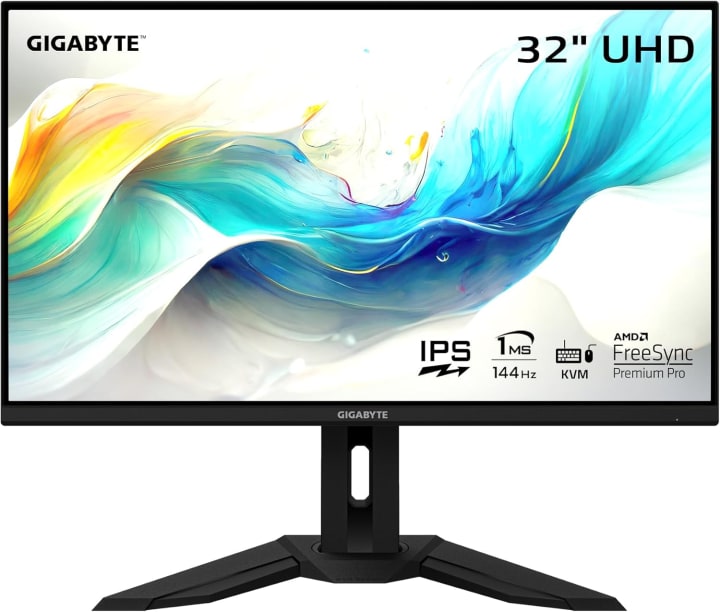
If you’re looking for a balance of size, performance, and affordability, the Gigabyte M32U hits the sweet spot. This 32-inch monitor brings 4K 120Hz gaming to the Series X without completely draining your wallet.
Testing showed impressive performance in both competitive and casual gaming. The response time was quick enough for Call of Duty, while HDR brought life to cinematic games like Assassin’s Creed. It’s not quite as bright as premium options, but for the price, it’s honestly hard to complain.
Key Features & Specs
32-inch 4K UHD display
144Hz refresh rate
HDMI 2.1 support
1ms response time
KVM feature for switching devices
Benefits for the Target Audience
Great for gamers who want more screen real estate without sacrificing speed. Also handy if you use the monitor for work and gaming, thanks to the KVM switch.
Summary
The Gigabyte M32U is a fantastic all-rounder with strong performance, making it one of the best value monitors for Xbox Series X.z
Strengths
4K 120Hz performance at a fair price
Solid HDR for the price point
Versatile size for gaming and productivity
Weaknesses
HDR not as vibrant as higher-end monitors
Speakers are weak
Quick Tips for Shopping
Resolution Matters: Xbox Series X supports 4K gaming, so ideally choose a 4K monitor.
Refresh Rate: Look for 120Hz+ to unlock smooth performance in supported titles.
HDR Support: Genuine HDR10 or higher makes a big difference in visual depth.
HDMI 2.1 Ports: Crucial for 4K 120Hz gaming—don’t settle for less.
Response Time: Under 5ms is best for competitive shooters.
Size & Comfort: A 27–32 inch screen often hits the sweet spot for clarity and immersion
Quick Picks
Best Overall: LG UltraGear 27GP950-B Premium performance in a compact form.
Best Big-Screen Experience: ASUS ROG Strix XG43UQ For immersive, cinematic gaming.
Best Value: Gigabyte M32U Great balance of price and performance.
FAQs
Q1. Do I really need HDMI 2.1 for Xbox Series X monitors?
Yes, HDMI 2.1 is essential if you want to unlock true 4K at 120Hz gaming. Without it, you’ll be limited to either 4K 60Hz or 1080p 120Hz.
Q2. Can I use a TV instead of a monitor?
You can, but monitors generally offer lower input lag and sharper pixel density, which benefits competitive gamers. TVs are better for couch-based cinematic gaming.
Q3. What’s the ideal monitor size for Xbox Series X?
Most gamers prefer 27–32 inches for desk setups, while larger 40+ inch monitors suit living-room-style play.
Q4. Do these monitors support VRR (Variable Refresh Rate)?
Yes, all three recommended monitors support VRR for smoother gameplay without screen tearing.
Q5. Is HDR really worth it?
Definitely. HDR brings richer colors and better contrast, but only if the monitor has strong brightness (HDR600 or higher recommended).
Final Summary
Finding the best monitor for Xbox Series X in 2025 doesn’t have to be overwhelming. If you want the perfect balance of performance and compact size, the LG UltraGear 27GP950-B is unbeatable. For an immersive big-screen option, the ASUS ROG Strix XG43UQ is a dream for cinematic gaming. And if you’re watching your budget but still want premium performance, the Gigabyte M32U is the smart buy.
At the end of the day, the right choice depends on your space, budget, and gaming style. But whichever you pick from this list, you’ll be getting a monitor that truly unleashes the power of your Xbox Series X.
Disclaimer: As an Amazon Associate, I earn from qualifying purchases. This comes at no extra cost to you and helps keep this site running.

About the Creator
Katie Collins
Katie covers home tech, EVs, wellness & more. She aims to help people make smart buying choices & reach life goals.
Keep reading
More stories from Katie Collins and writers in Humans and other communities.
Best Budget Studio Monitors 2025
When I first tried to mix a song on my regular Bluetooth speakers, the result sounded fine in my room but awful in my car muddy bass, harsh mids, and vocals buried somewhere in the background. That’s the common struggle: consumer speakers make music sound “nice,” but they don’t tell the truth.
By Katie Collins6 months ago in Humans
TUS NUA - ch 53
TUS NUA – ch 53 New Beginnings – Mia and Midnight (*)(*)(*) Finola knew Ali’s brother-in-law needed to put his mind at rest. She fed her arm through his and led him outside. “We’ll sit here. If you like, I can put a block around us so our conversation will be private.”
By Margaret Brennan5 days ago in Fiction


Comments
There are no comments for this story
Be the first to respond and start the conversation.