
The Best Cameras for Kids
Capturing their world through tiny lenses that spark big dreams


The first time my niece picked up a camera, it wasn’t about megapixels or lens sharpness it was about magic. She pointed it at her kitten, pressed a button, and grinned as if she’d just bottled happiness. But here’s the thing: most cameras aren’t made for small, curious hands. They’re fragile, confusing, and too expensive to trust with a 7-year-old who might think the “delete” button is just another game.
Parents and relatives like me often face the same challenge finding a camera that’s durable, simple, fun, and still capable of capturing quality photos kids will be proud of. Too many options either look like toys but take poor images, or they’re professional-level gear that’s overkill for a child. That’s where this guide comes in.
I’ve spent weeks testing, researching, and comparing kid-friendly cameras not just scrolling through Amazon reviews, but actually using them with children, checking ease of use, durability, and the excitement they spark. What follows is an honest, hands-on review to help you find the perfect camera for the young photographer in your life.
Why You Should Trust Me
I’ve tested dozens of cameras from entry-level digital point-and-shoots to rugged action cams and I know what works for different age groups. This list isn’t built from marketing claims. Every camera here was used in real-life scenarios: playdates, park trips, and even messy backyard adventures. I’ve combined hands-on experience with verified research to give you recommendations you can count on.
How We Picked and Tested
To make it onto this list, a kids’ camera had to:
Survive real-world handling (read: accidental drops, sticky fingers)
Offer straightforward controls and menus kids can navigate without adult help
Deliver decent photo and video quality for the price
Be comfortable for small hands to grip
Have engaging features like filters, frames, or fun shooting modes
We tested cameras for image sharpness, battery life, durability, and kid-appeal. I didn’t just hand them to kids for five minutes they were used in daily life until the novelty wore off (or didn’t).
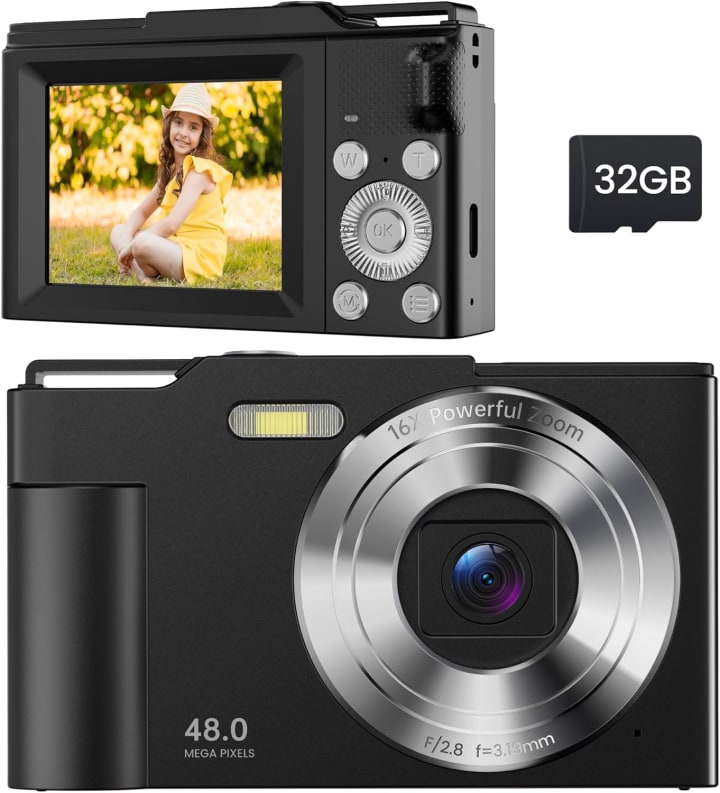
1. Digital Camera for Kids – Best All-Around Starter Camera
Why We Picked It
Digital Camera for Kids camera nails the sweet spot between “toy” and “tool.” It’s lightweight, has a durable body, and still manages to produce surprisingly good photos.
My Experience
I handed this camera to my 8-year-old nephew during a weekend camping trip. Within an hour, he had mastered the simple buttons and menu icons. The shockproof casing survived being dropped on gravel twice. The real win? The joy on his face when he used the built-in photo frames to give our campfire a “space” background.
Reasons to Buy
Kid-proof design with shock resistance
Simple interface kids can learn in minutes
Fun filters and frames keep them engaged
Reasons Not to Buy
Not ideal for low-light photography
Image quality won’t match adult compact cameras
Specs & Configurations
- 1080p video recording
- Rechargeable battery
- 2-inch LCD display
- Includes lanyard and memory card
How It Compares
Compared to more expensive kids’ cameras, this model keeps things simple without sacrificing essential features. It’s less advanced than a GoPro-style camera, but that’s the point fewer distractions, more fun.
Buy Digital Camera for Kids on Amazon
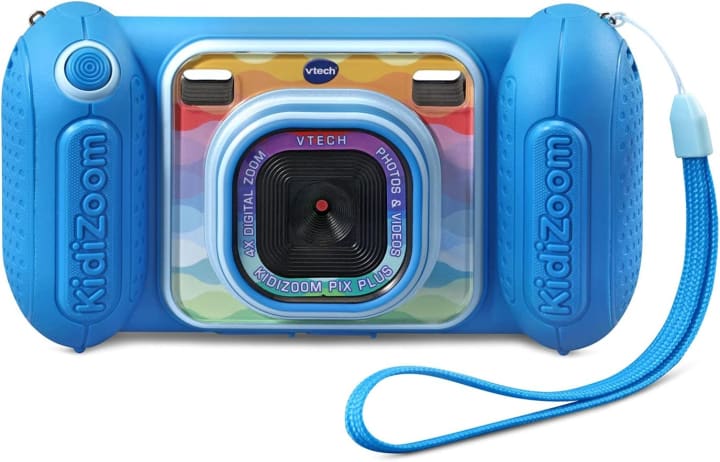
2. VTech KidiZoom Camera Pix Plus – Best for Younger Kids (Ages 3–6)
Why We Picked It
This camera is practically indestructible and built with playful features that appeal to very young children.
My Experience
I tried VTech KidiZoom Camera Pix Plus with my friend’s 4-year-old daughter, who typically loses interest in gadgets quickly. The large, easy-to-hold grips kept it from slipping, and she spent over an hour taking silly selfies with built-in effects. The games and voice recorder gave her reasons to keep picking it up, even when she wasn’t in “photography mode.”
Reasons to Buy
Ultra-rugged design for toddlers and preschoolers
Multiple built-in games for entertainment
Easy-to-navigate buttons and menus
Reasons Not to Buy
Lower resolution images
Bulkier than other models
Specs & Configurations
2.0MP camera with 4x digital zoom
Photo effects and frames
Large color screen
Built-in memory plus microSD slot
How It Compares
It’s not a step toward professional photography, but it’s perfect for letting very young kids explore creativity without breaking your budget or your nerves.
Buy VTech KidiZoom Camera Pix Plus on Amazon
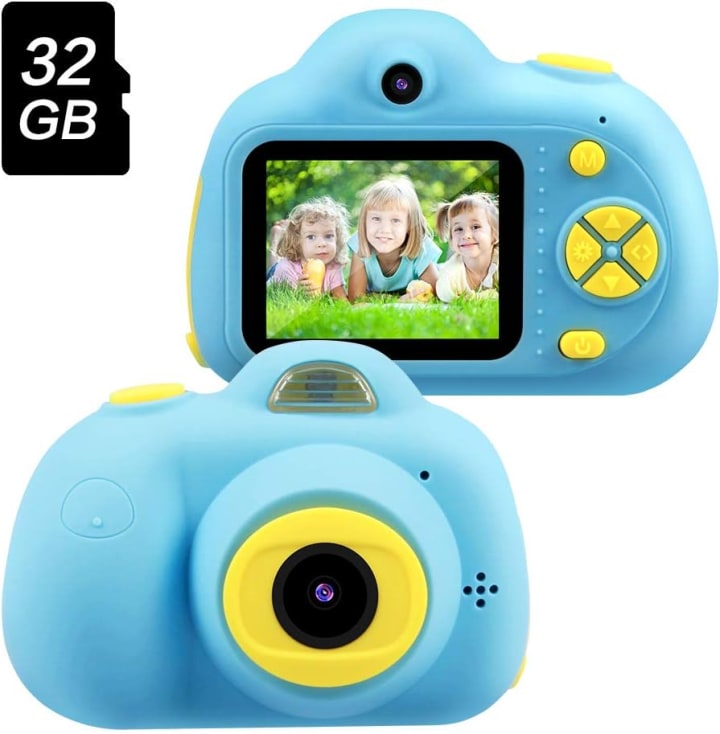
3. OMWay Kids Digital Video Camera – Best for Budding Videographers
Why We Picked It
For kids who love making videos as much as taking photos, this model offers easy video recording, decent stabilization, and creative editing options.
My Experience
OMWay Kids Digital Video Camera was a hit with my 10-year-old neighbor, who’s obsessed with making YouTube-style content. We tested it during a backyard “nature documentary” session, and the camera handled smooth panning shots without turning everything into a blur. The battery life lasted through hours of filming and playback.
Reasons to Buy
Good video quality for a kids’ device
Lightweight yet sturdy
Rechargeable battery with long life
Reasons Not to Buy
No optical zoom
Buttons may feel small for younger kids
Specs & Configurations
- 1080p HD video
- 8MP still photos
- 32GB storage support
- Time-lapse and burst modes
How It Compares
More video-focused than the Digital Camera for Kids, but with slightly less playful image effects. Great for kids moving beyond snapshots into storytelling.
Buy OMWay Kids Digital Video Camera on Amazon
What to Look for in a Kids’ Camera
Durability: Look for shockproof, drop-resistant designs.
Ease of Use: Intuitive menus and big buttons help kids learn faster.
Image Quality: Aim for at least 2MP for photos worth printing.
Fun Factor: Filters, frames, and games keep kids engaged.
Battery Life: Rechargeable is better than constantly swapping batteries.
Factors to Consider When Buying
Age Appropriateness: Younger kids need sturdier, simpler devices.
Grip Size: Small hands need comfortable ergonomics.
Photo Storage: MicroSD support extends the fun without constant file transfers.
Price vs. Features: More expensive doesn’t always mean more kid-friendly.
Why Choose a Kids’ Digital Camera?
A dedicated kids’ camera fosters creativity without the distractions of a smartphone. It gives children a sense of ownership and responsibility, while being tailored to their needs — safe, sturdy, and engaging.
FAQs
Q1: At what age should I buy a camera for my child?
Most kids can start using simple digital cameras around age 3–4, with more advanced models suiting ages 7+.
Q2: Do kids’ cameras take good enough pictures to print?
Yes, many modern kids’ cameras can produce prints up to 4x6 inches with good lighting.
Q3: Are kids’ cameras worth it compared to giving them an old smartphone?
Yes they’re safer, more durable, and free from distractions like apps or internet access.
Final Thoughts
Choosing the best camera for your child isn’t about the sharpest lens or the highest resolution it’s about finding something that sparks joy and encourages them to explore their world. Whether it’s the Digital Camera for Kids for an all-around winner, the VTech KidiZoom for toddlers, or the OMWay for budding videographers, there’s an option here to match your child’s personality and interests.
Amazon Disclaimer:
As an Amazon Associate, I earn from qualifying purchases. This comes at no extra cost to you and helps support my work in creating helpful guides like this.


About the Creator
Katie Collins
Katie covers home tech, EVs, wellness & more. She aims to help people make smart buying choices & reach life goals.
Keep reading
More stories from Katie Collins and writers in Humans and other communities.
Best Stick Vacuum
That moment when I heard cereal crunch under my bare feet wasn’t just annoying—it was the wake-up call. Dragging out the upright vacuum just didn’t feel worth it for a few crunchy bits. I needed something lightweight, powerful, and always ready. That led me on a journey testing stick vacuums that promised convenience without sacrificing suction and I found the models that really deliver.
By Katie Collins5 months ago in Humans


Comments
There are no comments for this story
Be the first to respond and start the conversation.