
Best Samsung Gaming Monitor
Finding the perfect screen that actually keeps up with your gameplay.


A few weeks ago, I was in the middle of an intense gaming session, and my old monitor just couldn’t keep up. Frame rates stuttered, colors looked washed out, and my eyes felt strained after barely an hour. I realized I needed a gaming monitor that could actually match my PC setup. That’s when I started testing Samsung gaming monitors, and honestly, it’s been a game-changer.
I spent hours comparing specs, reading reviews, and testing monitors in real-world conditions. Marketing can make anything look great, but I wanted to know which monitors truly performed. After testing, tweaking, and playing countless hours, I’ve narrowed it down to the best options for any gamer.
Why It Matters
Gaming monitors aren’t just about looking cool they’re about speed, clarity, and comfort. A good monitor reduces motion blur, improves color accuracy, and minimizes eye strain during long sessions. Samsung’s gaming monitors combine high refresh rates, low input lag, and immersive designs that make gameplay smoother and more enjoyable.
For me, the difference was immediately noticeable: fast-paced shooters felt more responsive, RPGs looked richer, and long sessions didn’t leave my eyes screaming for mercy.
Shopping Tips
Here’s what I learned after testing multiple Samsung monitors:
Refresh Rate: Aim for 144Hz or higher for competitive gaming.
Response Time: 1–4ms gray-to-gray reduces motion blur.
Panel Type: VA panels offer deep blacks; IPS gives vibrant colors.
Resolution & Size: 27–32 inches at 1440p is ideal for immersion.
Adaptive Sync: FreeSync or G-Sync helps prevent screen tearing.
Ergonomics: Adjustable stands and curved screens reduce strain.
Reviews
Samsung Odyssey G7 32"
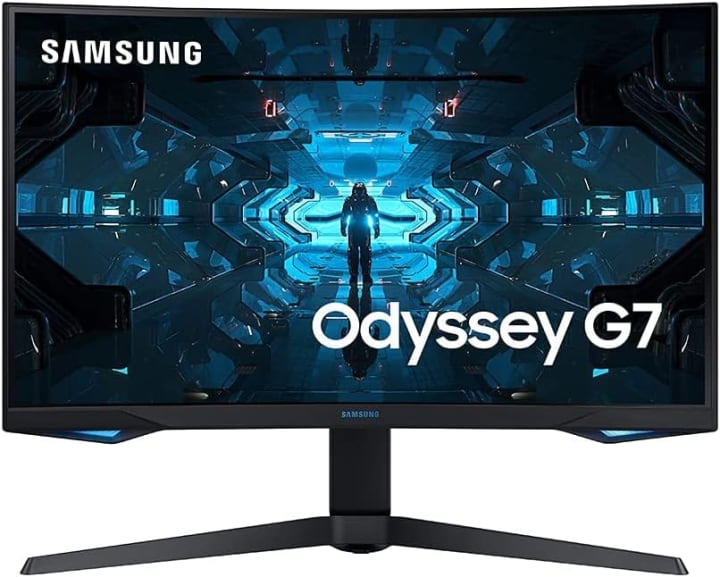
The Odyssey G7 grabbed my attention with its curved design and aggressive look. Beyond aesthetics, it delivers top-tier performance for serious gamers.
It features QHD resolution (2560x1440), 240Hz refresh rate, and 1ms response time, making gameplay buttery smooth. The curved VA panel adds depth in RPGs and racing games, while G-Sync and FreeSync Premium Pro virtually eliminate tearing.
Ergonomically, the stand allows height, tilt, and swivel adjustments perfect for switching between work and play.
Summary:
A powerhouse for immersive gaming with speed and responsiveness.
Strengths:
240Hz refresh rate
1ms response time
Deep curve for immersion
G-Sync & FreeSync support
Weaknesses:
Expensive
Bulky, needs desk space
Samsung Odyssey Neo G9 49"
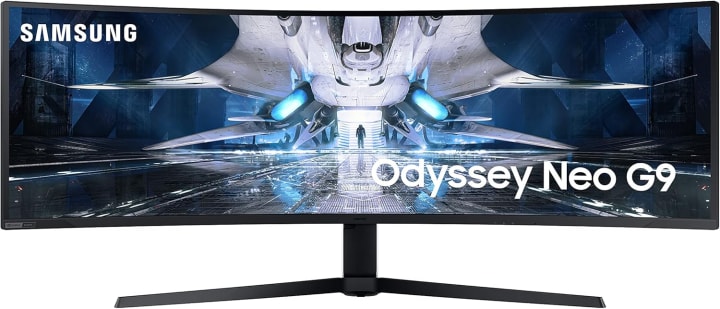
The Samsung Odyssey Neo G9 49 -inch ultrawide monitor that feels like two screens in one. I treated myself to it after a long project, and it completely changed my setup.
It has 5120x1440 resolution, 240Hz refresh rate, and Quantum Mini-LED tech, delivering vivid colors and deep contrasts. HDR2000 support makes highlights pop without losing shadow detail. Fast-paced FPS games and cinematic RPGs felt incredibly smooth and immersive.
Great for multitasking, it’s like having two monitors in one. The curved ultrawide design wraps around your field of view, but it’s heavy and requires a large desk.
Summary:
Perfect for ultrawide immersion and multitasking enthusiasts.
Strengths:
Huge 49-inch screen
Quantum Mini-LED with HDR2000
240Hz refresh rate
Excellent for multitasking
Weaknesses:
Very expensive
Large footprint
Needs strong GPU
Samsung Odyssey G5 27"
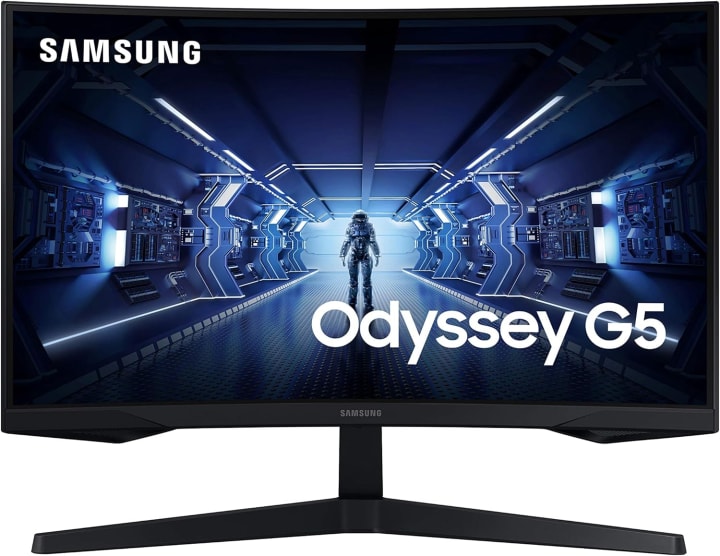
For a more budget-friendly option, the Odyssey G5 27" is solid. I picked it when I wanted an upgrade without overspending, and it didn’t disappoint.
It offers 2560x1440 resolution, 144Hz refresh rate, and 1ms response time, covering most gaming needs. The curved VA panel improves immersion, and FreeSync support keeps motion smooth. Colors aren’t as rich as the higher-end models, but they’re still good for casual gamers.
Great for mid-tier gaming, content creation, or office work. The tilt-adjustable stand is functional, though less flexible than the G7 or Neo G9.
Summary:
Excellent value with solid specs for mid-range gaming.
Strengths:
Affordable
144Hz refresh rate & 1ms response
Curved panel for immersion
Compact and sleek
Weaknesses:
Limited stand adjustability
Colors not as vibrant as premium models
Quick Picks
Best Overall: Odyssey G7 32" Balanced performance, price, and immersion.
Premium Pick: Neo G9 49" For ultrawide, high-end gaming and multitasking.
Budget-Friendly: G5 27" Great mid-tier option without breaking the bank.
FAQs
Q1: Are Samsung gaming monitors good for competitive gaming?
Yes. High refresh rates (144–240Hz) and low response times (1ms) make them ideal for fast-paced games.
Q2: Do I need a high-end GPU?
Depends on the monitor. Neo G9 needs a strong GPU; G5 can run smoothly on mid-range systems.
Q3: Is curved better than flat?
Curved screens improve immersion and reduce eye strain, especially for ultrawides. Flat is fine for competitive FPS games.
Q4: Can I use them for work?
Absolutely. High resolutions and large screens make multitasking, content creation, or office work easier.
Q5: Are they console-friendly?
Yes. HDMI inputs and adaptive sync features make them compatible with Xbox and PlayStation.
Conclusion
After testing multiple Samsung gaming monitors, there’s a model for every type of gamer. The Odyssey G7 balances performance and price, the Neo G9 offers ultimate ultrawide immersion, and the G5 delivers great mid-tier performance.
All excel in smooth gameplay, vibrant colors, and eye-friendly ergonomics. Prices fluctuate, so check for Amazon deals, discounts, and shipping options to get the best value.
Affiliate Disclaimer: As an Amazon Associate, I earn from qualifying purchases at no extra cost to you.

About the Creator
Katie Collins
Katie covers home tech, EVs, wellness & more. She aims to help people make smart buying choices & reach life goals.
Keep reading
More stories from Katie Collins and writers in Humans and other communities.
Best Curved Gaming Monitors
A few weeks ago, I was halfway through an intense Cyberpunk 2077 mission when my old flat-screen monitor flickered again. The colors looked washed out, the motion blur was irritating, and my neck ached from staring straight ahead for hours. That night, I thought, maybe it’s time to upgrade.
By Katie Collins5 months ago in Humans


Comments
There are no comments for this story
Be the first to respond and start the conversation.