
Best Portable Monitor
Boost Productivity Anytime, Anywhere


The plane cabin lights dimmed as I opened my laptop tray, determined to finish a client proposal before landing. My fingers moved quickly, but frustration bubbled when I needed to cross-reference spreadsheets and notes. I was stuck toggling between tabs, resizing windows, and losing precious focus. In that moment, it didn’t matter how powerful my laptop was it felt like trying to cook a three-course meal with just one frying pan.
That’s when it hit me: the missing piece wasn’t more RAM, a faster processor, or fancy software. What I needed was more screen space. The ability to see two things at once without juggling. And not just at home, but in airports, coffee shops, hotel rooms, or anywhere work happened.
That’s where portable monitors come in. These slim, lightweight displays extend your laptop or tablet instantly, creating a dual-screen setup on the go. For professionals, gamers, or even students, they’re not just gadgets they’re lifesavers. But with so many options, it can be confusing to know which one actually performs well, which ones are gimmicks, and which are worth your money.
This guide is my honest attempt to help you cut through the noise.
Why You Should Trust Us
I’ve been burned before by tech purchases that promised a lot and delivered little monitors that dimmed too much, drains on battery life, or screens that barely survived a month in my backpack. That pain made me extra cautious.
So, when testing portable monitors, I go beyond glossy product pages. I check whether the colors stay accurate for design work, whether the stands wobble on café tables, and how they handle long Zoom calls or Netflix marathons. I also compare build quality, weight, ease of connection, and yes, whether they can survive being stuffed into a backpack next to chargers and notebooks.
I write this with the same care I’d give if recommending a device to my closest friend.
How We Picked and Tested
To make this list, I set some clear priorities:
Portability: Lightweight, slim design that fits in a laptop sleeve.
Connectivity: USB-C and HDMI options for flexibility with laptops, tablets, and even gaming consoles.
Display Quality: Brightness, resolution (at least 1080p), and color accuracy.
Durability: Can it handle travel without falling apart?
Value: Does the performance justify the price?
After comparing dozens of models, these three stood out as some of the best portable monitors in 2025.
1. ASUS ZenScreen MB16AC 15.6” Portable Monitorl
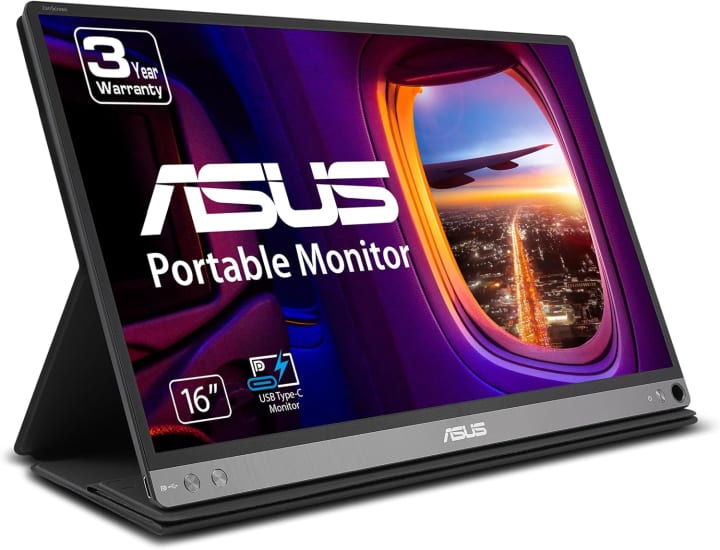
The ASUS ZenScreen MB16AC 15.6” Portable Monitor is one of the most popular portable monitors for a reason it hits that sweet spot of size, clarity, and ease of use.
Key Features
This 15.6-inch display offers Full HD (1080p) resolution with IPS technology for wide viewing angles. It connects with a single USB-C cable that handles both power and video, which means fewer tangled cords in your bag. The foldable smart cover doubles as a stand, and ASUS even includes an auto-rotate feature that adjusts between portrait and landscape modes.
Benefits for You
Perfect for professionals on the go. Imagine setting this up at a hotel desk to extend your laptop screen or at a client meeting to showcase slides. It’s also light enough (just over 1.7 pounds) to carry daily without back strain.
Pros
Single-cable setup with USB-C.
Lightweight and slim design.
IPS panel with solid color reproduction.
Auto-rotate feature is handy for documents.
Cons
Brightness could be higher for outdoor use.
Not ideal for high-end gaming.
Final Verdict
A reliable choice for everyday productivity, especially for business travelers.
2. Lepow Z1 Pro 15.6” Portable Monitor
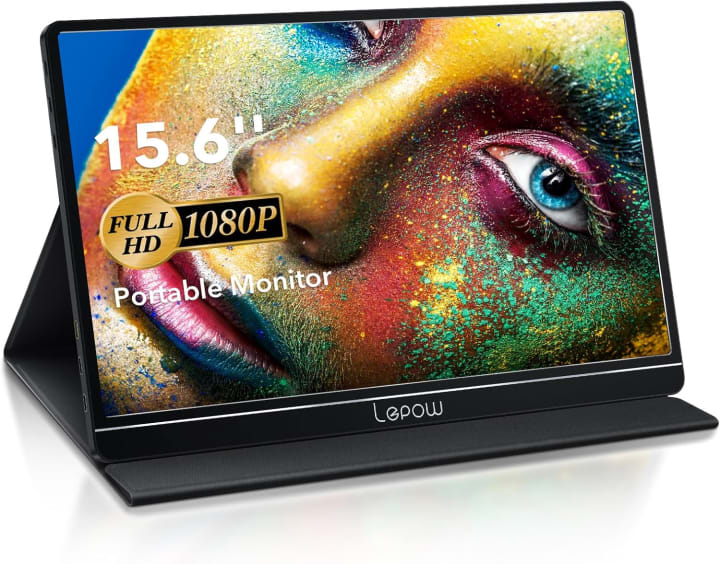
The Lepow Z1 Pro 15.6” Portable Monitor has quietly built a reputation as a budget-friendly powerhouse. It doesn’t have the brand recognition of ASUS or Lenovo, but it punches above its weight.
Key Features
This monitor delivers Full HD resolution with HDR support, making colors more vibrant for videos or casual gaming. It has both USB-C and mini-HDMI ports, which means you can connect it not just to laptops, but also to a Nintendo Switch, PS5, or even some smartphones. The slim aluminum body feels sturdy, and the included protective cover doubles as a stand.
Benefits for You
For students, freelancers, or anyone looking for a balance between work and entertainment, this is a strong contender. It handles spreadsheets during the day and gaming or streaming at night.
Pros
Affordable without feeling cheap.
USB-C and HDMI connectivity.
HDR support improves visuals.
Lightweight but solid build.
Cons
Speakers are
best with headphones.
Color accuracy isn’t as high as premium monitors.
Final Verdict
A great budget option that doesn’t compromise on versatility.
3. Lenovo ThinkVision M14 Portable Monitor
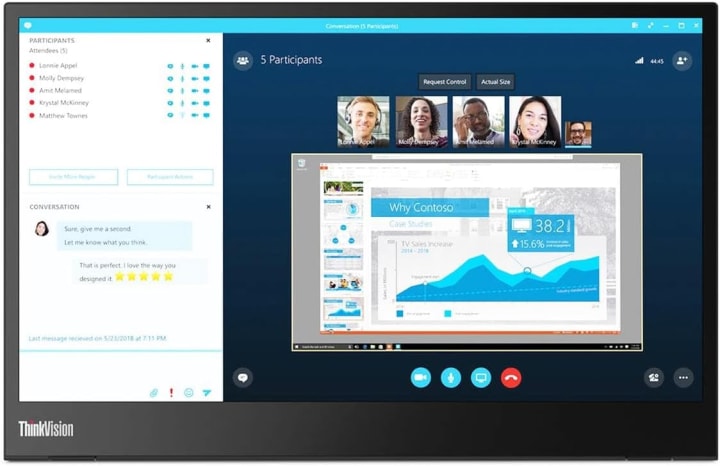
The Lenovo ThinkVision M14 Portable Monitor takes portability seriously. At just 1.3 pounds, it’s one of the lightest portable monitors on the market, yet it doesn’t cut corners on usability.
Key Features
This 14-inch Full HD IPS monitor runs on USB-C, offering plug-and-play simplicity. The adjustable stand lets you tilt the display between -5° to 90°, which is rare among portable monitors. With 300 nits of brightness, it performs better in brighter environments compared to some competitors.
Benefits for You
If your priority is carrying the lightest possible setup without sacrificing performance, this is ideal. It’s a favorite for frequent flyers who need a second screen without adding noticeable weight to their bags.
Pros
Ultra-lightweight and slim design.
Adjustable stand for ergonomic use.
Bright screen compared to rivals.
Simple, clean Lenovo build quality.
Cons
Smaller size (14”) may not suit everyone.
Limited connectivity mostly USB-C.
Final Verdict
The best pick for travelers who value portability above all else.
Quick Picks
Best Overall: ASUS ZenScreen MB16AC the perfect blend of performance and portability.
Best Budget-Friendly: Lepow Z1 Pro great value with flexible connectivity.
Best Premium Portability: Lenovo ThinkVision M14 featherlight without losing quality.
Buying Guide: What to Consider Before Choosing a Portable Monitor
- Choosing the best portable monitor depends on your unique needs. Here’s what to keep in mind:
- Size Matters: 14”–15.6” is the sweet spot for portability, but if you need bigger, be prepared for extra weight.
- Resolution: At least 1080p is standard. Higher resolutions (like 2K or 4K) are nice, but drain more battery.
- Connectivity: USB-C is simplest. HDMI adds versatility if you connect to consoles or older laptops.
- Brightness: Aim for 250–300 nits if you plan to use it outdoors or near windows.
- Durability: Look for metal or reinforced builds if you travel often.
- Special Features: HDR, touchscreens, or built-in stands may add convenience, but only if they align with your needs.
FAQs
Q1: Can I use a portable monitor with a gaming console?
Yes! Many support HDMI connections, making them compatible with Nintendo Switch, PS5, and Xbox.
Q2: Do portable monitors drain laptop battery?
They can, especially if powered through USB-C. Using external power for the monitor can reduce strain on your laptop.
Q3: Are portable monitors good for video editing?
Some are, but color accuracy varies. If editing is your focus, go for IPS panels with high color coverage.
Q4: Do they work with smartphones?
Yes if your phone supports video output via USB-C, many portable monitors will mirror or extend the screen.
Q5: Are they worth it for students?
Absolutely. They’re game-changers for research, note-taking, and multitasking during online classes.
Final Verdict
Portable monitors aren’t luxuries anymore they’re practical tools that turn cramped digital workspaces into efficient setups. Whether you’re working on a flight, gaming in a hotel room, or studying at the library, they give you the flexibility to do more.
The ASUS ZenScreen MB16AC is the best overall choice for most professionals.
The Lepow Z1 Pro gives excellent value for those on a tighter budget.
The Lenovo ThinkVision M14 is unbeatable for travelers who want the lightest lo
Don’t let your productivity (or fun) be trapped by a single screen. Invest in the right portable monitor and watch your workflow and your sanity improve.
Disclaimer: As an Amazon Associate, I earn from qualifying purchases. This comes at no extra cost to you and helps support this blog.


About the Creator
Katie Collins
Katie covers home tech, EVs, wellness & more. She aims to help people make smart buying choices & reach life goals.
Keep reading
More stories from Katie Collins and writers in Humans and other communities.
Best Waterproof Case for iPhone
It happened during a weekend hike on a misty mountain trail. The air was thick with fog, shoes damp from morning dew, and I had my iPhone tucked neatly into what I thought was a reliable case. Then came the inevitable a slip, a small stream, and a sickening splash as my phone dipped into the cold water for barely two seconds. Just like that, the screen flickered, my photos seemed at risk, and my lifeline to work, family, and memories was in jeopard
By Katie Collins7 months ago in Humans
Thief In The Night
To the thief in the night that took and replicated what once was mine: Honestly, I feel kind of bad for you. It’s funny, because we hardly know each other. I only know of you through the magazines you’ve written and the broadcasts you have televised in the past — as well as through the public mentions of you from your show business connections there.
By Snarky Lisa7 days ago in Humans
The Shift From Pisces to Aquarius: From Following to Connecting
Astrological ages describe long arcs of cultural development, each lasting roughly two thousand years. These eras are not defined by single events but by gradual changes in consciousness, values, and collective orientation. The transition from the Age of Pisces to the Age of Aquarius marks one of the most significant shifts in human history, not because of a change in the stars themselves, but because of the change in how humanity interprets meaning. The Piscean era emphasized devotion, sacrifice, and hierarchical spiritual authority. The Aquarian era emphasizes connection, shared intelligence, and the dissolution of hierarchy. This shift can be summarized in a simple contrast: in Pisces, the savior said “Follow me.” In Aquarius, the savior says “Connect.”
By Julie O'Hara - Author, Poet and Spiritual Warrior4 days ago in Humans


Comments
There are no comments for this story
Be the first to respond and start the conversation.