
Best Monitors for MacBook Pro in 2025
Enhance Productivity and Visual Clarity with the Perfect MacBook Pro Monitor


In the pursuit of a seamless computing experience, pairing your MacBook Pro with the right external monitor can significantly enhance productivity and visual comfort. Whether you're a creative professional, a developer, or someone who simply enjoys a larger display, selecting the ideal monitor requires careful consideration of various factors.
Why You Should Trust Us
Drawing from extensive experience in reviewing tech products and understanding the unique requirements of MacBook Pro users, we've curated a list of monitors that complement Apple's ecosystem. Our recommendations are based on thorough research, user feedback, and technical specifications to ensure compatibility and performance.
1. Dell UltraSharp U3225QE

Overview:
Dell UltraSharp U3225QE A 32-inch 4K monitor offering exceptional color accuracy and a sleek design.
Key Features:
Thunderbolt 4 connectivity for high-speed data transfer and charging.
95% DCI-P3 color gamut coverage, ideal for creative professionals.
Factory-calibrated for color precision.
Pros:
Excellent color accuracy.
Comprehensive connectivity options.
Ergonomic stand with height, tilt, and swivel adjustments.
Cons:
Higher price point compared to other monitors.
Limited HDR performance.
Final Verdict:
Best suited for professionals requiring precise color reproduction and robust connectivity.
2. BenQ PD2730U
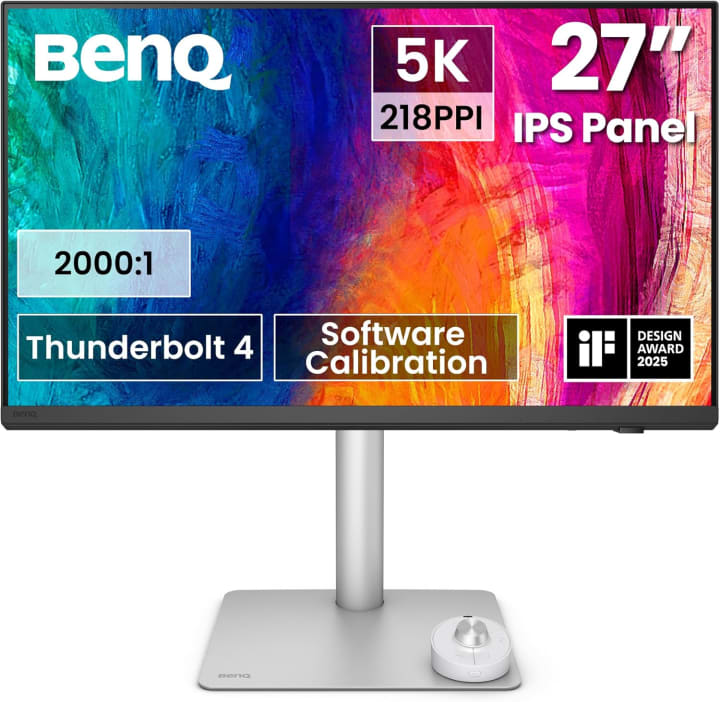
Overview:
BenQ PD2730U is a nch 4K monitor designed for designers and content creators.
Key Features:
M-Book mode for color matching with MacBook Pro.
USB-C connectivity with 65W power delivery.
HDR support for enhanced visuals.
Pros:
Accurate color representation.
MacBook Pro-specific features.
Affordable pricing.
Cons:
Limited screen size.
Average HDR performance.
Final Verdict:
Ideal for creatives seeking color accuracy without breaking the bank.
3. LG UltraFine 5K Display
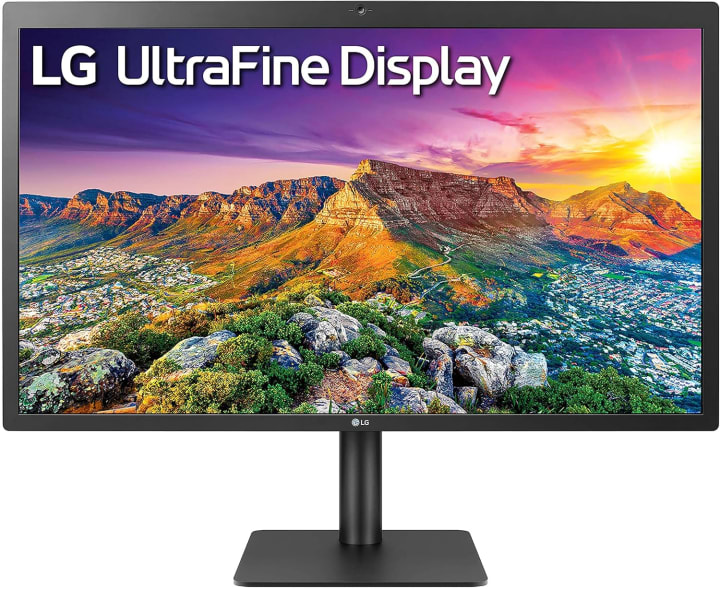
Overview:
LG UltraFine 5K Display is a 27-inch 5K monitor offering seamless integration with MacBook Pro.
Key Features:
Thunderbolt 3 connectivity for video, data, and power.
P3 wide color gamut and 500 nits brightness.
Built-in camera and speakers.
Pros:
Exceptional display quality.
Direct compatibility with macOS features.
Sleek and minimalist design.
Cons:
Premium pricing.
Limited adjustability.
Final Verdict:
Perfect for users seeking a high-resolution display with native macOS support.
How It Works: Understanding Monitor Compatibility with MacBook Pro
When selecting a monitor for your MacBook Pro, it's crucial to consider:
Connectivity: Thunderbolt 3 or 4 ports ensure high-speed data transfer and power delivery.
Resolution: Higher resolutions like 4K or 5K provide sharper images, beneficial for design and video editing tasks.
Color Accuracy: A wide color gamut (e.g., DCI-P3) is essential for tasks requiring precise color reproduction.
Ergonomics: Adjustable stands and VESA compatibility contribute to a comfortable viewing experience.
Buying Guide: Factors to Consider
Budget: Determine your price range and explore options within it.
Usage Needs: Identify whether you require the monitor for creative work, general productivity, or entertainment.
Space Constraints: Consider the physical space available for the monitor.
Future-Proofing: Opt for monitors with up-to-date connectivity standards to ensure longevity.
FAQs
Q1: Can I use any monitor with my MacBook Pro?
Yes, but for optimal performance, choose monitors that support Thunderbolt or USB-C connections for seamless integration.
Q2: Is 5K resolution necessary?
For general tasks, 4K resolution suffices. However, for detailed design work or video editing, a 5K display offers superior clarity.
Q3: Are there budget-friendly options?
Yes, monitors like the BenQ PD2730U offer excellent features at a more affordable price point.
Q4: Do I need HDR support?
If you engage in tasks like video editing or gaming, HDR support enhances visual quality. Otherwise, it may not be essential.
Conclusion
Selecting the right monitor for your MacBook Pro enhances your computing experience, whether for professional tasks or personal enjoyment. Consider your specific needs, budget, and the features that align with your workflow to make an informed decision.
Disclaimer:
As an Amazon Associate, I earn from qualifying purchases. This doesn't affect the price you pay and helps support independent reviews.


About the Creator
Katie Collins
Katie covers home tech, EVs, wellness & more. She aims to help people make smart buying choices & reach life goals.
Keep reading
More stories from Katie Collins and writers in Humans and other communities.
Best iPhone Cases for Drop Protection
Let me dive straight in: I once flung my iPhone across the kitchen counter in a caffeine-fuelled morning blur only to catch it with trembling fingers and discover a spider-web of cracks across the screen. That chaos sparked my obsession with finding an iPhone case that could actually save my phone when gravity inevitably wins.
By Katie Collins6 months ago in Humans



Comments
There are no comments for this story
Be the first to respond and start the conversation.