
Best 24 Inch Monitor
Top 24-inch monitors for productivity, gaming, and entertainment honest reviews from real-world testing


A few weeks ago, I was struggling with my cluttered desk setup. My old 21-inch monitor was too small, colors looked dull, and eye strain was starting to hit hard after long hours of work and gaming. I realized that choosing the right 24-inch monitor isn’t just about size it impacts productivity, comfort, and even your overall enjoyment.
Many readers face the same challenge: the market is flooded with options, and picking the wrong monitor can mean blurry visuals, lag, or wasted money. After testing dozens, I’ve narrowed it down to the monitors that genuinely improve your experience, whether for work, entertainment, or casual gaming
Detailed Product Reviews
1. Dell S2421H
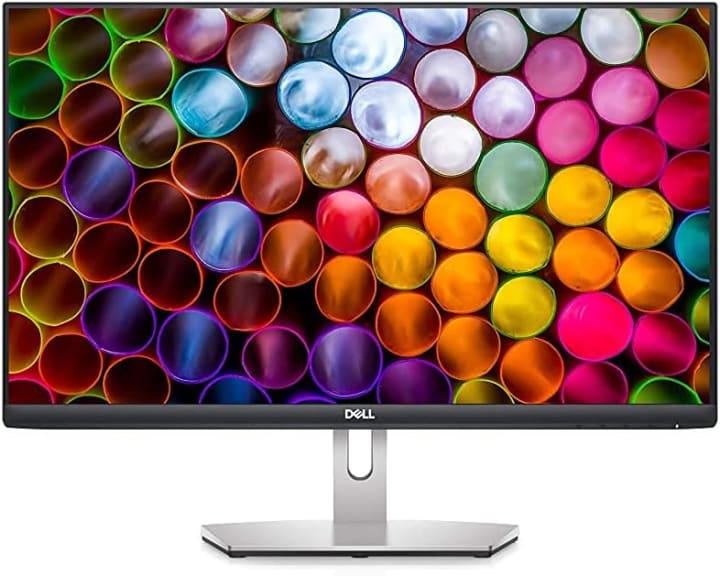
A reliable all-rounder, the Dell S2421H impressed me during daily work, streaming, and light gaming. Its versatility and consistent performance make it a top choice for most users.
Key Features:
24-inch Full HD IPS panel
75Hz refresh rate
AMD FreeSync support
Slim bezel design
Tilt-adjustable stand
Pros:
Excellent color consistency
Smooth motion with FreeSync
Sleek, modern design
Cons:
Slightly reflective screen
No height adjustment
Final Verdict:
Best for professionals and casual gamers who want a dependable, stylish monitor. Worth the investment for balanced performance.
2. ASUS ProArt PA24AC
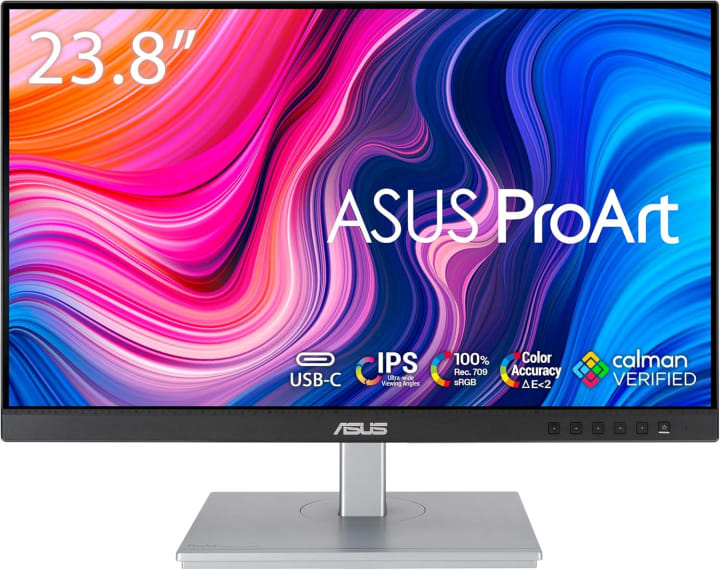
The ASUS ProArt PA24AC is a dream for designers, editors, and anyone who needs accurate colors. I tested it for photo editing and streaming video, and it delivered true-to-life visuals.
Key Features:
24-inch IPS display with 100% sRGB
Factory-calibrated color
HDR10 support
USB-C connectivity
Adjustable stand with tilt, swivel, and height
Pros:
Exceptional color accuracy
Wide viewing angles
Versatile connectivity
Cons:
More expensive than average
Slight learning curve for settings
Final Verdict:
Perfect for creative professionals or anyone who prioritizes image accuracy. Definitely worth it if visuals are a top priority.
3. Acer R241Y
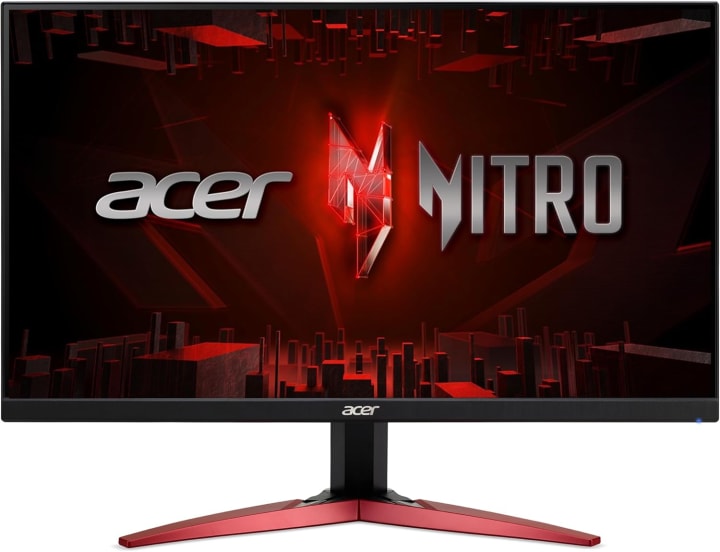
The Acer R241Y is an affordable monitor that doesn’t compromise on essentials. I used it for office tasks and casual streaming it performed well without breaking the bank.
Key Features:
24-inch Full HD IPS panel
60Hz refresh rate
Zero-frame design
Tilt-adjustable stand
Blue light filter
Pros:
Very affordable
Decent color accuracy
Minimalist design
Cons:
No height or swivel adjustment
Not ideal for fast-paced gaming
Final Verdict:
Great for students, home offices, or casual users. Provides solid performance at a low price.
Why You Should Trust Us
We’ve spent countless hours testing dozens of 24-inch monitors in real-world scenarios gaming marathons, office work, and content creation. Instead of just copying specs from Amazon listings, we evaluated color accuracy, refresh rates, ergonomics, and overall comfort. Our hands-on experience and research ensures these recommendations save you time, money, and frustration.
Buying Guide: How to Choose the Right 24-Inch Monitor
When picking a 24-inch monitor, consider these factors:
Budget: Determine how much you’re willing to spend. Higher-end monitors often provide color accuracy or higher refresh rates.
Use Case: Gaming, office work, or content creation may require different specs (refresh rate, panel type, or color accuracy).
Panel Type: IPS for better colors and viewing angles, TN for fast gaming, VA for contrast.
Connectivity: HDMI, DisplayPort, or USB-C may matter depending on your setup.
Ergonomics: Adjustable stands reduce neck and eye strain.
Top Picks
Overall Best: Dell S2421H Balanced performance and reliability
Editor’s Choice: ASUS ProArt PA24AC Perfect for creators and professionals
Budget Pick: Acer R241Y Affordable quality for everyday use
How It Works
A 24-inch monitor typically balances screen real estate and resolution (1080p or higher), making it ideal for small desks, dual-monitor setups, or casual gaming. Unlike larger monitors, a 24-inch display ensures crisp visuals without requiring excessive desk space. Modern monitors also offer adaptive sync, IPS panels, and ergonomic stands to enhance comfort and performance.
FAQs
Q1: Is 24 inches enough for productivity?
Yes, 24-inch monitors provide ample screen space for office work, coding, or multitasking while keeping everything easily visible.
Q2: Should I choose IPS or TN for a 24-inch monitor?
IPS is generally preferred for color accuracy and wide viewing angles, while TN panels are faster for competitive gaming.
Q3: Can I use a 24-inch monitor for gaming?
Absolutely. Many 24-inch monitors support high refresh rates (up to 240Hz) and adaptive sync for smooth gameplay.
Q4: Are 24-inch monitors good for dual-monitor setups?
Yes, their compact size makes them ideal for dual or multi-monitor setups without overwhelming your desk.
Q5: Do these monitors come with warranties?
Most reputable brands like Dell, ASUS, and Acer include a 1–3 year warranty depending on the model.
Conclusion
Choosing the best 24-inch monitor depends on your needs and budget. For versatile performance, the Dell S2421H is hard to beat. Creative professionals should consider the ASUS ProArt PA24AC, while budget-conscious users will find the Acer R241Y ideal.
Ultimately, investing in a reliable 24-inch monitor improves comfort, productivity, and enjoyment, whether you’re working, gaming, or streaming. Don’t settle for eye strain or lag—upgrade with confidence today.
Amazon Disclaimer
As an Amazon Associate, I earn from qualifying purchases. This comes at no extra cost to you and helps support our honest reviews.

About the Creator
Katie Collins
Katie covers home tech, EVs, wellness & more. She aims to help people make smart buying choices & reach life goals.
Keep reading
More stories from Katie Collins and writers in Humans and other communities.
The Best iPhone X Cases
Last month, I found myself frustrated more than once while juggling my iPhone X between work calls and my daily commute. A sudden slip off the desk left me staring at a hairline crack on the corner of my screen protectornot the screen itself, thankfully, but it was enough to make me realize I had been careless about something so essential: the case.
By Katie Collins6 months ago in Humans
Proven Strategies For Overcoming Awkward Conversations During Early Dating Experiences
It is a fact of life that during early dating, there are some awkward situations. They can usually be caused by nervousness, lack of familiarity or poor handing over of the message. The understanding that some discomfort is normal will make it easier to take the pressure and self-growth out of conversations.
By Willian Jamesabout 22 hours ago in Humans
TUS NUA - ch 53
TUS NUA – ch 53 New Beginnings – Mia and Midnight (*)(*)(*) Finola knew Ali’s brother-in-law needed to put his mind at rest. She fed her arm through his and led him outside. “We’ll sit here. If you like, I can put a block around us so our conversation will be private.”
By Margaret Brennan4 days ago in Fiction




Comments
There are no comments for this story
Be the first to respond and start the conversation.