
Purple Vertical Line on Monitor (How to Fix) – Easy Step-by-Step Guide
Learn how to fix the purple vertical line on monitor with simple steps. Discover causes, solutions, and FAQs in this complete guide.

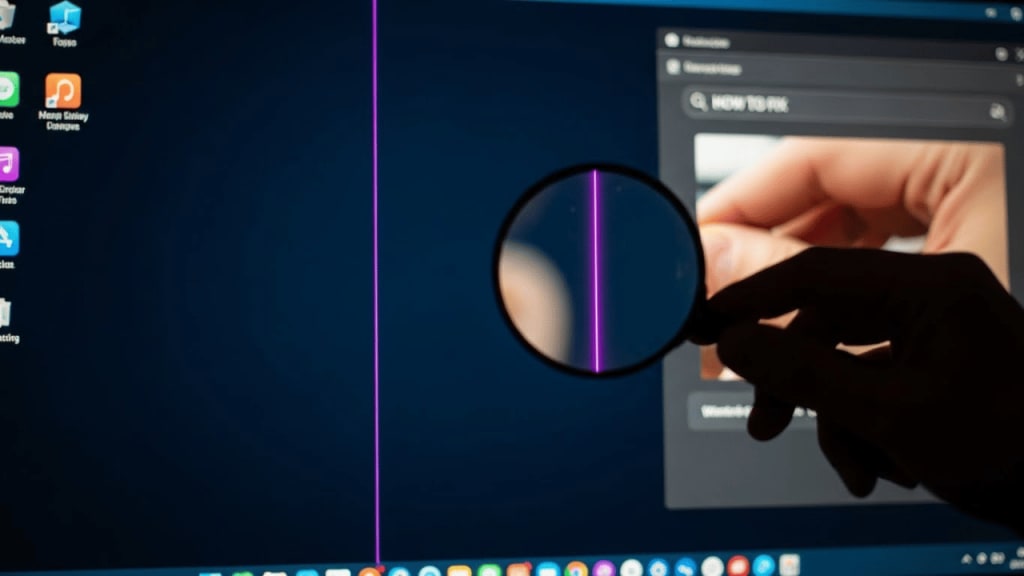
A purple vertical line on monitor can be annoying, distracting, and sometimes scary if you don’t know what’s wrong. But don’t worry, this guide will explain everything in simple words. You’ll learn why the line appears, how to fix it, and what to do if the problem doesn’t go away.
How to Fix Purple Vertical Line on Monitor – Step by Step
- Check the Cables
- Restart Your Computer
- Update Graphics Drivers
- Test with Another Monitor
- Adjust Screen Resolution
- Run Hardware Diagnostics
- Replace the Cable
- Contact Support
What Does a Purple Vertical Line on Monitor Mean?
When you see a purple vertical line on monitor, it usually means something is wrong with the display. It could be a hardware issue, a software glitch, or even a loose cable. Because monitors are built with tiny pixels, if one part fails, it can show up as a line across the screen.
Common Causes of Purple Vertical Line on Monitor
- Loose or damaged cables – If the HDMI or VGA cable is not connected properly, lines may appear.
- Graphics card problems – A faulty GPU can send bad signals to the monitor.
- Monitor panel damage – Physical damage to the screen can cause permanent lines.
- Driver issues – Outdated or corrupted drivers often lead to display errors.
- Overheating – Heat can damage internal parts of the monitor or graphics card.
How to Fix Purple Vertical Line on Monitor – Step by Step
1. Check the Cables
First, unplug and replug the monitor cables. Because loose connections are common, this simple step often solves the problem.
2. Restart Your Computer
Restarting clears temporary glitches. Therefore, always try this before moving to harder fixes.
3. Update Graphics Drivers
Outdated drivers can cause display errors. Go to your computer’s device manager, find the graphics card, and update the driver.
4. Test with Another Monitor
If the purple vertical line appears on another monitor, the issue is with your computer. However, if it only shows on one monitor, the monitor itself is faulty.
5. Adjust Screen Resolution
Sometimes, incorrect resolution settings can cause lines. Change the resolution in display settings and see if the line disappears.
6. Run Hardware Diagnostics
Many brands like Dell, HP, and Lenovo provide built-in diagnostic tools. Running these tests can help identify hardware problems.
7. Replace the Cable
If the cable is old or damaged, replace it. Because cables are cheap, this is an easy fix.
8. Contact Support
If none of the steps work, contact the monitor manufacturer’s support team. For example, Samsung, LG, and Dell all have customer service centers.
Preventing Purple Vertical Line on Monitor
- Keep your monitor clean and dust-free.
- Avoid pressing hard on the screen.
- Use a surge protector to prevent power damage.
- Update drivers regularly.
- Keep your computer cool to avoid overheating.
Purple Vertical Line on Monitor in Laptops
Laptops can also show purple vertical lines. In most cases, the issue is with the internal display cable or the graphics card. Because laptops are harder to repair, you may need professional help.
When to Replace Your Monitor
If the purple vertical line doesn’t go away after trying all fixes, the monitor panel may be permanently damaged. In that case, replacing the monitor is the only solution.
Conclusion
A purple vertical line on monitor is frustrating, but it doesn’t always mean your monitor is broken. By checking cables, updating drivers, and testing with another monitor, you can often fix the issue yourself.
However, if the problem continues, professional repair or replacement may be needed. Always take care of your monitor to prevent future problems.
FAQ – Purple Vertical Line on Monitor (How to Fix)
Q1: Why does my monitor show a purple vertical line? It usually happens due to cable issues, graphics card problems, or monitor damage.
Q2: Can I fix the purple vertical line at home? Yes, you can try simple steps like checking cables, updating drivers, and restarting your computer.
Q3: Does a purple vertical line mean my monitor is broken? Not always. Sometimes it’s just a loose cable or driver issue.
Q4: Should I replace my monitor if the line doesn’t go away? If all fixes fail, the monitor panel may be damaged, and replacement is the best option.
Q5: Can overheating cause purple lines on screen? Yes, overheating can damage the graphics card or monitor, leading to display errors.
About the Creator
Perfect Tech Views
Welcome to Perfect Tech Views—your go-to source for clear, unbiased, and insightful tech knowledge. Whether you're a pro, a beginner, or just exploring gadgets, we've got you covered with expert guidance!
Keep reading
More stories from Perfect Tech Views and writers in Gamers and other communities.
Black Screen Flash (Reason and How to Fix) – Complete Guide
Black screen flash is one of the most common problems people face on computers, phones, and even TVs. At first, it looks scary because the screen suddenly goes black and then comes back. However, the good news is that most of the time, the issue can be fixed with simple steps. In this guide, we will explain the reasons behind black screen flash and show you how to fix it step by step.
By Perfect Tech Views4 months ago in Gamers
The Real Life of Professional Poker Players Explained
The world of professional poker often appears fascinating to people who observe it from the outside. Televised tournaments, casino environments, and online poker streams have created a public image that portrays poker professionals as fearless gamblers who enjoy massive winnings and glamorous lifestyles. This image has inspired many people to dream of turning poker into a full-time career.
By Micah Raskin7 days ago in Gamers
The Forsyth House Fire
Since 1851, Forsyth House has stood on the corner of Union Street and Gordon Street in the heart of Glasgow. Its iconic, or was... because on Sunday 8th of March, 2026, a fire broke out in a small, seemingly un-named shop in the building and tore all that history down. As I write, the rubble is still unsettled and the street is still blocked off. Central Station is quiet on the upper level, and around 30 small businesses have quite literally gone up in smoke.
By S. A. Crawford3 days ago in The Swamp



Comments