
Mastering Roblox CTRL Codes in 2025
CTRL Codes key is commonly used for crouching

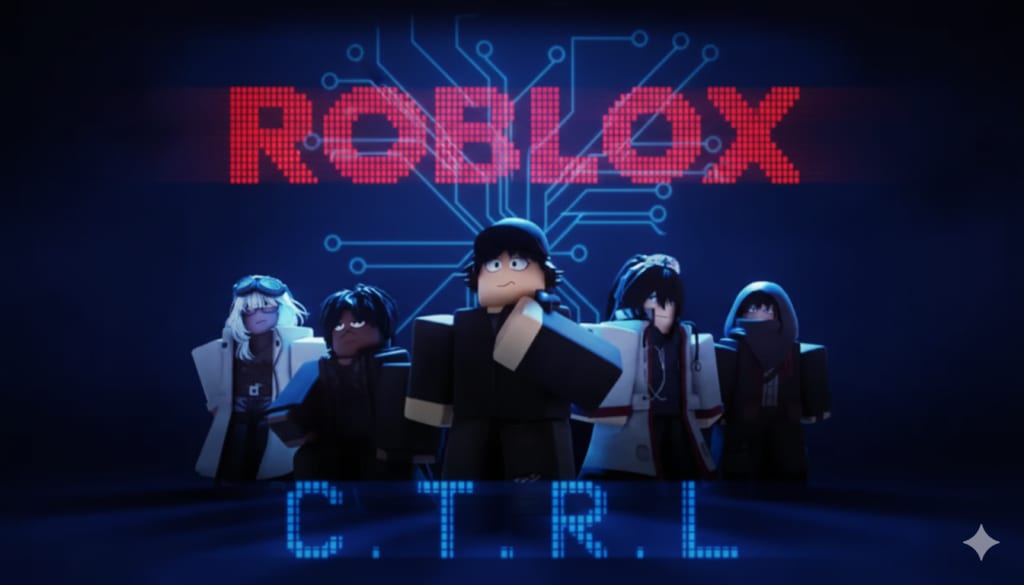
When players search for “Roblox Ctrl Codes,” they are usually looking for real controls, shortcuts, or in-game keybinds that use the CTRL key. It’s important to understand that Roblox does not have any official cheat codes, secret CTRL codes, or universal keyboard tricks that give unfair advantages. Instead, the CTRL key is used differently depending on the game, the developer’s settings, or Roblox Studio’s built-in shortcuts. This article explains everything accurately—no lies, no made-up features, and no misleading information—so you can clearly understand what CTRL actually does in Roblox in 2025.
In most Roblox games, the CTRL key is commonly used for crouching, especially in shooters, roleplay games, or adventure experiences. But this is not a universal rule: every Roblox developer can assign controls differently. Some developers use CTRL for crouch, some use C, and some do not include crouching at all. That’s why players sometimes get confused and search for “Ctrl codes” trying to find one standard command—but the truth is that controls depend entirely on each individual game. If a specific Roblox experience supports crouching, the developer will list it in the in-game settings or instructions.
Another real use of CTRL in Roblox is camera and movement control, depending on how the developer scripts their experience. Some games let you hold CTRL to enter a "slow move" mode, toggle camera features, or activate sneak mechanics. These features are real, but again, they are not universal—they only work in games where the developer added them. Roblox itself does not include global CTRL shortcuts for gameplay.
Where CTRL is truly consistent is Roblox Studio, the official program developers use to create games. These shortcuts are real and used by almost every creator. For example:
CTRL + Z → Undo
CTRL + Y → Redo
CTRL + C → Copy
CTRL + V → Paste
CTRL + S → Save
CTRL + D → Duplicate objects
CTRL + G → Group selection
These commands are 100% official and part of the real Roblox Studio interface. None of these are cheats or gameplay “codes”—they are simply creative and editing tools used by developers.
When players talk about “Ctrl codes,” many are actually referring to developer-made keybinds inside specific games. Roblox allows creators to assign any key—including CTRL—to any custom action they design. Examples of real, developer-made mechanics might include:
Holding CTRL to open a tool menu
Pressing CTRL to activate precision building
Using CTRL to toggle a custom crouch animation
CTRL + Click to rotate objects in a building game
These features are real only in the games that include them. They are not provided by Roblox globally, and they do not carry over from one game to another. That’s why you cannot use these actions everywhere; they exist only where developers programmed them.
Another common misunderstanding is “Ctrl codes for Shift Lock.” Some games remap the Shift Lock toggle to CTRL, but this is not an official Roblox feature. It only happens in experiences where the creators decided to script it. Players sometimes believe this is a hidden Roblox feature, but in reality, it is just a custom game mechanic.
There are no Roblox Ctrl cheat codes that provide free items, teleporting, invincibility, unlimited Robux, or special powers. Any website claiming this is lying, unsafe, or trying to scam players. Roblox strictly bans cheats, exploits, and unauthorized scripts because they violate the platform’s rules and can compromise accounts. This article does not promote or mention any harmful tools—only real, safe, approved information.
Real Roblox gameplay skill comes from learning each game’s control settings, understanding how the developer designed their keybinds, and practicing movement with whatever keys the game provides. Many games offer a control guide inside the menu where you can see exactly what CTRL does. If a game doesn’t show a control list, you can usually find it in the game description or description updates.
In 2025, the CTRL key’s role continues to evolve as creators add more advanced systems to their games. Some roleplay games use CTRL for fine-tuning animations. Building games might let players use CTRL to snap objects perfectly into place. Adventure games might use CTRL to help players sneak past enemies or activate quiet mode. None of these are secret Roblox features—they are simply creative design decisions made by developers.
The most important takeaway is this: Roblox has no official global Ctrl “codes.” The CTRL key is only a tool—its function always depends on the experience you are playing or the tools you are using in Roblox Studio. The best way to master Roblox controls is to check each game’s settings, learn the developer’s instructions, and practice using your keyboard to improve movement, accuracy, and awareness.
Understanding this helps players avoid scams, avoid confusion, and focus on real gameplay improvement instead of searching for fake cheat codes. Roblox is a skill-based platform, and mastering controls—including the proper use of the CTRL key—can help you perform better in obbies, shooters, building games, simulators, horror experiences, and more.
By learning how CTRL works in each specific game, you can move more smoothly, interact more precisely, and understand exactly how the developer intended the controls to function. This knowledge is far more valuable than any rumor or cheat code—and it will help you play Roblox more effectively across thousands of experiences in 2025.
About the Creator
Keep reading
More stories from Games Tale and writers in Gamers and other communities.
All Roblox Control Codes (December 2025)
Roblox has thousands of new experiences launching every month, and “Control” is one of the games players search for when looking for codes that offer boosts, currency, or special in-game rewards. However, as of 2025, there is an important detail players need to know before they begin hunting for freebies: the Roblox game “Control” currently does not have any officially released codes from its developers. Many players mistakenly believe that every Roblox game includes redeemable codes, but in reality, only games whose developers create a code system will have them. “Control” is either still in active development, lacks a built-in code feature, or simply has not used codes as part of its reward system. Because many websites publish false or made-up codes just to get clicks, this article focuses on giving an honest, accurate update on what players can expect, what the developers have confirmed, and how to stay prepared for future updates.
By Games Taleabout a month ago in Gamers
Strategic Depth: The Evolution of uCool’s Heroes Charge in 2025
The independent gaming sector is undergoing a period of significant expansion, with market valuations estimated at $4.85 billion in 2025 and projections suggesting a near-doubling by the end of the decade. While premium, "pay-once" models still command approximately 61% of indie revenue, the industry is increasingly defined by hybrid monetization—blending base purchases with sophisticated live-ops, cosmetic enhancements, and non-intrusive subscriptions. Within this shifting landscape, uCool stands as a prominent example of an independent studio that has successfully navigated these complexities, primarily through its enduring RPG hit, Heroes Charge.
By Cool Gamer5 days ago in Gamers
Violence Begets
"Any last words, cowboy?" "None you'd understand, sodbuster." "Funny. That's Marshall Sodbuster to you. But I meant some last nugget that would help us in the adjudication of the myriad offenses counted against you and your gang. I wasn't asking for penitence."
By Adam Diehl6 days ago in Fiction



Comments
There are no comments for this story
Be the first to respond and start the conversation.