
Is Minecraft Cross-Platform?
Discover if Minecraft supports cross-platform play, how it works between devices, and the differences between Java and Bedrock editions.
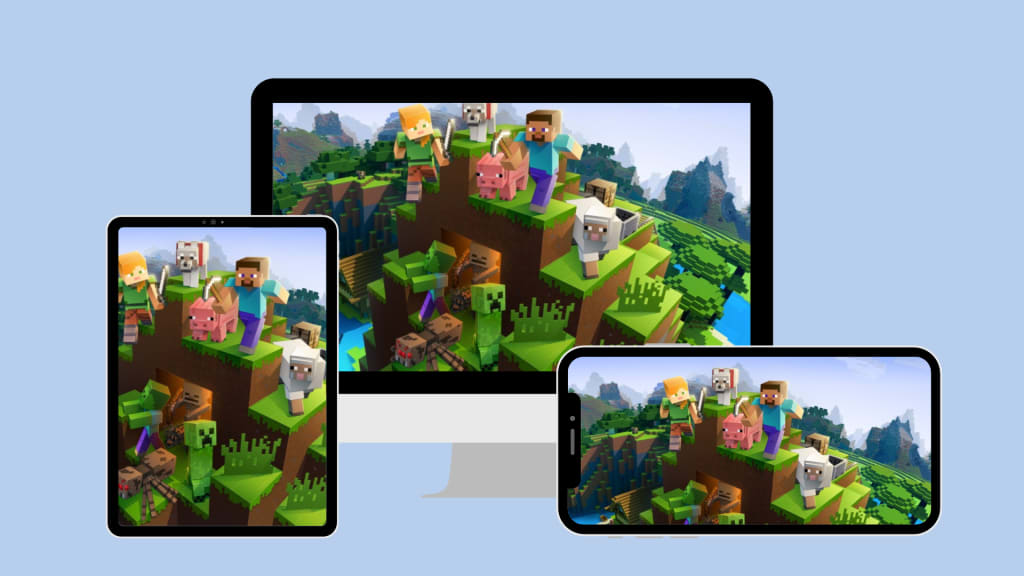
Minecraft has evolved drastically since its humble beginnings in 2009. What started as a basic sandbox survival game has turned into one of the most widely played video games of all time, with millions of players spread across different devices and platforms. One of the most frequently asked questions from new and returning players alike is: Is Minecraft cross-platform? In today’s gaming landscape, where friends own different consoles or devices, cross-platform compatibility has become more important than ever.
The short answer is: Yes, Minecraft is cross-platform—but with some important caveats. Let’s dive into what that means, how it works, and what limitations players should be aware of.
Understanding Minecraft Editions
Before we tackle the specifics of cross-platform play, it’s important to understand that Minecraft APK exists in more than one version. These versions differ not only in how they are played but also in how they connect with one another.
The two main versions of the game are the Java Edition and the Bedrock Edition. Java Edition is the original version of Minecraft, available only on PC, and is beloved by many long-time players for its flexibility and modding potential. On the other hand, Bedrock Edition was developed later and was designed for broader compatibility across multiple devices, including Xbox, PlayStation, Nintendo Switch, Windows 10/11, mobile phones, and tablets.
This distinction matters because cross-platform play is only possible within the Bedrock ecosystem. The Java Edition, while still massively popular, remains separate from this network and has its own multiplayer system that is limited to players using Java on PC.
Cross-Platform Within Bedrock
One of the biggest strengths of the Bedrock Edition is its seamless cross-platform capability. Whether you’re playing on an Xbox Series X, a PlayStation 5, a Nintendo Switch, or a mobile phone, you can log into the same Minecraft world as your friends on other platforms—as long as everyone is using the Bedrock Edition.
This level of compatibility makes Minecraft a unique example in the world of video games. Not many major titles allow a Nintendo Switch player to easily join a world hosted by someone on a PlayStation 4 or a Windows PC. Mojang and Microsoft made a significant push to unify the game’s codebase with Bedrock, and the results show in the player experience. A shared Microsoft account (formerly Xbox Live account) acts as the connecting thread between players across these platforms. This system allows users to friend each other, join worlds, and even communicate in chat, regardless of which device they’re on.
Java Edition and Its Limitations
While the Bedrock Edition enjoys broad cross-platform support, Java Edition remains an outlier. Java players can only connect to servers that support the Java version of the game. There is no native compatibility between Java and Bedrock—meaning someone playing Java Edition on their PC cannot directly join a friend’s Bedrock world on Xbox or mobile.
That said, there are some unofficial workarounds using third-party software such as GeyserMC, which acts as a bridge between Bedrock and Java servers. However, these methods often require a fair amount of technical setup and may not support all gameplay features smoothly. They’re not officially endorsed by Mojang, and using them can introduce bugs or compatibility issues.
Cross-Play Between Consoles
If you're wondering whether your Xbox can connect to a friend’s PlayStation or Switch, the answer is yes—as long as both are using the Bedrock Edition. The process is relatively simple: both players need to have a Microsoft account and be logged into it through Minecraft. Once added as friends through the in-game menu, they can join each other’s worlds or servers without much hassle.
This integration across consoles was once seen as impossible due to the competing interests of major gaming companies. However, in Minecraft’s case, Microsoft has managed to make it work, building bridges even where fierce competition exists. PlayStation was the last major console to support Minecraft cross-play, but since late 2020, even PS4 and PS5 players have joined the shared Bedrock universe.
Cross-Platform Servers and Realms
For a more persistent experience, Minecraft offers Realms, which are Mojang-hosted servers that stay online even when the host player is offline. Realms are available for both Bedrock and Java Editions, but again, each version has its own set of realms. Java players can’t join a Bedrock Realm and vice versa.
Bedrock Realms, however, provide a fantastic cross-platform experience. You can create a Realm on your iPhone, log into it later from a PC, and invite friends who play on a console. The persistent world allows everyone to contribute whenever they want, creating a shared sandbox that evolves over time.
Alternatively, public servers are also available for Bedrock Edition and allow players from different platforms to join in large multiplayer experiences. These servers can include minigames, creative hubs, survival challenges, and even battle arenas. Some of the most popular servers like The Hive and Cubecraft cater to players on all supported Bedrock platforms.
How to Enable Cross-Platform Play
Setting up cross-platform play on Minecraft is usually straightforward, but it does require a few steps. First, make sure your game is updated to the latest version—this ensures compatibility. Then, sign in using a Microsoft account (required even on non-Microsoft platforms like Switch and PlayStation). This account will serve as your multiplayer identity, allowing you to send friend requests and join cross-platform games.
It’s also important to note that parental controls, privacy settings, and online subscription requirements (like Xbox Live Gold or Nintendo Switch Online) can affect your ability to join multiplayer games. These should be reviewed and adjusted if you're having trouble connecting.
Does Cross-Platform Play Affect Performance?
An interesting question many players raise is whether cross-platform play affects performance or gameplay quality. In most cases, the answer is no. Minecraft’s code is well-optimized across platforms, and Bedrock Edition was specifically built for smooth operation on a range of devices.
However, device limitations still matter. A player on a high-end gaming PC will likely enjoy faster rendering, longer view distances, and smoother gameplay compared to someone playing on a phone or older console. Still, the gameplay remains synchronized, and mechanics work the same, ensuring fairness and consistency in shared worlds.
Final Thoughts
Minecraft’s cross-platform capabilities represent one of its greatest modern strengths. With Bedrock Edition, players can break down the barriers that typically divide gaming communities and enjoy a shared experience no matter what device they’re on. This has made it easier for friends and families to play together, especially when not everyone owns the same console or platform.
The separation between Java and Bedrock remains a sticking point, especially for long-time PC players who prefer Java’s rich modding environment. However, for most casual players and cross-device gamers, Bedrock Edition offers a streamlined, unified world where creativity knows no limits.
So, is Minecraft cross-platform? Absolutely—within the Bedrock family. And that’s a huge win for the game’s future and for every player who just wants to explore, build, and survive with their friends.
About the Creator
Jerry
Dedicated website for Spotify. Here we share tips and tricks to master your Spotify experience.
Far Cry 6 Will Drop You Into a Revolution You Won’t Forget Anytime Soon
Few open-world shooters offer the combination of freedom, story, and chaos like Far Cry 6. Developed by Ubisoft Toronto and published by Ubisoft, Far Cry 6 immerses players in a living world on Xbox where danger lurks around every corner and the fight for freedom is never straightforward.
By Lukáš Hrdličkaabout 6 hours ago in Gamers
I Need to Tell You All About "Poppy Playtime"
Warning: Spoilers ahead! I have been a fan of video game play throughs, specifically horror game play throughs, since I was 16 years old. From the original Five Nights at Freddy's game to Emily Wants to Play to Resident Evil, I was intrigued by the lore of each game's unique story and it was thrilling to watch the stories unfold through a YouTuber's perspective. I've never really been a video-gamer myself, so I chose to live vicariously through those brave and experienced enough to play and beat the games.
By Madison "Maddy" Newton7 days ago in Gamers



Comments
There are no comments for this story
Be the first to respond and start the conversation.