
How to Test and Measure Your Mouse Click Speed: A Step-by-Step Guide
How to Test and Measure Your Mouse Click Speed

What is the Click speed test?
Let’s spell the tea on the Click speed test and CPS before discussing the procedure to play them. Online tools and games called "click speed tests" evaluate how quickly and precisely a user can click a mouse button. In these tests, pressing a mouse button as many times as you can in a predetermined amount of time, such as one second or ten seconds, is customary.
A score that reflects the number of clicks made during the exam is then shown as the outcome. Click speed tests have gained popularity as a means to analyze clicks, and gamers and other professionals that depend on quick and precise mouse clicking frequently utilize them.
The number of mouse button clicks made in a second is measured in clicks per second (CPS). A person can take a CPS exam by just clicking as quickly as possible within the set time limit, typically one second and the outcome of the test will show their CPS score. Through practice, CPS may be increased, and many people utilize click speed tests to monitor their development and increase their clicking accuracy as well as speed.
How to Measure Your Mouse Click Speed?
It feels more like playing a game than taking measurements when you count your mouse clicks. The steps for measuring your mouse click speed are as follows:
Step 1: Click speed tests can be performed in a variety of modes, including 1 second, 5 seconds, 10 seconds, and 60 seconds. Select the testing mode that you want to use. We'll advise you to pick a mode that is neither too long to get boring nor too short to replay repeatedly.
Step 2: Practice clicking to acclimatize your fingertips to the mouse and prepare for the test.
Step 3: When you are ready, click "Click Here to Start" to begin the test and then begin clicking as quickly as you can within the allotted time.
Step 4: Your test score will be displayed following the timeout. Keep a record of your result so you can monitor your development. The result section has three boxes. The first will display the timing, the second will tell the total number of clicks that you made and the third will tell CPS (clicks per second) score.
Step 5: Restart the test numerous times if you are not happy with your performance or obtain a more precise measurement.
Step 6: Evaluate your results concerning the typical click rate for people your age or close friends. You might wish to practice clicking more to increase your speed if your score is below average.
This procedure will let you determine your click speed precisely and monitor your development over time. It can be helpful to track your progress and increase your clicking speed and accuracy by measuring your mouse click speed.
What Makes the CPS Test Game Significant?
A fun and interesting approach for assessing your physical dexterity and response time is to take the CPS exam. Listed below are some benefits of participating in the CPS test game:
- Your clicking speed and accuracy can be improved by often playing the CPS test game. This can be helpful for gamers and other users that depend on precise and quick clicking.
- The CPS test game is a fantastic method to evaluate your abilities and compete with others. You can set objectives for yourself and strive to surpass your previous best, or you can look at other players' scores and strive to move up the scoreboard.
- Playing the CPS test game will help you hone your hand-eye coordination and train your fingers, which is helpful for computer use, gaming, and typing.
- Playing the CPS test game can be entertaining and calming. It can give you a fast and pleasurable distraction while you take a break from your work.
FAQs:
What clicking challenge is best for beginners?
Our websites offer a variety of clicking challenges that range in length from one second to one hundred seconds. Any clicking task can be attempted, however, novices should stick to shorter challenges because prolonged clicking might hurt their muscles.
How to get better at clicking?
Even though numerous clicking techniques can aid users in improving, practice is the key to success. Clicking challenges should be repeated and practiced. Use a gaming mouse as well, sit calmly when playing, and make sure your mouse is free of dust and other debris.
Does mouse quality affect clicking?
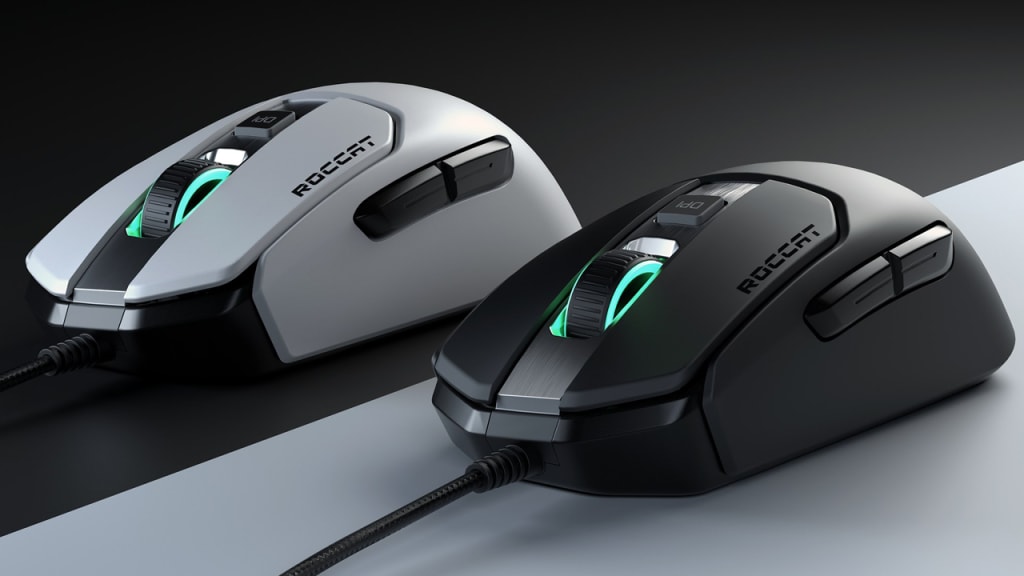
It does, indeed. Many people make the error of clicking with a regular mouse, which not only degrades the quality of the mouse but can also result in a loss for the user. Gaming mice are designed specifically for these uses. Utilize them for clicks and improved outcomes.
About the Creator
William Jhones
Hey there, my name is William, and I'm a proud member of the team at theclickspeed.com, the ultimate destination for video gamers who want to test and improve their click speed,
Keep reading
More stories from writers in Gamers and other communities.
Starfield Will Completely Change How You See Space Exploration Games
Few games have aimed as high as Starfield. Developed by Bethesda Game Studios and released under the Xbox ecosystem, it represents a bold step into a genre filled with expectations. Rather than simply offering a space themed adventure, it attempts to build an entire universe where exploration becomes a personal experience.
By Lukáš Hrdlička4 days ago in Gamers
The Piggy Project
I’ve had so many names in this life I lose track of which ones were ever really mine and which ones I wore because someone needed me to. Some were handed to me before I had words to refuse them, before I knew what they meant, before I knew I could say no. Most weren’t meant to hurt. That doesn’t mean they didn’t leave marks. Marks that told me who I belong to, who I am by way of who claims me, recognizes me in the good and bad, who walks beside me.
By Fatal Serendipitya day ago in Confessions


Comments
There are no comments for this story
Be the first to respond and start the conversation.