
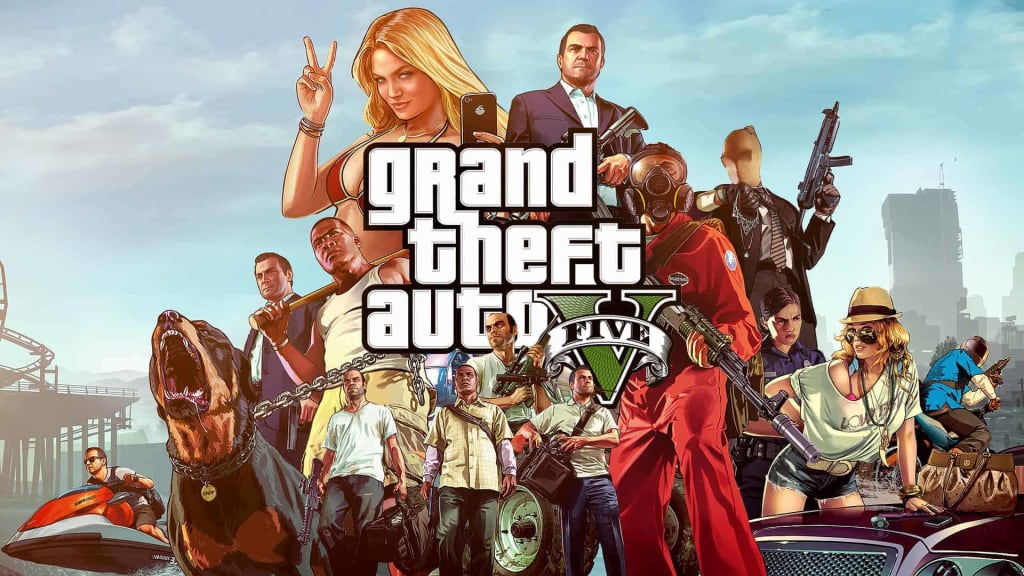
GTA 5, short for Grand Theft Auto V, is one of the most popular open-world action-adventure video games developed by Rockstar Games. While the game offers a thrilling single-player experience, many players desire to create a private server to enjoy multiplayer gameplay with their friends or a community of like-minded individuals. This article will guide you through the process of setting up in GTA 5 server, enabling you to have a more personalized and controlled gaming environment.
Understanding Private Servers
What is a Private Server?
A private server is an independent game server that allows a select group of players to play together in a closed environment. Unlike official servers, private servers are not managed by the game's developers or publishers, providing players with more control over the rules, modifications, and other customizations.
Benefits of Having a Private Server in GTA 5
Complete Control: Hosting a private server gives you complete control over the gameplay experience. You can set rules, modify game mechanics, and manage player access, ensuring a tailored gaming experience.
Privacy and Security: Private servers offer a secure environment for players to interact without interference from strangers or trolls.
Customization: You can install mods, scripts, and custom content on your private server, opening up a world of new possibilities and gameplay features.
Bonding with Friends: Playing on a private server with friends fosters stronger camaraderie and communication, enhancing the overall gaming experience.
Getting Started: Setting Up a Private Server
Requirements
Before starting, ensure that you have the following:
A PC with sufficient system specifications to host a server and play GTA 5 simultaneously.
A stable internet connection with high upload and download speeds.
Choose a Server Hosting Method
There are two primary methods for hosting a private server in GTA 5:
A. Self-Hosting
This method requires technical knowledge as you will set up and manage the server on your own PC.
You need to download dedicated server software, such as FiveM or alt:V, which are popular choices for hosting GTA 5 private servers.
B. Renting a Server
If you prefer a more straightforward approach, you can rent a private server from a third-party provider.
Look for reliable hosting services that specialize in GTA 5 servers to ensure optimal performance and support.
Install the Server Software
Depending on your chosen hosting method, follow the installation instructions provided by the server software's developer.
Configure the Server Settings
Once the server software is installed, you can customize various settings, including:
- Game mode and rules
- Whitelist or blacklist players
- Enabling and managing mods
- Setting up administrative roles and permissions
- Share Server Details with Friends
Share the server's IP address and port number with your friends or community members to allow them to join your private server.
Best Practices for Managing a Private Server

1. Regular Backups
Always keep backups of your server data to prevent any major data loss in case of technical issues or crashes.
2. Stay Updated
Keep the server software, mods, and plugins up to date to ensure stability, security, and access to the latest features.
3. Enforce Rules Fairly
Establish clear rules for your private server and enforce them fairly to maintain a positive and enjoyable gaming environment.
4. Community Engagement
Encourage open communication with players on the server and actively seek feedback to improve the gaming experience.
Conclusion
Creating a private server in GTA 5 opens up a world of possibilities for enhancing your gaming experience. From customizing the gameplay to fostering a close-knit community of friends and like-minded gamers, hosting a private server allows you to explore the game in exciting new ways. Whether you choose to self-host or rent a server, remember to stay engaged with your players, enforce rules, and regularly update your server to provide the best possible gaming environment.
FAQs (Frequently Asked Questions)
Can I run a private server on gaming consoles?
Unfortunately, private servers are generally limited to PC gaming due to platform restrictions.
Can I monetize my private server?
Monetizing a private server using GTA 5 is against Rockstar Games' terms of service and may lead to consequences.
Are mods necessary for a private server?
Mods are not essential, but they add significant depth and variety to the gameplay experience.
What if my server becomes popular and attracts trolls?
Implementing strict player vetting and moderation measures can help minimize the impact of trolls on your server.
Can I play on multiple private servers?
Yes, you can join different private servers as long as you have their respective IP addresses and port numbers.
About the Creator
Keep reading
More stories from writers in Gamers and other communities.
From Battle Royale to a Global Digital Platform
When Fortnite first gained popularity, it was known mainly as a fast-paced battle royale game. Over time, however, Fortnite evolved into something much broader. Today, it functions as a global digital platform that blends gaming, creativity, social interaction, and live entertainment. This shift did not happen through hype or exaggeration, but through steady development and changing player behavior.
By Games Mode On5 days ago in Gamers
Rsvsr Monopoly GO! Strategy Guide: Maximize Rewards and Complete Challenges
Monopoly GO! is more than just rolling dice—it’s a fast-paced game of strategy, timing, and careful planning. With daily challenges, special events, and competitive tournaments, understanding how to play strategically can make the difference between slow progression and rapid success.
By Billo Nali6 days ago in Gamers




Comments
There are no comments for this story
Be the first to respond and start the conversation.