
How to Get Chou Echo Skin in Mobile Legends: A Complete Guide
Blooing

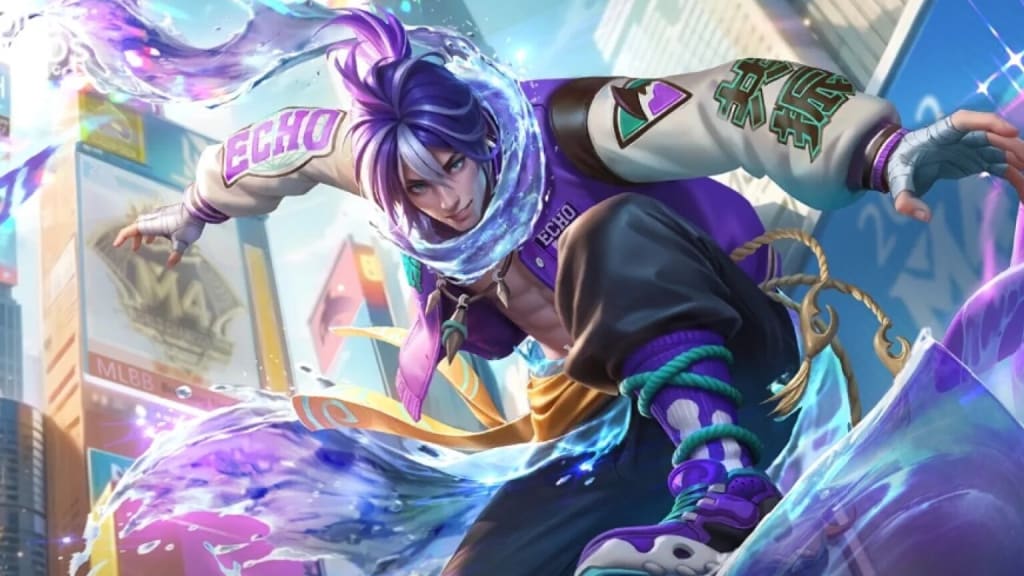
If you're a fan of Mobile Legends, you know that skins are a great way to personalize your gameplay experience and show off your favorite heroes. One skin that has caught the attention of many players is Chou Echo Skin, a unique and stylish skin for one of the most popular fighters in the game. If you’re wondering how to get this skin and what makes it so special, you’ve come to the right place! In this blog, we’ll walk you through everything you need to know about obtaining the Chou Echo Skin and why it’s a must-have for your collection.
What is the Chou Echo Skin?
Before diving into the process of getting the Chou Echo Skin, let’s talk a little bit about it.
The Echo Skin for Chou is part of a limited-edition set of skins that transform the character into a futuristic, cybernetic fighter. The skin features a sleek, tech-inspired design with glowing elements, making Chou look even more powerful than he already is. This skin is known for its unique visual effects and sound effects, which enhance the overall gameplay experience, giving your hero a fresh, exciting look.
The Chou Echo Skin isn’t just about aesthetics — it can also make your gameplay feel more immersive, especially with its upgraded animations and attack effects. It’s a skin that shows off your love for the game, but it also gives Chou a major visual upgrade.
How to Get the Chou Echo Skin
Now that you know what the Chou Echo Skin is all about, let’s dive into the different methods for unlocking it. There are a few ways you can get this skin, depending on your budget and how much time you're willing to spend. Here's what you need to know:
1. Event Draws and Limited-Time Promotions
The most common way to get the Chou Echo Skin is through event draws or limited-time promotions. Moonton, the developer of Mobile Legends, frequently releases exclusive skins during special in-game events. These events can include special draws where you can get a chance to win the skin.
Spin the Wheel/Draw Events: During these events, you can use in-game currency (either Diamonds or Battle Points) to participate in a draw, which may include the Chou Echo Skin as a reward. Sometimes, these events are tied to holidays, anniversaries, or updates, so keep an eye out for upcoming events.
Skin Fragments & Lucky Draws: Occasionally, Moonton runs events where players can exchange skin fragments for skins, including the Chou Echo Skin. These fragments can be collected by completing tasks, purchasing special bundles, or even through limited-time sales.
Discounts and Promotions: Moonton sometimes offers discounted rates for specific skins during special events. If you’re lucky, the Chou Echo Skin could be on sale during these events, allowing you to acquire it for a reduced price.
2. Direct Purchase with Diamonds
In addition to the limited-time events, the Chou Echo Skin can also be purchased directly using Diamonds, the premium in-game currency. Here’s how you can do it:
Go to the Skin Shop: Head over to the Mobile Legends in-game store, where you can find the skins section.
Look for Chou Echo Skin: Check if the skin is available for direct purchase. If it is, you’ll need a certain amount of Diamonds (the game’s paid currency) to buy it. The exact price may vary depending on promotions or updates.
Purchase with Diamonds: If the skin is available for direct purchase, simply spend your Diamonds to get it. Keep in mind that Diamonds are bought with real money, so this method involves spending cash.
3. Special Events or Battle Pass Rewards
Sometimes, Moonton offers skins as rewards through the Battle Pass or special milestone events. By leveling up the Battle Pass, you may be able to unlock skins as part of the progression rewards.
Battle Pass: The Battle Pass is a seasonal pass that lets you unlock rewards as you play the game and complete tasks. Occasionally, skins like the Chou Echo Skin are included as exclusive rewards for reaching certain levels in the Battle Pass.
Milestone Rewards: Keep an eye on events or challenges that reward skins when you achieve specific milestones, such as participating in tournaments or completing certain gameplay tasks.
4. Gift or Exchange via Friends
In some cases, Mobile Legends allows players to send skins as gifts to their friends. If a friend already owns the Chou Echo Skin, you can ask them to gift it to you (if gifting is enabled in your region).
Additionally, certain events or promotions allow players to exchange skins or skin vouchers through various in-game activities. These might involve completing quests or referring new players to the game.
Tips for Getting the Chou Echo Skin
Save Your Diamonds: Since the Chou Echo Skin is often available for direct purchase, saving up Diamonds over time can help you unlock it when it’s available for sale.
Watch for Sales and Events: Moonton frequently runs time-limited events where skins are offered as rewards. Check the game regularly to ensure you don’t miss any special promotions or draws.
Participate in Community Events: Mobile Legends has a vibrant community, and participating in social media events or campaigns (such as following the official Mobile Legends accounts) can sometimes reward you with in-game currency, which can be spent on skins.
Keep Track of Updates: Game updates often bring new skins and events. Stay updated with news from Mobile Legends to ensure you know when the Chou Echo Skin becomes available.
Conclusion
The Chou Echo Skin is one of the coolest skins in Mobile Legends, offering an exciting new look for your favorite fighter. Whether you’re a dedicated Chou player or simply love collecting skins, there are a variety of ways to get this skin, from event draws to direct purchases using Diamonds.
By staying active in the game, keeping an eye on upcoming events, and saving up your resources, you’ll increase your chances of getting the Chou Echo Skin and elevating your gameplay. So, get ready to show off your cybernetic Chou and dominate the battlefield in style!
About the Creator
The Future of Gaming with Cross Platform Game Development
The gaming industry is evolving faster than ever, and one major reason behind this shift is cross platform game development. Players today expect games to work smoothly across mobile, PC, console, and even web platforms without losing quality or performance. For developers and publishers, this approach is no longer optional. It is becoming a practical way to reach a wider audience, reduce development effort, and stay competitive in a crowded market. As technology advances, cross platform game development is shaping how games are built, launched, and experienced worldwide.
By gammming world 4 days ago in Gamers
U4gm Smarter Temple Runs in PoE 2: Hotfix 0.4.0d Explained
Path of Exile 2 players have been buzzing about Hotfix 0.4.0d—and for good reason. This patch didn’t just tweak numbers; it fundamentally changed how the Vaal Temple works, making it more strategic, more rewarding, and more engaging.
By Dangyc Ding2 days ago in Gamers
Ludacris and Nelly draw backlash over bookings at MAGA-coded music festival
Ludacris and Nelly headlining a mostly right-wing event is good for them. It’s also great for the genre of hip hop. The two rap veterans have showcased their talents on other stages. Why can’t they perform for mostly MAGA folks and grab that bag?
By Skyler Saunders4 days ago in Beat


Comments
There are no comments for this story
Be the first to respond and start the conversation.