
Blooket Tutorial for Teachers: A Beginner’s Guide to Engaging Review Games
Discover how to use Blooket for engaging classroom reviews! This BLOOKET TUTORIAL for Teachers | Blooket Review Game Beginner Tutorial covers setup, gameplay, and tips.

In the evolving landscape of educational technology, keeping students engaged is a challenge. Enter Blooket—an interactive review game that brings energy and excitement to learning. Whether you’re new to Blooket or looking for ways to enhance your teaching strategy, this guide will walk you through everything you need to know from a teacher’s perspective.
Getting Started with Blooket
Creating an Account
To begin, head over to Blooket.com and locate the Sign Up or Log In buttons in the top-right corner.
- First-time users: Click Sign Up to create an account.
- Returning users: Click Log In and enter your credentials.
Once logged in, you’ll land on the Blooket Dashboard, where you can create or discover question sets.
Building or Discovering Question Sets
Blooket allows teachers to generate their own question sets or browse through a library of pre-made sets created by educators worldwide.
- Create a Set: If you have specific review questions, you can input them manually.
- Discover Sets: Use the search function to find pre-existing sets on topics like multiplication, science, or history.
For this tutorial, we’ll explore pre-made sets. Clicking on Discover Sets reveals an extensive collection of games ready to be used in your classroom.
Hosting a Blooket Game
Once you’ve selected a question set, it’s time to host a game for your students.
- Click on the Host button.
- Choose from a variety of engaging game modes such as:
- Tower Defense – Answer questions to build defenses against enemy “Blooks.”
- Gold Quest – Collect and steal gold by answering correctly.
- Café Mode – Serve food by answering questions quickly.
- Racing Mode – Answer questions to move ahead and reach the finish line first.
For this tutorial, we’ll use Racing Mode, an exciting and fast-paced option that keeps students motivated.
Adjusting Game Settings
Before launching the game, you can tweak settings to optimize student experience:
- Allow Late Joining – Enable or disable students from joining after the game has started.
- Random Names – Anonymize player identities for fairness.
- Number of Questions – Set the total number of questions (default: 30).
Once settings are adjusted, click Host Now, and you’ll receive a Game ID. Share this ID with students so they can join the session via Blooket.com/play.
Student Experience & Gameplay
From the student perspective, the process is simple:
- Enter the Game ID provided by the teacher.
- Select a nickname and a character icon.
- Wait for the teacher to start the game.
As students answer questions correctly, they progress in the game, competing against their peers. Incorrect answers display the correct response, helping reinforce learning. Some game modes introduce power-ups, allowing players to strategically interact with each other.
Once a student completes the set number of questions, the game ends, and standings are displayed.
Post-Game Analysis & Reports
One of Blooket’s most valuable features is performance tracking. After the game, teachers can access:
- Leaderboards – See student rankings.
- Class Accuracy – Analyze overall class performance.
- Individual Reports – Identify student strengths and weaknesses.
These insights allow teachers to refine their instruction based on real-time student data.
Why Use Blooket?
Boosts Student Engagement – Gamified learning keeps students excited.
Customizable Content – Create personalized question sets or use pre-made ones.
Multiple Game Modes – Fresh experiences prevent monotony.
Actionable Insights – Performance reports aid in differentiated instruction.
Final Thoughts
Blooket is a game-changer for classroom review sessions, making learning interactive, competitive, and enjoyable. Whether you’re preparing for a test or reinforcing daily lessons, Blooket keeps students engaged while providing valuable learning insights.
Try it in your classroom today and watch your students’ enthusiasm soar!
About the Creator
mohammed
I love writing. I love researching for the benefit of others.
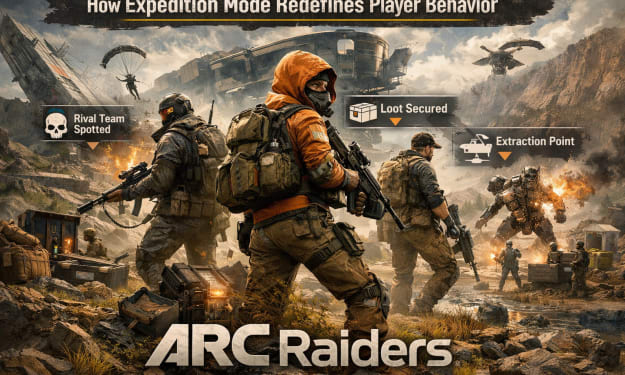
U4gm How Expedition Mode Redefines Player Behavior in ARC Raiders
At its core, ARC Raiders is an extraction shooter. However, Expedition Mode fundamentally alters how players interact with risk, progression, and the game world itself. Rather than emphasizing short-term success, the mode introduces systems that reward consistency, foresight, and long-term decision-making.
By Billo Nali6 days ago in Gamers
How Fan Translations Keep Games Alive After Official Support Ends
A video game translation company usually enters a project at the cleanest moment, when budget is great and source files are organized. Developers answer questions. Everyone assumes the game has a future.
By CCJK Technologies3 days ago in Gamers



Comments
There are no comments for this story
Be the first to respond and start the conversation.