
Best Gaming Monitors To Buy Right Now
Monitors for real gamer
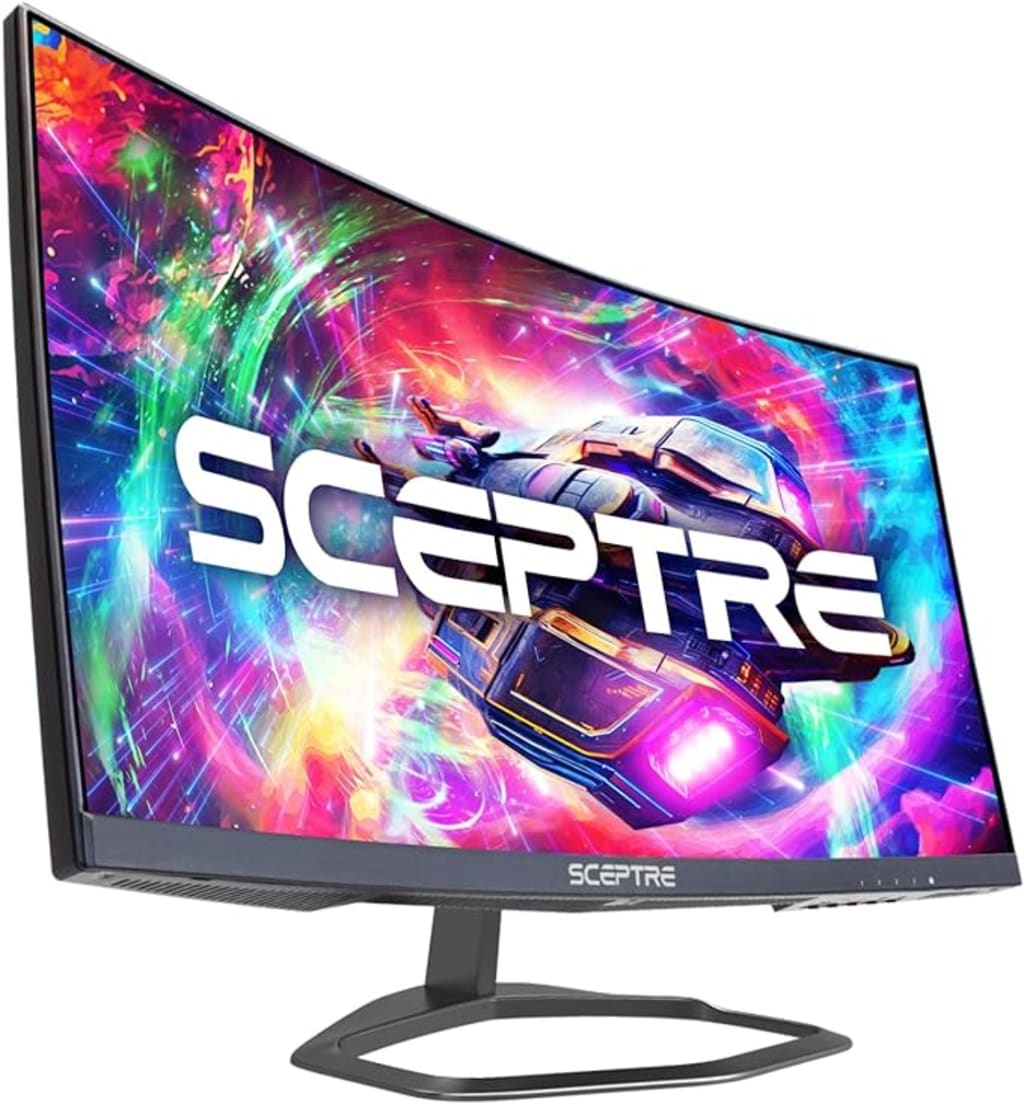
In the ever-evolving world of gaming, having the right monitor can make a significant difference in your experience. Whether you're an esports enthusiast, a casual gamer, or someone who enjoys immersive graphics, the quality and specifications of your gaming monitor are crucial. Here, we will introduce three exceptional gaming monitors, each catering to different needs and preferences: the Sceptre Curved 24.5-inch Gaming Monitor, the Acer KB272 EBI 27-inch IPS Full HD Monitor, and the LG UltraGear QHD 27-inch Gaming Monitor.
Sceptre Curved 24.5-inch Gaming Monitor (C255B-FWT240)

The Sceptre Curved 24.5-inch Gaming Monitor is designed to enhance your gaming experience with its impressive specifications. Featuring a 1080p resolution, this monitor offers sharp and clear visuals. Its standout feature is the 240Hz refresh rate, ensuring ultra-smooth gameplay, which is essential for fast-paced games. The 1ms response time minimizes motion blur, providing a crisp and responsive performance. The curvature of the screen (R1500) adds an immersive feel, drawing you into the action. With multiple connectivity options, including two DisplayPorts and two HDMI ports, as well as built-in speakers, this monitor is versatile and user-friendly. The Blue Light Shift technology helps reduce eye strain during long gaming sessions, making it a great choice for gamers who spend hours in front of the screen.
Key Features:
High Refresh Rate:
The monitor boasts an impressive 240Hz refresh rate. This ultra-high refresh rate ensures that fast-paced action scenes and high-speed gaming sequences are rendered smoothly and without any motion blur, providing a competitive edge in fast-paced games.
Rapid Response Time:
With a 1ms response time, the monitor minimizes lag and motion blur, delivering crisp and clear images even during the most intense gaming sessions. This rapid response is crucial for maintaining precision and clarity in competitive gaming.
Curved Screen:
The 24.5-inch curved display with a curvature of R1500 enhances the immersive experience by wrapping the field of view around the user. This design helps reduce eye strain and makes for a more engaging gaming environment.
Full HD Resolution:
The monitor features a 1080p resolution, providing sharp and clear visuals. While not as high as 4K, 1080p is sufficient for most gaming needs and allows for higher refresh rates and smoother performance.
Versatile Connectivity:
Equipped with two DisplayPorts and two HDMI ports, the Sceptre monitor offers flexibility in connecting various devices. This is particularly useful for gamers who use multiple consoles or PCs.
Built-in Speakers:
The integrated speakers provide convenient audio output for gamers who prefer not to use headphones or external speakers. While not a substitute for high-end audio setups, they are sufficient for casual gaming and everyday use.
Blue Light Shift Technology:
This feature reduces the monitor’s blue light emission, helping to minimize eye strain during prolonged gaming sessions. It’s a valuable addition for gamers who spend long hours in front of their screens.
Stylish Design:
The monitor's sleek, machine-black finish adds a modern and professional look to any gaming setup. Its design is both functional and aesthetically pleasing.
Acer KB272 EBI 27-inch IPS Full HD Monitor
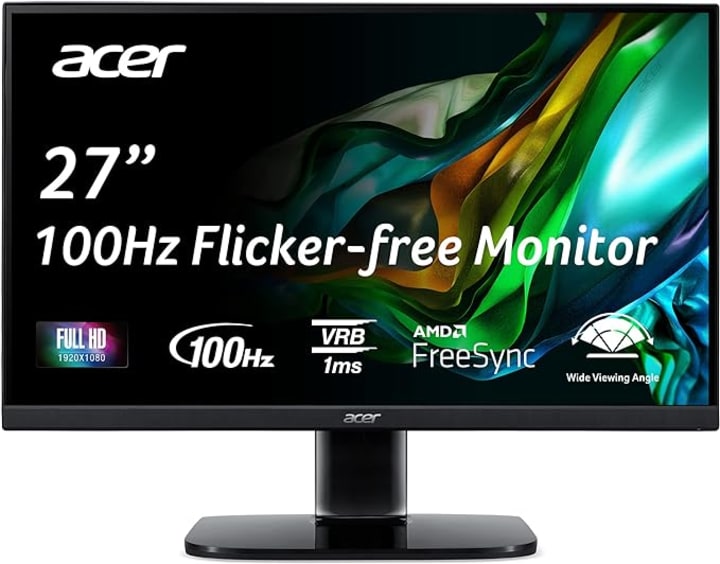
The Acer KB272 EBI 27-inch IPS Full HD Monitor strikes a balance between gaming and office use, making it a versatile addition to any setup. Its 1080p resolution and IPS panel ensure vibrant colors and wide viewing angles, which are perfect for both gaming and professional work. The monitor supports AMD FreeSync technology, which synchronizes the monitor's refresh rate with your graphics card to eliminate screen tearing and stuttering. With a refresh rate of up to 100Hz and a 1ms VRB (Visual Response Boost), it offers smooth visuals for gaming and other high-speed applications. The low blue light feature reduces eye fatigue, and the monitor’s tilt functionality allows you to adjust it for optimal viewing comfort. Connectivity is flexible with HDMI and VGA ports, making it easy to integrate into various setups.
Key Features:
Full HD Resolution:
The mnitor boasts a Full HD (1920 x 1080) resolution, ensuring clear and sharp visuals. This resolution is perfect for everyday tasks, multimedia consumption, and gaming, providing a detailed and vibrant display without taxing your system’s resources excessively.
IPS Panel Technology:
The IPS (In-Plane Switching) panel offers excellent color accuracy and wide viewing angles. This means colors remain consistent and vibrant even when viewed from different angles, making it suitable for collaborative work and ensuring a better visual experience.
AMD FreeSync Technology:
With AMD FreeSync technology, the monitor synchronizes its refresh rate with the frame rate of your AMD graphics card. This reduces screen tearing and stuttering, providing a smoother and more enjoyable gaming experience.
Up to 100Hz Refresh Rate:
The monitor supports a refresh rate of up to 100Hz, higher than the standard 60Hz. This allows for smoother motion and can enhance your gaming experience, especially in fast-paced games.
1ms Visual Response Boost (VRB):
The 1msVRB significantly reduces motion blur, ensuring that fast-moving objects in your games or videos appear crisp and clear. This quick response time is particularly beneficial for gaming and high-speed video content.
Low Blue Light Technology:
The low blue light feature helps reduce eye strain by minimizing blue light emission from the screen. This is particularly useful for users who spend extended periods in front of the monitor, whether for gaming, work, or entertainment.
Ergonomic Design:
The monitor offers tilt functionality, allowing you to adjust the screen to your preferred viewing angle. This flexibility enhances comfort during long hours of use.
Connectivity Options:
The Acer KB272 EBI is equipped with both HDMI and VGA ports, providing versatility in connectivity. This makes it easy to connect to a variety of devices, from modern PCs to older systems.
Zero-Frame Design:
The monitor features a sleek, zero-frame design that maximizes the screen area and reduces bezel distractions. This design not only enhances the aesthetic appeal but also provides a more immersive viewing experience, especially in multi-monitor setups.
LG UltraGear QHD 27-Inch Gaming Monitor (27GL83A-B)
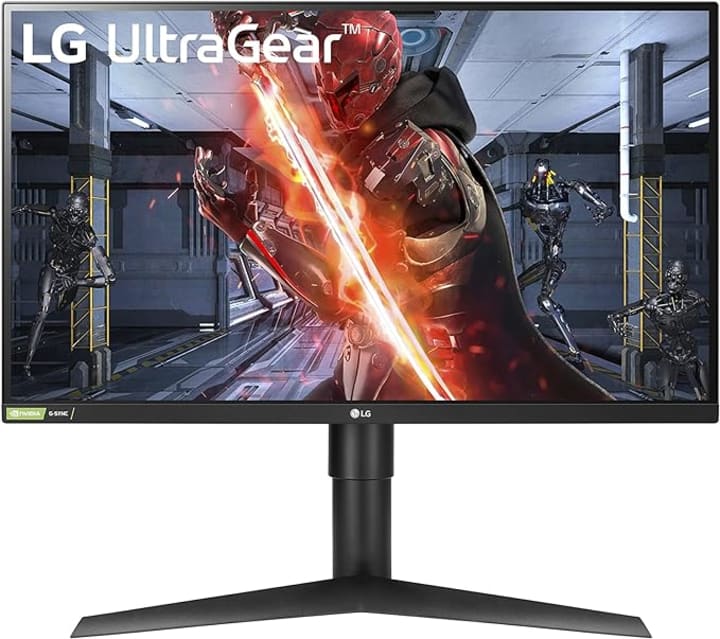
For gamers seeking top-tier performance and stunning visuals, the LG UltraGear QHD 27-inch Gaming Monitor is an excellent choice. With a QHD resolution (2560 x 1440), this monitor delivers exceptional clarity and detail, ideal for high-resolution gaming. The IPS panel provides wide viewing angles and vibrant colors, ensuring that your games look their best from any angle. This monitor supports both NVIDIA G-SYNC and AMD FreeSync, providing smooth and tear-free gameplay regardless of your graphics card. With a 144Hz refresh rate and a 1ms (GtG) response time, it offers incredibly fluid motion and fast response, crucial for competitive gaming. HDR 10 compatibility enhances the dynamic range of colors and contrasts, making your games look more lifelike. The sleek design and robust build make the LG UltraGear not just a high-performing monitor but also an attractive addition to any gaming setup.
Key Features:
QHD Resolution:
The monitor features a QHD (2560 x 1440) resolution, providing superior clarity and detail compared to standard Full HD displays. This higher resolution is perfect for gamers who want to experience their games in greater detail and with more screen real estate.
IPS Panel Technology:
The IPS (In-Plane Switching) panel delivers exceptional color accuracy and wide viewing angles. This ensures vibrant and consistent colors from any viewing angle, enhancing the overall visual experience and making it suitable for gaming, photo editing, and content creation.
High Refresh Rate:
With a 144Hz refresh rate, the LG UltraGear monitor ensures smooth and fluid motion, which is essential for fast-paced games. This high refresh rate reduces motion blur and makes the gameplay experience more enjoyable and responsive.
Rapid Response Time:
The 1ms (GtG) response time minimizes lag and ghosting, providing sharp and clear visuals even during fast-moving scenes. This quick response is crucial for maintaining precision and clarity in competitive gaming environments.
NVIDIA G-SYNC and AMD FreeSync:
The monitor supports both NVIDIA G-SYNC and AMD FreeSync technologies, which synchronize the monitor's refresh rate with the frame rate of your graphics card. This eliminates screen tearing and stuttering, resulting in a smoother gaming experience regardless of your GPU.
HDR 10 Compatibility:
HDR 10 (High Dynamic Range) compatibility enhances the dynamic range of colors and contrasts, making the visuals more lifelike and immersive. This feature is particularly beneficial for games and media that support HDR content.
Ergonomic Design:
The monitor offers a variety of ergonomic adjustments, including tilt, height, and pivot, allowing you to customize the setup for maximum comfort. This flexibility ensures that you can find the perfect viewing angle for long gaming sessions.
Stylish and Functional Design:
The monitor's sleek, black design with thin bezels enhances its aesthetic appeal and allows for a more immersive viewing experience, especially in multi-monitor setups. Its robust build quality ensures durability and long-term use.
Connectivity Options:
The LG UltraGear monitor includes multiple connectivity options such as HDMI and DisplayPort, making it easy to connect to a variety of devices. This flexibility is essential for gamers who use multiple consoles and PCs.
These three monitors represent a range of options for gamers, from those who need high refresh rates and low response times for competitive play, to those who appreciate vibrant colors and detailed visuals for an immersive experience. Each monitor offers unique features tailored to different gaming styles and preferences, ensuring that there is something for everyone in the world of gaming.
About the Creator
Keep reading
More stories from writers in Gamers and other communities.
u4gm Where to Find and Beat Blackjaw in PoE 2
You don’t mark him on a checklist or plan your build around him. You meet him the way Path of Exile 2 loves to introduce its best encounters: by surprise. You’re exploring Jiquani’s Machinarium, dipping into the Oubliette a little earlier than you probably should, flasks half-drained, confidence slightly higher than your actual Exalted Orb buy safety margin. Then suddenly, Blackjaw, The Remnant is there, and the game quietly asks whether you actually understand movement yet.
By Asik Gxbx Hdjdha day ago in Gamers




Comments
There are no comments for this story
Be the first to respond and start the conversation.