
Best Curved Monitor For Work in 2026
Discover the best curved monitors for work that enhance productivity, reduce eye strain, and offer stunning visuals for a seamless work experience

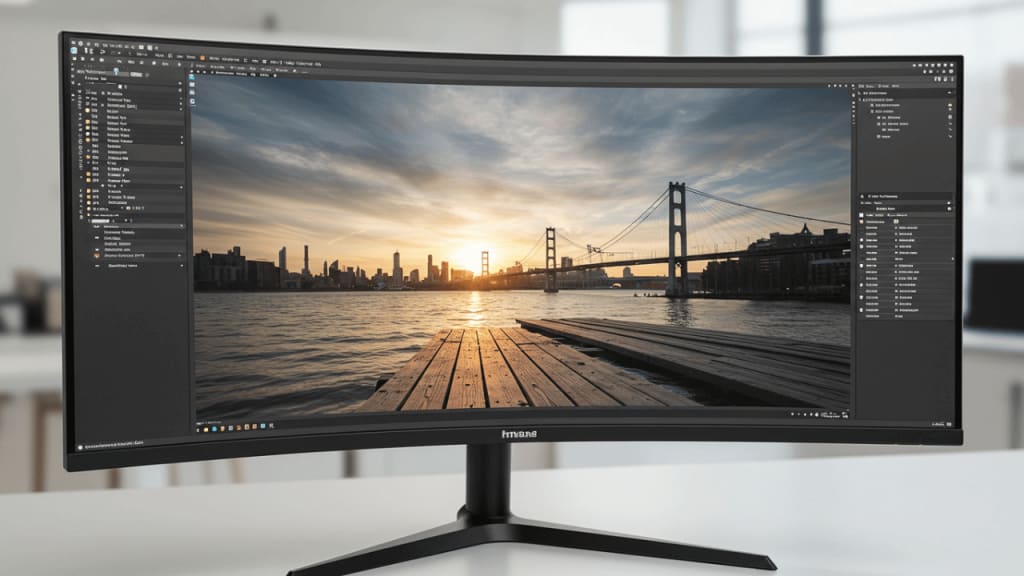
In today's fast-paced world, where technology shapes our work environments, finding the right tools to enhance productivity is crucial. Have you ever considered how the screen you're staring at for hours on end could impact your work efficiency and overall well-being? Enter the world of curved monitors—a game-changing innovation that promises not just style but a significant boost in functionality.
Imagine immersing yourself in a widescreen that curves to your natural field of view, reducing eye strain and providing an unparalleled visual experience. Whether you're a graphic designer juggling multiple tasks, a financial analyst scrutinizing complex data, or a developer coding your next big project, the best curved monitor for work can revolutionize your workspace.
In this blog post, we'll delve deep into the myriad benefits of curved monitors, explore the key features to look for, and guide you in making an informed decision. Say goodbye to the days of flat, uninspiring screens and hello to a more engaging and productive work experience. Ready to transform your workspace? Let's dive in!
Key Factors to Consider When Choosing the Best Curved Monitor for Work
Screen Size: A larger screen provides more real estate for multitasking. Common sizes range from 27 inches to 49 inches.
Higher Resolution: Look for monitors with at least Full HD (1920 x 1080) resolution for clarity. For better detail and sharpness, consider WQHD (3440 x 1440) or 4K (3840 x 2160) resolutions.
Refresh Rate: A higher refresh rate (e.g., 100Hz or 165Hz) ensures smoother visuals, reducing motion blur, especially important for video editing and gaming.
Response Time: A lower response time (e.g., 1ms) reduces ghosting and improves the clarity of fast-moving objects.
Color Accuracy: Ensure the monitor covers a wide color gamut (e.g., 99% sRGB) for accurate color reproduction, essential for graphic design and photo editing.
HDR Support: High Dynamic Range (HDR) enhances contrast and color depth, providing a more lifelike visual experience.
Eye Care Technology: Features like flicker-free technology and blue light filters reduce eye strain during prolonged use.
The Top 4 Best Curved Monitor For Work That You Can Buy Today
1. Sceptre 34-Inch Curved Ultrawide WQHD Monitor
2. LG 32MR50C-B Curved Monitor
3. Dell S3423DWC Curved USB-C Monitor
4. Samsung 49” Business Curved Ultrawide Dual QHD Monitor
1. Sceptre 34-Inch Curved Ultrawide WQHD Monitor
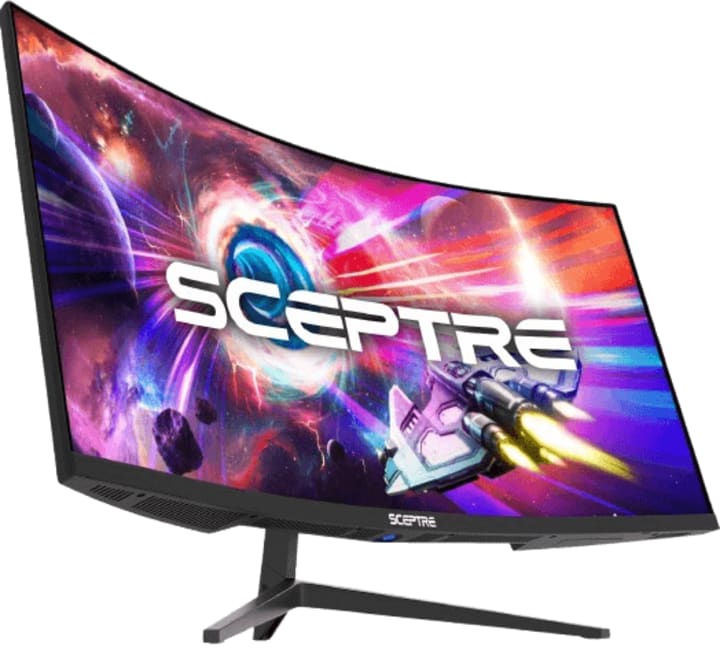
Specification: Screen Size: 34 inches | Resolution: 3440 x 1440 (WQHD) | Curvature: 1500R | Refresh Rate: Up to 165Hz | Response Time: 1ms | Aspect Ratio: 21:9 | Color Gamut: 99% sRGB | Display Ports: 2 x DisplayPort (1.4) | HDMI Ports: 2 x HDMI (2.0) | Built-in Speakers: 2 x 3W/4Ω | Stand Adjustability: Height and tilt adjustable | VESA Mount Compatibility: 75 x 75mm
When it comes to finding the best curved monitor for work, the Sceptre 34-Inch Curved Ultrawide WQHD Monitor stands out as a top choice. Why? Let's dive into the features that make this monitor a game-changer for professionals seeking enhanced productivity and visual comfort.
1. Immersive Viewing Experience
Have you ever felt fatigued after staring at a flat screen for hours? The Sceptre's 1500R curvature closely matches the natural field of view, providing an immersive experience that reduces eye strain. Imagine working on a screen that wraps around your field of vision, making multitasking a breeze and increasing your focus.
2. Ultra-Wide QHD Resolution
The Sceptre 34-Inch monitor boasts a WQHD resolution of 3440 x 1440 pixels. This means:
Sharper Images: High resolution provides crystal-clear images and text, crucial for detailed work like graphic design, data analysis, and coding.
Enhanced Multitasking: The ultra-wide display allows you to open multiple windows side by side without compromising on readability, boosting your productivity.
3. High Refresh Rate and Low Response Time
For those who juggle between various tasks and applications, a high refresh rate and low response time are essential. The Sceptre monitor supports up to 165Hz refresh rate and 1ms response time, ensuring smooth transitions and reducing motion blur. This is especially beneficial for video editors and gamers who require seamless visuals.
4. Vibrant Color Accuracy
Color accuracy can make or break your work, especially if you're in a creative field. The Sceptre monitor covers 99% of the sRGB color gamut, delivering vibrant and true-to-life colors. Whether you're editing photos, designing graphics, or working on a presentation, you'll appreciate the monitor's ability to reproduce accurate colors.
5. Versatile Connectivity
Gone are the days of fumbling with multiple cables and adapters. The Sceptre monitor features:
Dual DisplayPorts: For higher refresh rates and seamless connectivity.
Multiple Inputs: To connect a variety of devices, making it easier to switch between your work laptop, personal computer, and other devices.
By integrating these features into your workspace, you can significantly enhance your productivity and comfort. The Sceptre 34-Inch Curved Ultrawide WQHD Monitor isn't just a screen—it's an investment in a more efficient and enjoyable work environment.
2. LG 32MR50C-B Curved Monitor
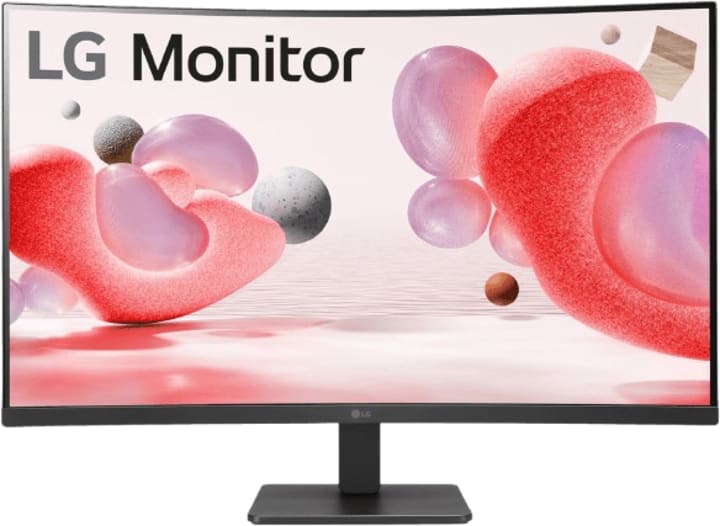
Specification: Screen Size: 32 inches | Resolution: Full HD (1920 x 1080) | Curvature: 1500R | Refresh Rate: 100Hz | Response Time: 1ms | Aspect Ratio: 16:9 | Color Gamut: 99% sRGB | Display Ports: 2 x HDMI (2.0) | Built-in Speakers: Yes | Stand Adjustability: Tilt adjustable
Finding a high-quality curved monitor that doesn't break the bank can feel like an impossible task, right? Well, not anymore. Enter the LG 32MR50C-B Curved Monitor—an impressive blend of performance and affordability that's perfect for budget-conscious professionals. Let's explore why this monitor is a top contender for the best curved monitor for work without compromising your budget.
1. Exceptional Display Quality
You deserve a monitor that delivers crystal-clear visuals, even on a budget. The LG 32MR50C-B offers a Full HD resolution on a 32-inch curved screen, providing:
Vivid Imagery: With 1920 x 1080 pixels, you get sharp and vibrant images, making it ideal for various work tasks, from document editing to video conferencing.
Curved Design: The curvature enhances your field of view, reducing eye strain and allowing for a more immersive experience.
2. Smooth Performance with AMD FreeSync
Do you frequently switch between tasks or run multiple applications simultaneously? This monitor features a 100Hz refresh rate, ensuring smooth performance and reducing motion blur. Plus, with AMD FreeSync technology, screen tearing and stuttering become a thing of the past, making it a great option for light gaming or video editing.
3. Enhanced Productivity Features
The LG 32MR50C-B isn’t just about visuals; it’s about enhancing your productivity:
OnScreen Control: Easily adjust monitor settings and split screens with a few clicks, allowing you to tailor your workspace according to your needs.
Dynamic Action Sync: Minimizes input lag, ensuring real-time responsiveness—crucial for tasks requiring precision and speed.
4. Comfort and Ergonomics
A monitor should adapt to your workspace, not the other way around. The LG 32MR50C-B offers:
Tilt Stand: Adjust the screen to your preferred angle, ensuring comfortable viewing positions throughout the day.
Black Stabilizer: Enhances visibility in dark scenes, reducing eye strain and improving overall viewing comfort, especially during long working hours.
5. Versatile Connectivity
Say goodbye to the hassle of multiple adapters and cables. This monitor comes equipped with:
HDMI Port: Connect a variety of devices, from your work laptop to gaming console, effortlessly.
Multiple Inputs: Ensures compatibility with different setups, making it easier to switch between devices.
By integrating the LG 32MR50C-B Curved Monitor into your setup, you can enjoy a host of features typically found in higher-priced models, all while staying within budget. It’s the perfect choice for professionals looking to enhance their productivity without making a significant financial investment.
3. Dell S3423DWC Curved USB-C Monitor
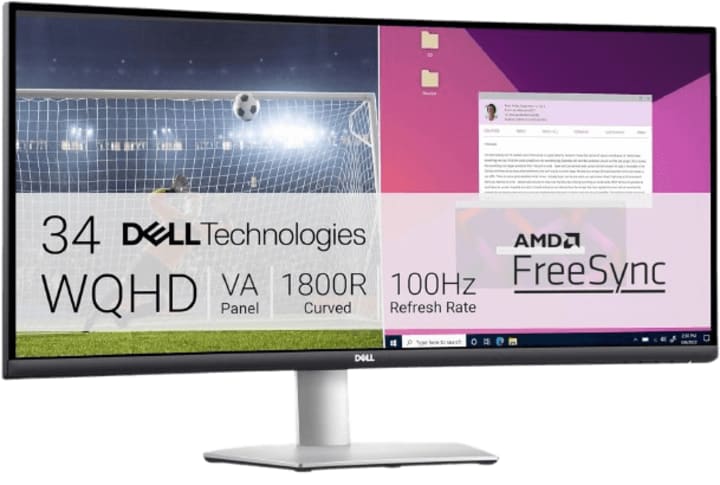
Specification: Screen Size: 34 inches | Resolution: 3440 x 1440 (WQHD) | Curvature: 1500R | Refresh Rate: 100Hz | Response Time: 4ms | Aspect Ratio: 21:9 | Color Gamut: 99% sRGB | Display Ports: 2 x HDMI, USB-C (DisplayPort 1.4) | Built-in Speakers: 2 x 5W | Stand Adjustability: Height and tilt adjustable
Are you on the hunt for the best curved monitor for work? Let me introduce you to the Dell S3423DWC Curved USB-C Monitor—a fantastic choice that combines style, functionality, and versatility. Let's explore why this monitor deserves a spot in your workspace.
1. Stunning WQHD Resolution
Imagine working on a screen that delivers stunning clarity and detail. The Dell S3423DWC offers a WQHD resolution of 3440 x 1440 pixels, ensuring:
Crystal-Clear Images: Perfect for tasks that require precision, such as graphic design, video editing, and data analysis.
Ultra-Wide Display: Provides ample screen real estate, allowing you to multitask with ease by opening multiple windows side by side.
2. Smooth and Responsive Performance
Tired of dealing with lag and motion blur? The Dell S3423DWC features a 100Hz refresh rate and a 4ms response time, offering:
Seamless Transitions: Smooth performance even during fast-paced tasks, making it ideal for professionals who need quick responsiveness.
Enhanced User Experience: Reduces motion blur, providing a more enjoyable viewing experience, whether you're working or relaxing.
3. Immersive Audio Experience
Who says monitors are just about visuals? The Dell S3423DWC includes:
Built-in Audio Output: 2 x 5W speakers deliver clear and immersive sound, eliminating the need for external speakers and reducing clutter.
4. Vibrant Color Reproduction
Color accuracy is essential for professional work. The Dell S3423DWC offers:
16.7 Million Colors: Ensures vibrant and true-to-life color reproduction, making it ideal for creative tasks like photo editing and graphic design.
5. Ergonomic Design
Comfort is key during long work hours. The Dell S3423DWC features:
Adjustable Stand: Height and tilt adjustments allow you to position the monitor to your preferred viewing angle, ensuring maximum comfort.
Sleek Aesthetic: The silver finish adds a touch of elegance to your workspace, making it both functional and stylish.
By incorporating the Dell S3423DWC Curved USB-C Monitor into your workspace, you're not just upgrading your screen—you're investing in a more efficient, comfortable, and visually stunning work environment.
4. Samsung 49” Business Curved Ultrawide Dual QHD Monitor
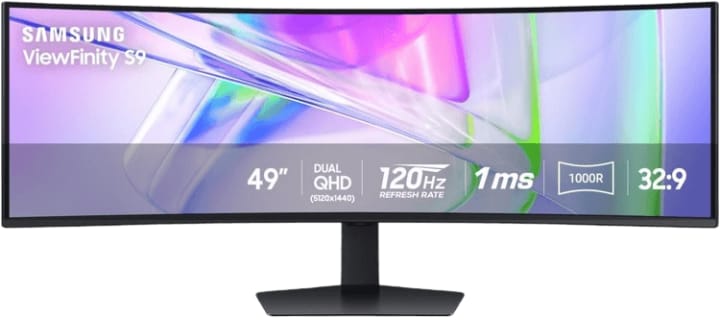
Specification: Screen Size: 49 inches | Resolution: Dual QHD (5120 x 1440) | Curvature: 1000R | Refresh Rate: 120Hz | Response Time: 5ms | Aspect Ratio: 32:9 | Color Gamut: VESA DisplayHDR 400 | Display Ports: 1 x DisplayPort (1.4), 2 x HDMI (2.0) | Built-in Speakers: Yes | Stand Adjustability: Height, swivel, and tilt adjustable
Are you ready to take your productivity to the next level with a monitor that's as impressive in size as it is in performance? Meet the Samsung 49” Business Curved Ultrawide Dual QHD Monitor—a powerhouse designed to transform your workspace. Let's dive into what makes this monitor the best choice for professionals.
1. Expansive Dual QHD Display
Imagine having not just one, but two monitors seamlessly integrated into one ultra-wide screen. The Samsung 49” Curved Monitor boasts a Dual QHD resolution of 5120 x 1440 pixels, offering:
Incredible Clarity: Detailed and sharp visuals perfect for tasks that demand precision, like graphic design, financial modeling, or video editing.
Enhanced Multitasking: The expansive screen real estate allows you to run multiple applications side by side without the need for multiple monitors.
2. Smooth and Responsive Performance
Do you need a monitor that can keep up with your fast-paced work environment? The Samsung 49” Monitor features a 120Hz refresh rate, ensuring:
Fluid Transitions: Smooth performance even during rapid movements, reducing motion blur and providing a seamless viewing experience.
Ideal for Multitaskers: Whether you're switching between spreadsheets, presentations, or design software, this monitor handles it all effortlessly.
3. Advanced Connectivity Options
Staying connected has never been easier with the Samsung 49” Curved Monitor. It includes:
USB-C Connectivity: A single cable solution for power, data, and video transmission, reducing clutter and simplifying your setup.
Multiple Ports: DisplayPort and HDMI options to connect various devices, enhancing your productivity and flexibility.
4. Superior Color and HDR Support
Color accuracy and high dynamic range (HDR) are critical for professional work. The Samsung monitor offers:
VESA DisplayHDR 400: Provides a wider range of brightness and contrast, delivering true-to-life visuals and vibrant colors.
16.7 Million Colors: Ensures that every shade and hue is rendered accurately, making it ideal for creative professionals.
5. Built-in Speakers and Ergonomics
This monitor is designed with your comfort and convenience in mind:
Built-in Speakers: Delivers clear and immersive sound, eliminating the need for external speakers and reducing desk clutter.
Height Adjustable Stand: Customize the monitor's height and tilt to find the most comfortable viewing position, reducing strain during long work hours.
6. Eye Care Technology
Long hours in front of a screen can take a toll on your eyes. The Samsung 49” Monitor features eye care technology, including:
Flicker-Free Technology: Reduces screen flickering to minimize eye strain.
Blue Light Filter: Limits exposure to harmful blue light, making it easier on your eyes during extended use.
By integrating the Samsung 49” Business Curved Ultrawide Dual QHD Monitor into your workspace, you can enjoy unparalleled performance, comfort, and visual quality. It's not just a monitor—it's a productivity powerhouse that can elevate your work experience.
Conclusion
In today's dynamic work environment, choosing the right monitor can significantly impact your productivity and overall well-being. Whether you prioritize budget-friendly options, immersive visuals, or high-end features, there's a perfect curved monitor waiting to transform your workspace.
Recapping our top picks:
Sceptre 34-Inch Curved Ultrawide WQHD Monitor: Offers an immersive viewing experience with high resolution and vibrant color accuracy—ideal for professionals seeking enhanced productivity.
LG 32MR50C-B Curved Monitor: A budget-friendly option that delivers exceptional display quality and smooth performance without compromising on essential features.
Dell S3423DWC Curved USB-C Monitor: Combines stunning WQHD resolution, versatile connectivity, and ergonomic design, making it a fantastic addition to any professional setup.
Samsung 49” Business Curved Ultrawide Dual QHD Monitor: Boasts an expansive screen, superior color and HDR support, and advanced connectivity options—perfect for multitaskers and those seeking the ultimate productivity powerhouse.
Investing in one of these top curved monitors can revolutionize your work experience. Imagine the seamless multitasking, the reduction in eye strain, and the boost in overall efficiency. Why settle for less when you can enhance your workspace with a monitor that meets your specific needs and preferences?
So, which monitor will you choose to elevate your work environment? The right choice can make all the difference, turning your everyday tasks into a more enjoyable and productive experience.
Ready to make the switch and discover the benefits firsthand? Embrace the future of work with one of these top-rated curved monitors and transform the way you see—and do—your job.
About the Creator
Perfect Tech Views
Welcome to Perfect Tech Views—your go-to source for clear, unbiased, and insightful tech knowledge. Whether you're a pro, a beginner, or just exploring gadgets, we've got you covered with expert guidance!
Keep reading
More stories from Perfect Tech Views and writers in Gamers and other communities.
Best GPU for Ryzen 5 3600 in 2026
Choosing the right GPU to pair with your Ryzen 5 3600 can feel like navigating a maze of technical specifications and performance metrics. Are you a gaming enthusiast looking to maximize your FPS in the latest titles? Or perhaps you’re a content creator needing powerful hardware to efficiently render high-quality videos? No matter your needs, finding the best GPU for Ryzen 5 3600 is crucial for ensuring smooth and seamless performance.
By Perfect Tech Views4 months ago in Gamers
How Fan Translations Keep Games Alive After Official Support Ends
A video game translation company usually enters a project at the cleanest moment, when budget is great and source files are organized. Developers answer questions. Everyone assumes the game has a future.
By CCJK Technologies5 days ago in Gamers
U4gm How Negative Rarity Farming Is Changing PoE 2 Endgame
Path of Exile 2 is all about loot, but not all loot is equal. Recently, an unusual strategy has gained traction among endgame players: Negative Rarity farming. At first glance, it seems counterintuitive—why would anyone want fewer rare drops? The answer lies in efficiency, crafting control, and consistent profit. Negative Rarity farming in PoE 2 turns seemingly worthless white items into a reliable and strategic source of crafting materials and steady endgame profit.
By Billo Nali4 days ago in Gamers
How to Succeed at the Benson Directory®
Congratulations and welcome to the Benson Directory® employee #22391! As our newest call handler, you will have the privilege of speaking with dozens of unique and interesting people on a daily basis as well as the opportunity to earn bonuses for high performance. Contained within this handbook you will find a set of ease to follow instructions designed to help you settle in to your new role and begin paving the way to success.
By S. A. Crawforda day ago in Fiction




Comments