
Best Budget AM4 Motherboard (Cheap Options)
Find the best budget AM4 motherboard for your needs! Explore affordable, high-quality options designed to enhance your PC's performance without breaking the bank.

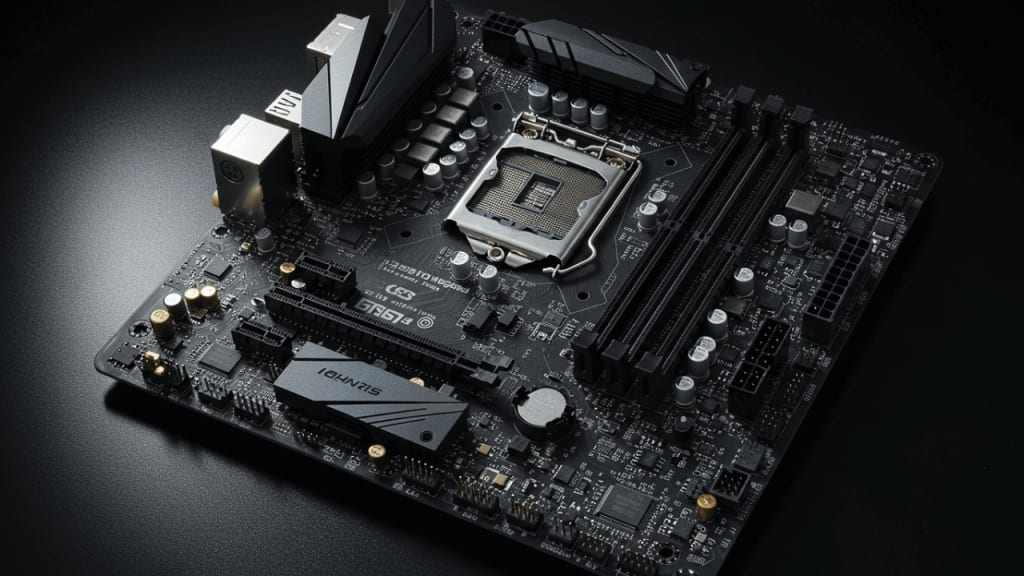
Building a PC can feel overwhelming, especially when you're on a tight budget. However, finding the best budget AM4 motherboard doesn’t have to be complicated. AM4 motherboards are an excellent choice for AMD processors and can provide top-notch performance without costing a fortune.
In this guide, we’ll help you explore affordable AM4 motherboards, covering key features, pros and cons, and much more. Whether you're a gamer or just need a reliable motherboard, you’ll discover options that fit your budget while maintaining excellent quality.
Top Features to Look for in the Best Budget AM4 Motherboard
To find the best budget AM4 motherboard, keep these essential features in mind:
- Processor Compatibility: Ensure the motherboard supports the Ryzen CPU you intend to use.
- Memory Slots: Check for sufficient RAM slots, with support for DDR4 memory at fast speeds.
- Expansion Ports: Look for PCIe slots and M.2 slots to add components like SSDs or graphics cards.
- Connectivity: Budget boards often include USB 3.2 ports, HDMI, and Ethernet for maximum flexibility.
- Cooling Options: Good airflow and additional fan headers are important for keeping your system cool.
How to Choose the Best AM4 Motherboard for Your Needs
Selecting the best budget AM4 motherboard requires balancing your performance needs and your budget. Here are some tips:
- Understand Your Usage: If you're a gamer, ensure the board supports high-speed RAM and PCIe 4.0 for graphics cards.
- Check for Compatibility: Ensure the motherboard supports your chosen CPU and other components.
- Think About Upgrades: Opt for a motherboard with extra features if you plan to upgrade later.
These considerations will help you get the best value for your money.
The Top 3 Best Budget AM4 Motherboards That You Can Buy Today
- ASRock B450M Pro4 Motherboard
- MSI B550M PRO-VDH WiFi Motherboard
- Gigabyte A520M Aorus Elite Motherboard
1. ASRock B450M Pro4 Motherboard

If you're hunting for a reliable, budget-friendly AM4 motherboard, the ASRock B450M PRO4 is a standout option. It checks all the right boxes—affordability, performance, and essential features—all wrapped up in a compact Micro ATX form factor. But what makes it a favorite among builders? Let’s dive deeper and unpack everything this motherboard brings to the table.
Key Features of the ASRock B450M PRO4
The ASRock B450M PRO4 isn’t just another AM4 motherboard. It’s a powerhouse designed to deliver excellent performance without making a dent in your wallet. Here's what stands out:
Wide CPU Compatibility Built to support AMD Ryzen processors (1st, 2nd, and 3rd Gen), it ensures smooth operation with various CPUs. Whether you’re upgrading or starting fresh, this board has you covered.
Dual M.2 Slots for High-Speed Storage One of its highlights is the inclusion of dual M.2 slots, allowing you to install ultra-fast NVMe SSDs for superior read and write speeds. Your boot times and data transfers will see a significant boost.
Ample Connectivity Featuring USB 3.1 ports, HDMI, and VGA support, the ASRock B450M PRO4 ensures seamless connectivity for your peripherals and displays. These options make it versatile for gamers and professionals alike.
Robust Audio Equipped with high-quality audio capacitors, this motherboard enhances your listening experience, perfect for immersive gaming or media consumption.
Durable Build With its steel-reinforced PCIe slot, you can confidently install your graphics card without worrying about durability.
Why Choose the ASRock B450M PRO4?
You might be wondering, “What sets this motherboard apart from others in the same price range?” Here’s why it deserves your attention:
- Affordable Performance: Perfect for budget builders, it offers excellent value without compromising on essential features.
- Great for Beginners: If you’re new to PC building, the clear layout and user-friendly BIOS make it a breeze to configure.
- Room for Upgrades: Planning to enhance your setup down the line? This motherboard supports up to 64GB of DDR4 RAM, giving you plenty of room to grow.
It’s a smart choice for gamers, content creators, or anyone looking for a reliable base to build their system.
Installation Tips for the ASRock B450M PRO4
To get the most out of your ASRock B450M PRO4, here are some quick installation tips:
- Double-Check Compatibility: Ensure your Ryzen CPU is supported, and consider pairing it with fast DDR4 RAM for optimal performance.
- Utilize Both M.2 Slots: If you’re installing an NVMe SSD, use it for your operating system to maximize speed.
- Manage Cables Neatly: The compact Micro ATX size means space might be tight—take a moment to route your cables for better airflow.
Pros and Cons of the ASRock B450M PRO4
Pros:
- Great price-to-performance ratio.
- Dual M.2 slots for SSDs.
- Easy BIOS interface for adjustments.
Cons:
- Limited overclocking capabilities compared to higher-end motherboards.
Despite these minor drawbacks, the strengths of the ASRock B450M PRO4 far outweigh its limitations, making it a top contender for budget-conscious buyers.
Is the ASRock B450M PRO4 Right for You?
If you’re after a motherboard that delivers consistent performance, supports the latest AMD technologies, and doesn’t break the bank, the ASRock B450M PRO4 is hard to beat. It’s perfect for casual gamers, students, and professionals looking to build a cost-effective PC.
2. MSI B550M PRO-VDH WiFi Motherboard

The second contender in our quest to find the best budget AM4 motherboard is the MSI B550M PRO-VDH WiFi ProSeries Motherboard. Designed for AMD Ryzen processors, this motherboard delivers a remarkable combination of performance and versatility. If you're looking for an affordable option with built-in Wi-Fi and cutting-edge features, this is a choice worth considering.
Let’s break down what makes this motherboard stand out from the crowd.
Key Features of the MSI B550M PRO-VDH WiFi
Whether you're a gamer or a casual user, the MSI B550M PRO-VDH WiFi is packed with features to enhance your PC-building experience. Here’s what it brings to the table:
Built-in Wi-Fi and Bluetooth Stay connected without the need for extra hardware. The built-in Wi-Fi 6 and Bluetooth 5.1 make it convenient to connect to networks and devices seamlessly.
PCIe 4.0 Support Enjoy blazing-fast speeds for your graphics card and storage devices with PCIe 4.0, which offers double the bandwidth of PCIe 3.0. This future-proof feature is a game-changer for performance enthusiasts.
High-Speed Connectivity Equipped with USB 3.2 Gen 1 ports, this motherboard ensures swift data transfers, keeping you productive and efficient.
Multiple Display Options With D-SUB, HDMI, and DisplayPort outputs, you can connect up to three monitors for a versatile and immersive visual experience.
Premium Thermal Solution Includes extended heatsinks and optimized airflow design to keep your system cool even under heavy workloads.
Why Choose the MSI B550M PRO-VDH WiFi?
You’re probably asking yourself, “Why should I pick this motherboard over the others?” Here are some compelling reasons:
- All-in-One Connectivity: The addition of Wi-Fi 6 and Bluetooth 5.1 eliminates the need for external adapters, which saves both money and hassle.
- Enhanced Gaming Experience: Gamers will appreciate the low-latency network connectivity and support for fast SSDs, ensuring a smoother performance.
- Compact Yet Feature-Rich: Its Micro ATX design is ideal for smaller builds without compromising on essential features.
This motherboard strikes a balance between price, performance, and convenience, making it a top pick for budget-conscious builders.
Installation and Setup Tips for MSI B550M PRO-VDH WiFi
To make the most of your MSI B550M PRO-VDH WiFi motherboard, follow these handy tips during installation:
- Pair with Ryzen 5000 Series: This motherboard is optimized for AMD Ryzen 5000 processors, so pairing it with one will unlock its full potential.
- Enable PCIe 4.0 for SSDs: If you're using an NVMe SSD, ensure PCIe 4.0 is enabled in the BIOS for maximum speeds.
- Adjust Fan Settings: Use the MSI BIOS interface to set up your fan curves for better thermal management and a quieter system.
Pros and Cons of the MSI B550M PRO-VDH WiFi
Pros:
- Built-in Wi-Fi and Bluetooth for wireless convenience.
- Support for PCIe 4.0 for faster storage and graphics.
- Compact size perfect for smaller cases.
Cons:
- Limited overclocking capabilities.
Despite these minor drawbacks, the pros easily outweigh the cons, making it a solid choice for most users.
Who Should Consider the MSI B550M PRO-VDH WiFi?
This motherboard is an excellent fit for individuals who value performance and connectivity. Whether you’re a casual gamer, a remote worker, or someone building a secondary PC, the MSI B550M PRO-VDH WiFi offers the right features at a reasonable price.
Its robust Wi-Fi capability and PCIe 4.0 support also make it future-proof, ensuring your system can handle upgrades in the years to come.
3. Gigabyte A520M Aorus Elite Motherboard

The third contender in our lineup of the best budget AM4 motherboards is the Gigabyte A520M AORUS Elite. This motherboard is an excellent choice for anyone seeking reliability, performance, and stylish aesthetics without straining their budget. Its robust feature set and thoughtful design make it a favorite among PC builders looking for value-packed options.
Let’s dive into the specifics and see why this motherboard is worth your consideration.
Key Features of the Gigabyte A520M AORUS Elite
What makes the Gigabyte A520M AORUS Elite stand out in the crowded motherboard market? Here are the highlights:
Powerful 5+3 Phases Digital PWM Design This ensures stable power delivery to your Ryzen CPU, enhancing performance and longevity, even under demanding workloads.
High-Speed NVMe PCIe 3.0 x4 M.2 Slot With support for NVMe SSDs, you’ll experience fast data transfer rates and reduced boot times, making your system responsive and efficient.
Dual Display Interfaces Featuring both HDMI and DisplayPort outputs, this motherboard lets you connect multiple monitors with ease, perfect for multitasking or immersive gaming.
Q-Flash Plus Technology Updating your BIOS has never been simpler. With Q-Flash Plus, you can flash the BIOS without even installing a CPU or RAM, saving time and hassle.
RGB Fusion 2.0 Customize your build with RGB lighting and synchronize it with other compatible components for a visually stunning PC.
Gaming-Grade GbE LAN The high-performance LAN ensures a smooth and lag-free gaming experience, keeping you ahead in competitive scenarios.
Why Choose the Gigabyte A520M AORUS Elite?
So, why should this motherboard be on your radar? Here are some compelling reasons:
Affordable Yet Feature-Rich: The A520M AORUS Elite offers premium features typically found in higher-end boards, all at a budget-friendly price.
Stable Performance: With its robust power phase design, it ensures your Ryzen processor runs smoothly, even during intense tasks.
User-Friendly Upgrades: The Q-Flash Plus feature makes BIOS updates stress-free, a blessing for both seasoned builders and beginners.
Its well-rounded feature set makes it suitable for gamers, creators, and general users alike.
Tips for Using the Gigabyte A520M AORUS Elite
To maximize the potential of the Gigabyte A520M AORUS Elite, follow these tips during setup:
Ensure Compatibility: Pair this motherboard with Ryzen 3000 or 5000 series CPUs for the best results.
Use High-Speed SSDs: Take advantage of the PCIe 3.0 x4 M.2 slot for faster data access and improved system performance.
Customize RGB Settings: Utilize the RGB Fusion 2.0 software to match your build’s aesthetics.
By optimizing these aspects, you’ll get the most out of your investment.
Pros and Cons of the Gigabyte A520M AORUS Elite
Pros:
- Stable power delivery for consistent performance.
- User-friendly BIOS update process with Q-Flash Plus.
- Support for NVMe SSDs and dual displays.
Cons:
- No PCIe 4.0 support (limited to PCIe 3.0).
While it may not offer PCIe 4.0 or built-in Wi-Fi, these trade-offs are expected at this price point. The overall value remains impressive.
Who Should Consider the Gigabyte A520M AORUS Elite?
This motherboard is an ideal choice for budget builders who want reliable performance and modern features without overspending. Whether you’re assembling a gaming rig or a productivity-focused system, the Gigabyte A520M AORUS Elite offers the tools you need.
It’s especially great for those who value easy upgrades, as the Q-Flash Plus feature simplifies the BIOS update process, ensuring compatibility with future Ryzen CPUs. If you don’t require PCIe 4.0 or wireless connectivity, this motherboard provides outstanding value.
Conclusion
Finding the best budget AM4 motherboard doesn’t have to be a challenge. With options like the ASRock B450M Pro4, MSI B550M PRO-VDH WiFi, and Gigabyte A520M Aorus Elite, you can build a high-performance PC without spending too much. Remember to prioritize compatibility, features, and future-proofing when making your choice.
FAQ About the Best Budget AM4 Motherboard
Q1: Can I overclock on a budget AM4 motherboard? A: Some budget AM4 boards support overclocking, but their power delivery may not be ideal for heavy overclocking. Check the specifications.
Q2: What is the lifespan of a budget AM4 motherboard? A: With proper care and usage, a budget motherboard can last several years, depending on the quality.
Q3: Do all AM4 motherboards support PCIe 4.0? A: Not all of them. B550 and X570 chipsets usually support PCIe 4.0, while older models may not.
About the Creator
Perfect Tech Views
Welcome to Perfect Tech Views—your go-to source for clear, unbiased, and insightful tech knowledge. Whether you're a pro, a beginner, or just exploring gadgets, we've got you covered with expert guidance!
Keep reading
More stories from Perfect Tech Views and writers in Gamers and other communities.
Best Gaming Monitor for PS4 Pro in 2026 (Top Choices)
When it comes to gaming on the PS4 Pro, having the right monitor can make all the difference. The PS4 Pro delivers stunning graphics and an immersive gaming experience, but to fully enjoy these features, you need a monitor that can keep up. In this article, we'll explore the best gaming monitor for PS4 Pro, diving into key factors to consider and top recommendations. Let's get started!
By Perfect Tech Views4 months ago in Gamers
Pokémon Pokopia :Building Your Own Pokémon Paradise
The world of Pokémon is getting a major shake‑up in 2026 with the announcement of Pokémon Pokopia, a brand‑new spin‑off life simulation game that shifts the focus from battles and gyms to peaceful creativity and building. Set to launch exclusively on Nintendo Switch 2 in March 2026 (confirmed March 5, 2026), Pokémon Pokopia promises to blend the charm of Pokémon with cozy, open‑ended gameplay you won’t find in the main series.
By Games Tale3 days ago in Gamers
📢 Raise Your Voice Thread: 01/08/2026
Our “Raise Your Voice Threads” are hosted most alternating Thursdays at 12PM ET to offer creators more avenues to uncover exceptional stories on Vocal. As we are continuously searching for fresh creators and inspiring stories, this thread provides an opportunity to exchange and discuss the stories that have moved and motivated us on Vocal.
By Raise Your Voice by Vocal7 days ago in Resources




Comments