
BG3 Mod Manager: A Complete Guide to Download and Use
BG3 Mod Manager: Guide to Download and Use

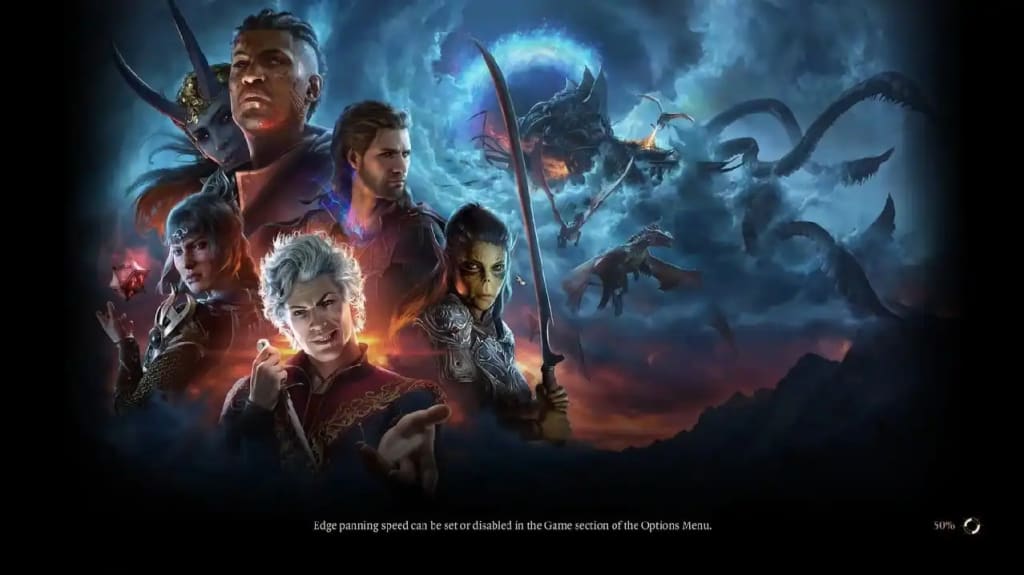
The release of Baldur’s Gate 3 has not only captivated RPG enthusiasts but also sparked a thriving modding community. At the heart of this creative ecosystem lies the BG3 Mod Manager, a powerful tool designed to simplify the process of downloading, installing, and managing mods. Whether you're a seasoned modder or a beginner, this guide will walk you through everything you need to know about the BG3 Mod Manager, from its features and benefits to step-by-step instructions for downloading and using it effectively.
What is BG3 Mod Manager?
The BG3 Mod Manager, created by LaughingLeader, is a user-friendly utility that allows players to integrate custom modifications into Baldur’s Gate 3. Mods can range from new character classes and enhanced visuals to entirely new quests and gameplay mechanics.
By providing an intuitive interface, the BG3 Mod Manager eliminates the complexities traditionally associated with manual modding, enabling players to focus on enriching their gaming experience.
According to its developers, the tool is tailored specifically for Baldur’s Gate 3, ensuring optimal compatibility and functionality. As one player noted on Reddit: “It’s incredibly easy to use, even for someone who has never modded a game before”.
Why Use BG3 Mod Manager?
The rise of modding in gaming has transformed how players interact with their favorite titles. The BG3 Mod Manager offers several advantages that make it indispensable for anyone looking to customize their Baldur’s Gate 3 experience:
1. Ease of Use: With its drag-and-drop interface and automated processes, even beginners can install mods without hassle.
2. Conflict Resolution: The manager features built-in compatibility checks to prevent errors caused by conflicting mods.
3. Mod Organization: Players can easily enable, disable, or reorder mods based on their preferences.
4. Backup Features: The tool allows users to create backups and restore points, ensuring they can revert changes if something goes wrong.
5. Community Support: As a dedicated tool for Baldur’s Gate 3, it benefits from active community contributions and frequent updates.
How to Download BG3 Mod Manager
Downloading and setting up the BG3 Mod Manager is straightforward. Follow these steps:
Step 1: Prepare Your System
Before downloading the manager:
• Ensure your game is updated to the latest version.
• Install necessary prerequisites like .NET Framework (4.7.2 or later) and .NET 7.0.13.
Step 2: Download the Tool
1. Visit the official GitHub page for BG3 Mod Manager Download or trusted sources like Nexus Mods.
2. Download the latest version as a ZIP file.
3. Extract the contents to a folder with sufficient permissions (avoid protected directories like Program Files).
Step 3: Launch and Configure
1. Open BG3ModManager.exe from the extracted folder.
2. Set the file paths for your game data in the Preferences menu if they are not auto-detected.
3. Ensure your profile is set to "Public" in the manager settings.
How to Use BG3 Mod Manager
Once installed, using the BG3 Mod Manager is simple:
Step 1: Download Mods
• Browse trusted platforms like Nexus Mods or Larian's official modding community for mods that suit your playstyle.
• Download mods as .pak files or compressed archives.
Step 2: Import Mods
• Open BG3 Mod Manager.
• Use the "File" > "Import Mod" option to add downloaded mods directly into the manager.
• Alternatively, manually place .pak files in your Mods folder located at:
C:\Users\<YourUsername>\AppData\Local\Larian Studios\Baldur's Gate 3\Mods.
Step 3: Activate Mods
• Drag mods from the "Inactive Mods" section to "Active Mods."
• Arrange them in proper load order if required by specific dependencies.
Step 4: Save and Export
• Save your load order within the manager.
• Click "Export Order to Game" to apply changes.
Step 5: Launch the Game
Start Baldur’s Gate 3 through your launcher and enjoy your customized experience.
Updated Features of BG3 Mod Manager
The latest updates have introduced several enhancements:
• Advanced Filtering Options: Players can now search for mods by categories like popularity or compatibility.
• Expanded Library: A growing collection of mods includes new spells, classes, and visual tweaks.
• Improved Backup System: Multiple restore points ensure safer experimentation with mods.
Common Issues and Troubleshooting
While the BG3 Mod Manager is highly reliable, users may encounter occasional issues:
• If mods fail to load, ensure you have installed required dependencies like Script Extender or Mod Fixer.
• Always check for updates to both mods and the manager itself after game patches are released.
• For persistent problems, consult community forums or GitHub discussions for solutions.
FAQs
Is BG3 Mod Manager free?
Yes, it is an open-source tool available for free download on platforms like GitHub.
Can I use it with other mod managers?
While possible, it’s recommended to use only one mod manager at a time to avoid conflicts.
Does it work on consoles?
No, the BG3 Mod Manager is currently available only for PC users.
How do I update my mods?
Simply replace old .pak files with updated versions in your Mods folder or re-import them via the manager.
Are there risks involved in modding?
While rare, mods can occasionally cause crashes or save corruption. Always back up your game files before installing new mods. The BG3 Mod Manager has revolutionized modding for Baldur’s Gate 3, making it accessible even for newcomers while offering robust features for experienced users.
By streamlining installation processes and resolving compatibility issues, it empowers players to explore endless customization possibilities within this critically acclaimed RPG.
Whether you’re adding new quests or tweaking gameplay mechanics, this tool ensures a seamless journey through Faerûn's captivating world.
About the Creator
Scarlett Mara
Scarlett has a great passion for writing about the gaming world and he chooses as a great platform to share some news and updates about his favorite games. WebPlayDay is a premier platform for online gaming enthusiasts, offering access.
Keep reading
More stories from writers in Gamers and other communities.
Curling Featured in the 2026 Winter Games
Curling, often described as “chess on ice,” is set to take center stage once again at the 2026 Winter Games, capturing global attention with its blend of strategy, precision, and teamwork. While the sport has long been a staple of the Winter Olympics, its presence in 2026 represents more than just continuity—it reflects curling’s evolution into a modern, internationally embraced competition that balances tradition with innovation.
By Sajida Sikandarabout 3 hours ago in Gamers
Why Rayo Vallecano demonstrated their superiority
Why Rayo Vallecano demonstrated their superiority When football fans hear the name Real Madrid, they immediately picture power, victories, and superstars on a global scale. When they hear Rayo Vallecano, they think of a small, hardworking club from the heart of Madrid, fighting season after season to survive among Spain’s elite.
By Farida Kabira day ago in Gamers
Trouble at the Tea Leafing Café
The rain had started right around the time that Annie was buttering her second thick slice of homemade toast for breakfast, and hadn’t paused since. Not that anyone could tell. The windows of the café were fogged over, and with every seat filled with happy customers munching on fresh baked pastries or steaming bowls of the delicious soup of the day, it was hardly surprising. Annie looked around the room, finally taking a moment to breathe after the lunch time rush. Her old life already felt like a bad memory, a part of her history, always, but just that. History.
By Hannah Moore4 days ago in Fiction




Comments (1)
Keep up the good work.