
Acer Nitro XV273K (Monitor Review)
“Discover the features and performance of the Acer Nitro XV273K Pbmiipphzx 27" UHD 3840 x 2160 IPS AMD Radeon FreeSync and NVIDIA G-SYNC Compatible Monitor. Perfect for gamers and content creators.”

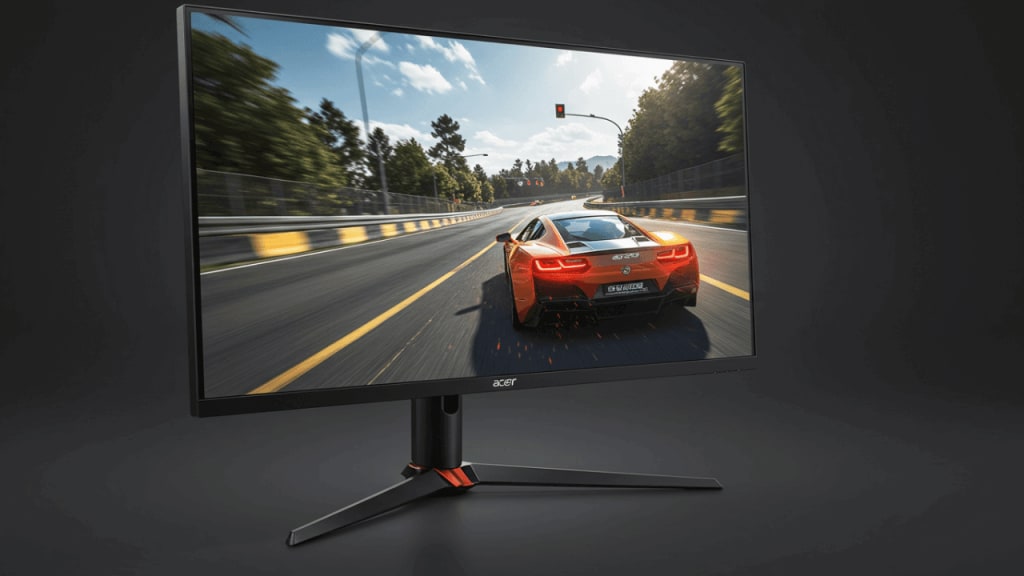
Welcome to our in-depth review of the Acer Nitro XV273K Pbmiipphzx 27" UHD 3840 x 2160 IPS AMD Radeon FreeSync and NVIDIA G-SYNC Compatible Monitor. This monitor, designed for gamers and content creators alike, offers a range of features that aim to enhance your visual experience. From Quantum Dot technology to 144Hz refresh rates, we will cover everything you need to know about this monitor.
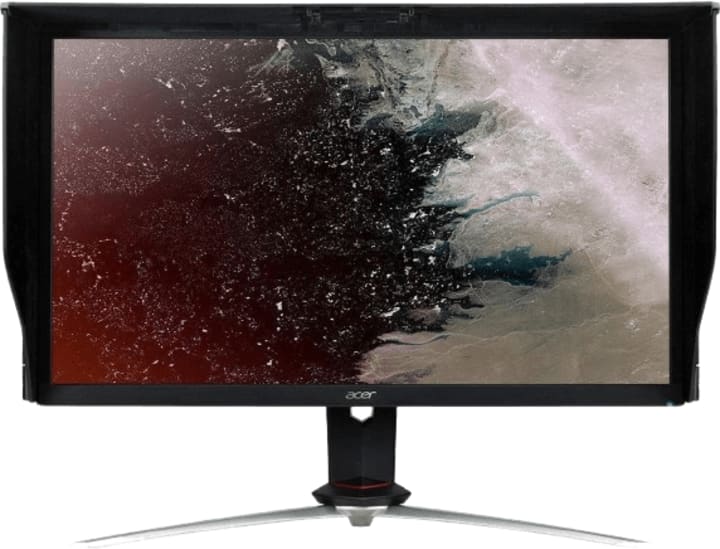
Specification: Screen: 27 Inches | Resolution: 4K UHD (3840 x 2160) Panel Type: IPS | HDR Support: DisplayHDR 400 Color Support: 1.07 Billion Colors (DCI-P3, Delta E<1) | Refresh Rate: 144 Hz (Overclocked) Response Time: 1 ms (VRB) | Brightness: 350 nits (Native), 400 nits (Peak HDR) Contrast Ratio: 1000:1 (Static) | Viewing Angle: 178° (H) / 178° (V)
Design and Build Quality
The first thing you'll notice about the Acer Nitro XV273K is its sleek and modern design. The black finish gives it a professional look, while the sturdy stand ensures stability. The monitor is equipped with a VESA mount, allowing for versatile placement options.
Key Design Features:
- Professional Black Finish
- Sturdy Stand
- VESA Mount Compatibility
Display Quality
One of the standout features of the Acer Nitro XV273K is its 27" UHD 3840 x 2160 IPS display. This resolution ensures crystal clear images and sharp text, making it perfect for both gaming and content creation.
Key Display Features:
Quantum Dot Technology: Provides a wider color gamut and enhanced color accuracy.
DisplayHDR400: Offers improved contrast and brightness levels.
DCI-P3 Color Space: Ensures vibrant and accurate colors.
Performance
Performance is where the Acer Nitro XV273K truly shines. With a 144Hz refresh rate and 1ms response time, this monitor is built for speed. AMD Radeon FreeSync and NVIDIA G-SYNC compatibility ensure smooth and tear-free gaming experiences.
Key Performance Features:
- 144Hz Refresh Rate: Smooth visuals and reduced motion blur.
- 1ms Response Time: Quick response for competitive gaming.
- AMD Radeon FreeSync and NVIDIA G-SYNC: Adaptive sync technologies for a seamless experience.
Connectivity
The Acer Nitro XV273K comes with a range of connectivity options, ensuring you can easily connect all your devices. The ports include HDMI, DisplayPort, and USB, offering flexibility for various setups.
Key Connectivity Features:
- Multiple HDMI and DisplayPort Inputs
- USB Ports: Convenient for peripherals and accessories.
User Experience
The user experience with the Acer Nitro XV273K is top-notch. The monitor features an ergonomic stand with height, tilt, and swivel adjustments, allowing for a comfortable viewing experience. Additionally, the on-screen display menu is intuitive and easy to navigate.
Key User Experience Features:
- Ergonomic Stand: Height, tilt, and swivel adjustments.
- Intuitive On-Screen Display Menu
Conclusion
In conclusion, the Acer Nitro XV273K Pbmiipphzx 27" UHD 3840 x 2160 IPS AMD Radeon FreeSync and NVIDIA G-SYNC Compatible Monitor is a fantastic choice for gamers and content creators. With its impressive display quality, high performance, and user-friendly design, it offers excellent value for its price. Whether you're gaming, editing videos, or simply browsing the web, this monitor will not disappoint.
FAQ
Q: Is the Acer Nitro XV273K good for gaming? A: Yes, with its 144Hz refresh rate and 1ms response time, the Acer Nitro XV273K is excellent for gaming.
Q: Does the Acer Nitro XV273K support HDR? A: Yes, it features DisplayHDR400 for improved contrast and brightness levels.
Q: Can I mount the Acer Nitro XV273K on a wall? A: Yes, the monitor is VESA mount compatible, allowing for wall mounting.
Q: What connectivity options does the Acer Nitro XV273K offer? A: The monitor includes multiple HDMI and DisplayPort inputs, as well as USB ports for peripherals.
About the Creator
Perfect Tech Views
Welcome to Perfect Tech Views—your go-to source for clear, unbiased, and insightful tech knowledge. Whether you're a pro, a beginner, or just exploring gadgets, we've got you covered with expert guidance!
Keep reading
More stories from Perfect Tech Views and writers in Gamers and other communities.
Best Desktop Computer for Graphic Design (Premium Picks)
In the world of graphic design, having the right tools can make all the difference. Whether you're a professional designer or a student just starting out, choosing the best desktop computer for graphic design is essential.
By Perfect Tech Views11 months ago in Gamers
U4gm Diablo IV Season 11: Tier List and Class Meta Explained
Season 11 of Diablo IV, officially called the Season of Divine Intervention, has shaken up the game like never before. With revamped mechanics, new endgame challenges, and shifts in class balance, players are eager to know which classes dominate in the current meta.
By Billo Nalia day ago in Gamers
Miss Persephone's Manual to a Seemingly Ordinary Life
Miss Persephone was found at the dining table, her blue eyes swollen, her tears arriving and retreating like the tides of the ocean. Earlier that day, her family had visited her in the retirement home where she had lived for eight years. It was her eightieth birthday.
By Imola Tóth3 days ago in Fiction



Comments (1)