
They called it liquid Glass
From a stunning Photos app redesign to a more personal Lock Screen, iOS 26 is Apple’s most user-friendly and visually striking update in years.

🧊 Introduction: A Redesign Worth Talking About
Every year, Apple unveils its latest iOS update with polished videos, dramatic keynotes, and the promise of innovation. But not all updates land well with users. Take iOS 18, for example — an update that left many frustrated with unintuitive layouts, especially in the Photos app, and a Lock Screen that felt restrictive and bland despite its visual polish.
Fast forward to iOS 26, and the story has changed dramatically. This isn't just a fresh coat of paint. This is a reworking of the user experience from the inside out. It’s elegant. It’s responsive. It’s deeply personal. And best of all — it actually feels like Apple is listening again. 👂📱
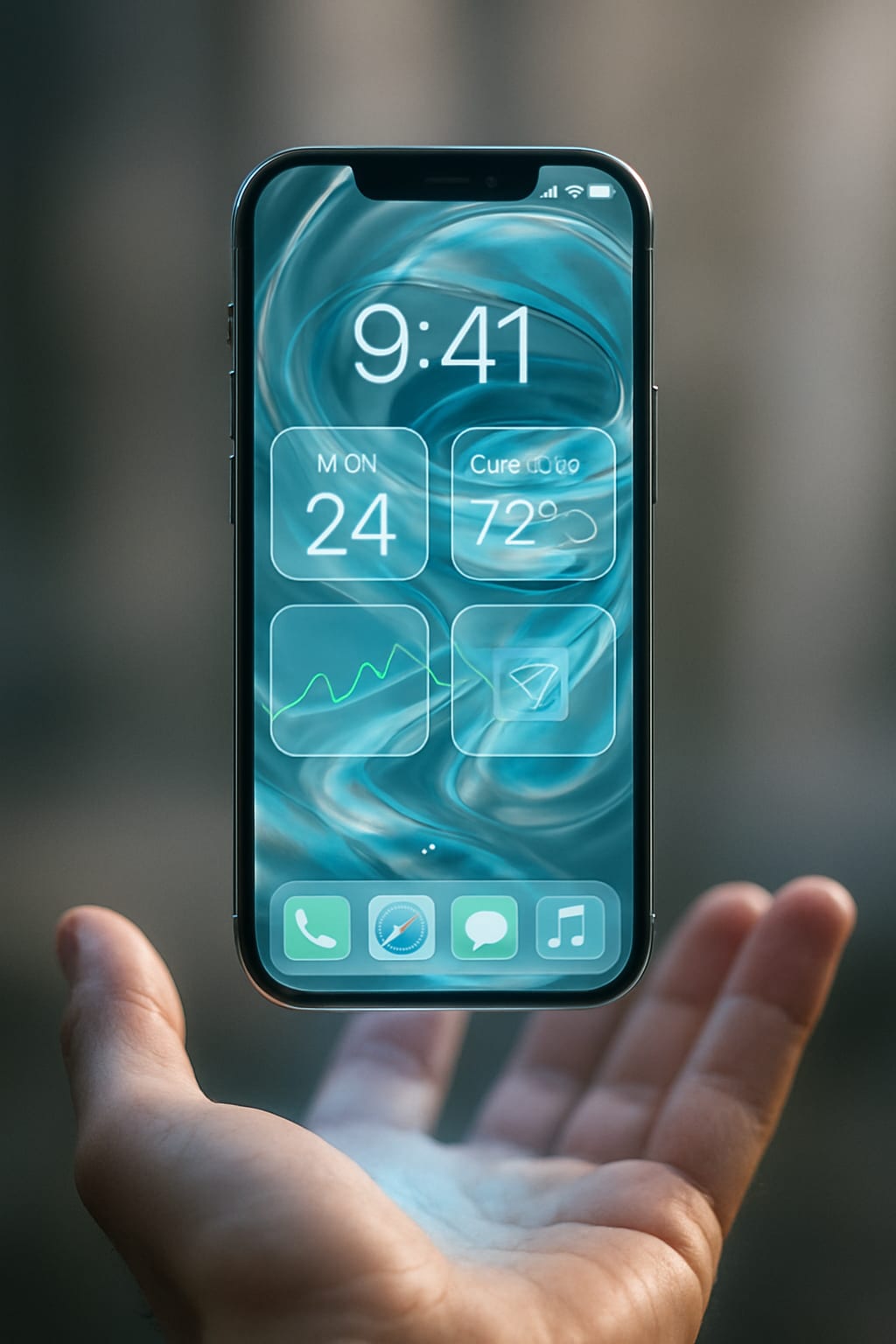
The design theme known as "Liquid Glass" flows throughout the update — giving iOS 26 not just a new look but a new feel. A dynamic, translucent interface meets genuinely helpful usability improvements. It’s not just better looking. It’s better, period.
---
📷 The Photos App: Order Restored
(Credit: Apple/PCMag)
Let’s start with the Photos app — the heart of many iPhone users’ digital lives. It’s where memories are stored. It’s where we go to relive birthdays, vacations, random funny memes, and screenshots we forgot to delete. But in iOS 18, Apple made a major misstep by overcomplicating the experience.
Gone were the easily accessible folders. In came a cluttered, deeply nested layout that buried your favorite albums under layers of tabs and swipes. The backlash was immediate and loud. Many users felt like they had lost control over their photo library.
In iOS 26, Apple has clearly taken that feedback to heart. Upon opening the Photos app, I immediately noticed a world of difference. The interface was simpler, cleaner, and — most importantly — intuitive. ✨
Instead of overwhelming users with too many options on one screen, iOS 26 introduces a layout based on two main tabs:
1. The Library tab, where all your photos live in chronological order.
2. The Albums tab, where Apple neatly categorizes your screenshots, videos, portraits, panoramas, and shared albums.
This dual-tab system may sound simple, but it changes everything. No more endless swiping or guessing which category your image falls into. I tested this by collapsing sections and dragging albums to reorder them. Yep — drag-and-drop is back, and it’s beautifully fluid. 📂💫
Even small details feel polished. Thumbnails load faster. Transitions are buttery smooth. And the new animations make navigating large albums far more enjoyable than in past versions.
For users who were previously overwhelmed by the Photos app’s labyrinth of folders, this redesign feels like a breath of fresh air. 🌬️📸
---
🔓 Lock Screen: The Face of Personalization
(Credit: Apple/PCMag)
If the Photos app is about organizing your memories, the Lock Screen is about expressing your personality. And Apple has finally leaned into that idea with gusto.
In iOS 26, the Lock Screen isn't just a screen you glance at before unlocking your phone — it’s a living canvas. 🖼️
One of the most talked-about features is Photo Shuffle. I enabled it and watched as my Lock Screen began to cycle through a curated selection of my favorite images. But the twist? With each image, the clock itself adapted to the photo. 🕰️
Font styles changed. Numbers grew larger or smaller. The color shifted slightly. And the placement of elements moved to ensure everything looked just right — no clashing, no awkward overlaps. The effect is stunning.
Then there’s the new 3D motion effect. As I tilted the phone gently, the Lock Screen responded with a subtle, depth-enhancing motion. It’s like your wallpaper has depth, breath, and motion — bringing your static images to life in a mesmerizing, immersive way. 🌀📱
And here's one of the best fixes: Lock Screen widgets now work with depth-effect wallpapers. Previously, these features were mutually exclusive — you could either have widgets or enjoy the layered look, but not both. Now you can do both. No compromises. ✅
The visual polish continues with the Liquid Glass aesthetic. Numerals and UI elements have a sleek, semi-translucent finish that reflects and blends with the wallpaper underneath. It’s smooth. It’s modern. And it finally makes the Lock Screen feel like it belongs to you, not just a device you’re borrowing.
---
⚙️ Customization Gets Serious
Apple has long resisted deep customization — citing simplicity and performance as reasons to keep iOS limited. But the tides have turned.
With iOS 26, customization isn’t just allowed — it’s encouraged. And not in a chaotic, overly technical way. Apple’s approach remains user-friendly, but now it offers real depth.
On the Lock Screen alone, you can now:
Choose between multiple widget stacks and customize their order
Adjust font styles and sizes for the clock
Use animated wallpapers that respond to touch or motion
Combine widgets and wallpapers in multiple Lock Screen presets
And this carries into other areas of the OS too:
Control Center is now modular. You can pin or remove features you don’t use.
Siri gets a more subtle interface, blending into the screen rather than taking it over.
Notification banners are smarter and more compact, showing more info at a glance without clutter.
Dynamic color themes adapt across your home screen icons, widgets, and even app accents depending on your wallpaper.
This level of coherence — where the entire OS responds to your personality — is a big leap for Apple. For years, this kind of personalization was Android’s turf. But with iOS 26, Apple has claimed it without compromising its signature smoothness.
---
💬 Messages and Communication: Subtle But Smart Upgrades
While Messages didn’t get a massive redesign, it received plenty of small touches that make a big difference.
For starters, voice messages now come with automatic transcription — a life-saver when you’re in a quiet room and can’t hit play. I tested this, and the transcription was fast and impressively accurate. 🗣️➡️📝
Stickers now live in their own panel, and you can turn any emoji or Live Photo into a sticker. This might sound minor, but if you’re a fan of expressive texting, it’s a game changer. 📎😄
Apple also introduced a new “Catch Up” button for group chats — tapping it jumps you directly to the first unread message. No more endless scrolling trying to find where the conversation left off.
And for those in global circles, iMessage now supports real-time translation of incoming messages in foreign languages — instantly and natively. 🌍💬
---
🔐 Privacy & Security: Quiet But Powerful
Behind the scenes, iOS 26 is also reinforcing Apple’s core principle: user privacy.
You’ll now receive real-time alerts if an app attempts to access sensitive permissions like camera, microphone, or location — not just the first time, but every time. 🕵️♂️🔔
There’s also a new “Privacy Dashboard” in Settings where you can track which apps accessed what — and when.
Another new addition is Locked Photos albums. You can now hide photos behind Face ID or Touch ID, which is great for securing private media without third-party apps.
---
💥 Control Center: A Long-Overdue Refresh
One of the most appreciated updates is the new Control Center design.
Gone is the fixed layout. Now, you can customize which buttons appear, resize toggles, and even organize them in categories. Whether you want music controls front and center, or prefer having your flashlight and screen recording tools at the top — it’s your call.
Animations are snappier. The interface is cleaner. And for power users, this update feels like Christmas morning. 🎁⚡
---
🧪 How the Beta Performs
Now, about the beta itself: I installed it on a secondary iPhone to test things out. And surprisingly — it runs beautifully. Transitions are smooth, battery life is stable, and I haven’t encountered major bugs.
Apple usually plays it safe with public betas, and iOS 26 is no exception. The experience is polished enough that it could pass for a final release in some areas.
That said, expect some tweaks and refinements before the final version drops in September 2025. Apple may scale back or adjust features based on feedback, but the direction is clear — and it’s exciting.
---
📣 Final Verdict: iOS 26 Isn’t Just an Update — It’s a Reset
With iOS 26, Apple isn’t just fixing past mistakes — it’s redefining what iOS means in a post-personalization world.
The Photos app feels functional again. The Lock Screen feels alive. The entire operating system feels like it adapts to you — not the other way around.
Even better, it achieves this without overwhelming users. You don’t need to be a tech expert to benefit from these changes. But if you are a power user? You’re going to have a blast. 🔧🔥
The Liquid Glass aesthetic brings everything together into a unified, elegant experience. It’s not just cosmetic — it’s conceptual. It reflects a broader idea: that technology should be beautiful and personal.
About the Creator
Muhammad Abbas khan
Writer....
Keep reading
More stories from Muhammad Abbas khan and writers in Futurism and other communities.
iPhone 17 to Pro Max: Everything Revealed
Introduction: A New Chapter in Apple’s Legacy 📖🍏 Each year, Apple turns September into a global spectacle. But 2025 is different. The iPhone 17 series isn’t just another smartphone drop — it’s Apple planting its flag in the future. A future that merges AI-powered everything 🤖, unmatched camera capabilities 📸, and a design language that whispers minimalism and screams power 💥.
By Muhammad Abbas khan5 months ago in Futurism
About Binding Prometheus
I want to start actively advocating on behalf of my own work, and the most valuable part of my canon is, without a doubt, Binding Prometheus, the play I have been working on since 2019 and only finished in 2023 as part of my MA. The play itself is an amalgamation of a million different inspirations. On one end, it evokes the Ancient Greek myth-play, deriving its own title from the earliest extant work of Western drama we have, Aeschylus’s Prometheus Bound. On the other end, it borrows significantly from the sci-fi bulwarks from over the years, namely Mary Shelley’s Frankenstein and Karel Capek’s Rossum’s Universal Robots. The play could be an episode of Black Mirror, I fear. I don’t know. I’ve only ever seen one episode of Black Mirror.
By Steven Christopher McKnight11 days ago in Futurism
UAE Pet Food Market: Evolving Consumer Awareness, Quality Demand & Growth Outlook
According to IMARC Group's latest research publication, UAE Pet Food Market size reached USD 107.3 Million in 2024. The market is projected to reach USD 171.0 Million by 2033, exhibiting a growth rate (CAGR) of 5.04% during 2025-2033.
By Abhay Rajput5 days ago in Futurism


Comments
There are no comments for this story
Be the first to respond and start the conversation.