
The Best Apps for Organizing Your Life and Work.
"Top Apps to Streamline Your Life and Boost Productivity"
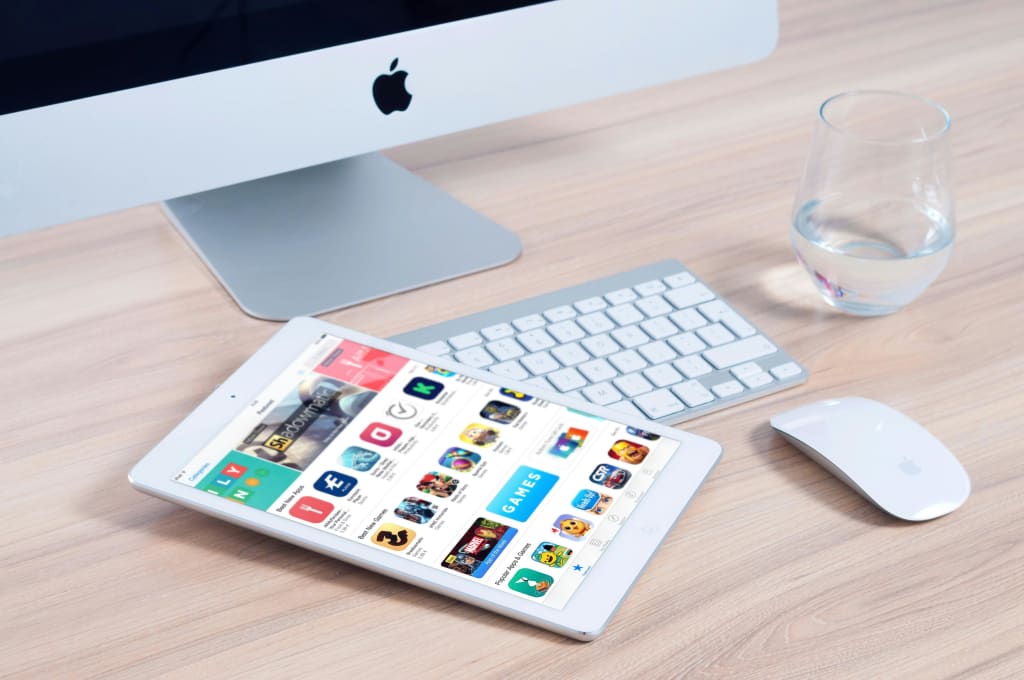
In today’s fast-paced world, staying organized is essential for maximizing productivity, reducing stress, and achieving your goals. With the right apps, you can manage your tasks, schedules, notes, and projects seamlessly, making your life and work more efficient.
Whether you’re a student, entrepreneur, or working professional, this list of the best organization apps for 2025 will help you stay on top of everything with ease.
1. Notion – The All-in-One Workspace
🔹 Best for: Note-taking, project management, and collaboration.
Notion is a versatile app that allows you to organize everything from notes and todoists to complex work projects. It combines features like task management, databases, calendars, and document storage into one powerful tool.
Key Features:
✅ Customizable templates for planning and tracking projects.
✅ Integrated task lists and reminders.
✅ Collaboration tools for teams and shared projects.
📍 Why You Need It: Notion eliminates the need for multiple apps, keeping everything in one place.
2. Todoist – The Ultimate Task Manager
🔹 Best for: Managing tasks and to-do lists.
Todoist is one of the best task management apps for organizing your personal and professional life. It helps you create, prioritize, and track tasks effortlessly.
Key Features:
✅ Intuitive task lists with deadlines and priority levels.
✅ Smart AI-powered task suggestions.
✅ Integration with other tools like Google Calendar and Slack.
📍 Why You Need It: To do list helps keep your to-do list structured so you never miss a deadline.
3. Trello – Visual Project Management
🔹 Best for: Organizing projects and team collaboration.
Trello uses a simple, visual board system to help you track progress on projects and tasks. It’s ideal for both personal planning and team collaboration.
Key Features:
✅ Drag-and-drop cards for easy task management.
✅ Labels, checklists, and due dates for better organization.
✅ Integration with tools like Slack, Google Drive, and Notion.
📍 Why You Need It: Trello simplifies workflow organization and ensures nothing falls through the cracks.
4. Google Calendar – Smart Scheduling Made Easy
🔹 Best for: Time management and scheduling.
Google Calendar is a powerful scheduling tool that helps you plan your days, set reminders, and organize events effortlessly.
Key Features:
✅ Syncs with email and other productivity apps.
✅ Smart reminders and recurring event scheduling.
✅ Shared calendars for easy collaboration.
📍 Why You Need It: Google Calendar ensures you stay on top of appointments, deadlines, and meetings.
5. Evernote – The Ultimate Digital Notebook
🔹 Best for: Note-taking and document organization.
Evernote is a powerful note-taking app that allows you to capture ideas, save web pages, and organize documents in one place.
Key Features:
✅ Rich text and multimedia note-taking.
✅ Advanced search for finding notes quickly.
✅ Sync across multiple devices.
📍 Why You Need It: Evernote helps you store and retrieve information effortlessly.
6. Slack – Streamlined Communication for Work
🔹 Best for: Team collaboration and messaging.
Slack is a team communication platform that reduces the need for endless emails and meetings. It helps organize conversations into channels and direct messages.
Key Features:
✅ Real-time messaging and file sharing.
✅ Integration with project management tools like Trello and Asana.
✅ Searchable chat history.
📍 Why You Need It: Slack keeps your work communication structured and efficient.
7. Microsoft OneNote – A Free, Flexible Note-Taking App
🔹 Best for: Digital journaling and idea organization.
Microsoft OneNote is a feature-rich note-taking app that works well for organizing thoughts, projects, and meeting notes.
Key Features:
✅ Freehand writing and drawing tools.
✅ Easy organization with notebooks, sections, and pages.
✅ Cloud syncing across devices.
📍 Why You Need It: OneNote is perfect for brainstorming and creative organization.
8. Rescue time – Track and Improve Your Productivity
🔹 Best for: Time tracking and focus improvement.
Rescue time monitors how you spend your time on different apps and websites, helping you improve productivity by identifying distractions.
Key Features:
✅ Automatic time tracking for work and breaks.
✅ Detailed productivity reports and insights.
✅ Focus mode to block distractions.
📍 Why You Need It: Rescue time helps you analyze where your time goes and eliminate inefficiencies.
9. Pocket – Save and Read Later
🔹 Best for: Bookmarking articles and online content.
Pocket lets you save articles, videos, and web pages to read later, keeping your research and entertainment organized.
Key Features:
✅ Offline reading mode.
✅ Tags and highlights for better organization.
✅ Text-to-speech feature for audio reading.
📍 Why You Need It: Pocket keeps your reading list clutter-free and accessible from any device.
10. Zapier – Automate Your Workflow
🔹 Best for: Task automation and app integration.
Zapier connects your favorite apps and automates repetitive tasks, saving you time and effort.
Key Features:
✅ Automates workflows between apps like Gmail, Trello, and Slack.
✅ Pre-built integrations for thousands of applications.
✅ No coding required.
📍 Why You Need It: Zapier reduces manual work and streamlines your processes.
Final Thoughts: Stay Organized, Stay Productive
With the right apps, you can organize your life and work effortlessly, helping you stay on track, meet deadlines, and reduce stress.
Quick Recap of the Best Apps for Organization:
✔ Notion – All-in-one workspace.
✔ To do list – Task management.
✔ Trello – Project planning.
✔ Google Calendar – Smart scheduling.
✔ Evernote – Digital note-taking.
✔ Slack – Work communication.
✔ Microsoft OneNote – Free notebook.
✔ Rescue time – Time tracking.
✔ Pocket – Save online content.
✔ Zapier – Workflow automation.
By integrating these apps into your daily routine, you’ll be able to work smarter, not harder—allowing you to stay productive while maintaining a balanced lifestyle.
🚀 Which app do you use the most? Let me know in the comments!
About the Creator
Keep reading
More stories from Kaitesi Abigail and writers in Futurism and other communities.
AI Tools That Can Boost Your Productivity in 2025.
Artificial Intelligence (AI) is transforming the way we work, making tasks faster, easier, and more efficient. Whether you're a student, entrepreneur, freelancer, or corporate professional, the right AI tools can help you automate repetitive tasks, organize your workflow, and increase productivity.
By Kaitesi Abigailabout a year ago in Futurism
Why Your TikTok DMs Aren't Private (And Why the Platform Says That's a Good Thing)
Introduction: The Privacy Paradox In the current landscape of digital communication, end-to-end encryption (E2EE) has moved from a niche privacy feature to a baseline consumer expectation. Silicon Valley giants are largely in a race to lock down user data, ensuring that not even the platforms themselves can peer into private conversations. Yet, TikTok—the world’s most scrutinized social media app—is pointedly marching in the opposite direction.
By Tech Horizonsa day ago in Futurism
GCC Fruit Juice Market Analysis: Key Drivers, Market Dynamics & Future Prospects
According to IMARC Group's latest research publication, GCC fruit juice market size reached USD 3.7 Billion in 2024. The market is projected to reach USD 5.6 Billion by 2033, exhibiting a growth rate (CAGR) of 4.8% during 2025-2033.
By Abhay Rajput6 days ago in Futurism




Comments (1)
Great organization! Wonderfully done!