
Interactive Displays in Work and Learning Spaces
Boost productivity in offices and classrooms with interactive, collaborative display solutions.
Introduction to Interactive Display Technology
What Are Interactive Displays?
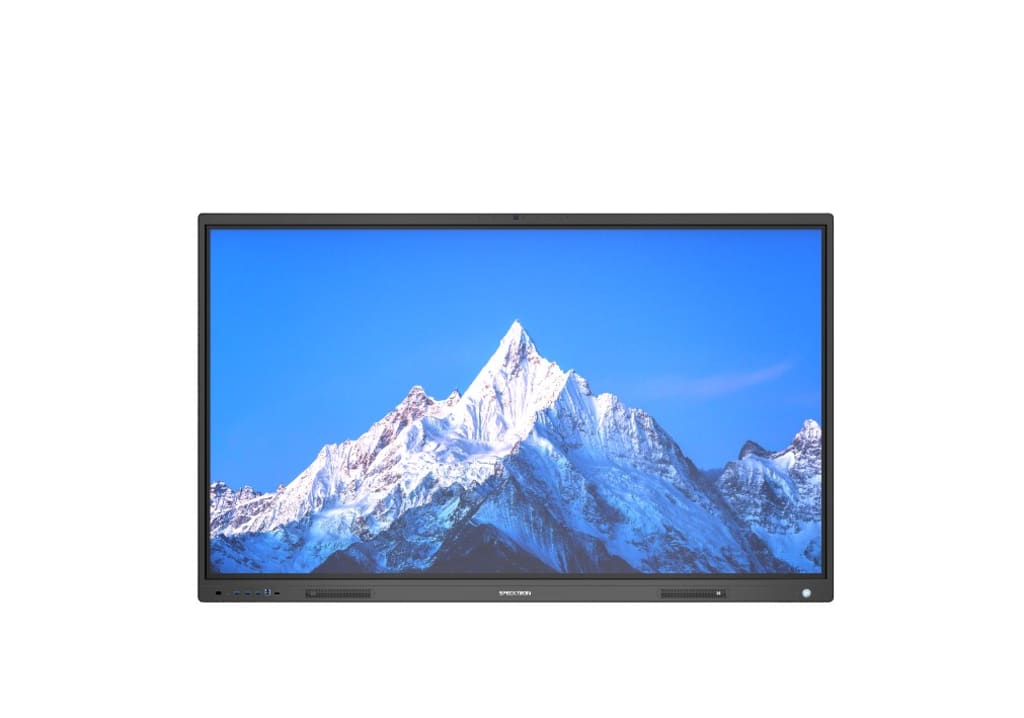
Interactive displays are advanced digital screens that allow users to interact directly using touch, gestures, or stylus pens. Instead of just watching content, users can write, draw, move objects, and collaborate in real time. Think of them as giant smart tablets designed for classrooms, meeting rooms, and collaborative spaces.
Why Interactive Displays Are Gaining Popularity
The reason is simple—people want faster, smarter, and more engaging ways to work and learn. Interactive displays eliminate the friction caused by traditional tools and create an environment where ideas flow freely.
The Shift from Traditional Screens to Interactive Displays
Limitations of Conventional Displays
Traditional projectors and whiteboards are passive. One person controls the content while everyone else watches. This setup often leads to disengagement, slow discussions, and wasted time.
How Interactivity Changes User Behavior
Interactive displays flip the script. Everyone can participate. Ideas are shared instantly. Discussions become dynamic instead of one-sided. Productivity naturally increases when people are actively involved.
Key Features of Interactive Displays
Touch-Based Interaction
Touch functionality allows users to write, zoom, annotate, and manipulate content directly on the screen. No need for extra devices or complicated setups.
Multi-User Collaboration
Multiple users can interact with the display at the same time. Imagine brainstorming sessions where everyone contributes simultaneously—no waiting, no bottlenecks.
Integrated Software and Tools
Wireless Connectivity
Wireless screen sharing lets users connect laptops, tablets, and smartphones effortlessly. This saves time and keeps meetings moving.
Cloud Integration
Cloud access ensures files are available anytime, anywhere. Notes and changes are saved instantly, reducing rework.
Interactive Displays in Corporate Environments
Enhancing Meeting Productivity
Meetings become shorter and more focused. Visual collaboration helps teams understand concepts quickly and align faster.
Improving Team Collaboration
Teams can brainstorm, annotate documents, and build ideas together. It feels less like a meeting and more like teamwork.
Faster Decision-Making
- Real-Time Data Sharing
Live data visualization helps leaders make informed decisions on the spot.
- Visual Problem Solving
Complex problems become easier when visualized. Interactive displays turn abstract ideas into clear visuals.
Interactive Displays in Educational Spaces
Transforming Traditional Classrooms
Gone are the days of chalk dust and static lectures. Interactive displays bring lessons to life with visuals, videos, and real-time interaction.
Boosting Student Engagement
When students interact with content, they stay focused. Touch-based learning feels natural and fun.
Supporting Different Learning Styles
- Visual Learners
Charts, diagrams, and videos enhance understanding.
- Kinesthetic Learners
Touch interaction helps students learn by doing, not just listening.
Productivity Benefits for Educators
Simplified Lesson Delivery
Teachers can access digital content, annotate lessons, and switch topics instantly.
Time-Saving Teaching Tools
Preloaded resources and templates reduce preparation time.
Better Classroom Management
Engaged students mean fewer distractions and smoother sessions.
Productivity Benefits for Corporate Professionals
Reduced Meeting Time
Clear visuals and instant collaboration cut unnecessary discussions.
Increased Employee Engagement
Employees feel heard and involved, which boosts morale and output.
Seamless Remote Collaboration
Hybrid teams can collaborate as if they’re in the same room.
Interactive Displays vs Traditional Tools
Whiteboards and Projectors Compared
Traditional tools are limited and outdated. Interactive displays combine the best of both worlds—digital flexibility and hands-on interaction.
Long-Term ROI and Efficiency
While the initial investment may be higher, the productivity gains quickly outweigh the cost.
Role of Interactive Displays in Hybrid Work and Learning
Supporting Remote Participants
Remote users can view, interact, and contribute in real time.
Creating Inclusive Environments
Everyone gets an equal voice, regardless of location
Use Cases Across Industries
Corporate Training Rooms
Trainers can deliver engaging, interactive sessions.
Schools, Colleges, and Universities
Learning becomes immersive and student-centric.
Conference Rooms and Boardrooms
Strategic discussions become more effective and visual.
Choosing the Right Interactive Display
Screen Size and Resolution
Choose based on room size and usage needs.
Software Compatibility
Ensure it supports your preferred tools and platforms.
Ease of Use and Maintenance
User-friendly interfaces reduce training time.
Challenges and How to Overcome Them
Initial Cost Concerns
Consider long-term productivity and reduced operational costs.
Training and Adoption
Most modern displays are intuitive and easy to learn.
Technical Support Needs
Reliable vendors and support plans solve this issue.
Future of Interactive Display Technology
AI and Smart Features
AI-powered tools will personalize experiences and automate tasks.
Increased Integration with IoT
Smart rooms will become the norm.
Personalized User Experiences
Displays will adapt to individual users and preferences.
Why Interactive Displays Are a Smart Investment
Long-Term Productivity Gains
Better collaboration leads to better outcomes.
Enhanced User Satisfaction
Happy teams and engaged students perform better.
Conclusion
Interactive displays are no longer a luxury—they’re a productivity essential. By transforming how people collaborate, learn, and communicate, these smart screens create environments where efficiency thrives. Whether in a boardroom or a classroom, interactive displays turn ideas into action faster than ever before.
Frequently Asked Questions
1. Are interactive displays difficult to use?
No, most interactive displays are designed to be user-friendly and intuitive.
2. Do interactive displays work for remote teams?
Yes, they are ideal for hybrid and remote collaboration.
3. Can interactive displays replace traditional whiteboards?
Absolutely. They offer all the features of a whiteboard plus much more.
4. Are interactive displays suitable for all education levels?
Yes, from primary schools to universities.
5. Do interactive displays really improve productivity?
Yes, by enhancing engagement, collaboration, and decision-making
About the Creator
Specktron
Specktron delivers innovative audiovisual and interactive technology solutions. From interactive screens and projectors to digital displays, we create products that enhance learning, collaboration, and communication.
About Binding Prometheus
I want to start actively advocating on behalf of my own work, and the most valuable part of my canon is, without a doubt, Binding Prometheus, the play I have been working on since 2019 and only finished in 2023 as part of my MA. The play itself is an amalgamation of a million different inspirations. On one end, it evokes the Ancient Greek myth-play, deriving its own title from the earliest extant work of Western drama we have, Aeschylus’s Prometheus Bound. On the other end, it borrows significantly from the sci-fi bulwarks from over the years, namely Mary Shelley’s Frankenstein and Karel Capek’s Rossum’s Universal Robots. The play could be an episode of Black Mirror, I fear. I don’t know. I’ve only ever seen one episode of Black Mirror.
By Steven Christopher McKnight20 days ago in Futurism


Comments
There are no comments for this story
Be the first to respond and start the conversation.