
How to Create AI Agents Using Firebase AI Logic
Create AI agents with Firebase AI Logic, step-by-step guide to setup, integration, and deployment for smart apps.

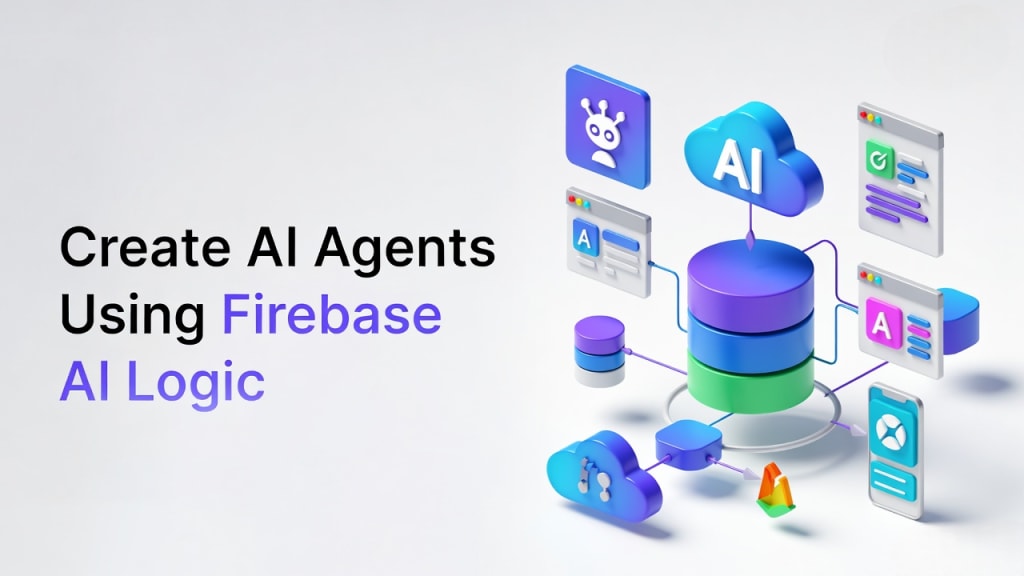
AI agents are no longer something only big tech companies build. Today, even small teams and startups can create smart, responsive systems that automate tasks, answer questions, and adapt to user behavior. That’s where Firebase AI Agents come in.
If you’ve worked with Firebase before, you already know how strong it is for building apps fast. Add AI logic into the mix, and suddenly you’re not just shipping features, you’re building systems that think, learn, and respond in real time. In this guide, we’ll walk through how to build Firebase AI Agents step by step, without overcomplicating things.
You don’t need a PhD in machine learning. You just need a solid Firebase setup, the right tools, and a clear plan.
Understanding Firebase AI Logic and Its Core Features
Overview of Firebase AI Logic
Firebase AI Logic isn’t a single product. It’s a combination of Firebase services working together to support intelligent behavior. Think of it as the glue that connects your frontend, backend, and AI models into one smooth flow.
At its core, you’re using Firebase to:
- Collect and store user data
- Trigger backend logic
- Connect with AI models
- Send smart responses back to users
This approach supports AI automation with Firebase without forcing you to rebuild your whole app architecture.
Key components (Cloud Functions, Firestore, Authentication, Hosting)
Here’s how the main Firebase pieces fit into your AI agent setup:
- Cloud Functions: This is where your AI logic lives. You call external AI APIs, process responses, and decide what happens next.
- Firestore: Stores user inputs, conversation history, preferences, and agent decisions.
- Authentication: Helps your agent know who it’s talking to and what permissions they have.
- Hosting: Serves your frontend where users interact with the agent.
Together, these form the backbone of Firebase AI Agents that can work in real time and scale easily.
How Firebase AI Logic supports automation and intelligence
Firebase shines at automation because it’s event-driven. When a user sends a message, submits a form, or triggers an action, Firebase reacts instantly.
That’s where Firebase machine learning integration comes in. You can connect Firebase to:
- OpenAI or similar LLM APIs
- Custom ML models hosted elsewhere
- Google Cloud AI services
This setup allows your AI agent to reason, respond, and even take action, like updating records, sending notifications, or routing requests automatically.
Common AI agent workflows using Firebase
Most Firebase AI Agents follow a simple pattern:
- The user sends input through your app or website.
- Firebase stores the input and triggers a Cloud Function.
- The function sends the input to an AI model.
- The model returns a response.
- Firebase sends the response back to the user and logs it.
Sometimes, the agent also updates a database, triggers another workflow, or escalates to a human. You might notice how flexible this becomes once the basics are in place.
Step-by-Step Guide to Creating AI Agents with Firebase
Step 1: Setting up a Firebase project
Start by creating a Firebase project from the Firebase Console. Enable:
- Firestore
- Authentication
- Cloud Functions
- Hosting (if you’re serving a web frontend)
Make sure your Firebase CLI is installed, and your project is initialized locally. This is your foundation.
If your team doesn’t have mobile or frontend expertise yet, you might consider working with a team that can help. For example, you could explore options to hire Flutter developers if you’re building cross-platform apps.
Step 2: Connecting AI models or APIs
Next, choose your AI engine. Most teams start with APIs like OpenAI, Claude, or Gemini.
In your Cloud Function:
- Send user input to the AI API.
- Pass relevant context from Firestore.
- Receive the model’s response.
Store the response back in Firestore so your frontend can display it, and your agent can learn from past interactions.
Step 3: Designing agent logic and workflows
This is where your agent becomes more than just a chatbot.
Ask yourself:
- What decisions should the agent make?
- When should it escalate to a human?
- What actions can it trigger?
For example:
- A support agent might open a ticket.
- A sales agent might qualify a lead.
- A content agent might flag unsafe content.
You don’t have to do everything at once. Sometimes it’s better to start with one simple workflow and build from there.
Step 4: Handling user input and responses
User input can be messy. People misspell things, change topics, or ask vague questions. To handle this:
- Add system prompts that help guide the AI's behavior
- Store conversation history so the great remembers context
- Clean and normalize inputs before sending them to the AI
Firebase’s real-time updates make it easy to keep the UI in sync with the agent’s responses.
Step 5: Testing, deployment, and monitoring
Before going live:
- Test with real user scenarios.
- Simulate edge cases.
- Monitor latency and API costs.
Once deployed, use Firebase analytics and logging to see:
- Where it fails
- How users interact with the agent
- Which workflows perform best
Over time, you’ll refine prompts, logic, and responses based on real data.
Real-World Use Cases and Best Practices
Customer support automation
One of the most common uses of Firebase AI Agents is customer support.
Your agent can:
- Answer FAQs
- Check order status
- Reset passwords
- Escalate complex issues to humans
Sales and lead qualification agents
AI agents can qualify leads by asking smart follow-up questions, scoring prospects, and routing high-quality leads to your sales team.
In many cases, this speeds up response time and improves conversion rates, especially when paired with real-time data from your CRM or analytics tools.
Content generation and moderation
Firebase AI agents are useful for:
- Moderating user-generated content
- Drafting content
- Summarizing documents
- Flagging policy violations
While keeping humans in the loop for final review, you can automate large parts of your content workflow.
Performance, security, and scalability best practices
- Limit API calls to control costs.
- Cache responses where possible.
- Log everything so that you can debug issues quickly
- Set rate limits to prevent abuse.
- Use Firebase authentication to secure access.
Firebase scales perfectly well, but your AI costs can grow fast if you're not careful. Monitoring is not optional; it's part of the system.
Final Words
Building a Firebase AI agent to reinvent your tech stack. You're simply extending Firebase with intelligent behavior using Firestore, Cloud functions, and AI APIs. Sometimes, the hardest part isn’t the code; it’s deciding what your agent should actually do. Start small. Test with real users. Adjust as you go. Once your first Firebase AI Agent is live, you’ll quickly see how powerful this approach can be. And from there, scaling becomes a lot easier than you might expect.
About the Creator
akelahmed
I'm Akel Ahmed, a talented Graphic Designer & Content writer with a flair for creating engaging designs that capture the essence of a brand.
Spirometer Market Outlook: Respiratory Care Demand and Growth Opportunities
Rising prevalence of respiratory diseases such as asthma and COPD, increasing air pollution, and growing awareness of lung health are driving growth in the spirometer market. Expansion of pulmonary function testing in hospitals and clinics supports demand. According to IMARC Group's latest research publication, The global spirometer market size reached USD 1,227.0 Million in 2024. Looking forward, IMARC Group expects the market to reach USD 2,468.2 Million by 2033, exhibiting a growth rate (CAGR) of 7.67% during 2025-2033.
By James Whitman2 days ago in Futurism



Comments
There are no comments for this story
Be the first to respond and start the conversation.