
Best Bangla Keyboard App for Android phones
Type Bengali is a free, fast, and easy app with voice typing, emoji, and smart layout.

Typing in Bangla on Android phones can sometimes be difficult, especially if you’re not familiar with the keyboard layout. But what if there was a way to type Bengali quickly and easily? The solution is simple: Bangla Keyboard: Type Bengali.
In this post, we’ll talk about why Bangla Keyboard is the best free Bangla typing app for Android. From its voice typing feature to emoji support, This Bengali typing app is great. It includes everything you need to type Bengali with ease.
What is Bangla Keyboard:
Type Bengali: is a free keyboard app for Android devices that allows you to type in Bengali easily. With this app, you can write messages, emails, and social media posts in Bangla, without having to worry about switching between languages or struggling with complex layouts.
Whether you’re a beginner or an expert, the app is designed to be user-friendly and works seamlessly in any app on your phone — be it WhatsApp, Facebook, Instagram, or even Google search.
Top Features of Type Bengali Keyboard
Here’s why Bangla Keyboard: Type Bengali stands out:
1. Free to Use
The best part? Bangla Keyboard is completely free. You don’t need to pay anything to use this keyboard. Simply download it from the Google Play Store, and you’re all set!
2. Simple and Easy Layout
The app features a simple layout that’s perfect for typing in Bengali. If you’re new to Bengali typing, you’ll love how easy it is to learn. The keys are well-organized and easy to press, making your typing experience smoother.
3.Voice Typing
Do you find it hard to type with your fingers? Type Bengali lets you type by speaking! Just tap the microphone button and speak in Bangla, and the app will type your words for you. It’s a super convenient feature for those who don’t want to type manually.
4. Emoji Support
Who doesn’t love adding emojis to messages? With this app, you get a wide range of emojis to make your messages more fun and expressive. Whether it’s a smiley face or a thumbs-up, you’ll find the perfect emoji to match your mood.
5. Switch Between Bangla and English
Sometimes you need to type in English and other times in Bangla. The great thing about this app is that you can easily switch between languages with just one tap. Whether you’re writing in Bangla or English, you can do it quickly and without any hassle.
6. Works in All Apps
It doesn’t matter which app you’re using — Type Bengali works everywhere! From messaging apps like WhatsApp to social media platforms like Facebook, you can type in Bangla without switching between keyboards.
Why Should You Use Bangla Keyboard?
Many users ask:
1. Which is the best Bangla keyboard for Android?
2. How do I type Bengali on my phone?
The answer is simple: Bangla Keyboard: Type Bengali is the best app because:
1. It’s easy to use
2. It’s completely free
3. It’s packed with great features like voice typing, emoji support, and more
Whether you are chatting with friends, writing a professional email, or updating your social media profile, this app helps you type in Bangla quickly and easily.
How to Download and Use Bangla Keyboard

Getting started is super easy. Follow these simple steps:
- Open the Google Play Store on your Android device.
- Search for Bangla Keyboard: Type Bengali.
- Tap the Install button and wait for it to download.
- Once installed, open the app and follow the setup instructions to make it your default keyboard.
- You’re ready to type in Bangla.
Quick Tips for Typing Faster in Bangla Keyboard
Here are a few tips to help you type faster and easier:
- Use voice typing when you’re busy or don’t want to type manually.
- Familiarize yourself with the layout for commonly used letters.
- Use emoji to add fun to your messages.
- Practice a little bit each day to get faster.
Final Words
If you’re looking for the best free Bangla keyboard app for Android, Type Bengali is a great choice. It’s easy to use, fast, and comes with all the features you need to type in Bengali comfortably.
Whether you want to type in Bangla for work, social media, or just to chat with friends, this app makes it simple and fun.
Don’t wait! Download Bangla Keyboard: Type Bengali from the Google Play Store today and start typing in Bangla with ease and speed — for free!
About the Creator
Keep reading
More stories from MUHAMMAD ZAFAR and writers in Futurism and other communities.
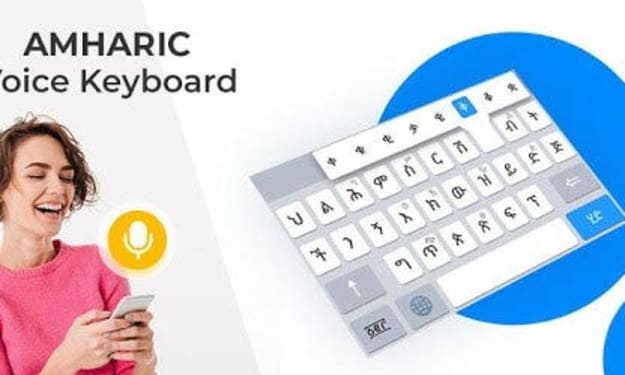
Best Amharic Keyboard for Android in 2025.
Are you looking for a simple way to type in Amharic on your Android device? The Amharic Keyboard app is the solution you need. This free keyboard app helps you type effortlessly with features such as voice typing and automatic English-to-Amharic conversion. In this article, we explain what makes this app the best choice and how you can start using it today.
By MUHAMMAD ZAFAR11 months ago in Futurism
Top 10 LLM Development Companies Transforming U.S. Enterprises
In 2026, the most valuable employee in many American companies isn’t human. It’s a language model. From drafting legal contracts in New York to automating customer support in Texas, LLMs are quietly reshaping how enterprises operate. But behind every successful deployment is a development partner — the firm that turns raw AI into real business outcomes.
By Ritu Singh6 days ago in Futurism
Flexible AC Transmission System (FACTS) Market Outlook: Grid Stability Enhancement and Renewable Integration Opportunities
According to IMARC Group's latest research publication The global flexible AC transmission system (FACTS) market size reached USD 1.5 Billion in 2024. Looking forward, IMARC Group expects the market to reach USD 2.3 Billion by 2033, exhibiting a growth rate (CAGR) of 4.64% during 2025-2033
By James Whitman6 days ago in Futurism



Comments
There are no comments for this story
Be the first to respond and start the conversation.