
Android 15 and Mobile Applications: What's Changing for Users and Developers
Android 15 and Mobile Applications: What’s Changing for Users and Developers

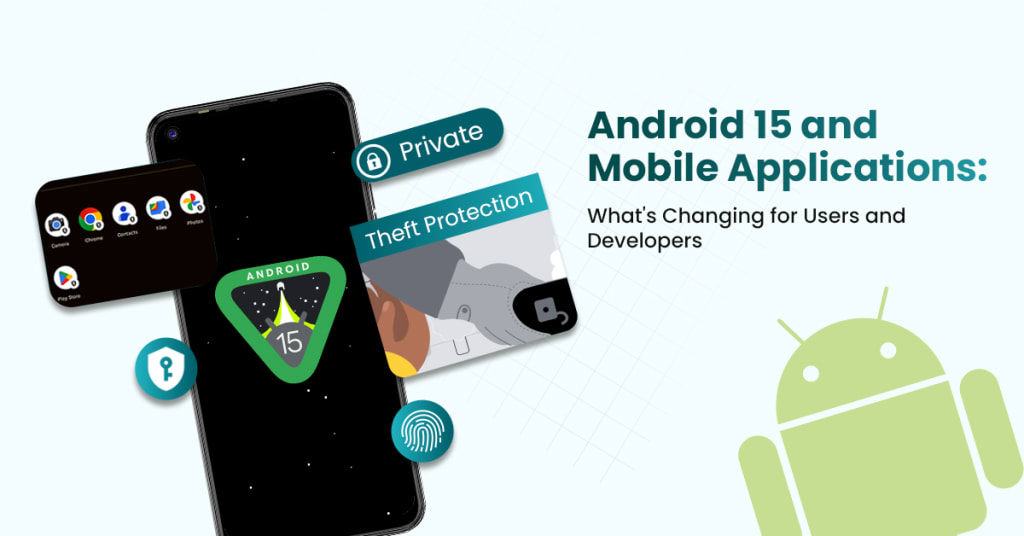
Alright, folks. So here we are again — another year, another Android update. But this time, Android 15 isn’t just tossing a few shiny new features at us. Nope. It's more like a quiet revolution in your pocket.
Whether you're that friend who customizes every pixel on their phone or someone who just wants their apps to work, this one’s going to hit you somewhere. And if you're in the trenches of mobile application development, well, let’s just say Android 15 is changing the game on multiple levels.
I’ve spent the last few weeks pouring over developer previews, community forums, and dev logs so you don’t have to. Buckle up — here's what’s shifting under the hood, what’s showing up on the screen, and what both Android app developers and users need to watch for.
First, Let’s Talk About the Vibe: Android 15 at a Glance
Android’s been growing up slowly, hasn’t it? From the wild jelly beans and KitKats to a sleeker, more polished experience today, Google is finally treating Android less like a playground and more like a refined toolkit.
Android 15 features focus on performance, privacy, and consistency — and this time, that’s not marketing fluff. The OS is getting smarter, lighter, and more considerate of both power and personal data. And hey, it’s about time.
So if you’re just here to know whether your battery will last longer — yeah, probably. But there's way more going on.
For Users: What You’ll Actually See (and Feel)
Let’s face it. Most folks don’t care about system calls or memory optimization. We care about what it feels like to use the dang phone. So here’s what’s hitting the surface.
1. Android 15 UI Changes for Apps – A Cleaner, Kinder Interface
Design-wise, this is where things get spicy. The UI is tighter. It’s like Android finally Marie Kondo's look — less clutter, more harmony.
Expect more consistent animations and transitions. Apps launch smoother, and interactions feel… silkier. These Android 15 UI changes for apps aren’t superficial — they directly impact how apps behave. Developers now have new motion APIs to create transitions that feel native, not glued on.
And yes, your muscle memory might need a slight adjustment. But once you're in the rhythm, it’s buttery smooth.
2. One Word: Control
Granular permission settings? Yes, please.
Android’s new notification and sensor access controls give users more say in what apps can do and when. This could be a small annoyance for developers trying to collect analytics, but hey — user trust comes first, right?
This added control helps users breathe easier. You're not just tapping “allow” and hoping for the best anymore.
What’s New for Developers: Deep Dive Time
Now for the real meat and potatoes. If you’re into Android app development, this section is your roadmap for the next year.
Because Android 15's impact on mobile apps isn’t just a few deprecated APIs and security patches. There are real structural shifts. Think less “tweak your code” and more “rethink your approach.”
1. Predictive Back Gesture is Now Default (and Non-Negotiable)
This one’s been teased in earlier versions, but now it's mandatory. And it changes how navigation works fundamentally.
With the predictive back gesture, users can see where they're headed before they commit to swiping back. Developers now have to integrate this properly, or apps will feel broken. If your app hijacks the back button or behaves unexpectedly, users will notice — and bounce.
Google has made it clear: adapt or get left behind.
2. Partial Screen Sharing – Multi-Tasker’s Dream, Developer’s Nightmare?
Here’s one of those android 15 features that sounds tiny but hits big: partial screen sharing. Instead of recording or sharing the full screen, users (and apps) can now select specific windows.
This is huge for privacy and productivity. But from a dev perspective? You’ve got to ensure your app behaves nicely in windowed states. That means adaptive UIs, responsive elements, and understanding how your layout shifts when it's not in fullscreen.
Welcome to a new chapter of building Scalable Android Apps — where flexibility isn’t a feature; it’s a requirement.
3. Satellite Connectivity APIs
Yup, satellites. We're officially living in the future.
Android 15 introduces support for devices with satellite connectivity. This won't affect every app, but if you're building anything in logistics, emergency response, or global tracking, this opens new doors.
The good news? APIs are straightforward. The bad news? Testing is going to be tricky unless you’re working with hardware that even gets access to satellites. But still — exciting times.
The OEM Layer: One UI 7.0 Android 15 Update
If you're on a Samsung device, you’re not just getting Android 15. You’re getting it with a twist — One UI 7.0 Android 15 update.
Samsung’s UI layer is famous for doing its own thing. Sometimes that’s great (more features), sometimes it’s a headache for devs (fragmentation, anyone?).
This time around, One UI 7.0 is focusing on AI integration and deeper customization. Lock screens are smarter. Bixby (remember Bixby?) is being quietly phased out for more seamless Google Assistant integration. And animations? So much smoother.
Android apps running on Samsung will need extra polish. Make sure you test your apps on both stock Android and One UI devices. Otherwise, you might miss layout bugs or compatibility issues hiding behind Samsung’s magic curtain.
Performance Gains and Battery Wins
Finally, the stuff everyone wants to know but rarely gets a clear answer on — is it faster? Does it save battery?
Short answer: yes.
Long answer? Android 15 introduces foreground service changes and tightens restrictions on background tasks. It’s now more selective about what apps can run in the background and when. This might frustrate some developers used to sneaking tasks into background threads, but the upside is real: more juice for the apps that matter.
Plus, with improved compiler optimization and better thread management, Android apps will feel faster even if you're not changing a single line of code.
If you're building anything with real-time data, audio/video, or live UI updates, you’ll need to rethink your architecture. But if you do it right, your app will fly.
Wrapping It Up: A New Era for Mobile Apps
So, what’s the verdict? Is Android 15 revolutionary? Not in the flashy way. But in the quiet, essential way that actually matters — absolutely.
From subtle design shifts to foundational API changes, this version forces everyone — especially android app developers — to level up.
Android app development just got a little more nuanced. But also more rewarding. The tools are sharper. The OS is leaner. The expectations are higher. And users? They're about to have the smoothest, smartest Android experience yet.
As someone knee-deep in mobile application development, I can say this: Android 15 isn’t just an update. It’s a wake-up call. Adapt now, and your apps will thrive. Wait too long, and you’ll be playing catch-up until Android 16 comes knocking.
About the Creator
Keep reading
More stories from Emily Carter and writers in Futurism and other communities.
How Cross-Functional Teams Improve A/B Testing in Mobile and Web App Development?
Let’s talk shop. If you've been involved in mobile app development or web app development for any decent amount of time, you’ve probably heard the term A/B testing tossed around like confetti at a product launch party. It's everywhere—and for good reason.
By Emily Carter10 months ago in Futurism
Flywheel Energy Storage Systems Market Worth USD 1003.3 Million by 2034 at 9.3% CAGR
Overview The Global Flywheel Energy Storage Systems (FESS) Market is on a robust growth trajectory, with projections indicating a rise from USD 412.3 million in 2024 to USD 1,003.3 million by 2034. This expansion represents a steady CAGR of 9.3% throughout the forecast period from 2025 to 2034. A significant catalyst for this growth is North America's USD 204.9 million investment in grid modernization, which has substantially accelerated the adoption of advanced FESS technologies.
By Hayden Kulas5 days ago in Futurism
Stablecoins Powering the Next Financial Revolution
In a world where digital transformation is accelerating faster than ever, financial systems are undergoing a quiet but powerful revolution. Businesses, startups, and institutions are searching for ways to move money faster, reduce costs, and eliminate the delays of traditional banking. The answer to this growing demand lies in an innovation that combines the reliability of traditional currencies with the speed of blockchain technology—stablecoins.
By Ritu Singha day ago in Futurism




Comments
There are no comments for this story
Be the first to respond and start the conversation.