
The Tower Computer
A Powerhouse That Stands the Test of Time

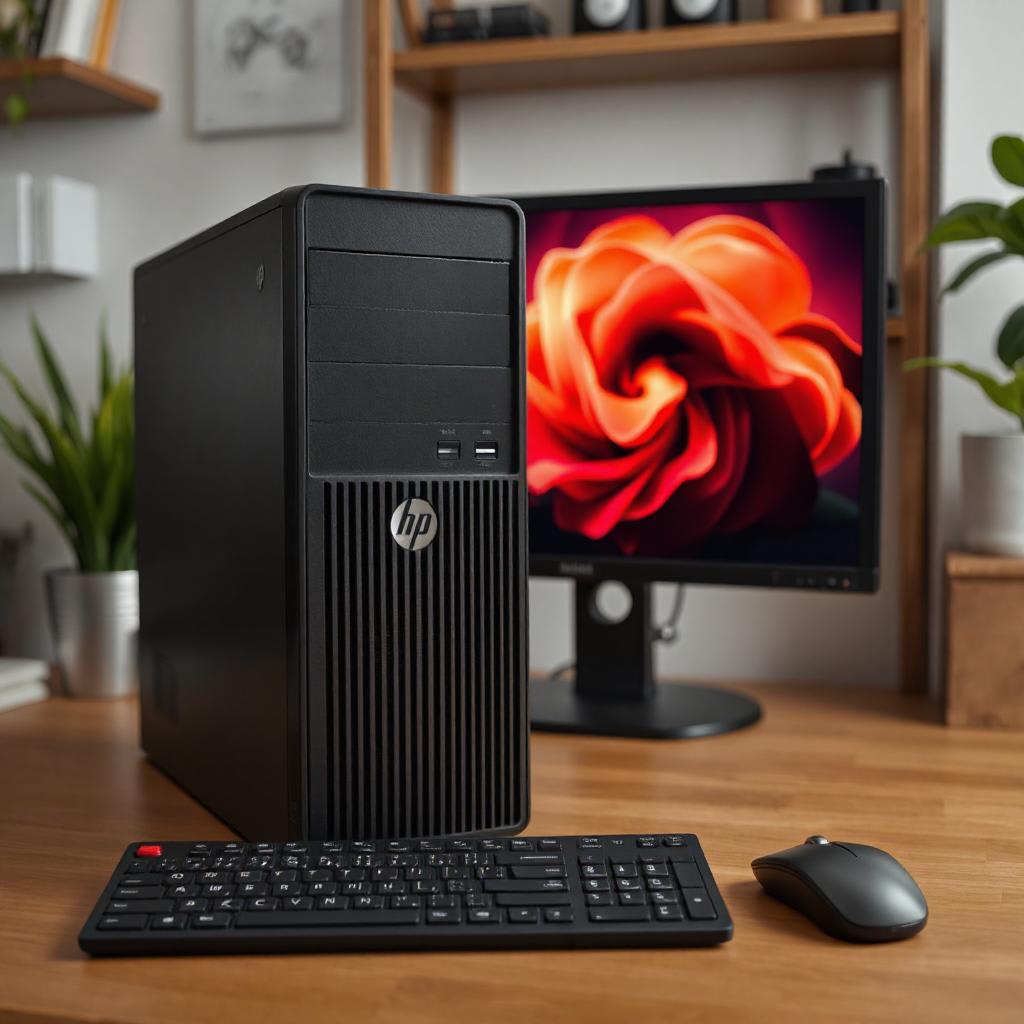
Introduction
Why Is a Tower Better Than a Laptop?
Laptops have undoubtedly become a symbol of convenience and mobility in the fast-paced digital world we live in today. Sleek designs, portability, and ease of use make them really at home with mobile users. However, if it has to do with raw power, performance, and long-term investment, then tower computers stand tall.
Why would anyone opt for a tower instead of a laptop when living in a world where portability means everything? Of course, there is more than meets the eye with the simple concept of carrying your computer around in a backpack. We dive deep into the roots of just why the tower is very often far superior to a laptop by focusing on the benefits that a tower would be able to provide and making an informed decision for any computing needs.
Don’t miss out on this incredible opportunity to elevate your computing experience!
The Tower Computer: A Powerhouse Standing the Test of Time
Before providing the key reasons, it would be prudent to understand what a tower computer really offers. A tower refers to the big, vertically-oriented case that houses the internal hardware of a desktop. Having found their places in homes and offices for over two decades, these computers have been known for great performance ability and expandability. While laptops are designed to be portable, towers are built for raw power, longevity, and to adapt to evolving user needs.
Why is the tower, in fact, better than the laptop? Let's break it down.
1. Unmatched Performance and Processing Power
When it comes to pure performance, tower computers are in a whole different league. Towers can have the capability of high-performance processors, extensive cooling systems, and high-end graphics cards that set them far apart from most laptops. With the added space and effective dissipation of heat, these computer towers can run the latest software and resource-heavy applications, including:
Video Editing and Rendering: The creatives working with large files and utilizing complex software appreciate a tower's CPU and GPU performance to keep rendering smooth and processing times faster. Gaming: Gamers prefer the tower computer for high-performance graphics cards, fast processors, and great cooling systems able to bear highly demanding AAA games without heating up or lagging.
Data Crunching and Scientific Computing: These applications either use very large-scale datasets or run simulations in most cases. A tower is built to churn through such resource-intensive work with ease.
Laptops, while good enough for most everyday tasks a person does, simply cannot keep up with the type of processing power one can receive with a tower. This is because a laptop's very small size limits component size and, in turn, its cooling potential.
Example:
Such a computer tower, fitted with a high-performance multi-core processor and a dedicated graphics card, will be able to render videos much quicker than an advanced laptop for a content creator working with 4K video projects. In such a way, one can create content more productively without fearing system slowdowns or overheating.
2. Better Customization and Upgradeability
One of the most significant selling points for tower computers is the immense amount of customization you can do to them. You can replace any singular component in a tower much easier, including the processor, graphics card, RAM, storage, and even cooling. In that respect, towers are future-proof, since you can keep performing upgrades over time as your needs dictate.
In contrast, laptops are nowhere as upgradeable. Of course, you might be able to change out the RAM or upgrade the storage, but most of the important components, such as the processor or GPU, are soldered into the motherboard and are not changeable. This means that once your laptop is no longer current, you'll probably need to replace the whole thing rather than upgrade the components.
Actionable Tip:
If you are the type of person who prefers freedom in upgrading your system throughout time, then a tower computer is wiser. It's smarter to invest in a tower because, with this, you could extend the life of your machine by simply upgrading components as needed, saving money in the long run.
3. Cooling and Thermal Management
The tower computers excel yet in one more area: cooling. Tower cases are large enough to house advanced cooling solutions-air coolers or liquid cooling systems-that will keep performance optimally even when high loads are applied. In a tower, space is ample inside the enclosure, allowing better airflow and hence reducing the risks of overheating-throttling that can badly dent performance.
However, due to compact size, laptops can coolest much more negligibly. Small fans on the laptop hardly serve for intensive work; hence, overheating and throttling occur when the CPU slows down to prevent damage. This is a particular problem for gamers, content creators, and people running resource-heavy applications.
Example:
Gamers running graphically intensive titles, like Cyberpunk 2077, find that the laptop overheats with some frame rate drops in longer stretches of gaming. The well-cooled tower will not find problems and will continuously provide smooth frame rates without any lag caused by increased temperatures.
4. Durability and Long life.
Towers are built to last. Their larger and heavier casings are more unlikely to suffer from any kind of physical damage; they are, therefore, more fit for the longer run. Also, because you can replace faulty parts in a tower rather easily, they tend to last even longer than laptops. On the contrary, the laptop device is highly susceptible to wear and tear brought about by its portability. Quite often, a cracked screen, a damaged keyboard, or a weakened battery results in extremely poor usability of the laptop.
Moreover, as partially highlighted above, towers can be continuously upgraded, further extending their functional life. Once the internal components of a laptop are outdated, often the only option is to replace the entire system.
Actionable Tip:
Want a machine to last longer, be more backward compatible, and stand up to the new breakthroughs in hardware and software? Opt for a tower. Just routine upgrading of vital components will make your tower relevant for years to come, while generally, laptops may become quite obsolete much faster.
5. More Value for Money
Although laptops have the advantage of portability, they usually tend to be more expensive with identical or lower performance compared to a tower. For towers, you get value for money spent, especially on high-performance computers. You can build a much better-spec'd tower with less than a high-end laptop price, and since it can be upgraded, you know for sure that the investment pays off in the long run.
While laptops may be cheaper to start off with, their limited upgradeability, combined with a much shorter life span, usually works out more expensive overall.
Actionable Tip:
Consider your long-term needs for computers. If you will be needing high performance for an extended time-say, three or four years-invest in a tower. You can upgrade parts as you go along, rather than buying a whole new system, which will save money over time.
Conclusion: Should You Go for a Tower?
While laptops have their greatest strengths in portability and ease, the most powerful tower computers are at the top when it comes to power, customization, durability, and value. If you are looking for a system that should be able to manage heavy usage and remain upgradable ad infinitum, then a tower computer is definitely the better choice. Towers are for those users who want performance and future-proofing, thus the immediate choice for gamers, content creators, and professionals alike who require their systems to deliver nothing but class-leading results.
Be it gaming, video editing, data crunching, or high-performance software, a tower offers the horsepower and flexibility no laptop can match.
Don’t miss out on this incredible opportunity to elevate your computing experience!
Frequently Asked Questions (FAQ)
1. Can I carry around a tower computer like a laptop?
While tower computers are larger and less portable than laptops, they can also be moved if need be. In fact, they really are designed to be stationary, though, and not that mobile at all.
2. Are tower computers better for gaming compared with laptops?
Yes, tower computers can work better for gaming, as they can contain higher-end graphics cards, advanced cooling systems, and powerful processors running demanding games without any problem in performance.
3. Can components in a tower computer be upgraded over time?
Of course! A tower computer is quite customizable; therefore, you can upgrade the CPU, GPU, RAM, storage, and so on, which makes them a better investment with time.
4. Do tower computers consume more power when compared to a laptop?
Yes, they do, as tower computers are much larger in size and are fitted with higher-performance components. In return for that, though, one does have considerably better performance and reliability.
This article contains affiliate links, if you make a purchase I may make a small commission.
About the Creator
Karl Jackson
My name is Karl Jackson and I am a marketing professional. In my free time, I enjoy spending time doing something creative and fulfilling. I particularly enjoy painting and find it to be a great way to de-stress and express myself.
Keep reading
More stories from Karl Jackson and writers in Families and other communities.
Should You Put a Rug in Front of the Toilet?
Introduction When it comes to house decorating, the bathroom seems to get left out often. We take our time styling the living room, bedrooms; but a bathroom? It usually doesn't get the same attention. More common debates when it comes to bathroom design are whether or not it is acceptable to put a rug in front of the toilet. On one hand, rugs add warmth, style, and coziness, while on the other hand, they raise hygiene and maintenance issues.
By Karl Jacksonabout a year ago in Families
Punch the Macaque: The Baby Monkey Who Found Comfort in a Plush Friend
Today we look back at one of the most unexpected viral stories of 2025—a tale that began quietly in a zoo in Japan and grew into a global symbol of resilience and tenderness. It is the story of Punch, a Japanese macaque born in July 2025 at Ichikawa City Zoo in Chiba Prefecture. His life began with hardship, but what followed has touched millions across the world.
By Haroon Pasha5 days ago in Families




Comments
There are no comments for this story
Be the first to respond and start the conversation.