
How to See WhatsApp Deleted Messages by Sender — A Responsible Guide for Parents
Learn safe, practical methods parents can use to recover or view messages a child deleted on WhatsApp. Focus on consent, privacy, and legal options—so you protect your child without crossing ethical lines.

Introduction — Understanding What’s Possible
Every parent wants to keep their child safe online. One common concern is when a message on WhatsApp gets deleted before it’s read — especially if it’s from an unknown sender. This guide explains how to see WhatsApp deleted messages by sender using safe, legitimate methods. It’s written for parents who want to understand how these tools and techniques work — responsibly and ethically.
Why Parents Might Want to Recover Deleted Messages
Children and teens often chat freely on WhatsApp, but not all conversations are healthy. A deleted message might hide bullying, inappropriate sharing, or manipulation. Knowing how to view or recover deleted messages can help parents identify problems early — but the goal should always be protection, not punishment.
Use these methods only when you genuinely believe your child’s well-being or safety may be at risk.
A Quick Note on Privacy and Ethics
Before you begin, remember: reading or recovering deleted messages without consent can raise ethical and legal issues. Parents or guardians should only access a child’s WhatsApp account if it’s for supervision and safety. Transparency and open communication with your child are always preferable to secret monitoring.
How WhatsApp Message Deletion Works
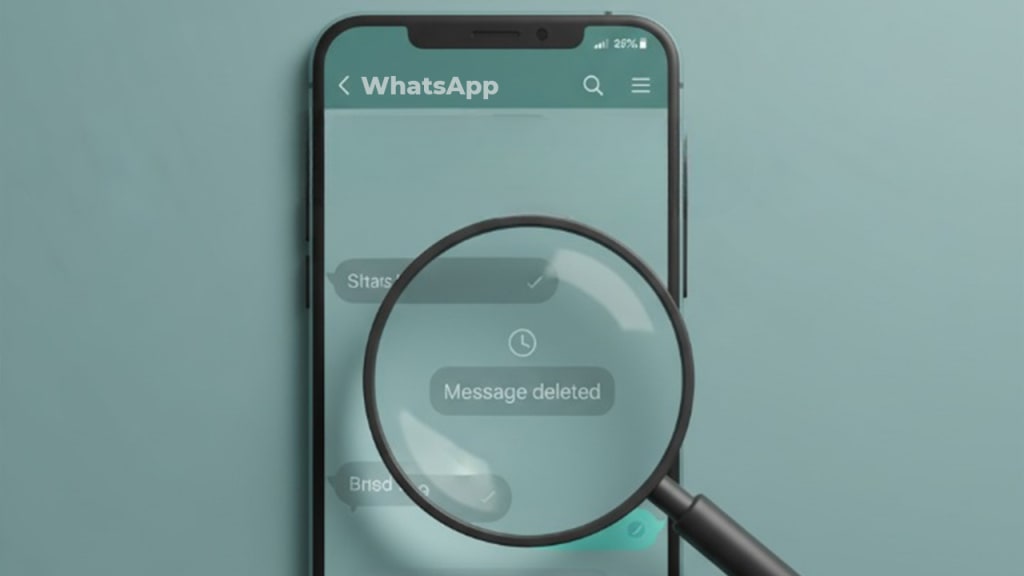
When someone deletes a message “for everyone,” the text is removed from both sender and receiver chats, replaced by “This message was deleted.”
However, certain traces — like notification previews, chat backups, or message logs — can sometimes retain the content temporarily. Understanding this system helps parents use safe recovery options without risking privacy or data damage.
Method 1: Check Notification History
Many Android phones keep a log of message notifications — even if the message is later deleted.
Steps:
- Go to Settings → Notifications → Advanced settings → Notification history.
- Turn on the feature if it’s off.
- Once active, new incoming message previews may remain in the log, even after being deleted in WhatsApp.
- Parents can review this list to read part of the deleted message safely.
Note: This feature only works if notifications were shown before deletion, and it may not exist on every device model.
Method 2: Restore from a Recent Backup
WhatsApp automatically saves chat backups (daily or weekly) depending on settings. If a message was deleted after the last backup, you might retrieve it by restoring that version.
Steps:
- Check your last backup date under Settings → Chats → Chat backup.
- Uninstall WhatsApp and reinstall it.
- During setup, select Restore backup.
- After restoration, messages that existed in the previous backup will reappear — including those since deleted by the sender.
Keep in mind that this method may remove newer messages and should be done carefully.
Method 3: Use Notification Previews or Widgets
You can enable message previews on the lock screen or use a home screen widget to read incoming messages. These previews sometimes display deleted texts until the screen refreshes.
Parents can use this method passively — it’s non-intrusive and helps observe chats in real-time without invading privacy.
Method 4: Observe with Screen Recording or Activity Monitoring
For ongoing communication concerns, you can enable built-in screen recording while your child is chatting (after discussing it with them).
This approach creates a visible record without needing technical recovery. It’s best used when both parent and child agree on temporary digital supervision.
Using Third-Party Tools
There are general WhatsApp tracker and notification-logging apps that claim to recover deleted messages or save incoming chat data. Some of them work by storing notifications in real time. However, parents should exercise caution — avoid any tool that asks for account passwords, requests full data access, or lacks a privacy policy. Choose only verified, reputable apps and use them with transparency, ensuring the goal is safety, not surveillance.
Checklist Before You Try Any Method
- Ask yourself: Is this necessary, or can I simply talk to my child?
- Backup first: Always create a backup before restoring or exploring device settings.
- Know the law: Parental monitoring is acceptable when done for minors’ safety, but hacking is not.
- Communicate: Let your child know you’re checking messages for protection, not control.
How to Talk to Your Child About Deleted Messages
Open conversation builds trust better than silent tracking.
You can start by saying:
“I noticed some messages were deleted, and I’m worried you might be uncomfortable sharing them. I just want to make sure you’re safe — can we talk about it together?”
This helps children feel supported rather than accused.
Troubleshooting Common Issues
- Notification history not showing: Your device may not support this feature.
- Backup restore failed: Ensure the same phone number and Google/Apple account are used.
- Message not recovered: It may have been deleted before the backup or log was created — no tool can retrieve messages that were never stored anywhere.
Privacy & Security Going Forward
Encourage your child to:
- Use privacy settings wisely.
- Report unknown senders.
- Avoid sharing personal photos or links.
- Keep backups encrypted.
As a parent, model responsible phone use and discuss what healthy digital communication looks like.
When to Involve Others
If deleted messages reveal bullying, blackmail, or inappropriate contact, don’t handle it alone. Contact your child’s school counselor, local support groups, or cybercrime authorities if needed. Early intervention often prevents long-term harm.
Frequently Asked Questions
Can I recover all deleted messages?
Not always — only those stored in backups or visible through notification logs.
Is this legal?
Parents can monitor a minor’s device responsibly, but accessing someone else’s account is not legal.
Will my child know?
Restoring backups or enabling logs may not be visible, but it’s best to stay open about your actions.
Conclusion — Be a Responsible Digital Guardian
Technology offers ways to see deleted WhatsApp messages, but the real goal is safety and communication. Use these steps carefully, respect your child’s privacy, and keep discussions open.
Protecting children online works best when technology and trust go hand in hand.
About the Creator
J. Hanry
Hanry James is an experienced analyst and content writer with over 8 years of experience. He has contributed to several leading publications in renowned tech summits such as TechWorld Expo, Global Digital Forum, and FutureTech Summit.
Wise~Guys
— Look Behind what's in Front of You ~ Make Good Choices — Hey, So how you Doin'..! Made~Men — Mobster Movies romanticise a distinctive, elegant appearance, impeccable attire style, along with the 'Families' expressive lingo. Making their 'Bones' gave them Panache — with vintage fedoras, tailored pin-striped suits, mirror-polished wing-tip shoes adorned with tassels; with their 'Gun Moll' gorgeous dates on their arms.
By Jay Kantor17 days ago in Families
Buddha's Inner Peace
In a world that never stops moving, the image of Buddha sitting in perfect stillness beneath the Bodhi tree offers something we desperately need: a reminder that true peace exists not outside ourselves, but within. The story of Buddha's enlightenment isn't just an ancient tale—it's a roadmap to discovering the profound calm that lies dormant in each of us.
By Susmit Bhowmik4 days ago in Families
Wild Card Weekend Recap: What Happens Now?
I think I figured out why I love Wild Card Weekend so much. It's because it's the first playoff anything of the calendar year. The NFL season starts in the fall, and once upon a time, the champion was crowned either on or slightly before New Year's. The evolution of the NFL schedule has resulted in the playoffs starting just into the New Year, and currently, the final week of the season falls on the first weekend of the New Year, with Wild Card Weekend coming a week after that. So yes, chronologically, the NFL's Wild Card Weekend serves as the first playoff anything of the calendar year.
By Clyde E. Dawkins5 days ago in Unbalanced




Comments
There are no comments for this story
Be the first to respond and start the conversation.