
How to See Someone’s Facebook Activity: A Practical Guide for Concerned Parents
A Parent’s Step-by-Step Guide to Understanding and Monitoring Facebook Activity Safely
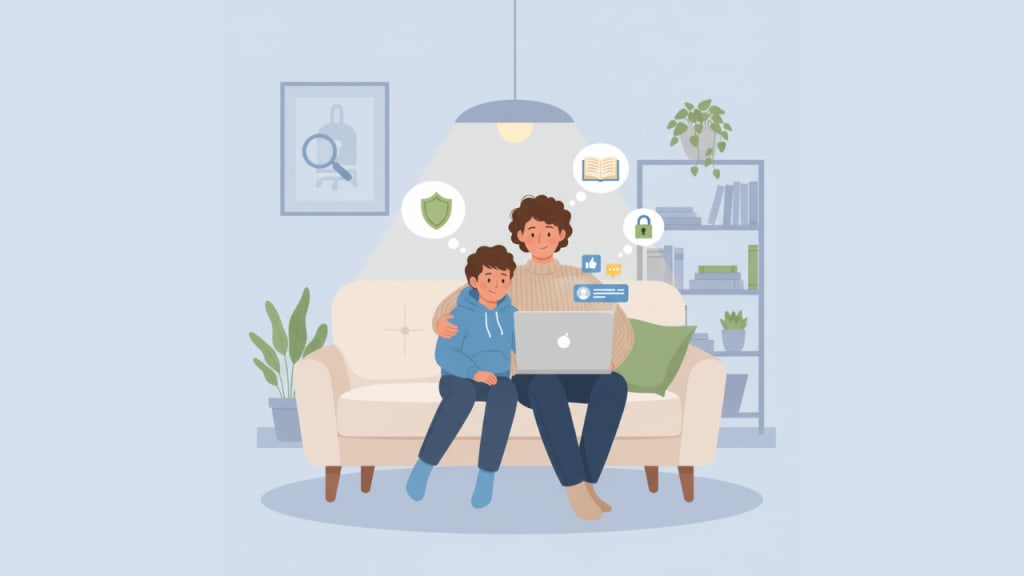
Keeping your child safe online has become just as important as keeping them safe in the real world. With so much happening behind screens, parents often need practical ways to understand what their kids are doing on social media—especially on Facebook. This guide walks you through simple, responsible methods to check online activity while encouraging trust and healthier digital habits.
Why Parents Monitor Online Activity
Kids today connect, chat, and share more openly than ever before. While this helps them learn and socialize, it also exposes them to risks like strangers, bullying, or inappropriate content. Monitoring your child’s Facebook activity isn’t about invading privacy—it’s about ensuring they interact safely and make responsible choices online.
What “Facebook Activity” Actually Includes
Understanding what you’re looking for makes monitoring easier. A child’s Facebook activity can include:
- Posts they share publicly
- Reactions and comments on others’ posts
- Updates to their profile or friends list
- Photos or tagged content
- Groups they join
- Public conversations
Most of these interactions leave visible traces that parents can review without any technical expertise.
How to Manually Review Public Activity on Facebook
Facebook shows a lot of information publicly by default—unless your child has changed their settings. You can check several things manually:
Step-by-step guide
- Visit their profile and look at the “Posts” section for anything that’s visible publicly.
- Scroll to the “Likes” or “Reactions” tab if available to see what kind of posts they interact with.
- Look at Comments on public posts to understand who they engage with.
- Check the Friends list (if not hidden) to see if they are adding unknown people.
- Review Photos and tagged pictures to monitor shared content.
These steps help you spot patterns—such as unusual content, interactions with strangers, or posts that seem unsafe.
Adjusting Privacy Settings for Better Control
Before trying any tool, start with Facebook’s built-in privacy features. You can help your child:
- Limit who can view their posts
- Restrict who can send friend requests
- Hide their friends list
- Turn off public tagging
- Review posts they’re tagged in before they appear on their profile
A well-configured account reduces risks and makes their online presence safer from the start.
Using a Facebook Tracking App for Better Visibility
If you feel manual checking isn’t enough, parents sometimes rely on a Facebook tracking app for deeper insight. These apps can show detailed activity such as messages, interactions, time spent online, and more— depending on the child’s device permissions. They often provide a secure dashboard where parents can review updates in one place. Such tools give parents more clarity, especially for younger children who may not recognize unsafe online behavior on their own.
Talk to Your Child About Online Behavior
Monitoring is most effective when paired with open communication. Sit with your child and explain:
- Why online safety matters
- Which behaviors are risky
- Why you want to stay aware of their activity
- How you can work together to improve digital habits
This helps build trust and reduces conflict or secrecy.
Red Flags Parents Should Watch For
While reviewing activity, look out for signs such as:
- Sudden connection with strangers
- Secretive online behavior
- Frequent messaging late at night
- Inappropriate posts or reactions
- New “friends” with no mutual connections
- Withdrawal or mood changes after using social media
These may indicate your child is dealing with something they can’t manage alone.
When to Step In
If you notice concerning behavior—such as contact from unknown adults, bullying, or unsafe posts—intervene calmly. Guide your child gently, set boundaries, and if necessary, involve a trusted teacher, counselor, or guardian.
Final Thoughts: Building a Safer Digital Space
Parental involvement doesn’t mean controlling every click—it means staying informed and supporting your child’s growth. By using simple monitoring steps, understanding online interactions, and talking openly, you can create a safer and healthier digital environment for your child.
About the Creator
Keep reading
More stories from Ahmad Hassan and writers in Families and other communities.
How to Get Back Deleted Messages on Instagram
As a parent, it can be worrying when your child suddenly deletes important conversations on Instagram. Whether you're trying to understand a situation, keep them safe, or stay informed, recovering deleted messages can feel confusing. The good news is that there are several practical ways to retrieve missing chats or at least understand what happened. This guide walks you through simple, parent-friendly steps to help you get those deleted messages back.
By Ahmad Hassan4 months ago in Families




Comments
There are no comments for this story
Be the first to respond and start the conversation.