
How to Monitor Your Child’s Facebook Login Locations
A Simple Parent’s Guide to Checking Login Activity and Keeping Your Child Safe Online
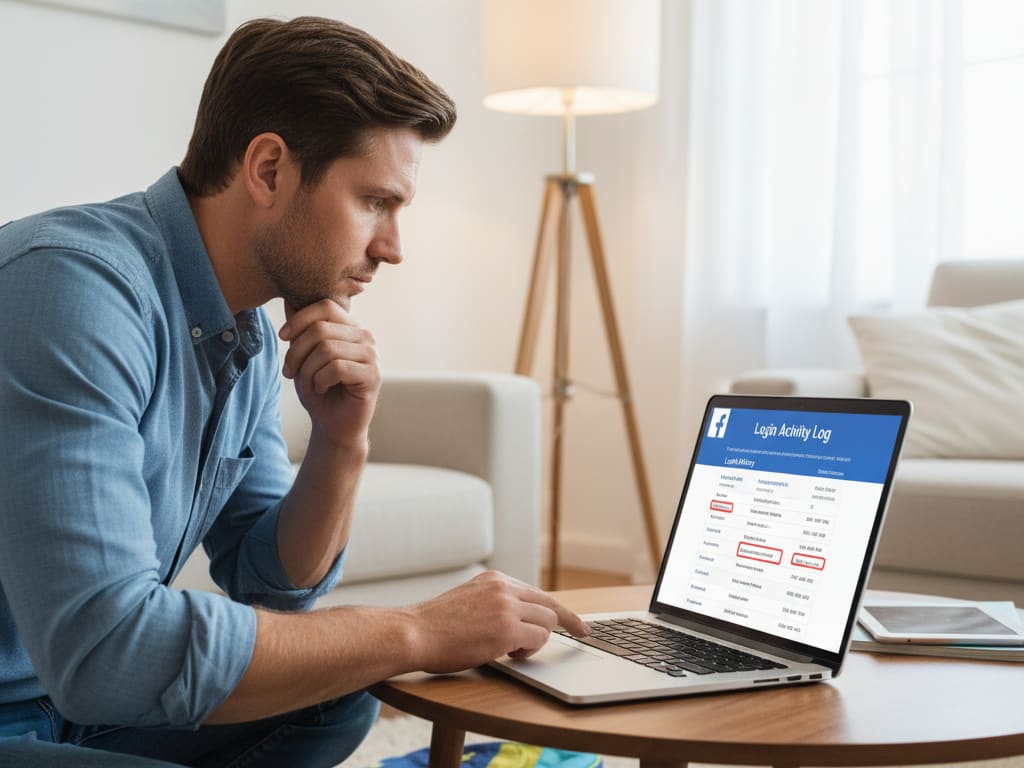
Keeping children safe online has become a major responsibility for parents, especially as social media platforms are used daily for communication, learning, and entertainment. One important safety step parents often overlook is checking where a child’s Facebook account has recently been logged in from. This information helps parents spot unusual activity early and understand whether someone else may be accessing the account without permission. In this guide, you’ll learn how to monitor login locations step-by-step, what red flags to notice, and how a simple Facebook tracking app can add an extra layer of protection.
Why Monitoring Login Locations Is Important
Kids often use Facebook on multiple devices—phones, tablets, or shared computers. While this is normal, it can also increase the risk of unauthorized access. Someone could log in without your child knowing, or your child may accidentally stay signed in on a school or public device. Monitoring login locations gives parents insight into where the account is being used and helps detect any unfamiliar activity before it becomes a bigger problem.
How to Use Facebook’s Built-In Security Tools
Facebook offers a built-in feature that allows users to check where their account is currently logged in. Parents can easily guide their children through this feature and use it as a teaching moment about online safety.
To access it:
- Open Facebook and go to Settings & Privacy.
- Tap Security and Login.
- Scroll to Where You're Logged In.
- Review all active sessions, including device type, time, and location.
This list helps parents identify whether the account is being accessed from unexpected places, such as another city, a strange device, or an unknown browser.
Step-by-Step Guide to Checking Login Locations
Here’s how parents can walk their children through the process safely:
- Open their Facebook settings on the child’s phone or laptop.
- Navigate to the login security section, where Facebook displays all active sessions.
- Look closely at the location and device details. Even if the city seems slightly different, this may simply be due to internet routing.
- Check the timestamps to see when the access occurred.
- Log out of any unfamiliar sessions by clicking “Log Out of All Sessions” or selecting specific ones.
Encourage your child to let you know if they ever receive login alerts on their phone or email. These alerts often appear when Facebook notices a new device or location.
What to Do If You See a Suspicious Login Location
If something doesn’t look right—such as a login from another country or a device your child doesn't use—act quickly:
- Change the password immediately and make sure it’s a strong one.
- Turn on two-factor authentication so every login requires a security code.
- Log out of all devices to ensure no one remains signed in.
- Review recent messages and activities to check if anything unusual happened during the unauthorized session.
- Have an open discussion with your child about safe account habits and why they should not share passwords with friends.
Using a Facebook Tracking App for Extra Monitoring
Parents who want consistent oversight often use a Facebook tracking app to keep an eye on login activity from one dashboard. Such apps typically allow parents to view login locations, device types, and active sessions more clearly. They can also offer additional insights such as time spent on the platform or messaging patterns, which helps parents understand the child’s digital behavior without interfering with their privacy. These tools are especially useful when parents want real-time updates or need to track login details that built-in features may not display frequently.
Teaching Children About Online Safety
Monitoring alone is not enough. Children must learn the basics of digital safety so they can protect themselves:
- Remind them never to share passwords—not even with close friends.
- Teach them how to recognize phishing links and fake login pages.
- Encourage them to log out when using shared devices.
- Explain the importance of reporting strange login alerts immediately.
When children understand why safety matters, they become more responsible and confident online.
When to Seek Help
If you repeatedly notice unusual login locations, even after changing passwords, it may be time to seek help. Contact Facebook’s support system to report suspicious activity, or consult a tech expert if you suspect malware on your child’s device.
Final Thoughts
Monitoring Facebook login locations is a simple yet powerful way to strengthen your child’s online safety. By reviewing login sessions, communicating openly, and using a reliable Facebook tracking app when needed, parents can create a safer online environment without invading the child’s personal space. Consistent attention to these details helps ensure that your child’s digital experience remains secure, positive, and guided by healthy boundaries.
About the Creator
Keep reading
More stories from Ahmad Hassan and writers in Families and other communities.
How to Retrieve Deleted Messages on Snapchat: A Parent’s Step-by-Step Guide
Snapchat is one of the most popular messaging platforms among teens because of its fun filters, quick chatting style, and, of course, disappearing messages. While this creates a sense of privacy for young users, it can also leave parents worried—especially when messages vanish before anyone can review them. If you’re a parent trying to understand what your child has been discussing on Snapchat, this guide will walk you through how deleted messages work, what you can realistically recover, and the safest ways to monitor future conversations.
By Ahmad Hassanabout a month ago in Families
Wise~Guys
— Look Behind what's in Front of You ~ Make Good Choices — Hey, So how you Doin'..! Made~Men — Mobster Movies romanticise a distinctive, elegant appearance, impeccable attire style, along with the 'Families' expressive lingo. Making their 'Bones' gave them Panache — with vintage fedoras, tailored pin-striped suits, mirror-polished wing-tip shoes adorned with tassels; with their 'Gun Moll' gorgeous dates on their arms.
By Jay Kantor19 days ago in Families
Becoming a sleeve snake
The Treacherous Minister A long time ago, in the land of Greece, there was a wise and just king who ruled his kingdom with fairness. The king trusted all of his ministers and often consulted them on matters of governance. Among all his ministers, there was one whom the king favored above the others—a man named Faisal. The king valued Faisal’s advice and often sought his counsel for important decisions.
By Sudais Zakwan6 days ago in Families



Comments
There are no comments for this story
Be the first to respond and start the conversation.