
How to Choose the Right Indoor Smart Security Camera for Your Home
Choosing the Right Indoor Smart Security Camera for Your Home
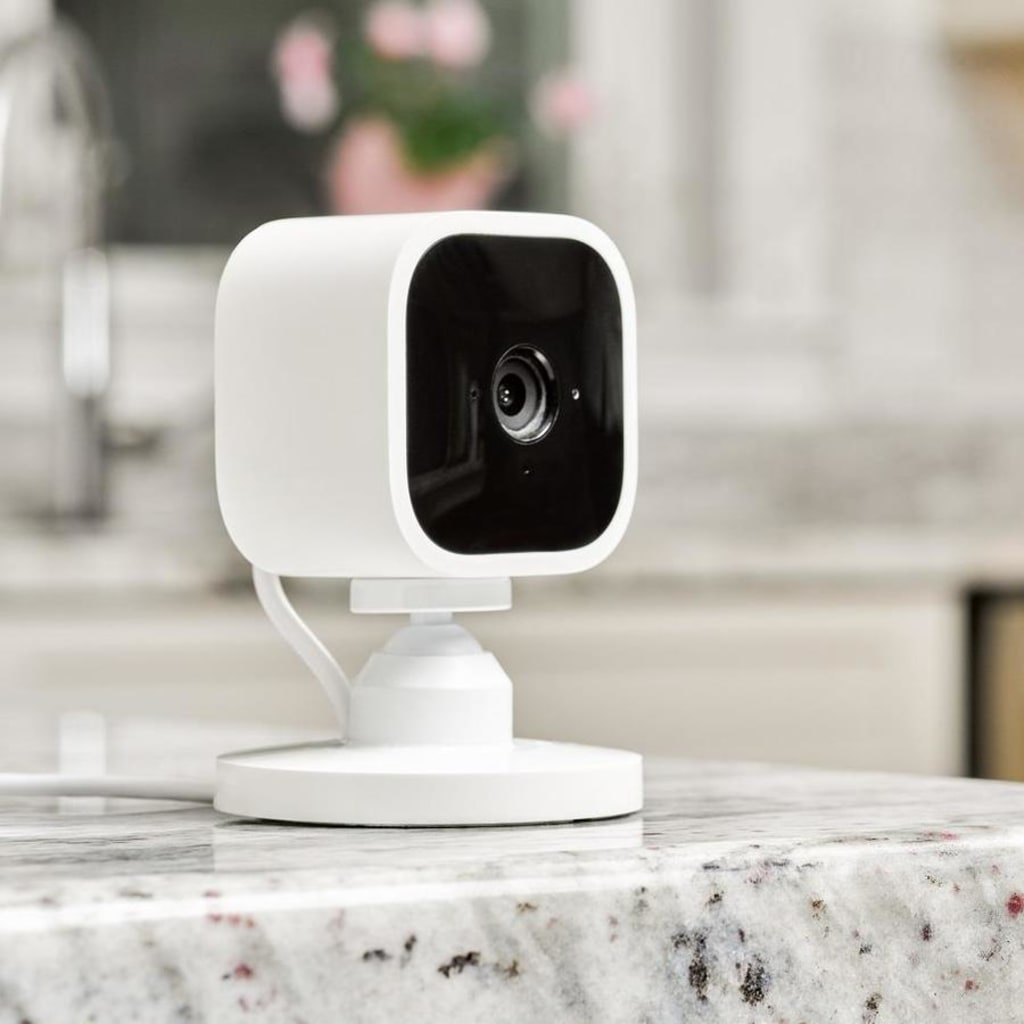
When it comes to security, your home is your castle. Installing an indoor smart security camera is one of the best ways to ensure you and your family stay safe and secure. With the wide range of camera and electronics options available, it can be hard to know which one is right for your home. In this blog post, we'll discuss the different features you should consider when choosing an indoor plug-in smart security camera for your home.
Consider your specific needs!
When it comes to selecting an indoor plug-in smart security camera for your home, the first step is to consider your specific needs. What kind of coverage are you looking for? Do you need night vision capabilities? Are you trying to monitor a single room, or a wide area? Do you need cloud storage and/or local storage? Knowing your needs will help you narrow down your options and determine which camera is right for you.
What kind of coverage do you need? Will the camera be used to monitor one single room, or will it be used to survey a larger area? Depending on your particular needs, you may want to opt for a camera with a wider field of view. This will enable the camera to capture more area, making it easier to monitor your home.
Do you need night vision capabilities? Some cameras come with built-in infrared LEDs that allow for night vision recording. This is particularly useful if you want to monitor your home when it's dark outside.
Do you need cloud storage and/or local storage? If you want to access your recordings from anywhere in the world, then a camera with cloud storage is probably your best bet. However, if you prefer to keep the recordings locally, you may want to opt for a camera with local storage capabilities.
Once you've considered your specific needs, it's time to start doing your research.
Do your research!
When you're looking to purchase an indoor smart security camera, the best thing you can do is to do your research. Make sure that you understand exactly what type of security camera you need. Read reviews and check out online forums and social media accounts to get an idea of the pros and cons of different types of cameras. This can help you decide which features are most important to you when choosing a camera.
You'll also want to think about the size and shape of the camera. You'll need to consider whether the camera needs to fit into a certain space or have certain features, such as being weatherproof or having night vision. If there are any technical specifications that you need for the camera, such as video resolution or a certain type of lens, make sure you check those out too.
Finally, consider the company that makes the camera. Do they have a good reputation? What kind of customer service do they provide? Are there any warranties or guarantees with their products? All these questions can help you determine if the camera is right for you.
Compare features!
When looking for the right indoor smart security camera for your home, you want to make sure that it offers the features that best suit your needs. To compare the features of each camera, you'll want to take note of several key elements.
First, consider the type of coverage the camera provides. Does it provide a wide-angle view, or does it have adjustable focus? Some cameras offer night vision and motion sensing capabilities, which can be helpful in low light or high traffic areas. Additionally, think about how far away the camera can detect motion, as this will help determine its range.
Second, consider what kind of storage options the camera has. Many models offer cloud storage, while others require physical memory cards or external hard drives. You'll also want to find out what kind of image resolution the camera offers, as well as if there are any additional features like two-way audio or facial recognition.
Finally, take a look at the pricing of each camera. Consider if there are any setup costs associated with the device, or if there are any fees for additional services like cloud storage or subscription plans. Doing your research and comparing features will help you find the right indoor smart security camera for your home.
Set a budget!
Once you've done your research and have an idea of what features you need in an indoor smart security camera, the next step is to set a budget. Security cameras can range from very affordable to quite expensive, depending on the quality and features you're looking for.
If you're looking for a basic camera that records video and audio, you'll likely find one in your price range. However, if you want a more advanced system with multiple cameras, facial recognition, or a night vision feature, you may have to spend a bit more.
Take some time to figure out how much you are comfortable spending on your security camera. This will help narrow down your choices and make it easier to select the right one for your needs. Additionally, if you're able to purchase extra accessories such as memory cards, extra batteries, and mounts, do that prior to installation so you don't have to worry about them later. You'll also want to double-check to see if there are any additional fees involved when purchasing a security camera. Some companies may require you to pay a subscription fee to access cloud storage where all recorded footage is stored. Also be sure to check the return policy before making a purchase; this way, you know exactly what you're getting into and don't get stuck with a product that doesn't fit your home's security needs. Lastly, consider reading reviews online before making a final decision; this way, you can get an honest opinion about the performance of various products and determine which one works best for you.
To Get the Best Indoor Camera for The Best Price Click here.
About the Creator
Keep reading
More stories from yemie odunsi and writers in Families and other communities.
Wise~Guys
— Look Behind what's in Front of You ~ Make Good Choices — Hey, So how you Doin'..! Made~Men — Mobster Movies romanticise a distinctive, elegant appearance, impeccable attire style, along with the 'Families' expressive lingo. Making their 'Bones' gave them Panache — with vintage fedoras, tailored pin-striped suits, mirror-polished wing-tip shoes adorned with tassels; with their 'Gun Moll' gorgeous dates on their arms.
By Jay Kantor17 days ago in Families
Wild Card Weekend Recap: What Happens Now?
I think I figured out why I love Wild Card Weekend so much. It's because it's the first playoff anything of the calendar year. The NFL season starts in the fall, and once upon a time, the champion was crowned either on or slightly before New Year's. The evolution of the NFL schedule has resulted in the playoffs starting just into the New Year, and currently, the final week of the season falls on the first weekend of the New Year, with Wild Card Weekend coming a week after that. So yes, chronologically, the NFL's Wild Card Weekend serves as the first playoff anything of the calendar year.
By Clyde E. Dawkins5 days ago in Unbalanced




Comments
There are no comments for this story
Be the first to respond and start the conversation.