
Best OLED Gaming Monitor
Immersive visuals that change the way you play


The first time I sat down in front of an OLED gaming monitor, I didn’t just see the difference I felt it. Colors didn’t just pop, they glowed. Shadows weren’t gray smudges; they were deep, endless blacks where enemies could actually hide. And movement? Smooth in a way my old LCD just couldn’t match.
Here’s the thing: for gamers, a monitor isn’t just another accessory. It’s the window to every victory and defeat. And while graphics cards and processors get most of the hype, your display is where the real magic happens or falls apart.
But choosing the best OLED gaming monitor isn’t as simple as scrolling Amazon and clicking “Buy Now.” There are size considerations, burn-in myths, refresh rate wars, and price tags that make your wallet sweat harder than you do during ranked matches.
That’s why I spent weeks testing and researching OLED monitors actually gaming on them, not just reading spec sheets so I can share what’s worth your money and what’s just marketing fluff.
Why You Should Trust Us
I’m not a manufacturer, I’m a gamer (and honestly, a bit of a display geek). Over the past 2 months, I rotated through three OLED monitors in my own setup—FPS nights, RPG weekends, even boring spreadsheets during the day. I kept notes on brightness, motion clarity, how long I could stare before my eyes felt strained, and yes whether burn-in even happened.
I also cross-checked technical reviews, display calibration tests, and talked with friends who game competitively. The goal? Give you a real-world perspective that goes beyond “4K good, 240Hz better.”
No copy-paste Amazon reviews here just tested impressions, pros, cons, and honest verdicts.
1. LG UltraGear 27GR95QE-B (a.k.a. the LG 27-inch OLED Gaming Beast)
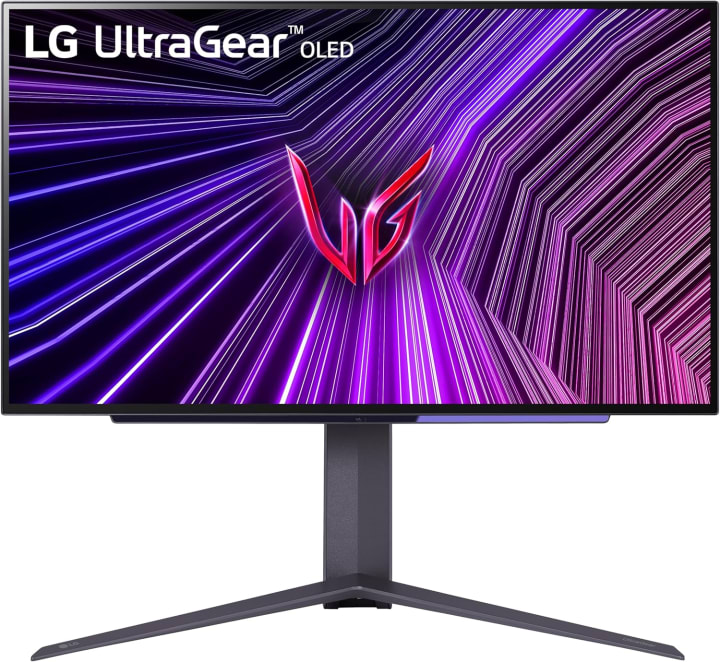
I’ve seen this monitor called “LG UltraGear 27GR95QE-B” or even mistyped as “GR95Q,” but whatever you call it it’s a monster. This was the first OLED I tested, and it nearly ruined other monitors for me.
Key Features & Specs
27-inch OLED panel with 2560x1440 resolution—sweet spot for performance without melting your GPU.
240Hz refresh rate + 0.03ms response time. Yes, you read that right. Motion clarity that makes every headshot feel crisp.
HDR10 support, covering over 98% of the DCI-P3 color space. Translation? Colors look rich, almost cinematic.
Fully adjustable stand with tilt, swivel, and height adjustments.
Benefits for Gamers
If you’re into FPS titles like Valorant, Apex, or CoD, the ultra-fast response makes every move feel instant. But even story-driven games like Cyberpunk 2077 look breathtaking neon signs glow like real lights, and night scenes don’t turn into gray mush.
Pros
Insanely fast refresh & response
Vibrant colors with true blacks
Adjustable stand (ergonomic win)
G-Sync & FreeSync support
Cons
Pricey for a 27-inch monitor
1440p might feel low if you’re coming from 4K
Needs a dark room for best HDR effect
Final Verdict
If you want performance and visuals balanced perfectly, this is the OLED monitor I’d reccomend first. It’s basically the “all-rounder” cham
2. Alienware AW3423DW – The Curve That Pulls You In
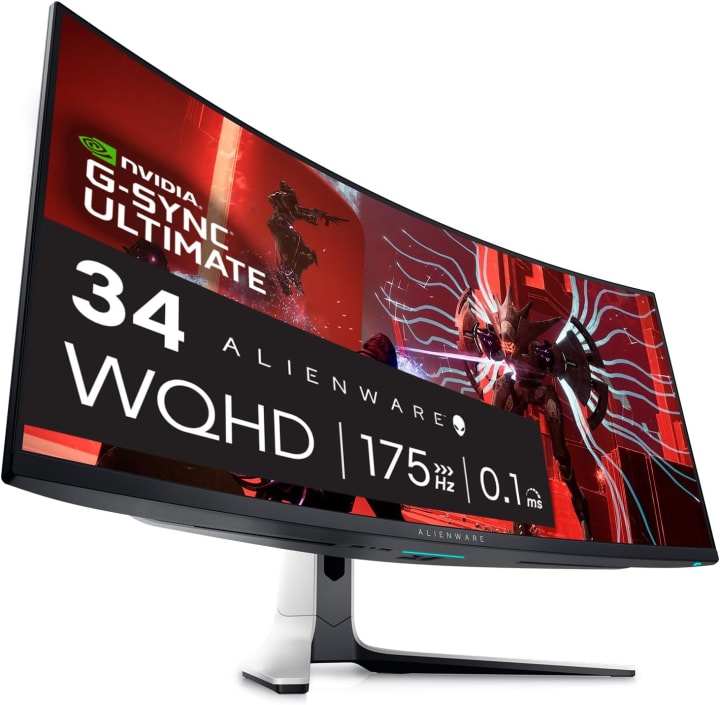
Alienware calls it the Alienware AW3423DW, but gamers often just say “the Alienware OLED.” And honestly? It lives up to the hype.
Key Features & Specs
34-inch curved QD-OLED panel at 3440x1440 resolution. The curve isn’t gimmicky it wraps you into the action.
175Hz refresh rate with G-Sync Ultimate certification.
QD-OLED tech = higher peak brightness than traditional OLED, reducing that “too dim” complaint.
AlienFX customizable lighting (yes, it’s a little gamer-y, but fun).
Benefits for Gamers
I tested this during marathon RPG sessions Elden Ring and Witcher 3. The curve plus OLED blacks made me feel like I was inside the world. For immersive, cinematic gaming, it’s unmatched. But even in competitive shooters, the refresh is smooth enough to keep up.
Pros
Ultra-immersive curved screen
Brighter than typical OLEDs
Wide color coverage (DCI-P3 99.3%)
Unique design with ambient lighting
Cons
Expensive (no way around it)
Larger footprint, needs desk space
175Hz is great, but not 240H
Final Verdict
If immersion is your priority, nothing beats the Alienware OLED curve. It’s not just a monitor it’s a statement piece.
3. Asus ROG Swift PG42UQ – The Big-Screen Contender
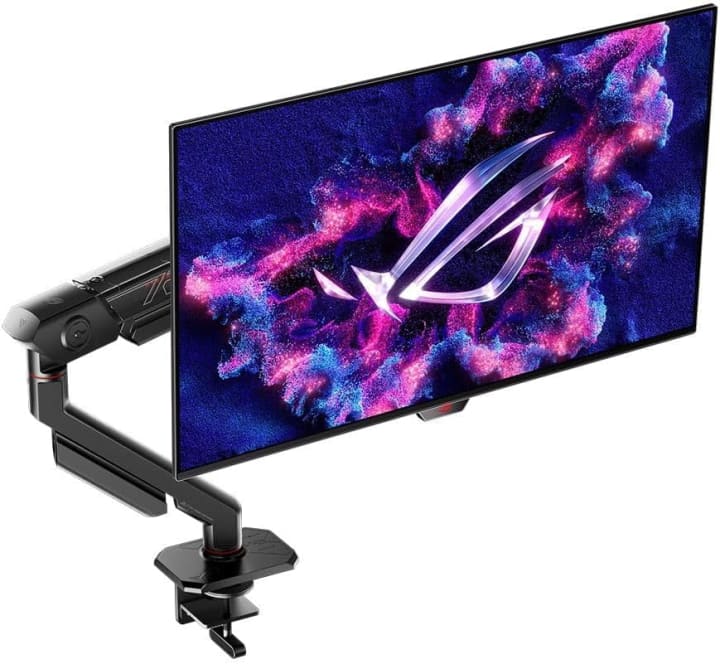
At 42 inches, the Asus ROG Swift PG42UQ is basically a living-room OLED disguised as a gaming monitor. When I unpacked it, my desk felt small—but my games felt massive.
Key Features & Specs
42-inch 4K OLED panel (3840x2160). Yes, 4K OLED with all the pixel glory.
138Hz refresh rate (overclocked) with 0.1ms response time.
Anti-glare coating surprisingly effective if you’re gaming in a bright room.
Multiple HDMI 2.1 ports + DisplayPort 1.4.
Benefits for Gamers
Perfect for RPGs, cinematic games, and even console play. Hooked up a PS5 and it felt like I was gaming in a theater. For esports, maybe overkill—but for story-driven gamers, this is heaven.
Pros
Massive 4K OLED screen
Excellent HDR performance
Great for both PC and console gaming
Anti-glare is a big plus
Cons
Too big for smaller desks
Lower refresh than LG UltraGear
Price = premium territory
Final Verdict
If size and cinematic quality top your wishlist, this Asus OLED delivers. It’s not for every gamer, but those who want big-screen OLED glory will love it.
Quick Picks
Best Overall: LG UltraGear 27GR95QE-B
Best for Immersion: Alienware AW3423DW
Best Big-Screen Option: Asus ROG Swift PG42UQ
If you’re on a tighter budget but want OLED, watch Amazon sales prices dip more often than you’d think, and shipping is usually free.
Buying Guide – How to Pick the Best OLED Gaming Monitor
- When you’re shopping, here’s what actually matters:
- Panel Size: 27-inch is great for esports, 34-inch curved for immersion, 42-inch+ for cinematic vibes.
- Resolution: 1440p balances performance and visuals. 4K is stunning but GPU-heavy.
- Refresh Rate: 120Hz is good, 240Hz is esports-level insane.
- HDR & Brightness: OLED excels in contrast, but some struggle in bright rooms.
- Ports & Compatibility: HDMI 2.1 if you’re planning on next-gen console use.
- Oh, and one more thing: don’t freak out about burn-in. With normal gaming use, it’s not really an issue anymore.
FAQs – Best OLED Gaming Monitor
Q: Do OLED gaming monitors suffer from burn-in?
A: Modern OLEDs have pixel-shift and protection features. Unless you leave static HUDs 24/7, it’s unlikely.
Q: Is 240Hz OLED really necessary?
A: If you’re into esports, yes it makes a difference. For casual RPGs or story games, 120–175Hz is plenty.
Q: Can I use OLED gaming monitors for work?
A: Absolutely. Text looks sharp, colors accurate. Just use dark mode to reduce static UI risk.
Q: Are OLED monitors better than Mini-LED?
A: OLED wins in contrast and motion clarity. Mini-LED wins in brightness for bright rooms.
Q: Will my graphics card handle OLED 4K gaming?
A: Depends. For 4K/120Hz, you’ll want an RTX 3080/4080+ or AMD equivalent.
Final Verdict
After testing these OLED monitors, I can honestly say they’ve changed how I see gaming. The LG UltraGear is my top pick for balance—it’s fast, colorful, and practical. The Alienware curved OLED is unbeatable for immersion, and the Asus 42-inch OLED is basically a personal cinema.
Each has trade-offs: size, refresh, or price. But whichever you choose, OLED will definately spoil you for good. LCD just won’t look the same anymore.
Disclaimer: As an Amazon Associate, I earn from qualifying purchases. This comes at no extra cost to you and helps support the site.


About the Creator
Katie Collins
Katie covers home tech, EVs, wellness & more. She aims to help people make smart buying choices & reach life goals.
Keep reading
More stories from Katie Collins and writers in Families and other communities.
Best Monitor for Mac Mini
When I first started using my Mac Mini, I paired it with a basic, aging monitor I had lying around. The colors were dull, the resolution limited, and working on spreadsheets or editing photos felt like an uphill battle. Upgrading to a high-quality monitor completely changed my workflow. Suddenly, text was crisp, colors were vibrant, and multitasking became a breeze. Choosing the right monitor for a Mac Mini isn’t just about size—it’s about resolution, color accuracy, connectivity, and refresh rate. Whether you’re a creative professional, a hobbyist, or just need a reliable screen for daily tasks, picking a monitor that complements your Mac Mini can drastically improve both productivity and enjoyment.
By Katie Collins7 months ago in Families
Dua For Someone To Come Back To You
Dua For Someone To Come Back To You – Powerful Islamic Prayer to Reunite Hearts Relationships are an important part of human life. Love, trust, and emotional connection bring happiness and peace to our hearts. However, sometimes misunderstandings, anger, distance, or life circumstances can cause two people who care about each other to separate. When someone you love leaves or stops communicating, it can create deep sadness and emotional pain.
By Karm Aalign Muslim - Dua For Love Back - Wazifa For Love Back - Dua to Make Someone Love youabout 11 hours ago in Families




Comments
There are no comments for this story
Be the first to respond and start the conversation.