
Best Monitor for Xbox Series X
Top Monitors to Maximize Your Xbox Series X Gaming Experience


Imagine this: you’re in a tense multiplayer match, your hands are gripping the controller, and then lag. Blurry visuals. Missed shots. Frustration spikes. It’s not your skill, it’s not your controller sometimes, it’s your monitor.
Choosing the right monitor for your Xbox Series X can dramatically improve your gaming performance and enjoyment. From crisp 4K resolution to high refresh rates, the right display ensures every frame counts, whether you’re exploring open-world RPGs or battling in competitive shooters. In this guide, I’ll help you navigate the sea of options to find the monitor that meets your needs, budget, and gaming style.
Top Picks
Here are my standout recommendations for different types of gamers:
Overall Best: LG 27GP950-B Perfect combination of 4K clarity, high refresh rate, and low input lag.
Editor’s Choice: Samsung Odyssey G7 Immersive curved display with superb color and fast response.
Budget Pick: AOC 24G2 Affordable, reliable, and responsive, ideal for casual gamers.
How It Works
Gaming monitors differ from standard displays because they’re optimized for fast-moving graphics, minimal lag, and vibrant colors. Key features include:
Refresh Rate: How many times per second the screen updates. Higher rates (120Hz+) provide smoother motion.
Response Time: How quickly pixels change color. Lower numbers reduce ghosting or motion blur.
Adaptive Sync (G-Sync/FreeSync): Synchronizes your console with the monitor to prevent screen tearing.
Resolution: Higher resolutions like 4K give crisp images, while 1080p or 1440p monitors may be fine for smaller screens or budget setups.
Choosing the right monitor comes down to balancing these features with your playstyle and budget.
1. LG 27GP950-B
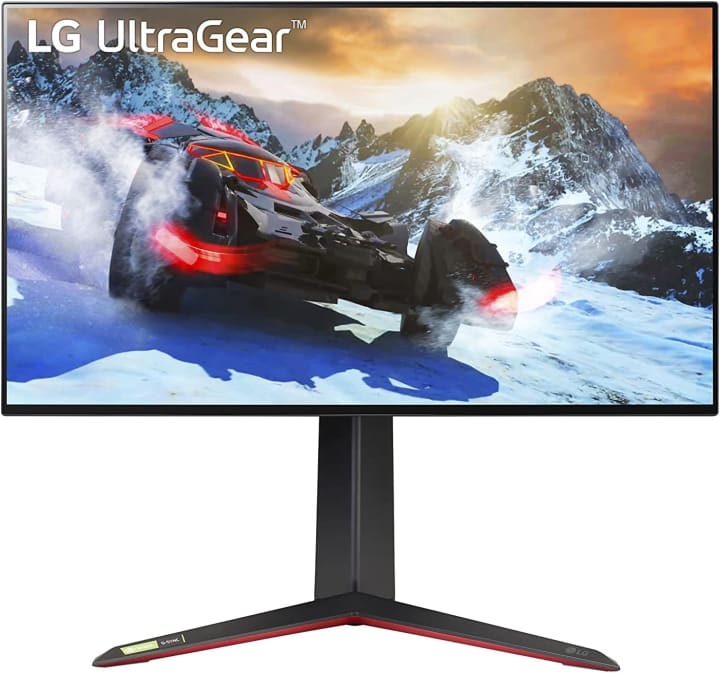
Intro:
LG’s 27GP950-B combines stunning 4K visuals with a high refresh rate, making it a perfect match for the Xbox Series X’s capabilities.
Key Features:
27-inch 4K UHD display
144Hz refresh rate
1ms response time
HDR600 support for vibrant colors
HDMI 2.1 compatibility
Pros:
Incredible clarity and detail
Smooth, lag-free gameplay
Excellent HDR performance
Cons:
Higher price point
Slightly large footprint for small desks
Final Verdict:
Best for hardcore gamers seeking top-tier visuals and performance. Worth the investment if you want to maximize the Series X experience.
2. Samsung Odyssey G7
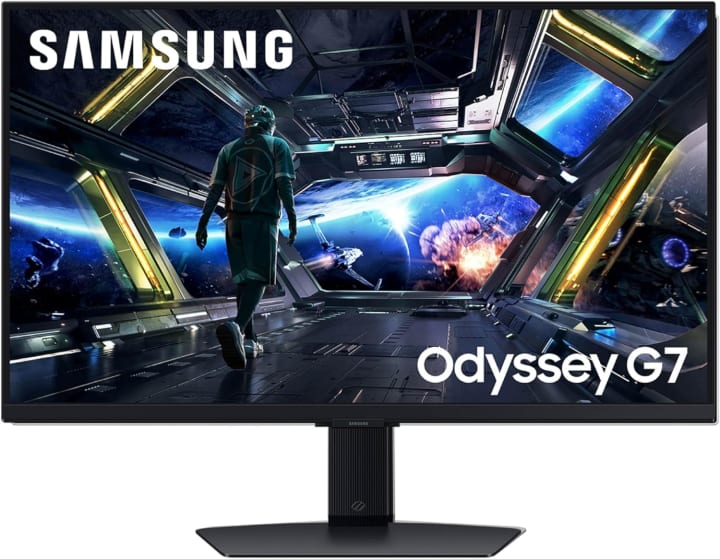
Intro:
The Samsung Odyssey G7 curved display immerses you in the game world, with a rapid refresh rate that keeps every movement fluid.
Key Features:
27-inch QHD curved display
240Hz refresh rate
1ms response time
Quantum Dot color technology
G-Sync & FreeSync compatible
Pros:
Immersive curved screen
Ultra-fast refresh rate
Rich, vibrant colors
Cons:
Curvature may not appeal to everyone
Pricey compared to flat monitors
Final Verdict:
Ideal for competitive gamers or anyone who enjoys an immersive, cinematic gaming experience.
3. AOC 24G2
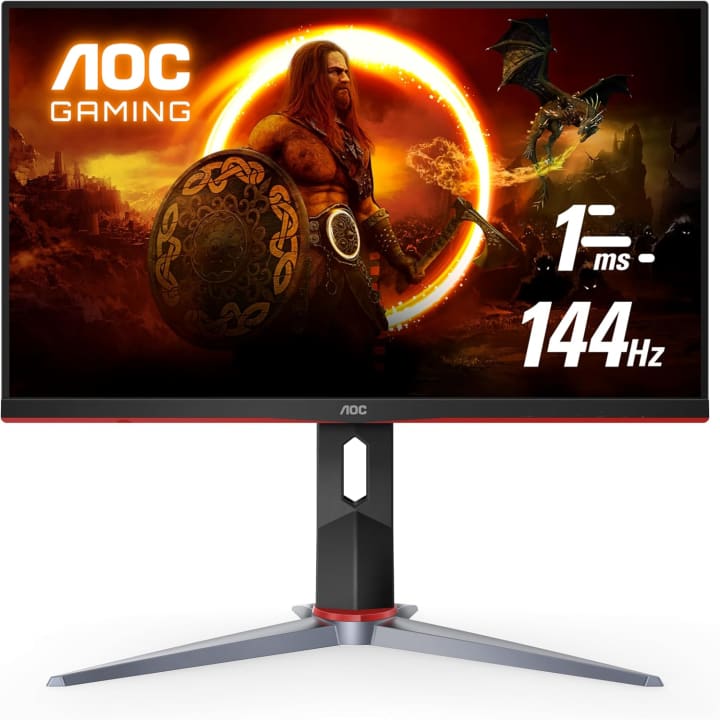
Intro:
If you’re on a budget, the AOC 24G2 is a fantastic option that doesn’t compromise performance for affordability.
Key Features:
24-inch Full HD display
144Hz refresh rate
1ms response time
FreeSync support
Sleek, minimalist design
Pros:
Affordable yet high-performance
Smooth gaming experience
Compact for small setups
Cons:
Not 4K
Limited HDR capability
Final Verdict:
Perfect for casual gamers or budget-conscious players who still want responsive gameplay.
Why You Should Trust Us
Gaming has been more than a hobby for me it's a ritual. I’ve spent countless hours testing consoles, accessories, and displays to find setups that truly enhance gameplay. Over the years, I’ve reviewed dozens of monitors specifically for console gaming, focusing on refresh rates, response times, and image quality. My experience allows me to cut through marketing fluff and give you honest, actionable advice on the best monitors for Xbox Series X.
Buying Guide
Before choosing a monitor for Xbox Series X, consider:
Budget: Higher-end monitors offer 4K, HDR, and high refresh rates, but budget options can still deliver smooth gaming.
Resolution: 4K is ideal for large screens and cinematic experiences; 1080p/1440p works for smaller displays.
Refresh Rate: Competitive gamers benefit from 120Hz+; casual gamers may not notice the difference.
Response Time: Look for 1–5ms to reduce motion blur.
Connectivity: HDMI 2.1 is essential for full Xbox Series X performance.
FAQs
1. Can I use any monitor with Xbox Series X?
Yes, but to get 4K at 120Hz, you’ll need an HDMI 2.1-compatible monitor.
2. Is 1080p sufficient for Xbox Series X?
It works fine, especially for smaller screens, but you won’t get the full visual potential of the console.
3. What is the ideal refresh rate?
For smooth gaming, 120Hz or higher is recommended, though casual gamers may be fine with 60–75Hz.
4. Are curved monitors better for gaming?
They offer more immersive experiences, especially for racing or open-world games, but it’s a matter of personal preference.
5. Do I need HDR support?
HDR enhances colors and contrast for richer visuals, but it’s optional if budget is tight.
Conclusion
Finding the best monitor for Xbox Series X transforms your gaming sessions from good to extraordinary. Whether you prioritize stunning 4K visuals, ultra-fast refresh rates, or budget-friendly performance, there’s an option that fits your needs.
Invest wisely, choose confidently, and enjoy the full power of your Xbox Series X without compromise. Your games deserve it—and so do you.
Disclaimer: As an Amazon Associate, I earn from qualifying purchases at no extra cost to you.
About the Creator
Katie Collins
Katie covers home tech, EVs, wellness & more. She aims to help people make smart buying choices & reach life goals.
Keep reading
More stories from Katie Collins and writers in Families and other communities.
Best Protective Cases for iPhone 15 Pro
Buying the iPhone 15 Pro is a major investment. Its sleek design and powerful performance make it tempting to show off—but without the right protection, a small slip could ruin your day (and your wallet). The challenge is finding a case that balances protection, style, and functionality.
By Katie Collins7 months ago in Families
The Family Portrait
I have a thing against confident men. Don’t get me wrong—I do not hate them. I am just amazed by their sheer arrogance. To look life in the face and turn it to stone, Medusa-like. To smile at a camera and not be fazed by the lights flashing millisecond by millisecond. To wear jewelry and not fear that it will slip from sweat on their wrists, their necks, or their fingers.
By Brian Kennedy4 days ago in Families
A Transparent Look at Vocal Challenges and Top Stories
Almost three years ago, we shared a resource article that served as a place for people to suggest new challenge prompts. We thought it would be a good idea to refresh that thread, and take the opportunity to answer a few common questions about top stories, how challenges are judged and how submissions are reviewed.
By Vocal Curation Team4 days ago in Resources




Comments
There are no comments for this story
Be the first to respond and start the conversation.