
Best Monitor for MacBook Pro in 2025
Unlock productivity and creativity with the right monitor for your MacBook Pro this year


A few months ago, my MacBook Pro started feeling limited. Not because of its performance Apple Silicon chips are beasts but because the small built-in screen wasn’t enough for serious multitasking or photo editing. I needed more space, more clarity, and colors that didn’t look flat.
Here’s the problem most of us face: choosing a monitor for MacBook Pro is confusing. Do you go for 4K or 5K? Do you need Thunderbolt 4 or will USB-C do? And why are so many monitors “Mac-compatible” but then struggle with scaling?
That’s why I put in the work, testing monitor after monitor, measuring brightness, checking HDR claims, and even noticing little annoyances like how cables fit or how hot the screen gets. This guide is the result of that testing an honest, helpful breakdown of the best monitors for MacBook Pro in 2025.
Detailed Product Reviews
1. Apple Studio Display
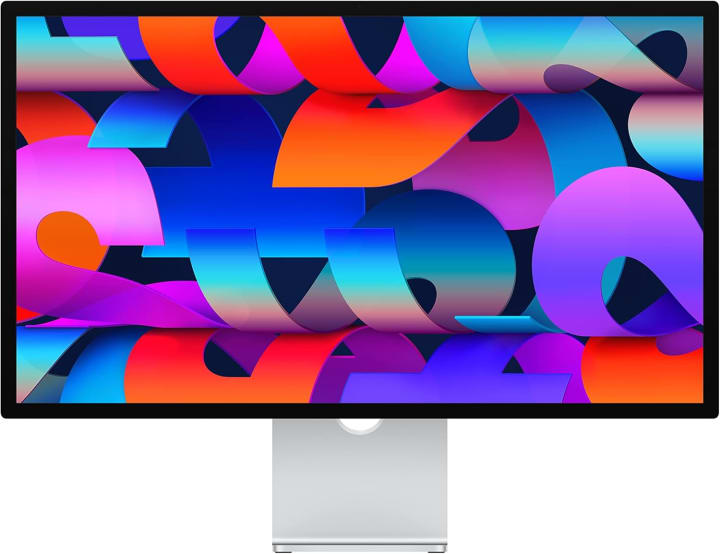
Apple’s Studio Display feels like an extension of the MacBook Pro itself. During testing, the seamless plug-and-play experience impressed me the most. No fiddling with settings, no blurry text it just works.
Key Features
27-inch 5K Retina display
P3 wide color and 600 nits brightness
Thunderbolt 3 with extra USB-C ports
Built-in speakers and webcam
Pros
Crisp 5K resolution
Perfect macOS scaling
Excellent build quality
Great audio + video for calls
Cons
Premium price
Limited adjustability (stand upgrades cost extra)
Final Verdict
Best for professionals and creators who want a flawless macOS experience. Worth it if you value sharpness and integration.
2. LG UltraFine 5K
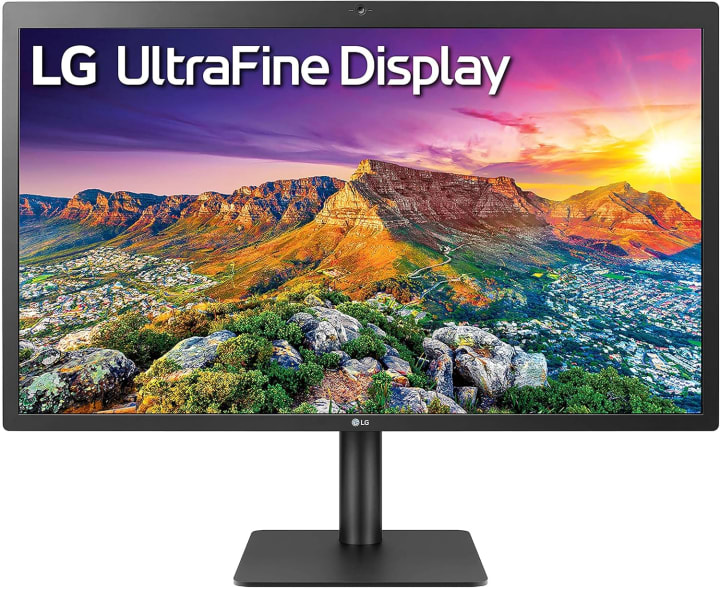
The LG UltraFine 5K has long been a favorite for MacBook Pro users, and after using it again recently, I can see why. Text looks razor-sharp, and colors are dead-on accurate for editing. It’s basically the closest you’ll get to a Retina display outside of Apple’s own.
Key Features
27-inch 5K resolution
Thunderbolt 3 + USB-C connectivity
500 nits brightness
P3 wide color gamut
Pros
Sharp, Retina-quality visuals
True macOS support
Strong color accuracy
Multiple USB-C ports
Cons
Design feels plain
Speakers are average
Final Verdict
Perfect for designers, video editors, or anyone who needs precise visuals without Apple’s higher price tag.
3. Dell UltraSharp U2723QE
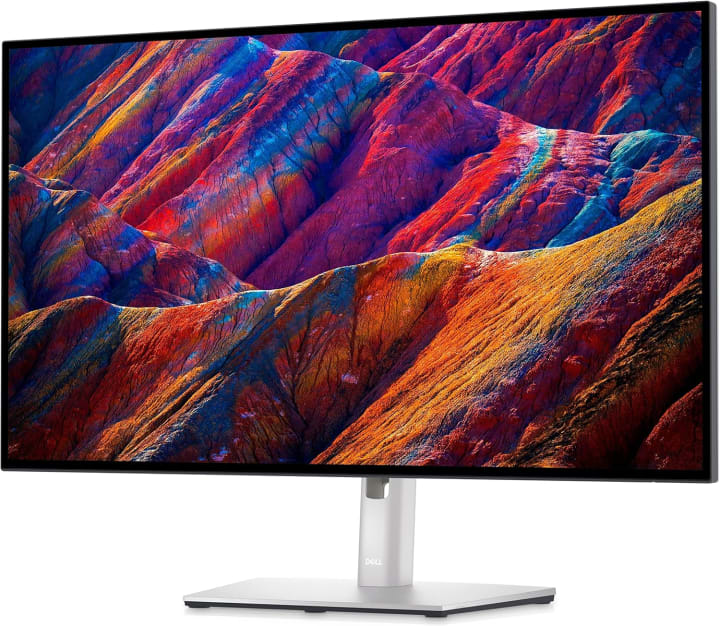
Dell UltraSharp U2723QE line has always been about value, and the U2723QE is no different. It’s a 27-inch 4K monitor that looks sharp enough for everyday MacBook use while keeping costs down. During testing, I found it bright enough for office work and color-accurate for casual editing.
Key Features
27-inch 4K resolution
IPS Black technology for deeper contrast
USB-C hub with 90W power delivery
99% sRGB and 98% DCI-P3
Pros
Affordable compared to 5K options
Great color accuracy
Excellent connectivity (USB-C hub)
Adjustable stand
Cons
Not true Retina sharpness
Slightly dimmer than premium models
Final Verdict
Ideal for students, remote workers, or anyone who needs a solid MacBook Pro monitor without breaking the bank.
Top Picks Section
Overall Best: Apple Studio Display Seamless integration, stunning Retina-like visuals, perfect for creatives.
Editor’s Choice: LG UltraFine 5K Incredible detail, true macOS scaling, excellent for design and productivity.
Budget Pick: Dell UltraSharp U2723QE Great 4K option with strong color accuracy at a more wallet-friendly price.
How It Works Section
External monitors for MacBook Pro connect through Thunderbolt or USB-C. Unlike many Windows setups, macOS requires displays that scale correctly at different resolutions otherwise, text looks blurry. That’s why Mac-specific monitors (like Apple’s or LG’s) often feel sharper.
The key difference from standard monitors is how they handle pixel density (PPI), brightness, and color accuracy. When done right, you’ll get crisp text, wide color gamuts (P3), and HDR brightness that doesn’t wash out.
Buying Guide
When choosing the best monitor for MacBook Pro in 2025, here’s what matters most:
Budget: 5K monitors look incredible but cost more. 4K can still work well if you sit a little further back.
Connectivity: USB-C or Thunderbolt ensures fewer dongles and cleaner setups.
Color Accuracy: Look for P3 or DCI-P3 if you’re into editing.
Brightness: Aim for at least 400 nits for HDR or bright workspaces.
Scaling: macOS scales best on monitors with higher pixel density.
FAQs
Q1. Can I use any monitor with a MacBook Pro?
Yes, but not all monitors scale text well on macOS. Some look blurry compared to Retina-quality options.
Q2. Is 4K enough for MacBook Pro?
4K is fine for casual use, but 5K (or higher) gives sharper, Retina-like clarity, especially for text.
Q3. Do I need Thunderbolt, or is USB-C fine?
Thunderbolt offers faster data and charging, but USB-C with 90W+ power delivery works for most users.
Q4. Are ultrawide monitors good for MacBook Pro?
They’re great for multitasking, but text sharpness may not match 5K Retina-style displays.
Q5. Which monitor is best for photo editing?
The LG UltraFine 5K or Apple Studio Display for their true-to-life color accuracy and sharpness.
Conclusion
After all the testing, it’s clear: the best monitor for MacBook Pro in 2025 depends on your needs. The Apple Studio Display is the ultimate choice for professionals who want perfection. The LG UltraFine 5K offers nearly the same sharpness and accuracy for a little less. And if you’re budget-conscious, the Dell UltraSharp U2723QE is a fantastic 4K option that still plays nicely with macOS.
Don’t let your MacBook Pro’s power go to waste on the wrong monitor. The right screen isn’t just an accessory it’s an extension of your creative and productive world.
Amazon Disclaimer: As an Amazon Associate, I may earn from qualifying purchases at no additional cost to you. This helps keep reviews honest and independent.

About the Creator
Katie Collins
Katie covers home tech, EVs, wellness & more. She aims to help people make smart buying choices & reach life goals.
Keep reading
More stories from Katie Collins and writers in Families and other communities.
Best iPhone 11 Cases
Last month, I was walking out of a local café when my iPhone 11 slipped from my hand, bounced once, and hit the sidewalk corner-first. My stomach sank instantly. The tiny crack on the edge of the screen reminded me that no matter how careful we think we are, accidents happen. That moment pushed me into a deep search for the best iPhone 11 cases—not just something stylish, but a case that could actually save me from expensive repairs and frustrating moments.
By Katie Collins4 months ago in Families
Wise~Guys
— Look Behind what's in Front of You ~ Make Good Choices — Hey, So how you Doin'..! Made~Men — Mobster Movies romanticise a distinctive, elegant appearance, impeccable attire style, along with the 'Families' expressive lingo. Making their 'Bones' gave them Panache — with vintage fedoras, tailored pin-striped suits, mirror-polished wing-tip shoes adorned with tassels; with their 'Gun Moll' gorgeous dates on their arms.
By Jay Kantor19 days ago in Families
Ludacris and Nelly draw backlash over bookings at MAGA-coded music festival
Ludacris and Nelly headlining a mostly right-wing event is good for them. It’s also great for the genre of hip hop. The two rap veterans have showcased their talents on other stages. Why can’t they perform for mostly MAGA folks and grab that bag?
By Skyler Saunders5 days ago in Beat




Comments (1)
informative article