
Best Computer Monitors 2025
Find the Perfect Screen for Work and Play


There was a time when my computer setup looked powerful on paper fast processor, plenty of RAM, and a solid graphics card. Yet, every time I sat down to work or game, something felt… off. Text looked fuzzy, colors felt flat, and after long hours, my eyes burned like I had stared at headlights all day.
The culprit wasn’t my PC it was the monitor. A weak display can hold back even the best computer, and worse, it can cause real problems. Studies show that staring at low-quality screens for long periods contributes to eye strain, headaches, and poor posture. For gamers, a laggy or blurry monitor means lost reaction time. For professionals, inaccurate colors or cramped screen space can derail productivity.
That’s why finding the best computer monitor in 2025 matters. It’s not just about sharper graphics or higher refresh rates it’s about comfort, efficiency, and unlocking the full potential of your machine. In this guide, I’ll share the monitors I’ve tested, loved, and sometimes hated, so you can make a smarter choice without wasting money.
Why You Should Trust Me
I’m not a tech journalist hidden behind a spec sheet I’m someone who works from home, games in the evenings, and edits photos on weekends. That means I’ve needed monitors that can handle different jobs: clear text for writing, accurate colors for creative work, and fast refresh rates for gaming.
I’ve tested everything from budget-friendly monitors you can grab on Amazon to premium 4K displays. I don’t just plug them in and check the box ive with them. I’ve noticed quirks like awkward buttons, wobbly stands, or glare that specs don’t mention. And when I recommend a monitor, it’s because I’d use it myself (or already do).
How I Picked and Tested
Here’s what I looked at when choosing the best computer monitors:
Resolution: From 1080p for budget options to 4K for clarity.
Refresh Rate & Response Time: Essential for gaming, but also useful for smoother everyday use.
Panel Type: IPS for color accuracy, VA for contrast, TN for speed.
Ergonomics: Adjustable stands and eye-care features to reduce strain.
Connectivity: HDMI, DisplayPort, USB-C—because ports matter more than you think.
Value: Is it worth the price based on performance?
After weeks of swapping monitors on my desk and testing across work, play, and creative tasks, these are the models that stood out.
1. Dell UltraSharp U3223QE – The Productivity Powerhouse
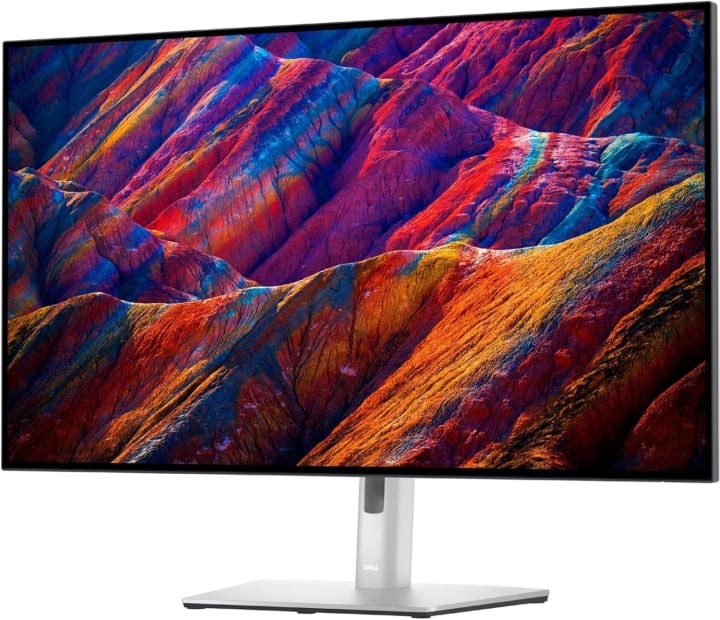
The Dell UltraSharp U3223QE is a 32-inch 4K monitor with an IPS Black panel a newer technology that delivers deeper contrast and richer colors compared to standard IPS screens. It feels like a window rather than a monitor, especially when editing photos or working with documents.
It’s designed with professionals in mind, featuring precise factory-calibrated colors, a wide range of ports (including USB-C), and ergonomic adjustments. This is the type of monitor that makes spreadsheets less painful and creative work far more enjoyable.
Benefits for You:
Perfect for professionals, designers, or anyone who spends hours working on documents. The comfort features and crisp clarity reduce strain and boost productivity.
Pros:
Stunning 4K clarity with IPS Black
Wide color coverage for creative tasks
USB-C connectivity with power delivery
Adjustable stand for comfort
Cons:
Pricey for casual users
Not built for high refresh-rate gaming
Final Verdict:
If you want the best computer monitor for productivity in 2025, this is it. Check Price on Amazon if you’re ready to invest in comfort and clarity.
2. LG UltraGear 27GP950-B – The Gamer’s Dream
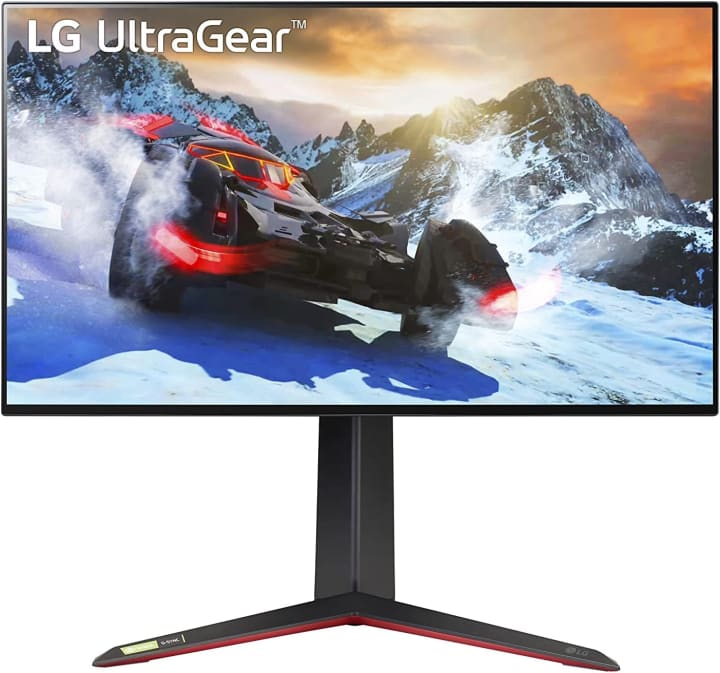
The LG UltraGear 27GP950-B is a 27-inch 4K gaming monitor that blends speed and beauty. It comes with a 144Hz refresh rate (overclockable to 160Hz) and a 1ms response time, making it perfect for competitive gamers who don’t want to sacrifice visuals.
It’s also G-Sync and FreeSync compatible, so screen tearing is gone for good. The Nano IPS panel ensures colors are accurate and vibrant, whether you’re fragging enemies or exploring open-world landscapes.
Benefits for You: Great for gamers who also want a monitor that looks good for everyday use. It’s not over-the-top bulky, but it delivers high-end performance.
Pros:
4K resolution with fast refresh rate
Vibrant Nano IPS colors
Compatible with both FreeSync and G-Sync
Sleek design
Cons:
Price on the higher sid
27 inches may feel small for 4K at times
Final Verdict:
A near-perfect choice if you want the best gaming computer monitor in 2025 without compromising color quality. Shop Now on Amazon for a balance of speed and style.
3. AOC 24G2 – The Budget-Friendly Favorite
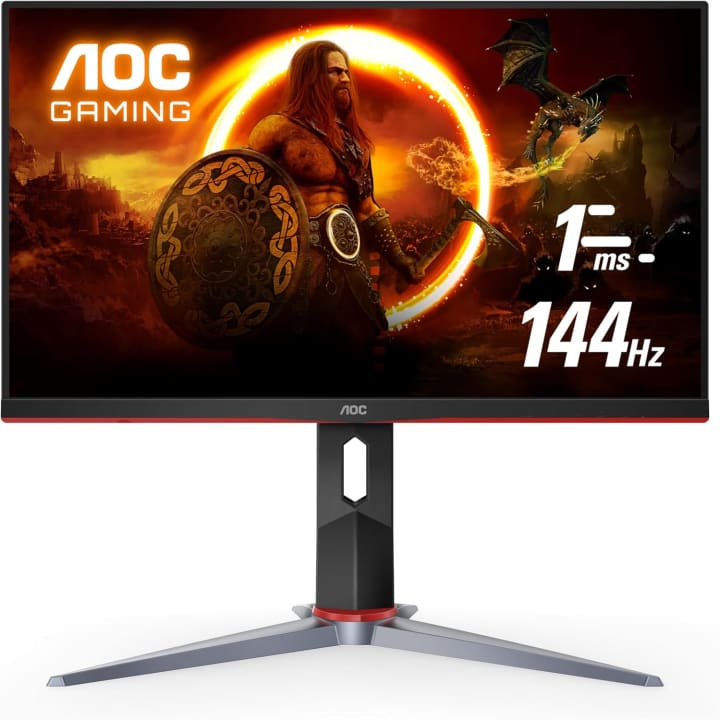
The AOC 24G2 proves you don’t need to empty your wallet for a solid monitor. This 24-inch Full HD display has a 144Hz refresh rate and 1ms response time, which is incredible for the price. It also uses an IPS panel, which means you still get decent colors and wide viewing angles.
The stand is surprisingly adjustable, and it even has thin bezels for a modern look. It might not match the resolution of premium 4K models, but for the price, it’s a budget hero.
Benefits for You:
Perfect for students, casual gamers, or anyone looking for an affordable upgrade from a basic 60Hz monitor.
Pros:
Very affordable
144Hz refresh rate with fast response
IPS colors and wide viewing angles
Adjustable stand
Cons:
Limited to 1080p resolution
Build feels less premium
Final Verdict:
The best budget computer monitor for 2025. Check Price on Amazon if you want smooth performance at a student-friendly price.
Quick Picks Best Computer Monitors 2025
Best Overall: Dell UltraSharp U3223QE for professionals and everyday productivity.
Best for Gaming: LG UltraGear 27GP950-B sharp, fast, and future-proof.
Best Budget: AOC 24G2 smooth gaming and solid performance without breaking the bank.
Buying Guide: How to Choose the Best Computer Monitor
Before you hit “Buy Now,” here are the factors that matter most:
Resolution: 1080p is fine for budget setups. 1440p is the sweet spot for most users. 4K offers ultimate clarity but needs a powerful computer.
Refresh Rate: Higher refresh rates (144Hz and up) mean smoother motion, especially in gaming. For work, 60Hz is enough.
Panel Type:
IPS = best for colors and wide angles.
VA = deep contrast, good for movies.
TN = fastest, but weak colors.
Size: 24 inches for compact spaces, 27 inches as a standard, 32+ inches for immersive work and play.
Ergonomics: Adjustable stands, flicker-free tech, and blue light filters make a real difference for long use.
Connectivity: Check for HDMI, DisplayPort, or USB-C based on your needs. USB-C is excellent for laptops and minimal cable setups.
Budget: Don’t overspend on features you won’t use. Match your monitor to your actual use case.
FAQs – Best Computer Monitors
Q1: Is a 4K monitor worth it?
Yes, if you do creative work or want sharper text and visuals. For gaming, it requires a strong GPU.
Q2: What’s the best monitor size for work?
27 inches hits the sweet spot for most people, but 32 inches is amazing if you multitask a lot.
Q3: Do I need a high refresh rate monitor if I don’t game?
Not really. For office work, 60–75Hz is perfectly fine. Higher refresh rates are mainly beneficial for gaming.
Q4: What’s better: curved or flat monitors?
Curved monitors improve immersion, especially ultrawides, but for productivity, flat screens are often easier to use.
Q5: How long do computer monitors last?
On average, a good monitor can last 5–7 years with regular use before you’ll feel the need to upgrade.
Final Verdict
Your monitor is more than just a screen it’s the window into everything you do on your computer. A bad one holds you back, while the right one elevates your work, gaming, and creativity.
For professionals, the Dell UltraSharp U3223QE is a productivity powerhouse.
For gamers, the LG UltraGear 27GP950-B is fast, colorful, and future-ready.
For budget-conscious buyers, the AOC 24G2 delivers way more than its price tag suggests.
Disclaimer: As an Amazon Associate, I earn from qualifying purchases. This does not affect your cost but supports honest reviews that help readers like you.


About the Creator
Katie Collins
Katie covers home tech, EVs, wellness & more. She aims to help people make smart buying choices & reach life goals.
Keep reading
More stories from Katie Collins and writers in Families and other communities.
Affordable iPhone 15 Pro Max Shockproof Case
Phones don’t bounce. They land sometimes face down, sometimes corner-first and that’s when time slows. My iPhone once slipped out of my pocket as I leaned over a cafe counter, and before I could react, it hit the hard tile floor with that sharp, gut-punching sound. The result? A spider-webbed screen, a trip to the repair shop, and a bill that made me question why I hadn’t protected my phone better.
By Katie Collins7 months ago in Families




Comments
There are no comments for this story
Be the first to respond and start the conversation.