
Are Security Cameras Wireless?
Understanding the Pros, Cons, and Best Options for Your Home

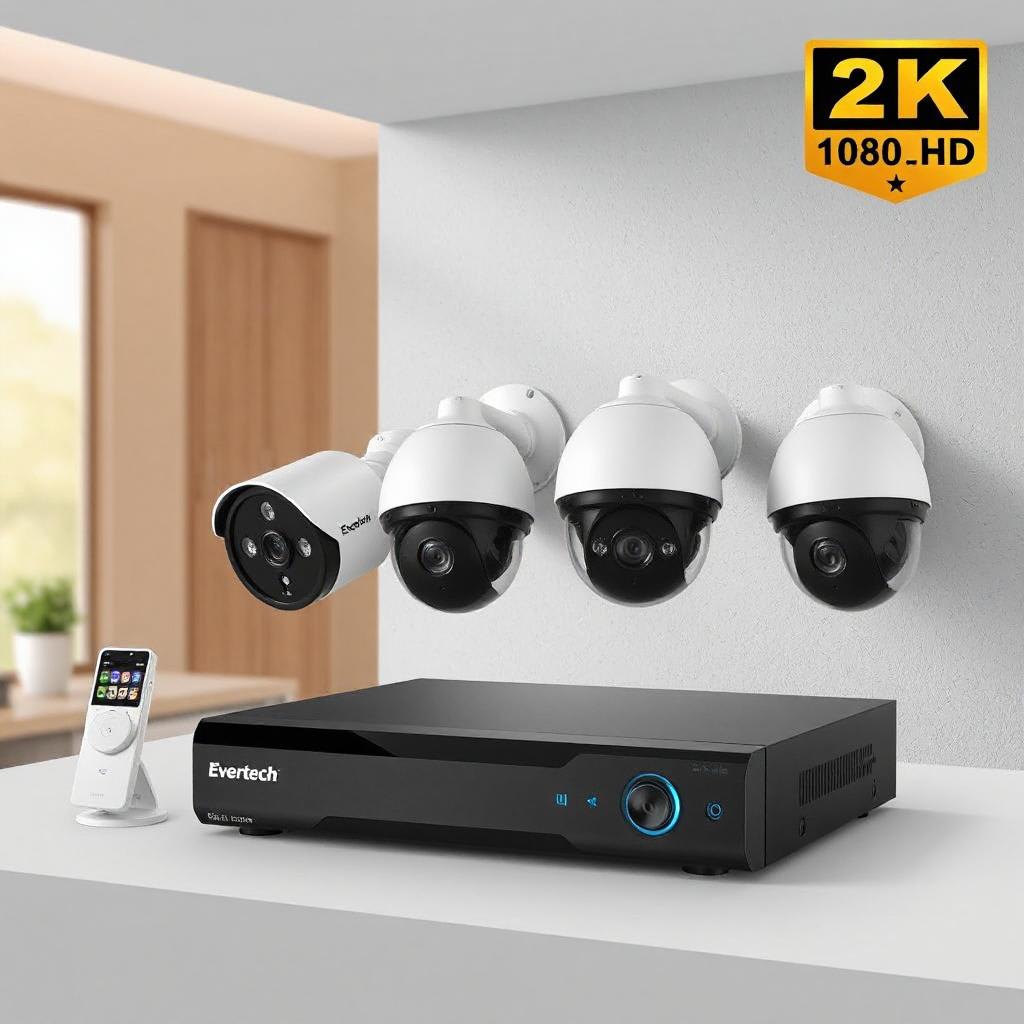
Introduction
Are security cameras wireless? One of the biggest questions most people are asked when it comes to protecting their home, the answer is yes-but not so fast. Many cameras are wireless, but there's a little more to it than that. "Wireless," thanks to the magic of technology, has taken on various meanings depending on the type of camera and the features it may or may not have.
Don't leave your safety to chance!
In this article, we go into the fine details of wireless security cameras, enumerate their pros and cons, and provide some practical tips on how to choose the best for safeguarding your home. Whether you are a tech enthusiast or just a first-time buyer, let this guide take you through the landscape that is wireless home security.
What does "wireless" mean regarding security cameras?
With wireless security cameras, it is important to mention that there are two traditional meanings of the term "wireless". The first one will be:
Wireless in regard to data transmission: these cameras do not use cables for sending video data. Instead, they depend on the usage of Wi-Fi or other wireless protocols in transmitting footage to a receiver or cloud storage.
Completely Wireless: Besides transferring data wirelessly, these cameras do not require any physical power connection. They are driven by a battery and hence cable-free.
Type of Wireless Security Cameras
To understand in more detail, let's divide the types of wireless security cameras available in the market:
1. Wi-Fi Security Cameras
Wi-Fi cameras are amongst the most popular wireless cameras available in the market. They connect to your home Wi-Fi network and let you keep track of your property from any place via smartphone applications or web platforms. Generally, this kind of camera features very easy installation and multiple features. Pros: Installation in a very easy manner due to less wiring. Real-time alerts using mobile apps. Options for cloud storage; easy accessibility of recordings. Cons: Prone to the quality and strength of the Wi-Fi signal. Interference with the network is possible.
They are easily hacked unless their security measures are good.
Example: A perfect case of a Wi-Fi camera is a Ring Video Doorbell, with very simple installation, receiving immediate notification in case somebody is at your door.
2. Battery-Powered Cameras
These cameras are completely wire-free; they do not use any power outlets. These systems are best for locations that are hard to reach, or if it's hard to find a power source nearby, these cameras are usually made lightweight so they can be moved easily if needed.
Pros:
No installation requires no power cords, thus it allows for flexibility.
Can be easily moved and relocated.
Very suitable for areas with no electric power outdoors.
Cons:
Requires regular replacements or recharging of batteries.
Limited battery life, depending on usage and settings.
Example: Arlo Pro cameras are an excellent option for a battery-powered, wire-free security solution. Each offers rechargeable batteries that can last several months on one charge.
3. Solar-Powered Cameras
Solar-powered cameras are a subcategory of battery-powered cameras, except that they charge their batteries using solar panels. This makes them pretty feasible, particularly in sustainable outdoor surveillances in sunny areas.
Pros:
It's eco-friendly; it only needs renewable energy.
It requires minimal maintenance after being installed.
It works best when installed in remote areas where electricity is not available.
Cons
It may be less effective in places with limited sunlight.
Higher upfront cost: solar panels increase the overall price of the camera.
Example: The Reolink Argus 2, with its solar panel, is perfect for the environmentally-conscious homeowner who desires to have the cameras up and running, changing no batteries out too frequently.
4. PoE Cameras
While technically not "wireless," since they require an Ethernet cable for carrying data and power, PoE cameras deserve a mention. This reduces cabling since they require only one cable for power and connectivity.
Pros:
Benefits:
More reliable and more stable connection than Wi-Fi
High-quality resolution of video
Fewer cables as compared to traditional wired systems
Drawbacks:
Requires an Ethernet connection
Drilling or routing cables may be required
Example: The Amcrest POE cameras have been famous because they endure along with a stable Ethernet connection, making them very reliable in those areas where the coverage of Wi-Fi is poor.
Advantages of Wireless Security Cameras
Wireless security cameras got some advantages which make them favorable for a homeowner :
1. Easy Installation
Because most wireless cameras are designed to be DIY-installed, that means there are no professional installation costs. And since you won't need to run cables through walls, it is generally a pretty painless process. Many models have step-by-step instructions or companion apps that walk you through installation.
2. Remote Monitoring
Another great advantage of wireless cameras is that you can view your house from a distance. Enjoy live feeds or recorded footage, whichever you may want to review in comfort, from your office or while on vacation, via access through a smartphone app. This surely helps those people who need to travel a lot.
3. Flexibility in Placement
They also provide greater flexibility in placement. This is because you are not constrained by cable length, so you can place cameras in more creative or strategic locations-high on a tree, on a fence, or in the far corners of your property.
4. Cost-Effective
Generally speaking, wireless cameras are more affordable compared to their traditional wire systems, especially during the installation process. Due to the variety and models that exist in these cameras, there is almost a system for every budget.
Challenges of Wireless Security Cameras
While there are numerous advantages of wireless cameras, they also have a couple of challenges that a house owner may consider:
1. Dependency on Wi-Fi
Wireless cameras depend on your home's Wi-Fi network. The fact that the internet goes down, or a weak signal is received in certain areas, shows there is possibly a point where cameras can only do so much. Spending money on a quality router or a Wi-Fi extender may help this problem somewhat.
2. Battery Maintenance
Another disadvantage of cameras that rely on a battery is that the batteries need regular maintenance. Your battery's life will vary a great deal depending on how often your camera is typically activated to take footage. Of course, you can always go the route with non-rechargeable batteries, but you'll still want to check the battery levels.
3. Susceptibility to Hacking
General security issues are attached to any wireless device. Cameras which are not well-secured have the tendency of being accessed by hackers. Alteration of default passwords, strong encryption, and updated firmwares are ways to safeguard your system against fraud activities.
4. Weather Impact
Outdoor wireless cameras are prone to harsh weather conditions. Cameras that are not rated for outdoor usage may malfunction in heavy rain, snow, or extreme heat. Always ensure the choice of cameras are selected with an appropriate IP rating for your environment.
Actionable Tips for Choosing the Right Wireless Camera
By considering the following tips, you will be able to pick up the most appropriate wireless security camera for your house:
Assess Your Coverage Needs: Decide on the spaces you want to monitor around your property. If the space is large, then use cameras with wide view angles or deploy multiple cameras.
Assess the Video Quality: Go for cameras offering at least 1080p resolution. Higher-resolution cameras give out sharper images, especially when you zoom in to see something in detail.
Prioritize Night Vision: Be sure the camera would be able to view clearly at night with infrared or color night vision. Two-way audio: Find two-way audio that lets you hear or communicate with anyone on your property through the device. This can be useful for scaring off intruders or speaking with delivery personnel.
Storage Options: Consider whether you want your video storage to be cloud or if it can be stored locally. Cloud offers the advantage of easy access to footage from anywhere in the world, while local storage (SD cards) does not have any ongoing fees attached to it, but rather a one-time purchase.
Weatherproof Cameras: If cameras are to be installed outdoors, their build should be strong, weatherproof, and with an IP rating that would easily bear up against the vagaries of your climate.
Conclusion: Wireless Security Cameras-A Smart Choice for Modern Homeowners
First, wireless security cameras turn home security into an easy and affordable thing. There are so many options available: from Wi-Fi to battery-powered, from solar-powered to PoE cameras-a solution for literally every home. Keep in mind the pros and cons listed above for each of the types and refer to some actionable tips below to make your choice.
Finally, ease of installation, flexibility of location, and even remote home monitoring make the wireless security camera quite wise for the modern homeowner. You will come out ahead with only a modicum of planning and research in a secure home with peace of mind.
Don't leave your safety to chance!
Frequently Asked Questions
Q: Do wireless security cameras require Wi-Fi?
A: Most of the wireless cameras use Wi-Fi for data transmission, while others may avail cellular or Bluetooth connectivity as an alternate option.
Q: How Long Do Batteries Last in Wireless Cameras?
A: It depends on the model and usage; however, most cameras can go for 2 to 6 months on a single charge. Many have been known to last even up to a year.
Q: Are Wireless Security Cameras Secure?
A: Yes, but changing default passwords, turning on encryption, and periodic firmware updates are necessary so that it stays that way.
Q: Can I put a wireless camera outdoors?
A: Yes, but you will need to check whether the camera is weatherproof for outdoor usage or if there is appropriate IP for the exposure.
Q: What happens if the Wi-Fi goes down?
A: Most wireless cameras would not record in case of downed Wi-Fi, while some cameras support local storage options for temporarily saving footage.
This article contains affiliate links, if you make a purchase I may make a small commission.
About the Creator
Karl Jackson
My name is Karl Jackson and I am a marketing professional. In my free time, I enjoy spending time doing something creative and fulfilling. I particularly enjoy painting and find it to be a great way to de-stress and express myself.
Keep reading
More stories from Karl Jackson and writers in Families and other communities.
What's the Difference Between Bath Towels and Bath Sheets?
Introduction If anything sets off internal debates among homeowners as far as bathroom linens go, it surely is which to choose between the traditional bath towel and the larger, more luxurious bath sheet. Similar in nature, serving the same purpose of drying you off after taking a shower or bath, these two options do have some rather stark advantages, depending on your needs, preference, and space. In this article, we will break down the most important differences between bath towels and bath sheets so you can be better informed to decide which one best suits your needs and bathroom style.
By Karl Jacksonabout a year ago in Families
Christmas Abroad: Celebrating the Holidays Without Family
I moved to South Korea in 2017. I was twenty-two years old and excited to start my career as an English Second Language Teacher. With a Bachelor's degree and six hundred dollars in my bank account, I set off for Busan.
By Kera Hollowabout a month ago in Families
Where Love Lives: A Slow Sunday Inside Our Family Home
There’s a quiet magic in ordinary mornings—the kind that doesn’t shout, but lingers in the corners of your heart long after the day has passed. For our family, Sunday mornings are like that: a gentle rhythm of laughter, familiar routines, and soft celebrations of simply being together. If you asked someone passing by our home at 9 a.m., they might mistake us for a movie scene—the scent of fresh coffee, the hum of soft music, and the comforting clatter of plates and cups filling the kitchen. But there’s nothing cinematic about what we do. It’s ordinary. And it’s ours.
By Divexa Exchange7 days ago in Families
A Dart at Dusk
Seconds ago, the sullen sun set on the two of us… my exuberant furry companion and me. A fresh breeze embraces us, delivering welcome relief from the day’s oppressive heat. His typical stumbling and staggering along — apace with a sloth — has turned into trip-trapping, high-stepping, almost skipping along.
By Angie the Archivist 📚🪶2 days ago in Petlife


Comments
There are no comments for this story
Be the first to respond and start the conversation.