
A Guide to Integrating Smart Locks with Home Automation
Leading top smart locks companies offer advanced solutions like keyless entry, remote access, and other features that can be seamlessly connected to your existing home automation setup.

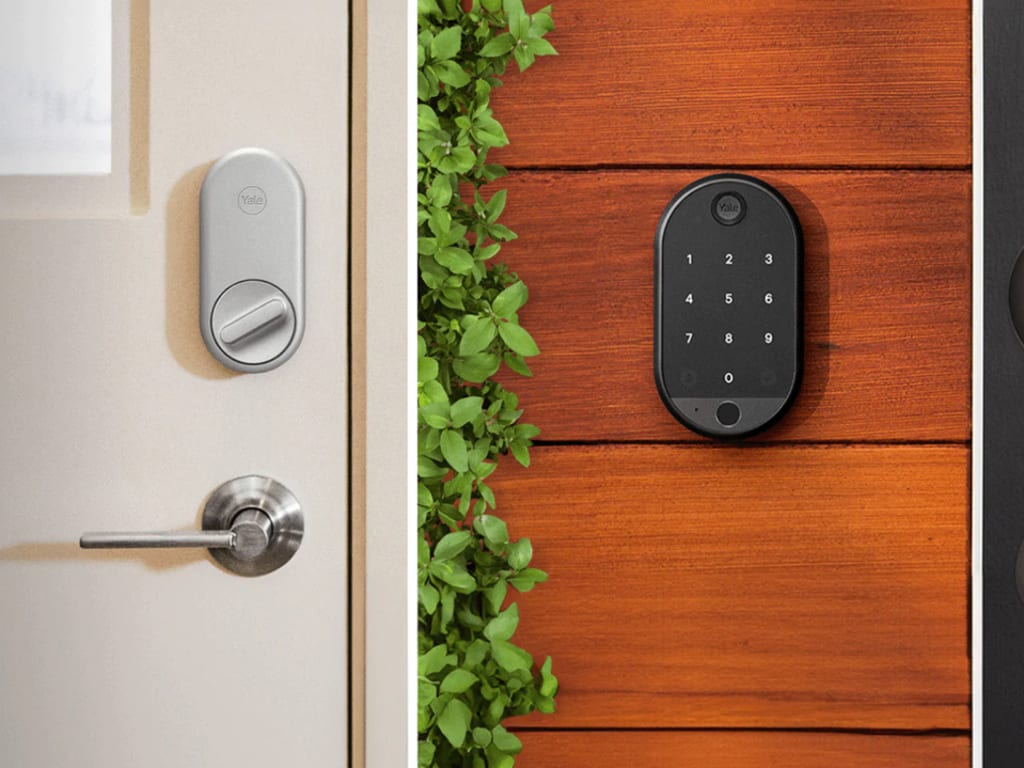
One of the most effective ways to improve the convenience and security of your house is to integrate smart locks with home automation systems. Leading top smart locks companies offer advanced solutions like keyless entry, remote access, and other features that can be seamlessly connected to your existing home automation setup. This integration not only improves the functionality of your home but also provides a streamlined and modern approach to managing access. By choosing products from reputable smart lock manufacturers, you ensure both reliability and cutting-edge technology in your home security system.
This is a thorough instruction on the successful integration of smart locks.
Understanding Smart Locks and Home Automation
Smart Locks: Smart locks replace traditional key-based locking mechanisms with electronic systems that can be controlled via smartphone apps, keypads, or even biometrics. They frequently include characteristics such as:
Remote Access: Unlock and lock your door from anywhere using a mobile app.
Keyless Entry: Use codes, apps, or biometrics instead of physical keys.
Activity Logs: Track who enters and exits your home and when.
Integration: Sync with other smart devices and home automation systems.
Home Automation: Home automation involves connecting various smart devices and systems to create a cohesive and controlled environment. This includes lighting, HVAC systems, security cameras, and more. Integration allows these devices to work together, offering enhanced convenience and efficiency.
Steps to Integrate Smart Locks with Home Automation
The steps involved in the integration of smart locks are:-
1. Choose the Right Smart Lock
It's important to choose a smart lock that works with your home automation system before integrating. Consider the following factors:
Compatibility: Ensure the smart lock is compatible with your existing home automation platform (e.g., SmartThings, Google Home, Amazon Alexa).
Connectivity: Choose between Wi-Fi, Bluetooth, or Z-Wave-based locks, depending on your home’s automation system.
Features: Evaluate features such as remote access, guest codes, and integration capabilities with other smart devices.
2. Install the Smart Lock
For the smart lock to work properly, installation must be done correctly. Follow these steps:
Remove the Existing Lock: Remove your old lock and hardware. Follow the manufacturer’s instructions for the removal process.
Install the New Lock: Fit the smart lock according to the manufacturer's guidelines. Usually, this entails securing the external and interior parts and making sure they line with the strike plate and latch on the door.
Power the Lock: Install the required batteries or connect the lock to a power source if needed. Ensure the lock powers up and functions correctly before proceeding.
3. Connect the Smart Lock to Your Home Automation System
Connecting your smart lock to your home automation system involves integrating it with your existing network of smart devices. Here’s how to do it:
Download the App: Install the app for your smart lock on your smartphone or tablet. Create an account if required.
Follow Pairing Instructions: Open the app and follow the pairing instructions to connect the smart lock to your home Wi-Fi or automation hub. This usually involves entering a setup mode on the lock and following prompts on the app.
Integrate with Automation Platform: If your home automation system uses a central hub (like SmartThings or Hubitat), use the app to add the smart lock to your hub. This typically involves selecting the device from a list and following setup steps.
4. Configure Automation and Access Control
Once your smart lock is connected, you can configure automation and access control settings to enhance functionality:
Create User Codes: Set up user codes for family members, friends, or service providers. Many smart locks allow you to assign unique codes to different users and schedule when they can access the home.
Set Up Remote Access: Enable remote access through the app to control the lock from anywhere. Ensure that you have a stable internet connection for this feature to work effectively.
Automate Locking/Unlocking: Integrate the smart lock with your home automation system to automate locking and unlocking. For instance, you may program the lock to lock when you leave or to automatically unlock when you go home.
5. Integrate with Other Smart Devices
Smart locks can work in tandem with other smart devices for enhanced automation. Consider these integrations:
Security Systems: Sync your smart lock with security cameras or alarms. For instance, configure the system to send alerts if the door is unlocked or if unusual activity is detected.
Lighting: Connect the smart lock to your lighting system. Set up automation so that the lights turn on when the door is unlocked, providing better visibility as you enter.
Voice Assistants: Integrate with voice assistants like Amazon Alexa or Google Assistant to control the lock using voice commands. For example, you can ask Alexa to lock the door or check its status.
6. Monitor and Manage Access
Regular monitoring and management of access ensure that your smart lock remains secure and functional:
Check Activity Logs: Use the app to review access logs, which show who has entered or exited and at what times. This feature helps you keep track of household members and visitors.
Update Codes and Permissions: Regularly update user codes and permissions to maintain security. Remove codes for individuals who no longer need access.
Firmware Updates: Keep your smart lock’s firmware updated to ensure it has the latest features and security enhancements. Check out the manufacturer's app or website for updates.
7. Troubleshoot Common Issues
Take into account the following troubleshooting advice if you experience problems with your smart lock or its integration:
Connectivity Problems: Ensure your smart lock is within range of your Wi-Fi network or automation hub. Check for any signal interference or network issues.
Battery Life: Monitor battery levels and replace batteries as needed to avoid connectivity issues.
App Issues: If the app is not functioning correctly, try reinstalling it or contacting the manufacturer for support.
Wrapping it up
Integrating smart locks with your home automation system enhances both security and convenience. By carefully selecting a compatible smart lock, installing it correctly, and configuring it with your automation platform, you can enjoy seamless access control and advanced features. Regular monitoring and troubleshooting ensure that your smart lock remains a reliable part of your home automation ecosystem. Embracing this technology not only streamlines your daily routines but also adds a layer of sophistication to your home’s security system.
About the Creator
Keep reading
More stories from IPSA India and writers in Families and other communities.
How to Pick the Best Door Lock Brand for Maximum Protection
A vital choice that immediately impacts your family's and your home's safety and security is selecting the proper door lock brand. With an array of brands and types available, the process can be overwhelming. It’s important to consider factors such as the lock’s durability, ease of use, and resistance to tampering. High-quality locks not only provide robust protection but also offer peace of mind. Researching different options, understanding your security needs, and consulting with experts can help you select the best lock to ensure your home remains secure and protected.
By IPSA India2 years ago in Families
The Shadow in the Screen: Why Your Child’s Identity is the New Gold for AI Hackers
I remember the first time I saw it. A photo of my niece, the one I had taken at her fifth birthday party, appearing on a profile that didn’t belong to anyone in our family. The name was different. The location was halfway across the world. But the smile was unmistakably hers.
By Alex Sterling 6 days ago in Families
A System That Isn’t Working Challenge Winners
Systems promise order. They organize behavior, distribute opportunity, and suggest that if everyone follows the rules, things will work. The entries in A System That Isn’t Working look closely at what happens when that promise begins to slip.
By Vocal Curation Team4 days ago in Resources



Comments
There are no comments for this story
Be the first to respond and start the conversation.