
Why You Can't Skip Manual Testing in Your Development Process!
Manual Testing

Among the most critical steps in software development, always working is the greatest requirement. However, how do developers test whether everything actually works properly then release an application or a website for users? Testing makes that possible. Testing aids in detecting bugs or errors before the software reaches the current public.
There are two forms of testing, and they include; manual testing and automated testing. Automated testing is the use of tools that run tests automatically; it is not a substitute for every type of testing though useful. In this form of testing, the actual checking of software occurs by real people, or testers, by hand in the same way a user would use it.
In this blog, we’ll explain how manual testing works and why it’s still a vital part of software development.
What is Manual Testing?
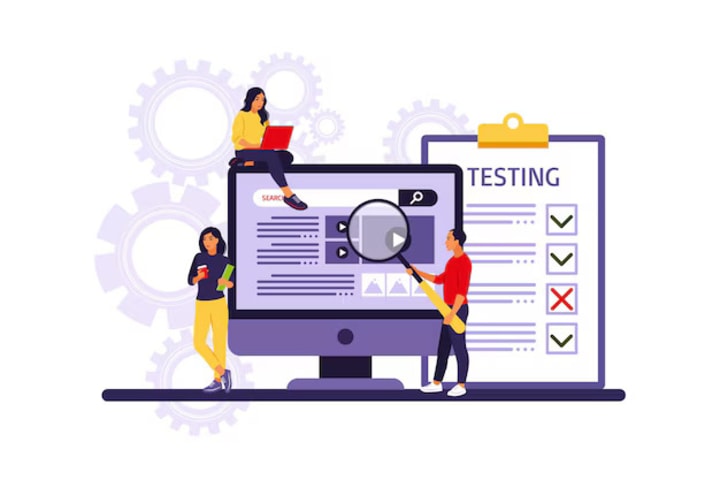
It has also been called manual testing-- the process of testing anything step-by-step, without any support of automation tools. The tester will keep clicking his way to the buttons, and forms to fill in, and checking if everything's working. The concept behind it is to try finding out bugs (problems) and reporting to the development team, so they could correct before its software release.
For example, if you’re testing a new mobile app, a manual tester would check if buttons work, if the app crashes, or if something doesn't load as it should. Testers also look for anything that doesn’t seem right or is hard to use.
Why is Manual Testing Important?
1. Human Perspective
The most important benefit of manual testing is that it involves real people. Testers may think like users; they might try using the software in ways that a computer cannot. For example, they might not do everything just as they are being told. This means they could click on things at random, enter weird text, or skip steps. Manual testers can search for issues that may come up in the operation of the users, who might do things differently from normal. Automated tests, because they are scripted, miss them.
I believe this test would miss one thing for instance, if a user clicks the same button several times within a short period of time. Maybe application freezes or even crashes, but automatic test would not have been able to reproduce such because it does not check for such random behavior; manual tester may identify the problem.
2. Exploratory Testing
Manual testers can go and explore the software without any kind of check list of tasks being followed. This technique is referred to as exploratory testing. Along with just proving whether certain things work, they can experiment by doing different things in order to find out what happens. In this way, they often discover bugs that were not anticipated or planned for.
For example, the tester may open the app, tap here and there and hit "back" while loading some page. In that way, they may establish errors that were not identified in simple testing.
3. Checking User-Friendliness (Usability Testing)
Another very crucial aspect related to manual testing is that, whether or not the software is user-friendly. If the tester manually interacts with the app or website, he can point out if the design is confusing or hard to navigate. In this way, it could find whether the buttons are too small to click or if one cannot find how to sign up.
Automated tests can always test if a button works, but they cannot tell if a button's size or position is confusing to a real human. Here is where manual testing really catches fire. Testers can give valuable feedback on whether the software is easy to use and understandable.
4. Simulating Real-World Scenarios
opposing, it is through manual testing that people are able to mimic a real user who intends to actually use the application. Hence, very straightforwardly, they can test and see how things will go on another device, browser, or even a slower connection.
For example, how the web page behaves on a mobile and on a tablet, and on the desktop computer. Alternatively, run the test using other browsers-chrome, Firefox, or Safari. They can even test the application with a slow internet connection, a battery nearly depleted, and all the usual real-world scenarios that could have thrown up issues well hidden from automated tests.
5. Providing Feedback
The manual testers don't only find the bugs but go further and give useful feedback to the development teams. When they identify a problem, they report it, including how steps may eventually fix the issue. Testers can suggest improvements which could make the app design better, speed up, or eliminate fuzzy features.
The feedback loop is a way for developers to learn how users will use the software and how to fix their efforts.

How Manual Testing Fits into the Software Development Process
Manual testing usually happens in different stages of the software development process:
1. During Development:
The testing team starts testing early, although all parts of the program are not at all developed. For example, they may test only to see if logging-in works or if it can create a new account.
2. Before Release:
As the software approaches the end of the development stage, testing now manifests high-level and detailed checks. They look for bugs, errors, and usability malfunctions. It is during this stage that the tester could be involved with acceptance tests in the event that the computer program meets the requirements intended before the inception of the development of the computer program.
3. After Release:
They're also going to be looking for bugs even after the software has been released to the public. Users may experience problems, and then the testers could have to test those problems themselves to help the developers fix them. Probably, they would also test updates and new features to make sure that nothing that works yet breaks.
Manual Testing vs. Automated Testing
While both types of testing are important, they serve different purposes:
• Automated Testing: Automated testing well suits using for not often changing things like this login button: does it always work. In such tests, it is easy to repeat very speedily, with a lot of saving of time in large projects.
• Manual Testing: It is better to have situations requiring human judgment undergoing manual tests. The tester can be creative, try various things, and observe small issues that the automated test may easily miss. In fact, regarding the user experience of checking if the application is easy to use or if the design is very clear, manual testing is favorable.
Most software projects use a combination of both types of testing. Automated testing can monitor so-called basic but repetitive tasks, whereas manual testing is mainly around more complex scenarios and stuff that really needs a human touch.
Conclusion
Manual testing during the whole software development will ensure the fact that the software will do what it is anticipated to do. Though possibly quicker, brilliant for checking repetitive tasks, but manual testing adds value to areas where human intuition, creativity, and judgment come into play; hence, a concealed bug, as manifested by manual testers, plus an opinion of whether the software is user-friendly or not and circumstances that resemble real conditions under which the software should be strong.
In this, the automated testing will cover all the basic functions, so the manual testing ensures that the product is polish and user-friendly, good for use in real applications. And if put together, then these approaches can yield high-quality and dependable applications, which meet the expectations of users as well as deliver an extraordinary experience. Visit Eloiacs to find more about Software Testing.
About the Creator
A Priceless Lesson in Lif
A Priceless Lesson in Life – Story No. 2641 Do not rush to judge anyone. Shazia Mubashir Once, there was a man who had four sons. He wished for his sons to learn an important lesson: never make hasty judgments about anyone or anything. He wanted them to understand that judging without experience and observation over time can lead to misunderstandings. To teach them this valuable lesson, the man devised a plan. He decided to send each son on a journey to observe a pear tree in a distant area.
By Sudais Zakwanabout 20 hours ago in Education
The Secret to Thriving Client-Consultant Relationships: Trust, Clarity, and Commitment
Strong client-consultant relationships are essential for delivering successful outcomes and sustaining long-term business growth. These partnerships are built on a foundation of shared purpose, open dialogue, and mutual respect. A consultant who can foster a deep connection with their client becomes more than just an external resource; they become a trusted partner in problem-solving and strategic growth.
By Nicole Metz5 days ago in Education


Comments
There are no comments for this story
Be the first to respond and start the conversation.