
Unlocking the Power of Microsoft 365
with Microsoft Graph API


In today’s cloud-driven world, businesses rely heavily on productivity tools like Microsoft 365. From Outlook and OneDrive to Teams and SharePoint, these services generate and manage a vast amount of data. But how do developers tap into this ecosystem to build intelligent, integrated solutions? Enter Microsoft Graph API — Microsoft’s unified API endpoint that enables you to access data across its suite of services.
Microsoft Graph API is a powerful unified endpoint that enables developers to access data from across the Microsoft 365 ecosystem—such as Outlook, Teams, OneDrive, and more—using a single API. It simplifies integration, allowing apps to read emails, manage calendars, fetch user profiles, and automate tasks across services. With built-in security and deep connectivity, Graph API is ideal for building enterprise applications, dashboards, and productivity tools. Whether you're enhancing collaboration with Microsoft Teams or pulling insights from user activities, Graph API is the bridge that connects your app to the full potential of Microsoft 365.
What is Microsoft Graph API?

Microsoft Graph API is a RESTful web API that allows developers to interact with the data of millions of users in Microsoft 365. Whether it’s retrieving calendar events, accessing user profiles, sending emails, or managing documents in OneDrive, Graph API provides a single endpoint to connect it all.
Microsoft Graph API is a powerful unified endpoint that enables developers to access data from across the Microsoft 365 ecosystem—such as Outlook, Teams, OneDrive, and more—using a single API. It simplifies integration, allowing apps to read emails, manage calendars, fetch user profiles, and automate tasks across services. With built-in security and deep connectivity, Graph API is ideal for building enterprise applications, dashboards, and productivity tools. Whether you're enhancing collaboration with Microsoft Teams or pulling insights from user activities, Graph API is the bridge that connects your app to the full potential of Microsoft 365.
It aggregates APIs from various Microsoft services, including:

- Azure Active Directory
- Outlook (Mail, Calendar, Contacts)
- Teams
- SharePoint
- OneDrive
- Excel
- Planner
- To Do
This unified approach simplifies authentication, query syntax, and data access across services.
Key Features
- Single Authentication Flow: Using Microsoft Identity Platform, you can authenticate once and gain access to all services under Microsoft Graph.
- Deep Integration with Microsoft 365: You can build apps that deeply integrate with the Office ecosystem — for example, a chatbot that reads Teams messages or a dashboard displaying user analytics.
- Webhooks & Real-Time Data: Graph API supports webhooks, enabling apps to subscribe to changes in real time (e.g., receive notifications when a new file is uploaded to OneDrive).
- Rich Data Access: Gain insights with advanced queries using OData protocol, including filtering, searching, and ordering data.
- Extensible Schema: Microsoft Graph lets you extend directory schema for custom applications.
Common Use Cases

- Custom Dashboards: Display user metrics like email traffic, document sharing activity, or meetings analytics.
- Workplace Automation: Create workflows triggered by calendar events or file uploads.
- Team Collaboration Apps: Enhance Microsoft Teams with bots or tabs that use Graph API to fetch user or channel data.
- Security & Compliance: Monitor user sign-ins, audit logs, or suspicious activity.
Example: Fetch User Profile
Here’s a simple example of fetching a user's profile:
http GET https://graph.microsoft.com/v1.0/me
Authorization: Bearer {access_token}
Response:
json
{
"displayName": "John Doe",
"mail": "[email protected]",
"jobTitle": "Software Engineer"
}
Authentication & Permissions
To use Graph API, your application must be registered in Azure Active Directory. After registration, you can request scopes like User Read, Mail Read, or Files ReadWrite. Microsoft enforces strict permission models to ensure data privacy and control.
Getting Started
- Register your app in Azure Portal.
- Choose appropriate Microsoft Graph permissions.
- Obtain OAuth 2.0 access token.
- Call Graph API endpoints using HTTP or SDKs (available for .NET, JavaScript, Python, and more).
Learn More About Our Microsoft Graph API
Microsoft Graph API is a powerful tool that connects you to the heart of Microsoft 365. Whether you’re building enterprise dashboards, automation scripts, or intelligent assistants, Graph API opens the door to endless possibilities. With just a few lines of code, you can tap into the workflows of millions and bring innovation right into the productivity stack.
About the Creator
Mayank Parmar
Chief Technology Officer (CTO) of Hats Off Solutions
Keep reading
More stories from Mayank Parmar and writers in Education and other communities.
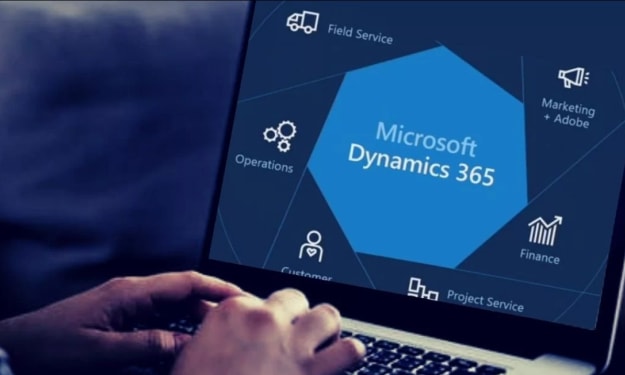
Microsoft Dynamics 365:
Introduction In today’s fast-paced digital landscape, businesses are under immense pressure to be more agile, data-driven, and customer-centric. That’s where Microsoft Dynamics 365 steps in — a powerful suite of intelligent business applications that seamlessly combines Customer Relationship Management (CRM) and Enterprise Resource Planning (ERP) capabilities. Whether you’re a small business looking to streamline operations or a global enterprise aiming to boost customer engagement, Dynamics 365 offers the flexibility and tools to drive transformation.
By Mayank Parmar9 months ago in Education
The Growth Trap: How Self-Improvement Can Derail Your Success
The growth mindset has become a symbol of ambition and resilience. It promotes the belief that anyone can improve their skills and intelligence through effort, learning, and perseverance. While this concept has inspired many to push past their limits and embrace challenges, it also has a lesser-known side. When taken too far or misunderstood, the pursuit of self-improvement can actually backfire. What begins as a healthy desire to grow can spiral into stress, burnout, and self-doubt, quietly sabotaging the very success it aims to create.
By Jeb Kratziga day ago in Education
Wesley Farnsworth: On Authentic Christian Community with Evidence, Human Rights, and Critical Thinking
Wesley Farnsworth is an author, speaker, and communications professional whose work centers on faith, transformation, and the formation of authentic Christian community. With more than 16 years of experience in visual storytelling, branding, and digital communication—including service in military public affairs—he helps individuals, churches, and nonprofits communicate with clarity, integrity, and purpose.
By Scott Douglas Jacobsena day ago in Education


Comments
There are no comments for this story
Be the first to respond and start the conversation.