
Top 10 LinkedIn Mistakes That Are Hurting Your Job Hunt (And How to Fix Them)
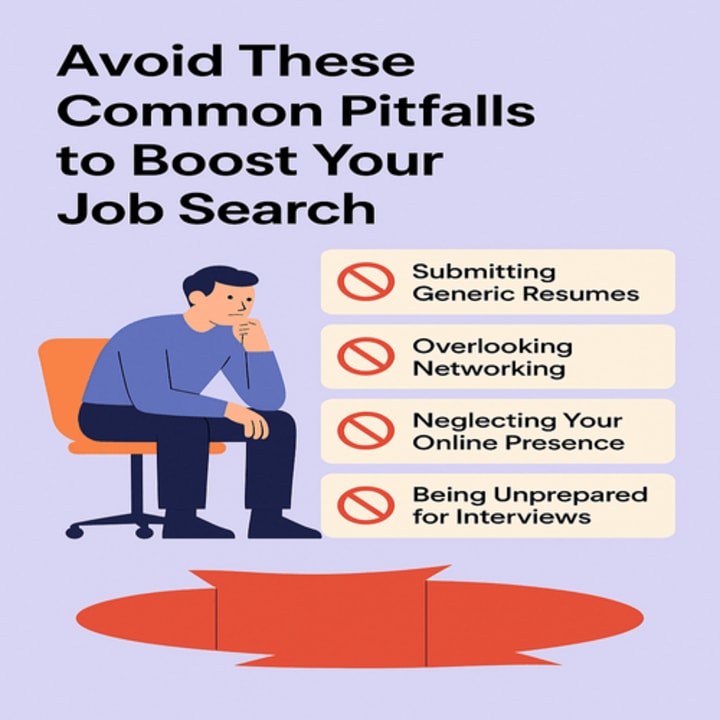
Avoid These Common Pitfalls to Boost Your Job Search

LinkedIn for job seekers is more than just a professional profile—it's a personal brand. Whether you're a seasoned expert or a fresh graduate, your LinkedIn activity shapes how recruiters perceive you. Unfortunately, even the most skilled professionals unknowingly make LinkedIn profile mistakes that sabotage their chances.
From online personal branding errors to overlooked resume settings, these mistakes can impact your visibility and credibility. To stay competitive, you need to be aware of what’s harming your reach and know how to fix LinkedIn profile issues before they cost you your dream job. This guide dives into the top 10 LinkedIn mistakes that are hurting your job hunt, offers practical solutions, and shows how small changes can drive big career growth.
Mistake 1: Incomplete or Outdated LinkedIn Profile
One of the most common LinkedIn mistakes to avoid is leaving your profile incomplete or outdated. Incomplete profiles lack professional appeal and often don’t rank well in LinkedIn search results. Failing to update your profile with new skills, positions, or achievements can lead to lost opportunities.
Fix: Set a recurring reminder every 3 months to review your experience, education, and featured projects. Use keywords from your industry and align them with your resume.
Mistake 2: Poor Profile Photo or No Photo at All
Recruiters notice your photo first. Using an unprofessional picture—or worse, none—damages your professional networking image. It’s one of the most common LinkedIn mistakes job seekers make.
Fix: Use a high-quality headshot with a clear background. Dress as you would in a job interview. Avoid filters, group photos, or selfies.
Mistake 3: Ignoring the LinkedIn Headline and Summary
Many users leave these fields blank or generic, missing out on LinkedIn optimization tips for job seekers. These sections are prime real estate for showcasing your value.
Fix: Write a compelling headline that includes your job title and specialization. Your summary should tell your career story, emphasize your skills, and invite engagement.
Mistake 4: No Keywords for Your Target Role
Not using the right keywords in your profile means you’re invisible to recruiters. LinkedIn is a search engine—and your profile must be keyword-optimized.
Fix: Review job descriptions in your field. Add relevant keywords naturally in your headline, experience, and skills sections.
Mistake 5: Not Customizing the LinkedIn URL
Your default LinkedIn URL looks unprofessional, especially on resumes or portfolios. This small detail can impact your online personal branding.
Fix: Go to your profile settings and customize your LinkedIn URL to something like linkedin.com/in/yourname. It shows attention to detail and makes your profile more shareable.
Mistake 6: Using the Same Resume for Every Application
LinkedIn’s Easy Apply misuse happens when users upload a one-size-fits-all resume to every job. This is one of the LinkedIn job hunting do’s and don’ts you must follow closely.
Fix: Tailor your resume for each job and remove outdated resumes. Here’s a complete guide on how to delete resume from LinkedIn to keep your applications clean and updated.
Mistake 7: Not Engaging or Posting Content
If you're passive on LinkedIn, you’re missing out. Recruiters notice activity. A dormant profile makes you seem disinterested or outdated.
Fix: Like, comment, and post industry-relevant content. Share your insights, certifications, or even challenges you’ve overcome. This boosts visibility and credibility.
Mistake 8: Sending Generic Connection Requests
LinkedIn connection strategy matters. Sending blank or generic requests won’t build real professional relationships.
Fix: Personalize every connection request. Mention a shared interest, group, or event. Show genuine intent behind your networking.
Mistake 9: Not Listing Skills or Endorsements
If you don’t list your skills or haven’t requested endorsements, your profile lacks trust signals. It’s a missed opportunity.
Fix: Add at least 10 relevant skills and reorder them based on your niche. Reach out to colleagues to endorse you and reciprocate.
Mistake 10: Ignoring LinkedIn Recommendations
A profile with zero recommendations can appear incomplete or untrustworthy. Hiring managers often read them before making contact.
Fix: Ask for LinkedIn recommendations from previous managers, coworkers, or mentors. Offer to write one in return.
Frequently Asked Questions: Common LinkedIn Mistakes During Job Search
What are the most common LinkedIn mistakes during job search?
The most frequent LinkedIn mistakes that hurt your job hunt include incomplete profiles, poor profile photos, ignoring the summary section, and using non-specific keywords. Many job seekers also overlook the importance of resume visibility on LinkedIn, fail to engage with their network, or don’t update their headline. Other issues include generic connection messages, ignoring endorsements, and uploading a single outdated resume across all job applications. To avoid these pitfalls, job seekers must stay active, use LinkedIn profile optimization techniques, and consistently update their information. These small tweaks can significantly improve your job search performance and visibility to recruiters.
How can I fix LinkedIn profile issues that hurt my job hunt?
Fixing your LinkedIn profile starts with conducting a thorough review. Make sure every section is complete, including your work history, education, and certifications. Use relevant LSI keywords like “LinkedIn headline tips” or “profile photo best practices.” Add a professional photo and rewrite your summary to reflect your career goals. Customize your LinkedIn URL and upload updated resumes only.
Should I customize my LinkedIn resume for each job?
Absolutely. A tailored resume aligned with each job listing greatly increases your chance of being noticed. One of the top LinkedIn profile issues is uploading a one-size-fits-all resume. Customize your resume by highlighting skills and experiences relevant to each specific role.
Why is my LinkedIn not getting recruiter attention?
There are many reasons why recruiters may overlook your profile. Common ones include missing keywords, no activity, an unprofessional profile photo, or lack of endorsements. If you’ve not updated your resume or LinkedIn summary, your profile may appear outdated. Missteps in your LinkedIn connection strategy can also affect reach.
Is a LinkedIn summary important for job search?
Yes, your LinkedIn summary is a critical space to communicate your value proposition. It’s your chance to speak directly to potential employers and show who you are beyond a job title. A well-written summary can help fix several LinkedIn profile mistakes. Use this section to highlight your achievements, career goals, and what makes you unique. Include LSI keywords related to your profession so recruiters can find you easily.
How do I know if my LinkedIn profile is hurting my chances?
Signs that your LinkedIn is hurting your job hunt include low profile views, no recruiter messages, or lack of engagement. Check if your information is outdated or if you’re missing sections like endorsements or a strong summary. Tools like LinkedIn’s “Profile Strength Meter” can help identify issues.
What LinkedIn habits should I avoid while applying for jobs?
Avoid applying to jobs passively without updating your profile or resume. Don’t spam connection requests, ignore recruiters’ messages, or leave your summary blank. Avoid using selfies or logos as your profile picture. Another major mistake is failing to clean up your Easy Apply resume options. Keep only the most relevant and updated resumes uploaded. If you're not sure how, here’s a detailed guide to deleting your LinkedIn resume.
Final Thoughts
Your LinkedIn profile can either be your biggest career asset or your greatest liability. From profile photos to keywords to resume management, even small mistakes can prevent recruiters from reaching out. By avoiding these top 10 LinkedIn mistakes that are hurting your job hunt, and applying the tips above, you can transform your profile into a magnet for opportunities.
About the Creator
Ramsha Riaz
Ramsha Riaz is a tech and career content writer specializing in AI, job trends, resume writing, and LinkedIn optimization. He shares actionable advice and insights to help professionals stay updated.
Keep reading
More stories from Ramsha Riaz and writers in Education and other communities.
Olena Kalaitan on Mariupol, Journalism, Language, and War in Ukraine
Olena Kalaitan is a Ukrainian journalist and editor best known for leading Mariupol’s Pryazovskyi Robochyi newspaper and heading the Donetsk regional organization of the National Union of Journalists of Ukraine. During Russia’s 2022 siege of Mariupol, she stayed in the city for 23 days, survived the destruction of her home, and escaped on foot with her son. She later became a prominent voice for displaced journalists, media freedom, and the revival of independent Ukrainian journalism in occupied and war-affected regions. Kalaitan has also warned publicly against Russian propaganda issued under the stolen name of her newspaper during wartime occupation there.
By Scott Douglas Jacobsen7 days ago in Education
Creating Connections: How Churches Unite People Beyond Sunday
For many people, church is more than a place for worship. It becomes a center where relationships grow, and communities find strength. Creating Connections: How Churches Unite People Beyond Sunday reflects the idea that church life extends far beyond weekly gatherings. It provides opportunities for people to support one another, share experiences, and develop meaningful friendships.
By Mike Signorelli7 days ago in Education
The First Rainbow Baby
Pitter-patter, pitter-patter. The rain fell in rhythmic splatters, slowly slowing, but still constant. Mira rolled onto her side pulling the blanket tight against her ears, but still she could hear chitter-chatter and scurrying feet of the creatures that refused to sleep in the lower decks.
By A. J. Schoenfeld3 days ago in Fiction


Comments
There are no comments for this story
Be the first to respond and start the conversation.