
the importance of Canon printer firmware updates
Now, think of firmware updates as the superhero cape for your trusty printer

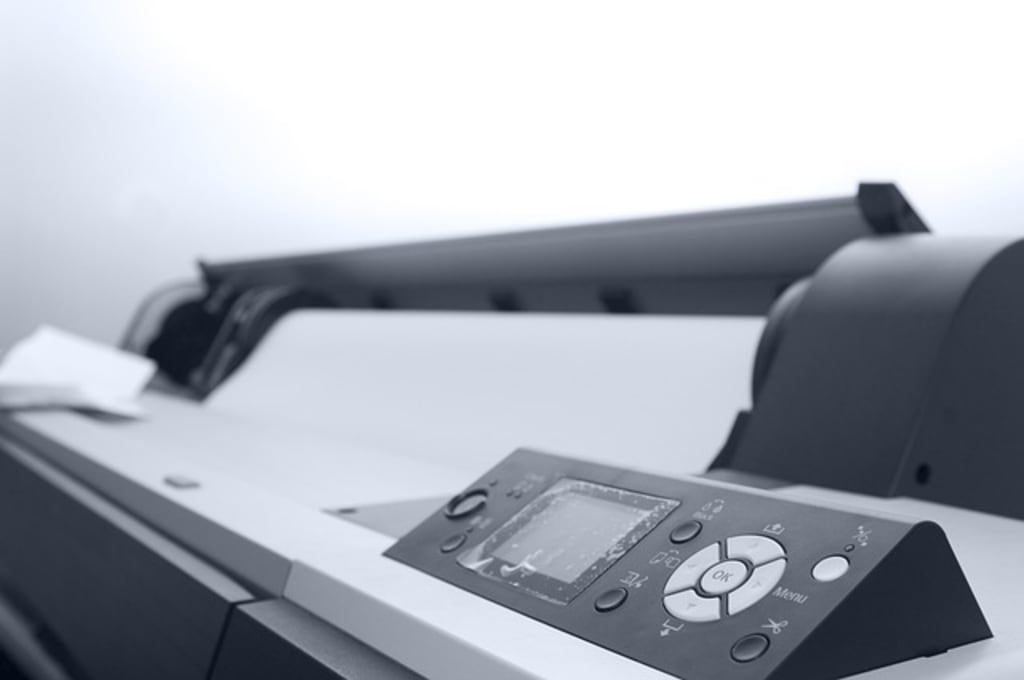
Imagine your Canon printer as a well-oiled machine that consistently churns out those important documents, school projects, or maybe even a cherished family photo. It's your reliable sidekick in the world of hard copies, silently doing its job day in and day out. Now, think of firmware updates as the superhero cape for your trusty printer.
Here's why these updates matter:
1. Performance Boost:
Just like athletes need training to perform at their best, your printer needs updates to enhance its performance. Firmware updates often come with optimizations and bug fixes that make your printer faster, more efficient, and better at handling various printing tasks. It's like giving your printer a power-up to tackle any challenge that comes its way.
2. Compatibility Magic:
Technology evolves at lightning speed, and so does the software that runs it. Firmware updates ensure that your printer stays compatible with the latest devices, operating systems, and printing technologies. So, when you upgrade your computer or switch to a new device, your printer can still seamlessly communicate and print without any hiccups. It's like teaching an old dog new tricks!
3. Security Armor:
In this digital age, security is a top priority. Firmware updates often include patches to fix vulnerabilities and strengthen your printer's defenses against potential cyber threats. By keeping your printer's firmware up to date, you're essentially adding a layer of armor to shield your sensitive documents from the virtual villains lurking in the digital realm.
4. Bug Exterminator:
Every piece of software has its quirks, and printers are no exception. Firmware updates act as exterminators, eliminating those pesky bugs that might cause your printer to misbehave. Whether it's fixing printing errors, addressing connectivity issues, or resolving mysterious error messages, these updates ensure your printer runs smoothly and without a hitch.
5. New Features Surprise:
Sometimes, firmware updates bring exciting surprises in the form of new features. It's like receiving a free upgrade that unlocks additional functionalities in your printer. These could be improvements in print quality, the introduction of new printing modes, or even compatibility with cutting-edge printing technologies. Your printer becomes a dynamic device that evolves and grows with the times.
magine your Canon printer as a trusted companion in the hustle and bustle of your daily life. It dutifully transforms your digital thoughts and creations into tangible reality, be it a work report, a cherished photograph, or your kid's school project. Now, let's dive deeper into the significance of those seemingly mundane Canon printer firmware updates – the unsung heroes that keep your printing haven alive.
6. Evolving with Technology:
The tech world is a constantly shifting landscape. New devices, software updates, and connectivity standards emerge regularly. Firmware updates ensure that your printer doesn't get left behind in this fast-paced digital race. It's like giving your printer a backstage pass to the latest tech trends, allowing it to harmonize with the ever-evolving digital symphony.
7. User-Friendly Enhancements:
Who doesn't appreciate a user-friendly experience? Firmware updates often come with enhancements to the user interface, making it more intuitive and user-friendly. This means less time fumbling with settings and more time getting your important tasks done. It's like upgrading your printer to the deluxe edition, complete with a smoother and more enjoyable user experience.
8. Extended Hardware Life:
Your printer, like any other piece of hardware, experiences wear and tear over time. Firmware updates can include optimizations that not only improve performance but also contribute to the overall longevity of your printer. Regular updates are akin to providing your printer with a wellness check, ensuring it stays healthy and operational for years to come.
9. Sustainability Matters:
In a world where sustainability is increasingly crucial, firmware updates can contribute to the eco-friendliness of your printer. Efficiency improvements and optimizations in updates often mean less energy consumption and resource utilization. So, by keeping your printer updated, you're not just enhancing its performance but also reducing its environmental footprint – a win-win for both you and Mother Earth.
10. Community Connection:
Firmware updates also foster a sense of community among printer users. When you update your printer, you're joining a collective effort to improve and refine the printing experience for everyone. It's like being part of a digital neighborhood where each update contributes to the collective well-being of the community of Canon printer users.
In essence, Canon printer firmware updates are the threads that weave the fabric of a seamless and evolving printing experience. They're not just about fixing bugs or ensuring security – they're about keeping your printer in sync with the times, enhancing its capabilities, and creating a community of users connected by a shared commitment to excellence in printing. So, the next time you initiate that firmware update, know that you're not just upgrading your printer; you're participating in a journey of continuous improvement and innovation.
For more information, visit our website Canon support
In essence, Canon printer firmware updates are the unsung heroes that keep your printing experience smooth, secure, and up-to-date. They're the key to ensuring your printer remains a reliable companion, ready to tackle any printing task you throw its way. So, the next time you see that firmware update notification, think of it as a superhero calling: your printer's way of saying, "I'm ready for anything – let's do this!"
About the Creator
Devid
I am a certified technician with 5 years of customer service experience. And we are offering online printer solutions across the USA.
Visit our official website for more info: Click here Call support group
Keep reading
More stories from writers in Education and other communities.
February Begins
White rabbits, white rabbits, white rabbits. It’s February, the worst month! I never know what to do in February, it suddenly hits that we’re a month into the new year and the belief that I have plenty of time to accomplish whatever it is I want to do this year evaporates into thin air. I respond in two ways, procrastinating or working on random little tasks. We had entrance examinations on Monday, so while I still went into work we didn’t have any exams to do, but I got everything prepped for the rest of the week. That means tests, exams and presentation grading!
By Max Brooks4 days ago in Education
The Invisible Deficiency: Why Modern Food is Leaving Us Hungry for Life
We all share a common desire: for our children to grow up without illness and for our parents to enjoy a long life free from suffering. Yet, we are living through a profound contradiction. In an era of qualified doctors, ultra-modern clinics, and endless medications, humans fall ill more than any animal in its natural environment.
By Pavel Pavlov6 days ago in Education
Rachel Reviews: Lunch Tales: Teagan by Lucille Guarino
Well, I did enjoy this! Sometimes, all you need is just great storytelling and this is what Lucille Guarino delivers here. There's no big message to this book; it's just about folks and families, living their lives and coping with everything that's being thrown at them and finding their way. But when it's done well, like it is here, then you have characters to whom you can relate, tension which leaves you rooting for a better outcome, attraction which has your heart racing and an urge, as a reader, to see the characters happy with the people with whom they belong.
By Rachel Deeming5 days ago in BookClub




Comments
There are no comments for this story
Be the first to respond and start the conversation.