
The Complete Beginner's Guide to Building a Personal Portfolio Website
Step-by-Step Guide to Creating Your Own Personal Portfolio Website

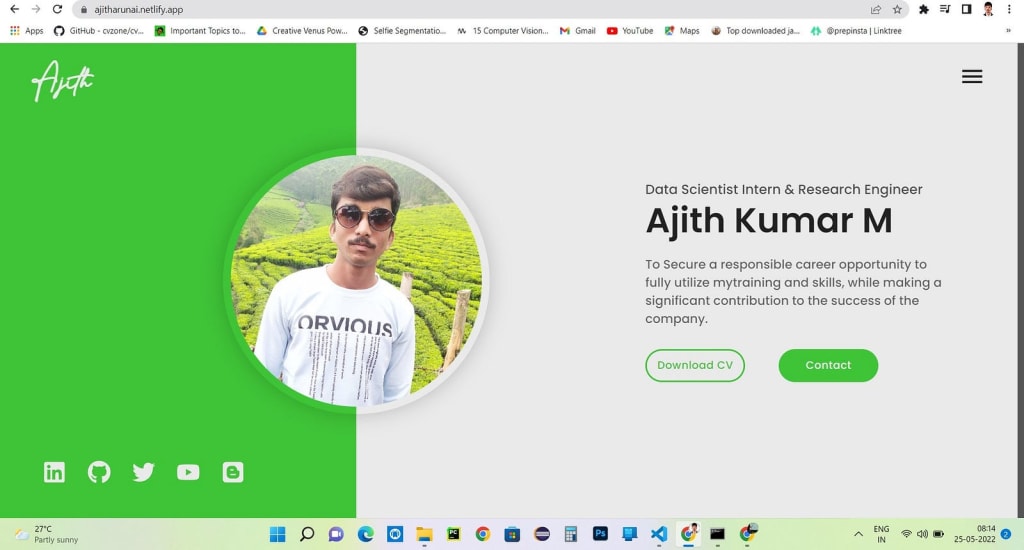
Want to create a professional portfolio but cannot figure out how to? Use Developer Portfolio and create your own personalised portfolio today! With multiple themes to choose from, our easily customisable, user friendly website is designed to cater to developers and freelancers alike.
Table of Contents 📜
- Sections
- Demo
- Themes
- Installation
- Getting Started
- Folder Structure
- Usage
- Hosting
- SEO
- Packages Used
- APIs Used
- Fonts and Images
- Upcoming Features
- Contributors
Sections 🔖
- HOME
- ABOUT
- RESUME
- EDUCATION
- SKILLS
- EXPERIENCE
- PROJECTS
- Achievements
- SERVICES
- TESTIMONIALS
- BLOG
- CONTACTS
Demo 🎥
Themes 🎨
Green 🟢
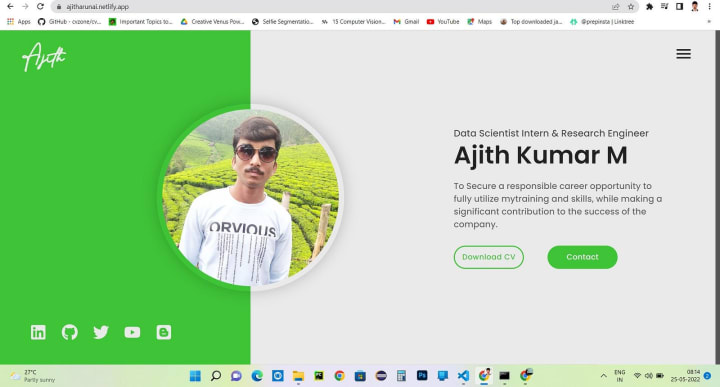
Black & White ⚫
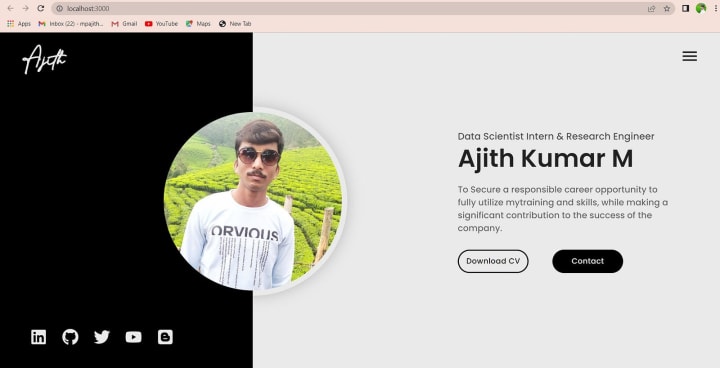
Blue 🔵
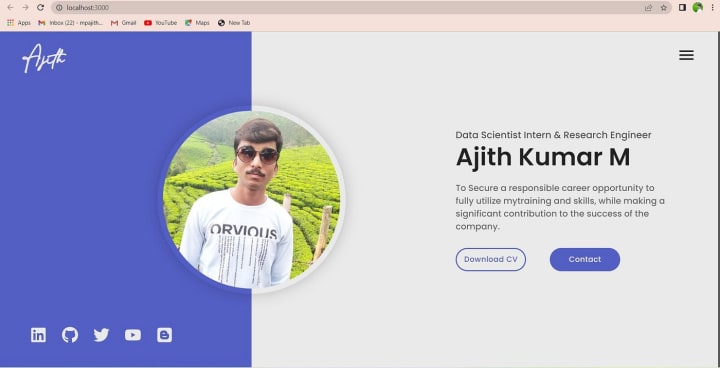
Red 🔴
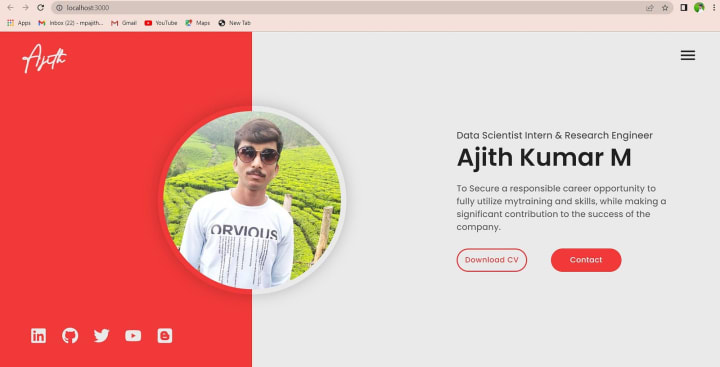
Purple 🟣
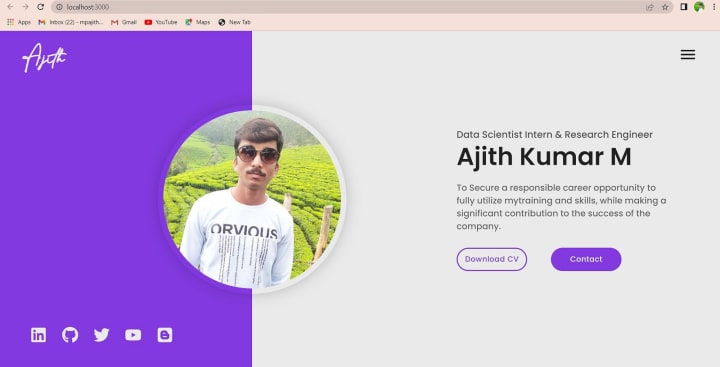
Pink
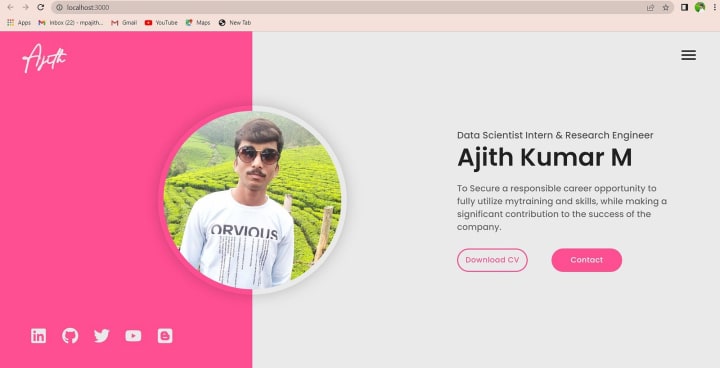
Yellow 🟡
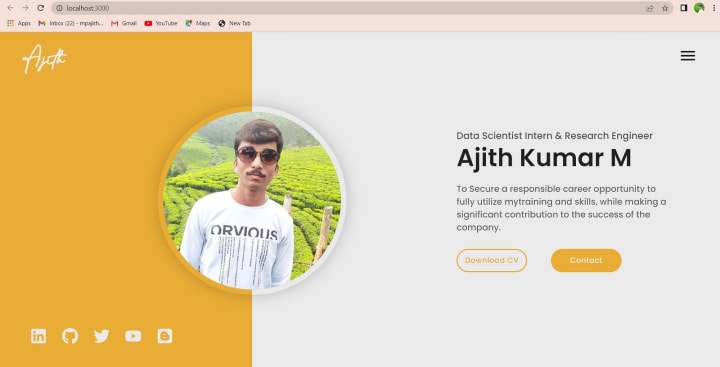
Installation ⬇️
You will need to download Git and Node to run this project
Also, check this out if you are new to react.
Make sure you have the latest version of both Git and Node on your computer.
node --version
git --version
Getting Started 🎯
Fork and Clone the repo
To Fork the repo click on the fork button at the top right of the page. Once the repo is forked open your terminal and perform the following commands
git clone https://github.com/<YOUR GITHUB USERNAME>/developer-portfolio.git
cd developer-portfolio
Install packages from the root directory
npm install
(or)
yarn install
Start the development server
npm start
(or)
yarn start
Folder Structure 📂
├── LICENSE
├── README.md
├── package-lock.json
├── package.json
├── public
│ ├── _redirects
│ ├── favicon.ico
│ ├── favicon.png
│ ├── favicon512.png
│ ├── index.html
│ ├── manifest.json
│ └── robots.txt
├── src
│ ├── App.css
│ ├── App.js
│ ├── assets
│ │ ├── fonts
│ │ │ └── Bestermind
│ │ │ └── BestermindRegular.ttf
│ │ │ └── resume.pdf
│ │ └── svg
│ │ ├── about
│ │ ├── contacts
│ │ ├── education
│ │ ├── experience
│ │ ├── projects
│ │ ├── skills
│ │ ├── social
│ │ └── testimonials
│ ├── components
│ │ ├── About
│ │ │ ├── About.css
│ │ │ └── About.js
│ │ ├── Achievements
│ │ │ ├── Achievements.css
│ │ │ └── Achievements.js
│ │ │ └── AchievementCard.js
│ │ ├── BackToTop
│ │ │ ├── BackToTop.css
│ │ │ └── BackToTop.js
│ │ ├── Blog
│ │ │ ├── Blog.css
│ │ │ ├── Blog.js
│ │ │ └── SingleBlog
│ │ │ ├── SingleBlog.css
│ │ │ └── SingleBlog.js
│ │ ├── Contacts
│ │ │ ├── Contacts.css
│ │ │ └── Contacts.js
│ │ ├── Education
│ │ │ ├── Education.css
│ │ │ ├── Education.js
│ │ │ └── EducationCard.js
│ │ ├── Experience
│ │ │ ├── Experience.css
│ │ │ ├── Experience.js
│ │ │ └── ExperienceCard.js
│ │ ├── Footer
│ │ │ ├── Footer.css
│ │ │ └── Footer.js
│ │ ├── Landing
│ │ │ ├── Landing.css
│ │ │ └── Landing.js
│ │ ├── Navbar
│ │ │ ├── Navbar.css
│ │ │ └── Navbar.js
│ │ ├── Projects
│ │ │ ├── Projects.css
│ │ │ ├── Projects.js
│ │ │ └── SingleProject
│ │ │ ├── SingleProject.css
│ │ │ └── SingleProject.js
│ │ ├── Services
│ │ │ ├── Services.css
│ │ │ ├── Services.js
│ │ │ └── SingleService
│ │ │ ├── SingleService.css
│ │ │ └── SingleService.js
│ │ ├── Skills
│ │ │ ├── Skills.css
│ │ │ └── Skills.js
│ │ ├── Testimonials
│ │ │ ├── Testimonials.css
│ │ │ └── Testimonials.js
│ │ └── index.js
│ ├── contexts
│ │ └── ThemeContext.js
│ ├── data
│ │ ├── aboutData.js
│ │ ├── achievementData.js
│ │ ├── blogData.js
│ │ ├── contactsData.js
│ │ ├── educationData.js
│ │ ├── experienceData.js
│ │ ├── headerData.js
│ │ ├── projectsData.js
│ │ ├── servicesData.js
│ │ ├── skillsData.js
│ │ ├── socialsData.js
│ │ ├── testimonialsData.js
│ │ └── themeData.js
│ ├── index.css
│ ├── index.js
│ ├── pages
│ │ ├── Blog
│ │ │ ├── BlogPage.css
│ │ │ └── BlogPage.js
│ │ ├── Main
│ │ │ └── Main.js
│ │ ├── Project
│ │ │ ├── ProjectPage.css
│ │ │ └── ProjectPage.js
│ │ └── index.js
│ ├── reportWebVitals.js
│ ├── theme
│ │ ├── images.js
│ │ └── theme.js
│ └── utils
│ ├── ScrollToTop.js
│ └── skillsImage.js
└── yarn.lock
Usage 🕹️
Customize your details for each component in src/data folder.
Eg:
export const headerData = {
name: '-- YOUR NAME --',
title: '-- YOUR TITLE --',
desciption:'-- DESCRIPTION --',
image: '-- IMAGE --',
resumePdf: ''
}
// You can also import image and PDF from assets as shown below
import resume from '../assets/pdf/resume.pdf'
import profileImg from '../assets/png/profileImg'
export const headerData = {
name: '-- YOUR NAME --',
title: '-- YOUR TITLE --',
desciption:'-- DESCRIPTION --',
image: profileImg,
resumePdf: resume
}
Data for each component is divided into respective files.
Set website theme in src/data/themeData.js and choose your favourite font from src/App.css
About You - src/data/aboutData.js
Education details - src/data/educationData.js
Enter your Projects - src/data/projectsData.js
Add your Skills - src/data/skillsData.js
Experience - src/data/experienceData.js
Achievements - src/data/achievementData.js
Services - src/data/servicesData.js
Testimonials - src/data/testimonialsData.js
Your Blogs and Articles - src/data/blogData.js
Contact Details - src/data/contactsData.js
Social Media Profiles - src/data/contactsData.js
// EXAMPLE
export const educationData = [
{
id: 1,
institution: '-- INSTITUTION NAME --',
course: '-- COURSE NAME --',
startYear: '2017',
endYear: '2019'
},
//
]
Instructions and format for each section can be found inside the data files.
Setting Up Contacts form 📩
Follow these instructions to connect contacts form with Google Sheet
Hosting 🌐
Netlify
SiteDocsDemoNetlify3 ways to deploy React apps to NetlifyYoutube
Firebase
SiteDocsDemoFirebaseDeploy a React App with FirebaseYoutube
Heroku
SiteDocsDemoHerokuDeploying React App on Heroku from GitHubYoutube
Github Pages
SiteDocsDemoGitHub PagesDeploying React App on GitHub Pages from GitHubYoutube
SEO 🕷️
Search engine optimization (SEO) is the process of improving the quality and quantity of website traffic to a website or a web page from search engines.
Add the below code snippet to public/index.html with your site info. This step is not mandatory
<meta name="description" content="--- SITE DESCRIPTION ---" />
<meta property="og:image" content="--- YOUR IMAGE ---">
<meta property="og:site_name" content="--- YOUR NAME ---"/>
<meta property="og:title" content="--- YOUR NAME ---"/>
<meta property="og:url" content="--- YOUR SITE URL ---"/>
<meta property="og:type" content="website"/>
<meta property="og:description" content="--- SITE DESCRIPTION ---"/>
<meta property="og:locale" content="--- ---">
<meta property="og:image" content="--- YOUR IMAGE ---"/>
<meta property="og:image:width" content="1200">
<meta property="og:image:height" content="630">
<meta itemprop="name" content="--- YOUR NAME ---"/>
<meta itemprop="url" content="--- YOUR SITE URL ---"/>
<meta itemprop="description" content="--- SITE DESCRIPTION ---"/>
<meta itemprop="thumbnailUrl" content=""/>
<link rel="image_src" href="--- YOUR IMAGE ---"/>
<meta itemprop="image" content="--- YOUR IMAGE ---"/>
<meta name="twitter:site" content="@--- YOUR TWITTER USERNAME ---">
<meta name="twitter:creator" content="@--- YOUR TWITTER USERNAME ---">
<meta name="twitter:url" content="--- YOUR SITE URL ---"/>
<meta name="twitter:title" content="--- YOUR NAME ---">
<meta name="twitter:description" content="--- SITE DESCRIPTION ---">
<meta name="twitter:image" content="--- YOUR IMAGE ---">
<meta name="twitter:card" content="summary"/>
Packages Used 📦
Client Side Packages@material-ui/core@material-ui/iconsaxiosreact-fast-marqueereact-helmetreact-iconsreact-revealreact-router-domreact-router-hash-linkreact-slickslick-carouselvalidator
APIs Used 🗺️
SheetDB
Fonts and Images 🎭
- Illustrations
- Icons8
- SVG Porn
Icons
- Material Icons
- React Icons
Fonts
- Poppins
- Montserrat
- Raleway
- Big Shoulders Text
- Bestermind
- Roboto
Upcoming Features 🚧
- Light/Dark theme toggle
- More illustrations to choose from
- Achievements and Awards section
- More fonts to choose from
Contributors 👨💻
Ajith Kumar Murugan
Github Repo: https://github.com/ajitharunai/Personal-Blog-Page
About the Creator
Ajith Kumar
Founding Team @complyance.io | Engaging Minds 🧠 & Exploring Big Companies' Strategies | Finding ways to enhance life's journey and sharing tips for your success 🥇
Keep reading
More stories from Ajith Kumar and writers in Education and other communities.
The Most Exciting Tech Gadgets of 2023: A Comprehensive Review
Intro: The world of tech gadgets is always evolving, and 2023 has brought with it a whole host of exciting new innovations. From smart home devices to cutting-edge wearables, there's no shortage of gadgets to explore. In this comprehensive review, we'll take a closer look at the most exciting tech gadgets of 2023 and what sets them apart from the rest. Whether you're a tech enthusiast or simply looking to upgrade your daily routine, you're sure to find something that catches your eye.
By Ajith Kumar 3 years ago in Futurism
Legends of the Diamond: How Baseball’s Greatest Players Built a Timeless Legacy
Since its early days in dusty fields and growing towns, baseball has captured the imagination of millions. At the heart of this enduring appeal stand baseball legends who transformed the sport into a symbol of excellence and aspiration. These remarkable athletes did more than compete; they defined eras, inspired communities, and elevated the expectations of what players could achieve. As fans filled grandstands and tuned in from home, they witnessed moments that would echo across generations.
By Matthew Pothoff5 days ago in Education




Comments
There are no comments for this story
Be the first to respond and start the conversation.