
Scratch Programming Language
Learn, Create and Have Fun
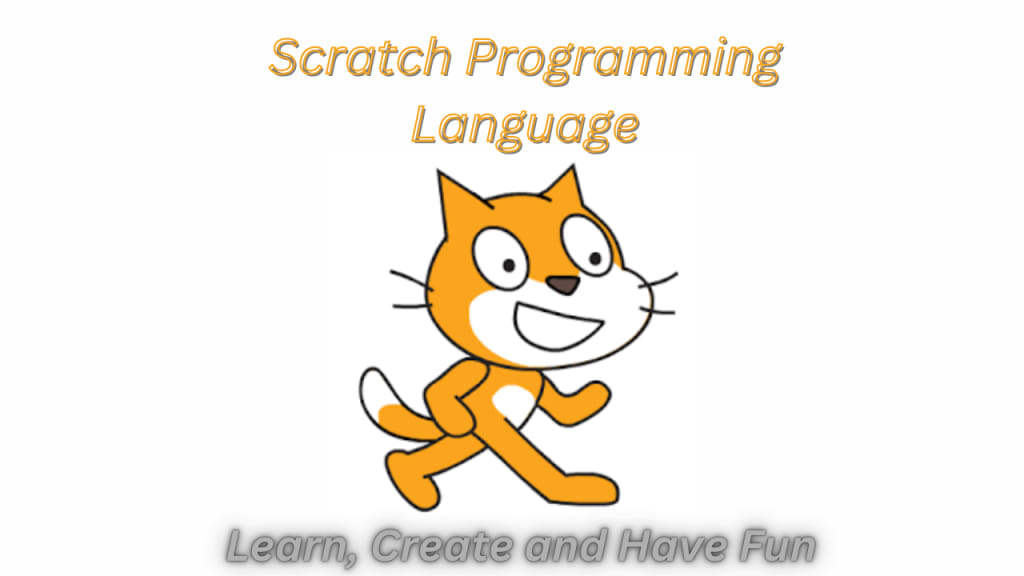
Scratch is a beginner-friendly programming language developed by MIT. It uses a visual interface with drag-and-drop code blocks, making it easy for kids to create interactive stories, games, and animations.
What is Scratch Programming Language?
Scratch is a free programming language designed for beginners, especially kids, to create their own interactive stories, games, and animations. Developed by the MIT Media Lab, it uses a simple, visual interface that makes coding fun and easy to learn.
Why Should You Learn Scratch?
1. Easy to Use: Scratch uses a drag-and-drop system with colourful code blocks, making it accessible for young learners.
2. Creativity and Imagination: It encourages creativity, allowing users to bring their ideas to life through coding.
3. Problem-Solving Skills: Learning Scratch helps develop logical thinking and problem-solving skills.
4. Community Support: Scratch has a large online community where users can share projects, get feedback, and learn from others.
How Does Scratch Work?
Scratch uses blocks of code that fit together like puzzle pieces. Each block represents a command or action, such as moving a character, playing a sound, or changing colours. By snapping these blocks together, users create scripts that tell their projects what to do.
What Can You Create with Scratch?
• Games: Simple games like maze runners, puzzles, and platformers.
• Animations: Moving stories with characters and backgrounds.
• Interactive Stories: Choose-your-own-adventure stories with multiple endings.
• Art and Music: Digital drawings and music compositions.
Who Can Use Scratch?
Scratch is ideal for children aged 8 to 16, but anyone interested in learning the basics of coding can use it. It’s often used in schools to teach coding concepts in a fun and engaging way.
How to Get Started with Scratch?
1. Visit the Website: Go to scratch.mit.edu.
2. Create an Account: Sign up for a free account to save and share your projects.
3. Start a New Project: Click on “Create” to open the project editor.
4. Explore Tutorials: Scratch offers built-in tutorials to help you learn the basics.
How is Scratch Different from Other Programming Languages?
Scratch is different from other programming languages in several key ways:
1. Visual Interface
Unlike traditional programming languages that use text-based code, Scratch uses a visual interface. Users create programs by dragging and dropping colourful code blocks, which fit together like puzzle pieces. This makes it easier to understand and reduces the chance of syntax errors.
2. Designed for Beginners
Scratch is specifically designed for beginners, especially children. Its user-friendly design helps newcomers grasp basic programming concepts without feeling overwhelmed. Traditional languages like Python or Java can be more challenging for beginners due to their complex syntax and structure.
3. Focus on Creativity
Scratch encourages creativity and experimentation. Users can create interactive stories, animations, and games, making learning to code a fun and engaging experience. This creative approach is less common in traditional programming languages, which often focus more on technical tasks.
4. Immediate Feedback
With Scratch, users can see the results of their code immediately. This instant feedback helps learners understand the impact of their changes right away, making the learning process more intuitive. In contrast, traditional programming often requires compiling and running code to see the results, which can be more time-consuming and less interactive.
5. Community and Sharing
Scratch has a strong online community where users can share their projects, get feedback, and collaborate with others. This sense of community and the ability to share and remix projects is unique to Scratch and helps foster a supportive learning environment. Traditional programming languages don't typically have such integrated sharing features.
6. Educational Focus
Scratch is often used in educational settings to teach coding concepts. Its simplicity and focus on foundational programming principles make it an excellent tool for schools and educational programs. Traditional languages are more commonly used in professional and advanced educational contexts.
Frequently Asked Questions
Q: Is Scratch free to use?
A: Yes, Scratch is completely free to use.
Q: Do I need to download anything to use Scratch?
A: No, Scratch runs in your web browser, so there’s no need to download anything. However, there is an offline editor available if you prefer to work without an internet connection.
Q: Can I share my Scratch projects with others?
A: Yes, you can share your projects on the Scratch website, where other users can view, comment, and remix them.
Q: What is "remixing" in Scratch?
A: Remixing is when someone takes an existing project and modifies it to create something new. It’s a great way to learn by building on others’ work.
Q: Is Scratch safe for kids?
A: Yes, Scratch has safety features and a supportive community that make it a safe environment for kids to learn and create.
Q: Can Scratch be used for advanced programming?
A: While Scratch is designed for beginners, it can be a stepping stone to more advanced programming languages like Python or Java.
Conclusion
Scratch is a fantastic tool for anyone interested in learning the basics of coding. Its simple, visual approach makes it accessible and fun, encouraging creativity and problem-solving. Whether you’re a parent, teacher, or student, Scratch offers endless possibilities for creating and learning. Visit scratch.mit.edu today and start your coding journey!
About the Creator
Why ISO Certification Is Becoming a Business Standard for Companies in the UAE
Businesses in the UAE operate in a competitive environment. Clients expect reliability. Regulators expect compliance. International partners expect structured operations. Because of these expectations, companies are adopting management systems that improve how they operate.
By Umar Quality Jounal3 days ago in Education
Book Tasting Cafe
I’m always looking for ways to get my students interested in new books. When I received the new books this year, I decided to make introducing them to the students a little more fun. Normally I just pull them from the boxes, process them, and put them on display. This time I decided to start with unboxing videos. While the video of the unboxing of non-fiction books was too long to post online, I was able to post the videos for the other books so the students could see them. I also posted them on my Instagram.
By Reb Kreylingabout 13 hours ago in Education


Comments
There are no comments for this story
Be the first to respond and start the conversation.