
Resume Format PDFs for Every Job Seeker: Download Now
download your resume for every jobseeker

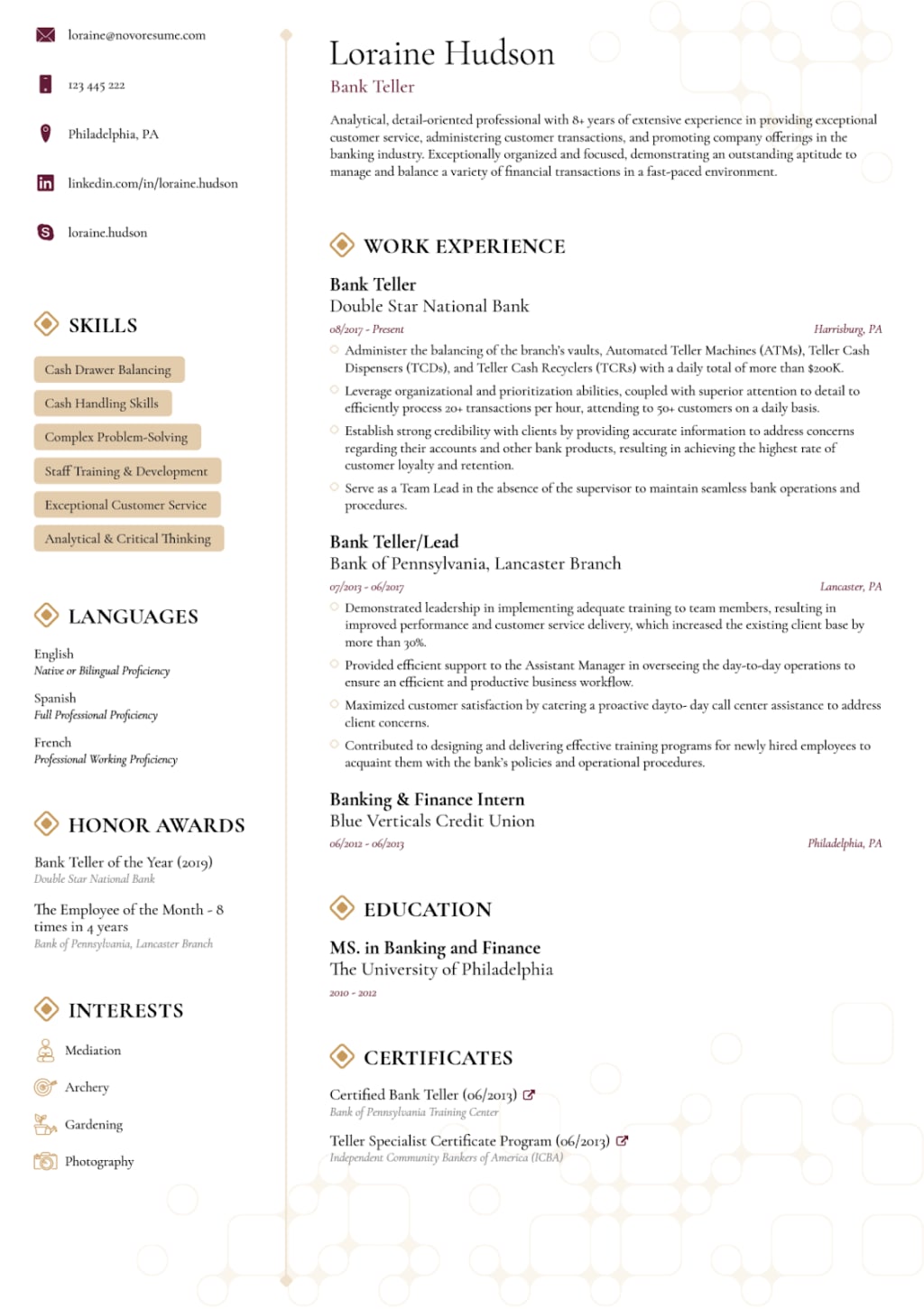
In today's competitive job market, having a well-organized and professionally designed resume is crucial to standing out from the crowd. One of the most effective ways to create a resume that showcases your skills and experience is by using a resume format PDF. With the right resume format, you can ensure that your resume is easy to read, visually appealing, and tailored to the job you're applying for. This article will explore everything you need to know about resume formats, including tips, templates, and how to optimize your resume for success.
Why is the Right Resume Format Important?
Your resume is often the first impression you make on potential employers. A resume format PDF allows you to present your qualifications in a professional, clean, and consistent manner. Here's why choosing the right resume format is critical:
1. First Impressions Matter: Your resume is a reflection of your professionalism. A well-structured format conveys that you pay attention to detail.
2. Applicant Tracking Systems (ATS): Many companies use ATS to filter out resumes. A proper format increases the chances of passing through this automated screening.
3. Readability and Clarity: A clear, simple format ensures that hiring managers can quickly scan your qualifications, which is especially important when they have many resumes to review.
Table of Contents
1. Types of Resume Formats
o Chronological Resume Format
o Functional Resume Format
o Combination Resume Format
2. How to Choose the Right Resume Format PDF
3. Essential Elements of a Resume Format
4. Downloadable Resume Templates
5. Best Practices for Formatting Your Resume
6. How to Customize Your Resume
7. Frequently Asked Questions (FAQs)
8. Conclusion
9. Key Takeaways
________________________________________
1. Types of Resume Formats
There are three main types of resume formats that job seekers can use depending on their experience and the job they are applying for. Let's dive into each one:
1.1 Chronological Resume Format
The chronological resume format is the most commonly used format. It focuses on work experience, listing your jobs in reverse chronological order (most recent job first). This format is ideal for individuals with a consistent work history, making it easier to see your career progression.
Key Features:
• Clear sections for your contact information, objective/summary, work experience, education, skills, and certifications.
• Emphasizes work experience and accomplishments.
Best for: Job seekers with a stable, continuous work history and career growth.
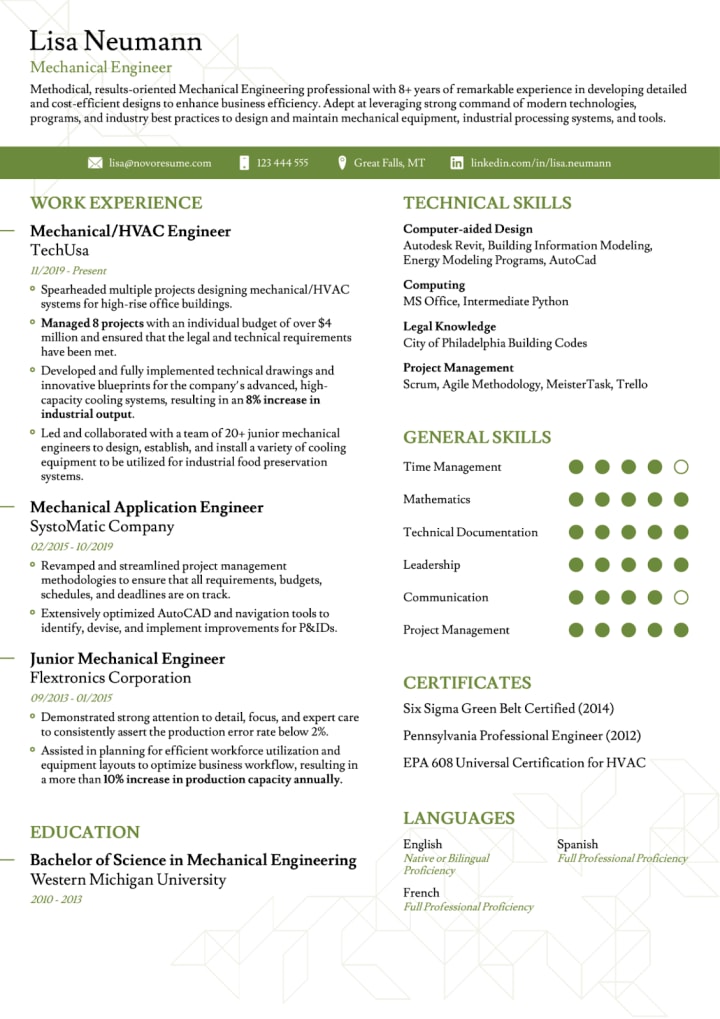
1.2 Functional Resume Format
The functional resume format is skills-based and highlights the applicant's abilities rather than work history. It is useful for individuals changing careers or with gaps in their employment history.
Key Features:
• Focuses on skills and accomplishments, organized into categories like “Leadership,” “Problem Solving,” etc.
• Work experience is typically listed without specific dates or job titles.
Best for: Job seekers with little experience in the field they are applying to or those looking to change industries.
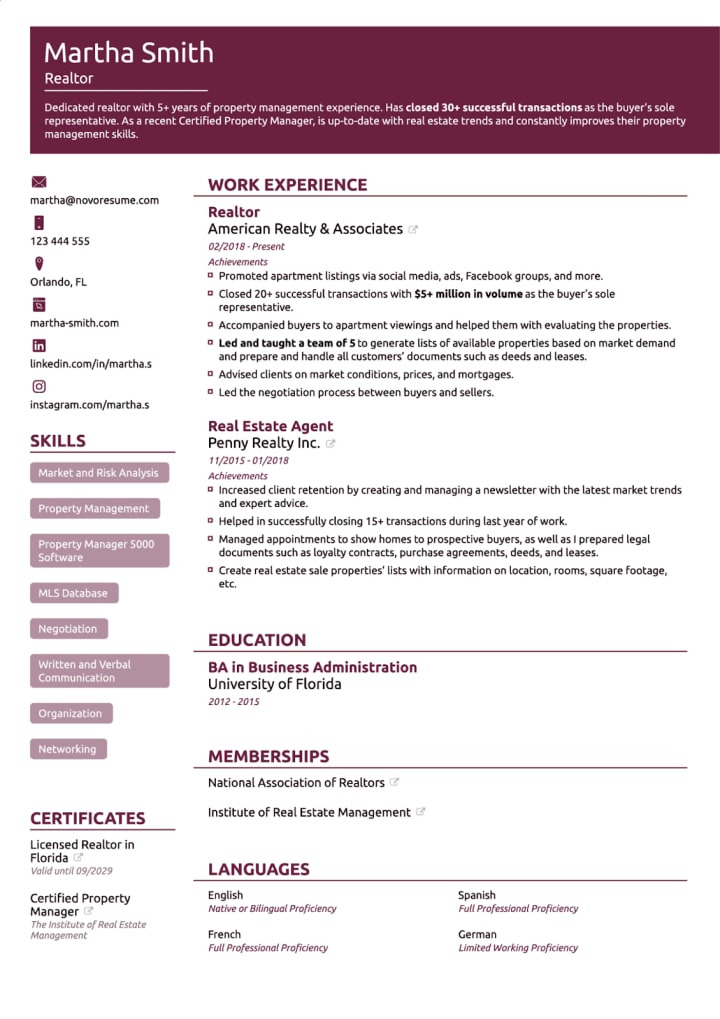
1.3 Combination Resume Format
The combination resume format is a blend of the chronological and functional formats. It focuses on both skills and work experience, which is ideal for those with a solid skill set and relevant experience.
Key Features:
• Starts with a section highlighting relevant skills and qualifications.
• Followed by a reverse-chronological list of work experience.
Best for: Experienced professionals who want to showcase both skills and career progression.
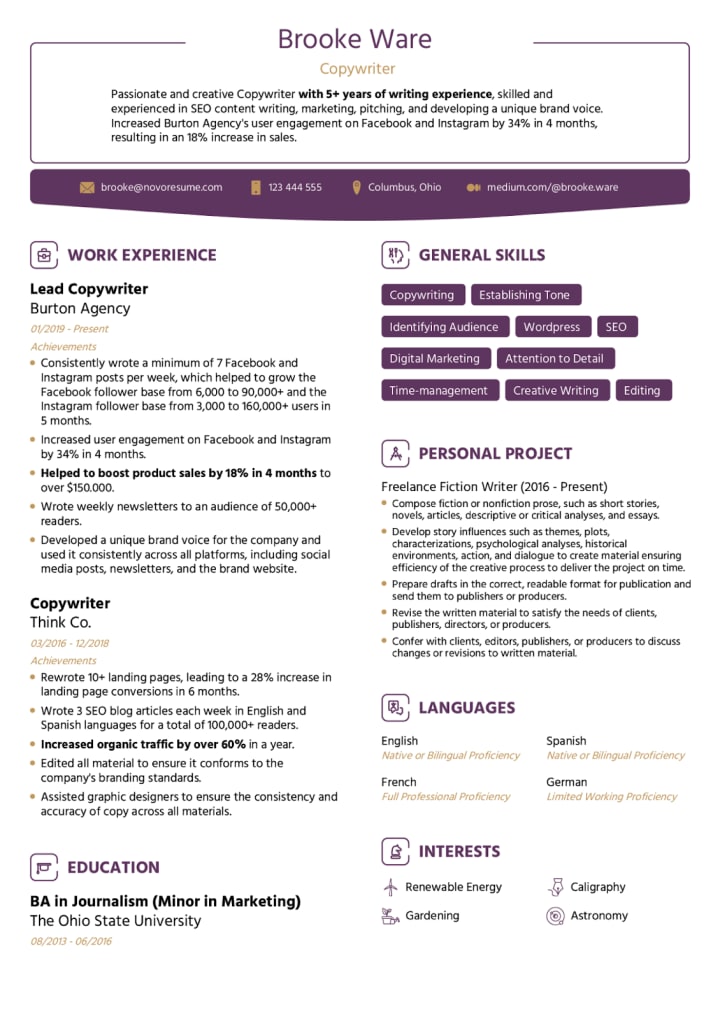
________________________________________
2. How to Choose the Right Resume Format PDF
Choosing the right resume format depends on several factors, including your work experience, skills, and the job you are applying for. Here are some tips for making the best decision:
• If you have a strong work history: Use the chronological resume format. It will clearly demonstrate your growth in the industry.
• If you are changing careers or have limited work experience: The functional resume format allows you to emphasize transferable skills over experience.
• If you have a mix of experience and skills: Consider the combination resume format. This gives you flexibility to highlight both your skills and job history.
________________________________________
3. Essential Elements of a Resume Format
Regardless of the format, every resume format PDF should include several key sections to ensure you’re providing the necessary information. These include:
3.1 Contact Information
Contact Information Example:
________________________________________
John Doe
Phone: (123) 456-7890
Email: [email protected]
LinkedIn: linkedin.com/in/johndoe
Website: www.johndoeportfolio.com (optional)
________________________________________
Explanation:
• Full name: This is your complete name, and it should be the first thing on your resume.
• Phone number: Make sure it’s a number that you can easily be reached at.
• Email address: Use a professional email address (preferably your name).
• LinkedIn profile or personal website: This is optional but can be very helpful. If you have a LinkedIn profile or a personal website/portfolio that showcases your work, include the link.
3.2 Objective or Summary
The Objective or Summary section of your resume is important because it quickly conveys your career goals and how you align with the position you’re applying for. It gives employers a snapshot of your qualifications, skills, and intentions. Let’s break down both types and provide examples:
________________________________________
Objective (Best for entry-level candidates or career changers):
An Objective focuses on your career goals and the position you're seeking. It’s great for people who are just entering the workforce or transitioning into a new career path.
Example Objective:
Objective:
"Motivated and detail-oriented recent graduate with a degree in Marketing, seeking an entry-level position at XYZ Company. Eager to contribute strong communication skills and fresh ideas to help the team succeed in its marketing campaigns."
________________________________________
Summary (Best for experienced candidates):
A Summary is a brief statement of your professional background and key skills. It’s suitable for those with more experience as it highlights what you’ve accomplished and what you bring to the table.
Example Summary:
Summary:
"Results-driven project manager with 7+ years of experience leading cross-functional teams to deliver complex projects on time and within budget. Expertise in team collaboration, risk management, and resource allocation. Proven track record of improving operational efficiency and increasing client satisfaction. Seeking to leverage expertise in project management to contribute to the growth and success of XYZ Company."
________________________________________
Key Differences:
• Objective: Focuses on what you're looking to achieve and why you're interested in the position.
• Summary: Highlights what you bring to the company, your skills, and experience.
Choose the one that best suits your level of experience and the job you are applying for.
3.3 Work Experience
The Work Experience section is crucial for showcasing your past employment and how it has prepared you for the role you're applying for. This section should be listed in reverse chronological order, meaning your most recent job should be listed first, followed by previous positions.
Here’s how to format the section:
________________________________________
Key Components of the Work Experience Section:
• Job Title: The position you held at the company.
• Company Name: The name of the organization where you worked.
• Dates of Employment: Include the start and end date of your employment (Month and Year).
• Key Responsibilities and Accomplishments: Use bullet points to list your main duties and any significant achievements or contributions that demonstrate your skills and impact.
________________________________________
Work Experience Example:
________________________________________
Project Manager
ABC Corporation, New York, NY
June 2020 – Present
• Lead cross-functional teams of 10+ members to successfully complete 15+ high-profile projects on time and within budget.
• Managed project schedules, budgets, and resources, resulting in a 20% increase in operational efficiency.
• Collaborated with stakeholders to identify project goals, define deliverables, and ensure alignment with business objectives.
• Developed and implemented risk management plans, reducing project delays by 15%.
• Conducted project status meetings with clients, ensuring customer satisfaction and fostering strong, long-term relationships.
________________________________________
Marketing Coordinator
XYZ Company, Los Angeles, CA
March 2017 – May 2020
• Created and executed marketing campaigns that increased brand awareness by 30%.
• Managed social media accounts, boosting follower engagement by 50% through targeted content and promotions.
• Analyzed market trends and customer behavior to adjust strategies and improve campaign effectiveness.
• Coordinated with creative teams to design marketing materials, resulting in a 25% increase in leads generated.
• Prepared regular reports for senior management to track campaign progress and performance.
________________________________________
Formatting Tips:
• Use action verbs: Start each bullet point with strong action verbs like "managed," "led," "developed," "increased," etc.
• Quantify achievements: Whenever possible, include numbers to show measurable results (e.g., "increased sales by 15%" or "managed a team of 10+").
• Tailor to the job: Highlight responsibilities and accomplishments that directly relate to the position you're applying for.
________________________________________
Why This Section Matters:
Your work experience is the section that hiring managers look at most closely, so it's essential to highlight how your previous roles have prepared you for this new opportunity.
3.4 Education
For those early in their careers, the Education section can be one of the most important aspects of the resume, as it may be their main qualification. For individuals with more work experience, this section becomes less critical but still necessary, especially for showcasing any relevant degrees or certifications.
Here’s how to format the Education section effectively:
________________________________________
Key Components of the Education Section:
• Degree: The title of the degree you earned (e.g., Bachelor of Science, Master of Arts, etc.).
• Institution: The name of the college or university where you studied.
• Graduation Date: The month and year of graduation. If you haven’t graduated yet, you can list the expected graduation date.
• Relevant Coursework or Achievements: Highlight any courses, projects, or awards that are relevant to the job you're applying for.
________________________________________
Education Example:
________________________________________
Bachelor of Science in Marketing
University of California, Los Angeles (UCLA)
Graduated: May 2023
• Relevant Coursework: Consumer Behavior, Digital Marketing, Market Research, Advertising Strategies, Data Analysis
• Dean’s List: 2020-2023
• Capstone Project: Developed a comprehensive marketing strategy for a local business, resulting in a 20% increase in their online engagement.
________________________________________
Master of Business Administration (MBA)
Harvard Business School, Cambridge, MA
Expected Graduation: May 2025
• Relevant Coursework: Strategic Management, Business Analytics, Corporate Finance, Leadership in Organizations
• Graduate Assistant for Marketing Department
• Member of the MBA Marketing Club
________________________________________
Formatting Tips:
• List in reverse chronological order: If you have multiple degrees, list the most recent one first.
• Include only relevant coursework or achievements: If you're a recent graduate or still in school, highlighting relevant coursework can show the skills you've developed. For experienced professionals, focus more on your degree and any major accomplishments.
• Mention honors or awards: If you earned any honors (like Dean’s List or Summa Cum Laude), include that information to demonstrate academic excellence.
________________________________________
Why This Section Matters:
The Education section helps employers understand your academic background and any qualifications you’ve gained through formal education. For those earlier in their careers, it's often a key differentiator. As your work experience grows, this section will become less critical but still an important piece of the puzzle.
3.5 Skills
The Skills section on your resume is where you can highlight your technical and soft skills that are relevant to the job you're applying for. This section helps employers quickly see if you have the necessary expertise to excel in the role. You can divide this section into technical skills (software, tools, systems) and soft skills (communication, leadership, problem-solving), making it easy for hiring managers to scan.
________________________________________
Key Components of the Skills Section:
1. Technical Skills: These are specific, teachable abilities that can be measured, such as software proficiency, programming languages, or industry-specific tools.
2. Soft Skills: These are interpersonal qualities or traits, like leadership, communication, and problem-solving, that are harder to measure but are equally important in many roles.
________________________________________
Skills Example:
________________________________________
Technical Skills:
• Microsoft Office Suite: Proficient in Word, Excel, PowerPoint, and Outlook
• Adobe Creative Suite: Photoshop, Illustrator, InDesign (for design and content creation)
• CRM Software: Salesforce, HubSpot (customer relationship management)
• Data Analysis Tools: Google Analytics, Excel (data tracking and reporting)
• Programming Languages: Python, HTML/CSS (basic coding skills)
Soft Skills:
• Leadership: Led a team of 5 marketing professionals to successfully launch multiple campaigns
• Communication: Excellent written and verbal communication skills, adept at presenting complex ideas to diverse audiences
• Time Management: Strong organizational skills, able to prioritize tasks and meet deadlines efficiently
• Problem-Solving: Proven ability to troubleshoot and resolve issues quickly and effectively
• Collaboration: Skilled at working in cross-functional teams, fostering a positive and cooperative environment
________________________________________
Formatting Tips:
• Be specific: Don’t just list generic skills (e.g., "communication skills"). Instead, provide specific examples or tools that demonstrate your proficiency (e.g., "Fluent in English and Spanish" or "Proficient in Microsoft Excel for data analysis").
• Tailor to the job: Review the job description and pick the skills that align most closely with the job requirements.
• Separate categories: It’s often helpful to divide the skills into technical and soft skills to give hiring managers a clear overview of both aspects of your abilities.
________________________________________
Why This Section Matters:
The Skills section provides employers with a quick snapshot of what you bring to the role. While experience and education are important, your skills can set you apart from other candidates. Employers are often looking for specific tools or abilities that match the job, so tailoring this section to each application can significantly improve your chances of standing out.
3.6 Certifications and Additional Sections
Including Certifications and other Additional Sections such as languages spoken, volunteer work, or professional affiliations can make your resume stand out and provide employers with a more complete picture of your qualifications. These sections highlight your commitment to continued learning, community involvement, and professional networking, all of which can set you apart from other candidates.
________________________________________
Key Components for Certifications and Additional Sections:
1. Certifications: Any industry-specific credentials or certifications that demonstrate your expertise or proficiency in a particular field. These certifications are often awarded by professional organizations, colleges, or corporations.
2. Professional Affiliations: Membership in relevant professional organizations or associations that are related to your industry or career path.
3. Languages Spoken: If you speak multiple languages, this can be a valuable asset, particularly in roles that require international communication or working with diverse teams.
4. Volunteer Work: Including any relevant volunteer experience shows that you’re involved in your community and committed to giving back. It can also highlight skills you developed while volunteering.
________________________________________
Example of Certifications and Additional Sections:
________________________________________
Certifications:
• Certified Digital Marketing Professional (CDMP) – Digital Marketing Institute, 2023
• Google Analytics Certification – Google, 2022
• Project Management Professional (PMP) – Project Management Institute, 2021
Professional Affiliations:
• Member, American Marketing Association (AMA), 2022 – Present
• Member, Project Management Institute (PMI), 2020 – Present
Languages Spoken:
• English (Fluent)
• Spanish (Intermediate)
• French (Basic)
Volunteer Work:
• Marketing Volunteer – Nonprofit Organization XYZ, 2021 – Present
o Developed marketing campaigns to increase community engagement and raise awareness about environmental initiatives.
• Community Outreach Coordinator – Local Food Bank, 2019 – 2021
o Coordinated and led food distribution events, helping over 1,000 families annually.
________________________________________
Formatting Tips:
• Certifications: List them in reverse chronological order (most recent first). Include the certifying organization and the year you earned it.
• Professional Affiliations: Mention the name of the organization and your role (if applicable). If you're actively involved in committees or leadership roles, highlight that.
• Languages: List them with your proficiency level (e.g., Fluent, Intermediate, Basic).
• Volunteer Work: Include any volunteer experiences that demonstrate skills relevant to the job you're applying for. Treat this section similarly to a work experience section by listing the role, organization, and key responsibilities or achievements.
________________________________________
Why These Sections Matter:
• Certifications: Many roles require specific certifications to validate your knowledge or expertise in a particular field. Listing these shows that you’re qualified and have a commitment to professional development.
• Professional Affiliations: Membership in relevant professional organizations shows you're staying connected and up-to-date with the latest industry trends. It also demonstrates your commitment to networking and growing professionally.
• Languages Spoken: Being bilingual or multilingual is a valuable asset, especially in global or multicultural environments, as it allows you to communicate effectively with a wider range of clients, customers, or teams.
• Volunteer Work: Volunteering showcases your character, community involvement, and transferable skills like leadership, teamwork, and project management.
________________________________________
4. Downloadable Resume Templates
To help you get started, we have compiled a list of downloadable resume format PDFs. These templates are easy to customize, and they cater to different career levels and industries:
1. Chronological Resume Template PDF: Download this template if you have consistent work experience.
2. Functional Resume Template PDF: Use this template if you’re switching careers or have gaps in your employment history.
3. Combination Resume Template PDF: Best for experienced professionals with a diverse skill set.
________________________________________
5. Best Practices for Formatting Your Resume
When formatting your resume, you want it to be both visually appealing and easy to read. Here are some tips for perfecting your resume format:
• Use a clean, professional font: Fonts like Arial, Times New Roman, and Calibri are easy to read.
• Keep the formatting consistent: Ensure headings, bullet points, and font sizes are consistent throughout your resume.
• Use bullet points: Bullet points make your resume scannable and allow hiring managers to quickly find important details.
• Limit length: A resume should typically be no longer than one or two pages.
• Save as a PDF: Save your resume in a resume format PDF to maintain formatting across devices and systems.
________________________________________
6. How to Customize Your Resume
Personalizing your resume for each job application is crucial. Here’s how to customize your resume format:
1. Tailor your skills and experience: Highlight the qualifications most relevant to the job description.
2. Use keywords: Incorporate keywords from the job listing to pass through Applicant Tracking Systems (ATS).
3. Update your objective/summary: Customize this section to reflect your interest in the specific role and company.
________________________________________
7. Frequently Asked Questions (FAQs)
7.1 What is the best resume format for someone with little experience?
If you're new to the workforce or have limited experience in the field, the functional resume format is ideal. It allows you to focus on your skills rather than work history.
7.2 How do I know if my resume is ATS-friendly?
Ensure your resume uses standard section headings (e.g., "Work Experience" instead of "Professional Background"), avoids complex formatting like tables or images, and includes relevant keywords from the job description.
7.3 Should I include a photo on my resume?
In most cases, it’s best to avoid including a photo on your resume, unless specifically requested. Many countries and industries discourage photo inclusion due to potential discrimination concerns.
________________________________________
8. Conclusion
A resume format PDF is a powerful tool to help you present your qualifications in a professional and organized manner. By selecting the right resume format, including essential sections, and customizing it for each job, you can greatly improve your chances of landing an interview. Download the templates above to get started and create a standout resume that captures the attention of hiring managers.
________________________________________
9. Key Takeaways
• Resume format PDFs ensure consistent and professional presentation across devices.
• Choosing the right resume format depends on your experience and the job you’re applying for.
• Keep your resume clean, concise, and tailored to each job.
• Use downloadable templates to streamline the resume creation process.
About the Creator
Shahrukh Mirza
my name is sharukh khan. and i am a content writer to resume and career advice .
i have a website to create resume for free
To create Resume online and abolutely Free:- https://resumeera.xyz
Keep reading
More stories from Shahrukh Mirza and writers in Education and other communities.
How to Make Resume Format PDF Without Losing Money
When it comes to job applications, the first impression you make is often through your resume. A well-structured, professional resume can set you apart from other candidates. However, many job seekers often overlook the importance of formatting their resume correctly, especially when converting it to a PDF. This article will guide you on how to make a resume format PDF without spending a dime, ensuring your resume is crisp, professional, and ready for submission.
By Shahrukh Mirzaabout a year ago in Education
The Digital Nomad Blueprint
In a not-so-distant future, where technology thrived and the world became increasingly connected, many people chose to break free from traditional lifestyles. Among them was a young woman named Mia. Mia was a digital nomad, traveling the globe with her laptop, working remotely while exploring new cultures. Her heart was set on living life to the fullest, but she was also searching for something greater—a sense of purpose.
By Hamad Afridi 4 days ago in Education
Thief In The Night
To the thief in the night that took and replicated what once was mine: Honestly, I feel kind of bad for you. It’s funny, because we hardly know each other. I only know of you through the magazines you’ve written and the broadcasts you have televised in the past — as well as through the public mentions of you from your show business connections there.
By Snarky Lisa6 days ago in Humans


Comments
There are no comments for this story
Be the first to respond and start the conversation.