
Raspberry Pi for Beginners (Mac+PC)
Raspberry Pi Video Course Content

The Raspberry Pi for Beginners (Mac+PC) Video Course Content is an excellent resource for anyone who wants to learn about the Raspberry Pi. The course is well-organized and easy to follow, making it accessible to users of all skill levels. It covers a wide range of topics, from basic setup and programming to more advanced applications such as media centers and home automation.
The course is divided into five sections, each of which covers a different aspect of the Raspberry Pi. The first section provides an overview of the Raspberry Pi platform, explaining what it is and how it works. It also covers the basic components of the Raspberry Pi, including the processor, memory, and ports. This section is an excellent starting point for beginners who may be unfamiliar with the Raspberry Pi and its capabilities.
The second section covers setting up the Raspberry Pi. This includes downloading and installing the operating system, connecting the Raspberry Pi to a display, and configuring the network settings. The course provides step-by-step instructions that are easy to follow, making it simple for even the most technologically challenged users to get started. This section is particularly helpful for beginners who may be intimidated by the idea of setting up a new device.
The third section is focused on programming with the Raspberry Pi. It covers the basics of the Python programming language and provides several simple projects that the user can complete to get started with programming. These projects include controlling LEDs, reading input from a button, and creating a simple game. The course provides detailed instructions and code samples that make it easy for users to follow along.
The fourth section covers using the Raspberry Pi as a media center. It provides detailed instructions on how to set up the Raspberry Pi to stream music and video content to your TV or other devices. The course covers several popular media center applications, including Kodi and OSMC. This section is particularly useful for users who are interested in using the Raspberry Pi as a media center but are unsure of how to get started.
The fifth and final section covers using the Raspberry Pi for home automation. It provides an overview of the different types of sensors and other devices that can be connected to the Raspberry Pi to automate various tasks around the home. The course also provides several simple projects that users can complete to get started with home automation. This section is a great resource for users who are interested in exploring the potential of the Raspberry Pi for home automation.
One of the strengths of this course is its comprehensive nature. The course covers a wide range of topics, from basic setup and programming to more advanced applications such as media centers and home automation. This breadth of coverage makes the course an excellent resource for users who want to explore the full potential of the Raspberry Pi.
Another strength of this course is the quality of the instructional materials. The course provides detailed instructions and code samples that are easy to follow, even for users who may be unfamiliar with programming. The materials are presented in a clear and concise manner, making it easy to learn and apply the concepts covered in the course.
The course also includes several hands-on projects that allow users to apply the concepts covered in the course in a practical and engaging way. These projects are an excellent way to reinforce the material covered in the course and to gain hands-on experience with the Raspberry Pi. The projects are well-designed and provide a good balance between simplicity and complexity, making them accessible to users of all skill levels.
One potential drawback of the course is that it may not provide enough depth for more advanced users. While the course covers a wide range of topics, it does not go into great detail on any one topic. This may be frustrating for users who are already familiar with the basics of the Raspberry Pi and are looking to learn more advanced techniques. However, for beginners, this is not a major issue, as the course provides a solid foundation for further exploration.
To get access to the ultimate video course content for Raspberry Pi for Beginners , please click the link below.
About the Creator
Vijay Ratnnakar (VRMentorsU)
I like to read and give reviews based on my experiences. I also mentor new migrants and international students giving them timely support and guidance as needed. During my spare time, I like to read books and share reviews accordingly.
Keep reading
More stories from Vijay Ratnnakar (VRMentorsU) and writers in Education and other communities.
The Ultimate Keto Meal Plan
The Ultimate Keto Meal Plan is a comprehensive guide to following the ketogenic diet. The meal plan is designed to help people achieve ketosis, a metabolic state in which the body burns fat for energy instead of carbohydrates. The ketogenic diet has become increasingly popular in recent years due to its potential health benefits, including weight loss, improved blood sugar control, and increased energy levels.
By Vijay Ratnnakar (VRMentorsU)3 years ago in Lifehack
Casie Hynes and the Push to Redefine Mathematics Education
Mathematics has always played a central role in education, yet it remains one of the most polarizing subjects students encounter. Some learners feel empowered by numbers and patterns, while others experience frustration and self-doubt early in their academic journey. Despite decades of discussion about reform, many math classrooms still rely on methods that emphasize memorization and speed over understanding and curiosity. In a world shaped by data, technology, and constant change, this approach no longer meets the needs of today’s students.
By Casie Hynes6 days ago in Education
The Silent Surge Mapping China USD 28.35 Billion E-Bike Future (2025–2033)
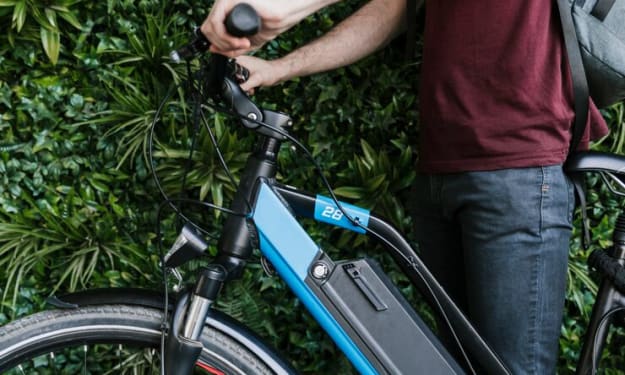
The 2025-2026 "Cash for Clunkers" Boom The most critical driver of market volume in the last 18 months has been the National Electric Bicycle Trade-In Program. Launched in late 2024 and expanded in early 2025, this government initiative aimed to replace millions of aging, lead-acid battery bikes with safer, lithium-ion, and smart-connected models.
By Neeraj kumar2 days ago in Education
📢 Raise Your Voice Thread: 02/05/2026
Our “Raise Your Voice Threads” are hosted most alternating Thursdays at 12PM ET to offer creators more avenues to uncover exceptional stories on Vocal. As we are continuously searching for fresh creators and inspiring stories, this thread provides an opportunity to exchange and discuss the stories that have moved and motivated us on Vocal.
By Raise Your Voice by Vocal6 days ago in Resources



Comments
There are no comments for this story
Be the first to respond and start the conversation.