
Raspberry PI for beginner (mac + Pc)
Make any tool from a game console, FM radio transmission to any electronic gadget easily with small computer Raspberry PI

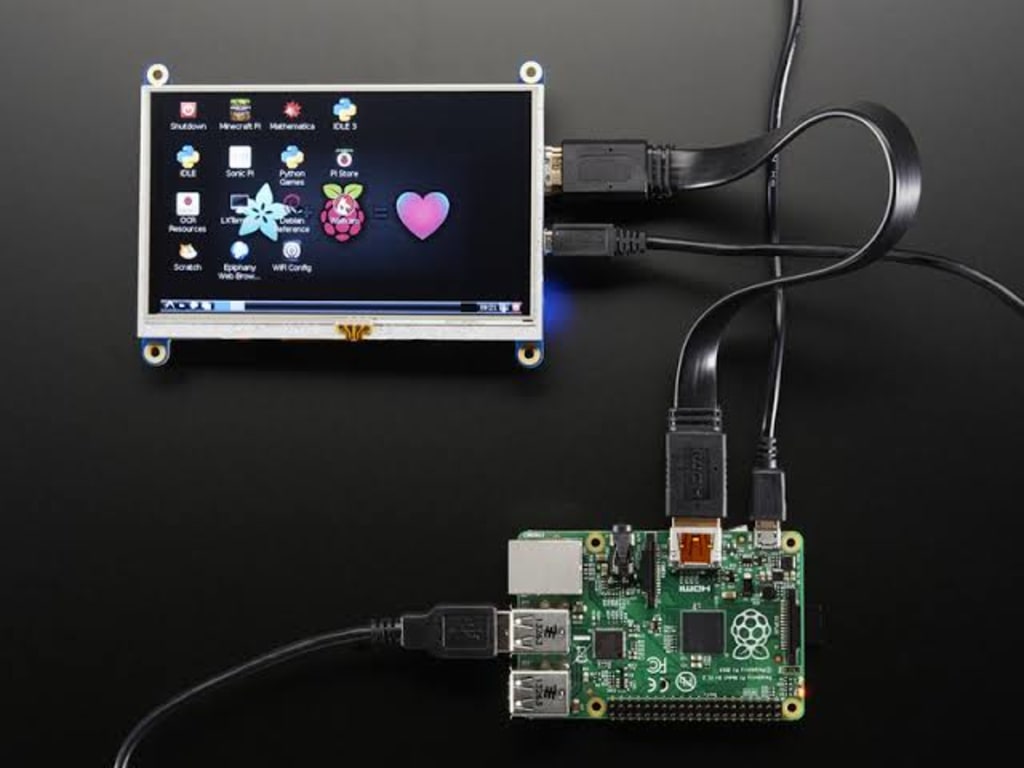
The Raspberry Pi is a tiny, affordable, single-board computer that has taken the world by storm. Originally designed to promote computer science education in schools, the Raspberry Pi has become a popular tool for makers, hobbyists, and even industrial applications.
The Raspberry Pi operates on a Linux-based operating system and supports a wide range of programming languages, making it a versatile platform for projects ranging from simple home media centers to complex IoT (Internet of Things) systems.
One of the great things about the Raspberry Pi is its compatibility with both Mac and PC computers. The Raspberry Pi can be easily programmed and controlled using a Mac or PC, and there are a variety of tools available to support both platforms.
To get started with your Raspberry Pi on a Mac, you'll need to download and install the Raspberry Pi Imager. This tool allows you to download and install the latest version of the Raspberry Pi operating system (Raspbian) onto a microSD card, which will then be used as the main storage for your Raspberry Pi.
Once the operating system is installed, you can connect your Raspberry Pi to your Mac using a micro-HDMI cable and a USB keyboard and mouse. Once connected, you'll be able to access the Raspberry Pi desktop and start exploring the many applications and tools available for the platform.
For programming, the Raspberry Pi supports a variety of programming languages, including Python, Scratch, and C/C++. If you're a Mac user, you'll be happy to know that the Raspberry Pi supports IDLE, a popular Python development environment that is built into the Raspbian operating system.
To program your Raspberry Pi using a PC, you'll need to install the Raspberry Pi Imager and download the Raspbian operating system, just as you would with a Mac. Once the operating system is installed, you can connect your Raspberry Pi to your PC using a micro-HDMI cable, USB keyboard and mouse, and an Ethernet cable.
Once connected, you'll be able to access the Raspberry Pi desktop and start exploring the many applications and tools available for the platform. For programming, you can use the Thonny Python development environment, which is included with the Raspbian operating system, or a variety of other programming tools, including the popular Visual Studio Code editor.
Whether you're using a Mac or a PC, the Raspberry Pi is a great platform for exploring the world of computer science and electronics. With its low cost, small size, and wide range of applications, the Raspberry Pi is an excellent tool for makers, hobbyists, and students alike. So if you're looking for a fun and educational project, the Raspberry Pi is definitely worth considering.
In conclusion, the Raspberry Pi is a versatile and affordable single-board computer that can be used with both Mac and PC computers. Whether you're a beginner or an experienced maker, the Raspberry Pi offers a range of programming and electronics projects that are sure to keep you engaged and entertained for hours. So why not give it a try and see what you can create with this amazing little computer.
You can learn and be a pro in a matter of days, and create any gadget you are interested in join this course Raspberry PI for beginner here.
About the Creator
Dino
i made some software, develop website, php full stack developer, social media marketing adviser and a private investor.
Keep reading
More stories from writers in Education and other communities.
Building a Lasting Impression: How Growth Drives a Strong Hospitality Brand
Creating a strong hospitality brand through growth is key to long-term success in the industry. A brand is more than a logo or a catchy slogan. It is the full experience a guest has from the moment they hear about a hotel or restaurant until they leave. Growth helps shape that experience. It influences how a brand is seen, how it operates, and how it builds trust.
By Asad Malik2 days ago in Education
Trouble at the Tea Leafing Café
The rain had started right around the time that Annie was buttering her second thick slice of homemade toast for breakfast, and hadn’t paused since. Not that anyone could tell. The windows of the café were fogged over, and with every seat filled with happy customers munching on fresh baked pastries or steaming bowls of the delicious soup of the day, it was hardly surprising. Annie looked around the room, finally taking a moment to breathe after the lunch time rush. Her old life already felt like a bad memory, a part of her history, always, but just that. History.
By Hannah Moore4 days ago in Fiction


Comments