
Online Class - Top 3 easy to use free software to create structured diagram for beginners
Software tool to create structured diagram


If you are a teacher/faculty who teaches online, do you know what are the simple software tool you can use to make various structured diagrams for your teaching purpose? If not then you are in the right place.
In this post I will share my findings on this, and this might help you.
As a teacher, when you teach through online class, sometimes it is important to create a good note for your students. Since it is an online class you will not be using any handwriting notes, it is nice to provide notes in digital format (note can be in PDF file or DOCX etc.). So, when you are creating those notes, it is very important for you to provide a clear diagram for a subject like science. Those diagrams become most important things in your notes which helps students to grasp the concept easily, and it is always recommended providing diagrams with concept (if any) which helps a lot.
Now when we want to create such diagrams there are few software or tools available which you can use in free of cost. There are some tools which are difficult to use and some tools which are easy to use.
In this post I will discuss the tools/software which are easy to use and everybody can use them for online teaching purpose. Below are the tools/software’s you can use for creating your diagrams.
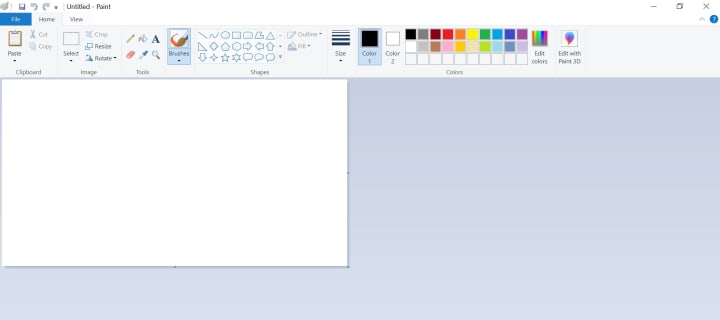
1. Microsoft Paint (Easy to use) : We all who are little familiar with desktop computer must be knowing this simple amazing app “Paint” (if you don’t know about this paint app, please search in google, and you will find information about it). You can create any diagram in paint and use it in your tool. And also, you can edit any image using paint, which is an amazing option. I will suggest using Microsoft Paint if you are beginner and want to create a simple diagram.
In the below screenshot, you can see the various shapes available. You can select any of the shape as per your requirement and put it in the canvas.
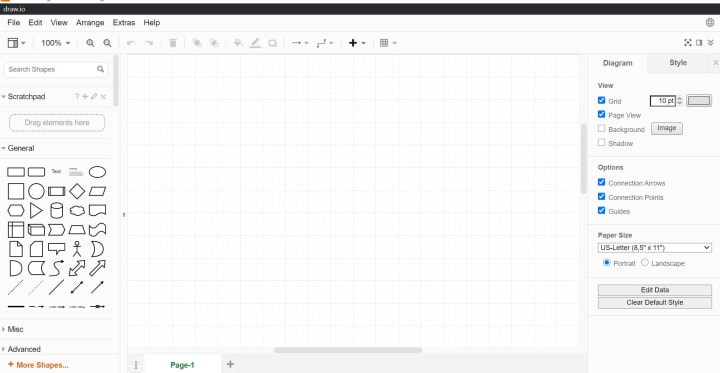
2. Draw.io (easy to use): This tool is one of the best freely available tool which you can use to create nice block diagram, flow charts etc. But it is little difficult to use compare to paint. I don’t think it will be an issue to use this tool, it is a very intuitive tool. Still, if you find difficulty to use this tool, you can watch some videos on YouTube to learn this. This tool has a huge number of options, if you know how to know use this tool it will really help you to create some mind-blowing diagrams which you increase the value of your note.
You can download this software and start using it and when you create any diagram just save them in .JPEG or .PNG format so that you can use them in your notes.
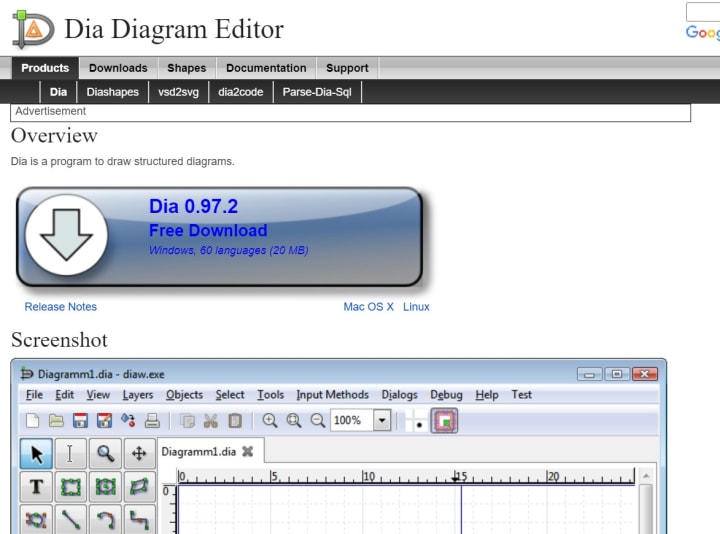
3. Dia Diagram Editor (easy to use): This tool is a great tool which can be used for creating structured diagrams. It is a lightweight software tool. You can easily download this tool and start using this.
This tool many options like you can electric circuit, Chemistry lab related diagrams, Digital Electronics related diagram and lot more.
In the below screenshot you can see the various file available which you can install as per your requirement.
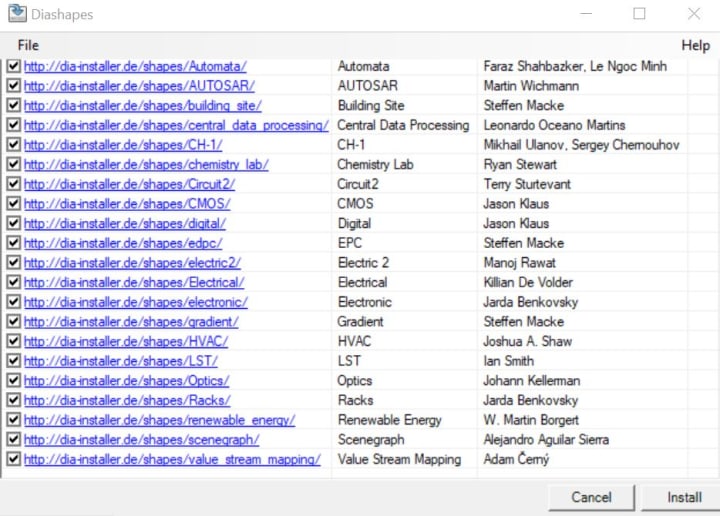
By looking at the options, this software tool is a great freely available tool, and it can be used by a wide range of audience (College & university students, teachers., professors and all others).
Thanks
About the Creator
Keep reading
More stories from Koushik Saha and writers in Education and other communities.
Online Teaching Tool -Whiteboard | Most popular whiteboard applications
In today’s world, online teaching growing too fast, and we can say this mode of education will become permanent in the future. So it is better if you start preparing yourself for this future.
By Koushik Saha4 years ago in Education
Is Pharmacy Tech a Good Career Choice for 2026?
Given the recent shifts in the market and AI automation, people are now well aware that economic shakeups can drastically hinder their income sources. This is causing a lot of people to switch careers, and a majority of people are targeting healthcare roles. However, not all allied healthcare roles are created equal. Also, you can aim to become a medical assistant, but if you do not want to deal with patients, the ideal role for you is that of a Pharmacy Technician.
By Meaghan Howe3 days ago in Education
Wild Card Weekend Recap: What Happens Now?
I think I figured out why I love Wild Card Weekend so much. It's because it's the first playoff anything of the calendar year. The NFL season starts in the fall, and once upon a time, the champion was crowned either on or slightly before New Year's. The evolution of the NFL schedule has resulted in the playoffs starting just into the New Year, and currently, the final week of the season falls on the first weekend of the New Year, with Wild Card Weekend coming a week after that. So yes, chronologically, the NFL's Wild Card Weekend serves as the first playoff anything of the calendar year.
By Clyde E. Dawkins5 days ago in Unbalanced




Comments
There are no comments for this story
Be the first to respond and start the conversation.